00191025-01.pdf - 第246页
7 Vision Systems SIPLACE 80S /F/G User’s Manual 7.5 Teaching the F iducial Ed ition 07/97 from Software Version SR.010.xx 7 - 54 Line engine er When t his optio n is selec ted – the menu di sappears . – the teach process…
SIPLACE 80S/F/G User’s Manual 7 Vision Systems
Edition 07/97 from Software Version SR.010.xx 7.5 Teaching the Fiducial
Line engineer 7 - 53
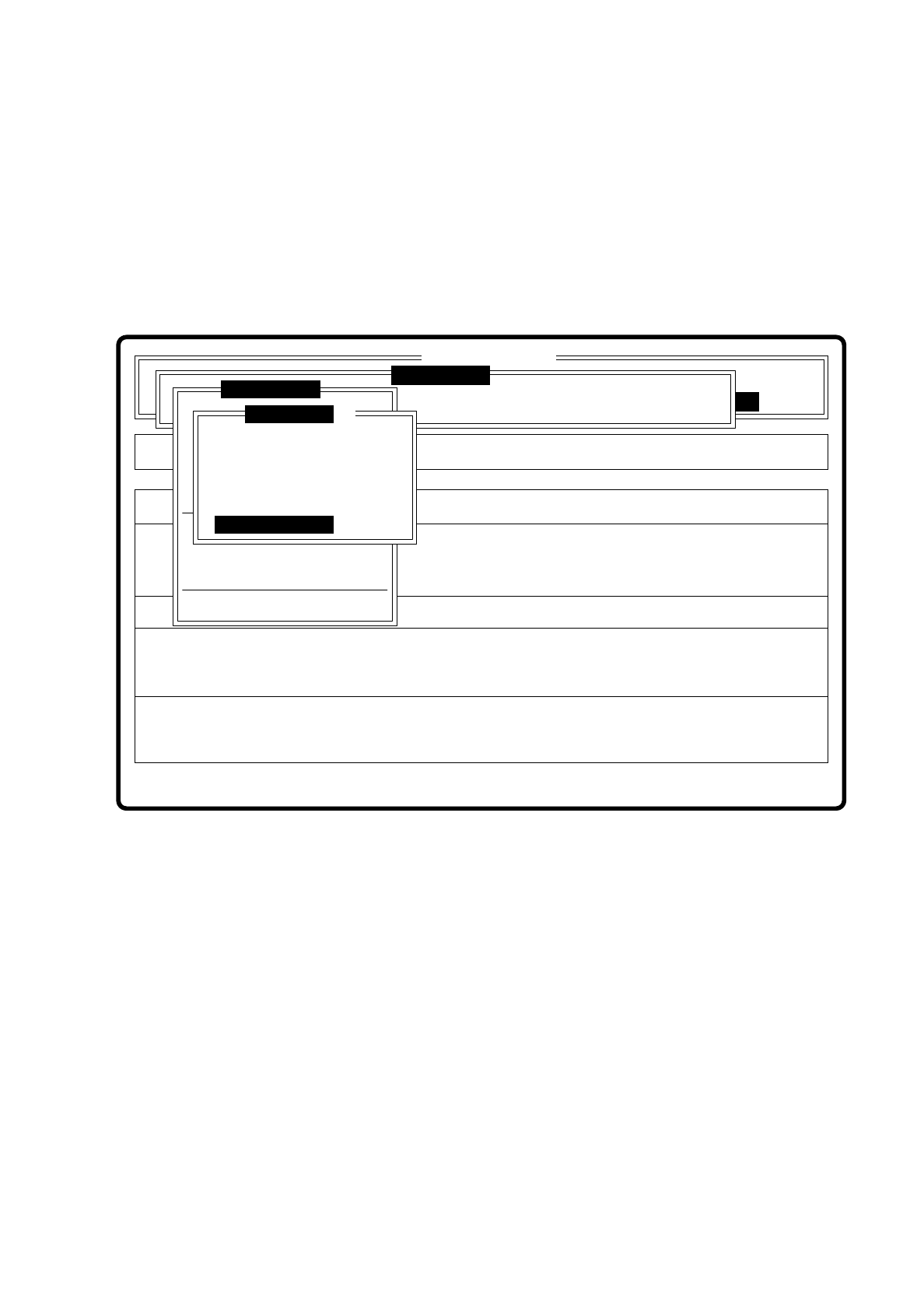
7.5.4.3 Option “Color graduation”
When this option is selected the menu “color graduation” appears with new functions. A description of the
menu with its options can be found in Section 7.5.5 Menu “Color graduation”.
7.5.4.4 Option “Standard values”
Fig. 7.5.18
Error
State
Action
Teach fiducials with standard values
Single functions
:
:
:
Vision system
Vision system
Rüstung:
BE - Zuführung
Version: 2133
Marke testen
x/y - Achsen verfahren
LP ins Mittenband
Choose gantry
Marke zentrieren
Teach fiducial
Marke neu
Marke ändern
Edit fiducial
Template high res.
Template medium res.
Template low res.
Change search area
Color graduation
Standard values
Display errors
PCB to output conveyor
SI80 V 10.x
Vision system
7 Vision Systems SIPLACE 80S/F/G User’s Manual
7.5 Teaching the Fiducial Edition 07/97 from Software Version SR.010.xx
7 - 54 Line engineer
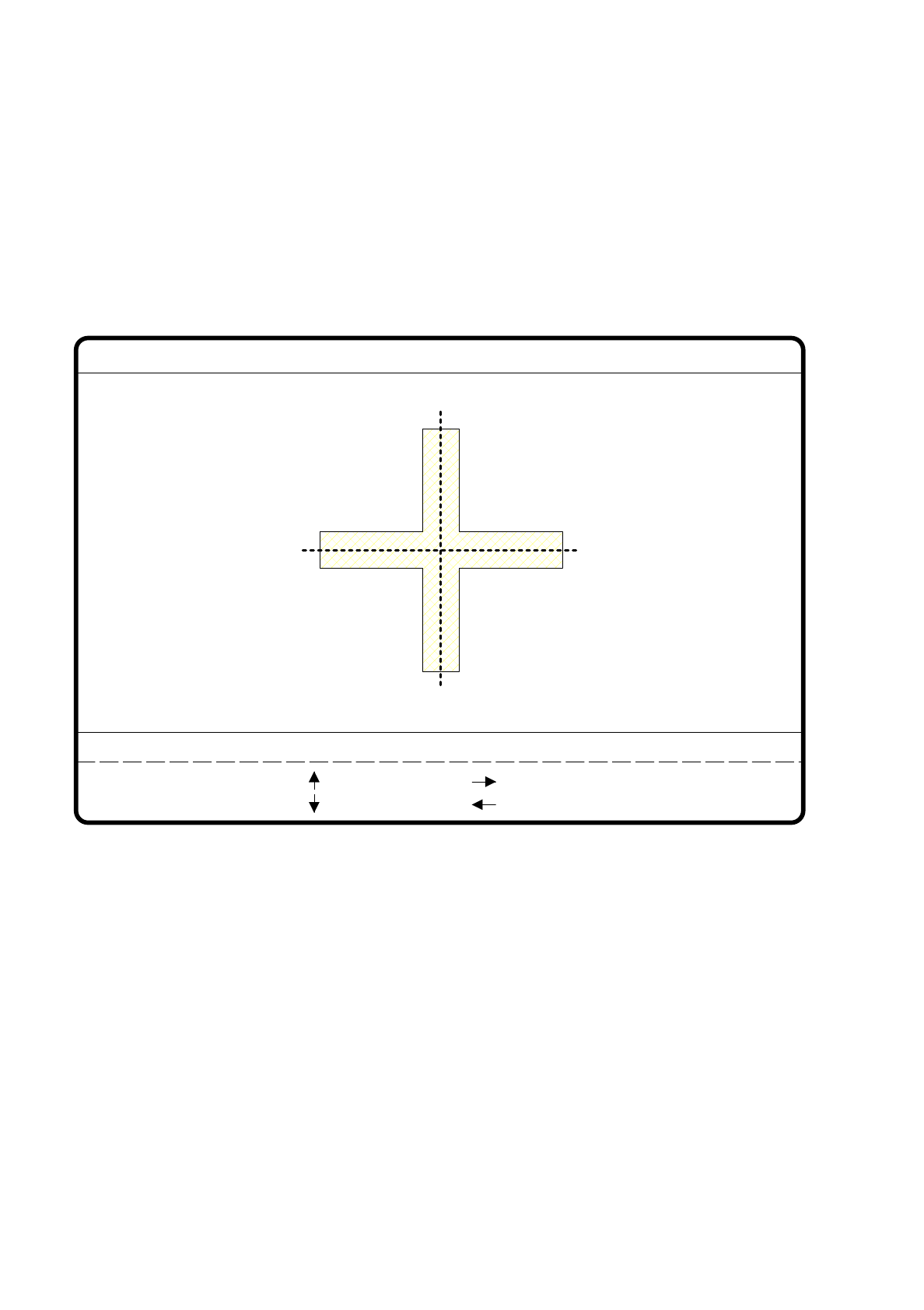
When this option is selected
–
the menu disappears.
–
the teach process is started.
–
the video image is displayed with fiducial, fiducial structure field, and uniqueness value.
–
header and footer lines are displayed with commentary, measurement result, keyboard assignment and
command sequences.
Fig. 7.5.19
●
Use the arrow keys to position the camera; the increment can be selected using numbers 1 ... 6.
●
With “RETURN” you can repeat the teach process.
●
With “ESC” you can quit this option. The menu reappears on the screen.
teach
1..6 : x/y step
Fiducial No. = 8 Uniqueness = 70
Ret :
Standard values
x/y step width = ...
: x axis +
: x axis -
: y axis +
: y axis -
SIPLACE 80S/F/G User’s Manual 7 Vision Systems
Edition 07/97 from Software Version SR.010.xx 7.5 Teaching the Fiducial
Line engineer 7 - 55
7.5.5 Menu “Color graduation”
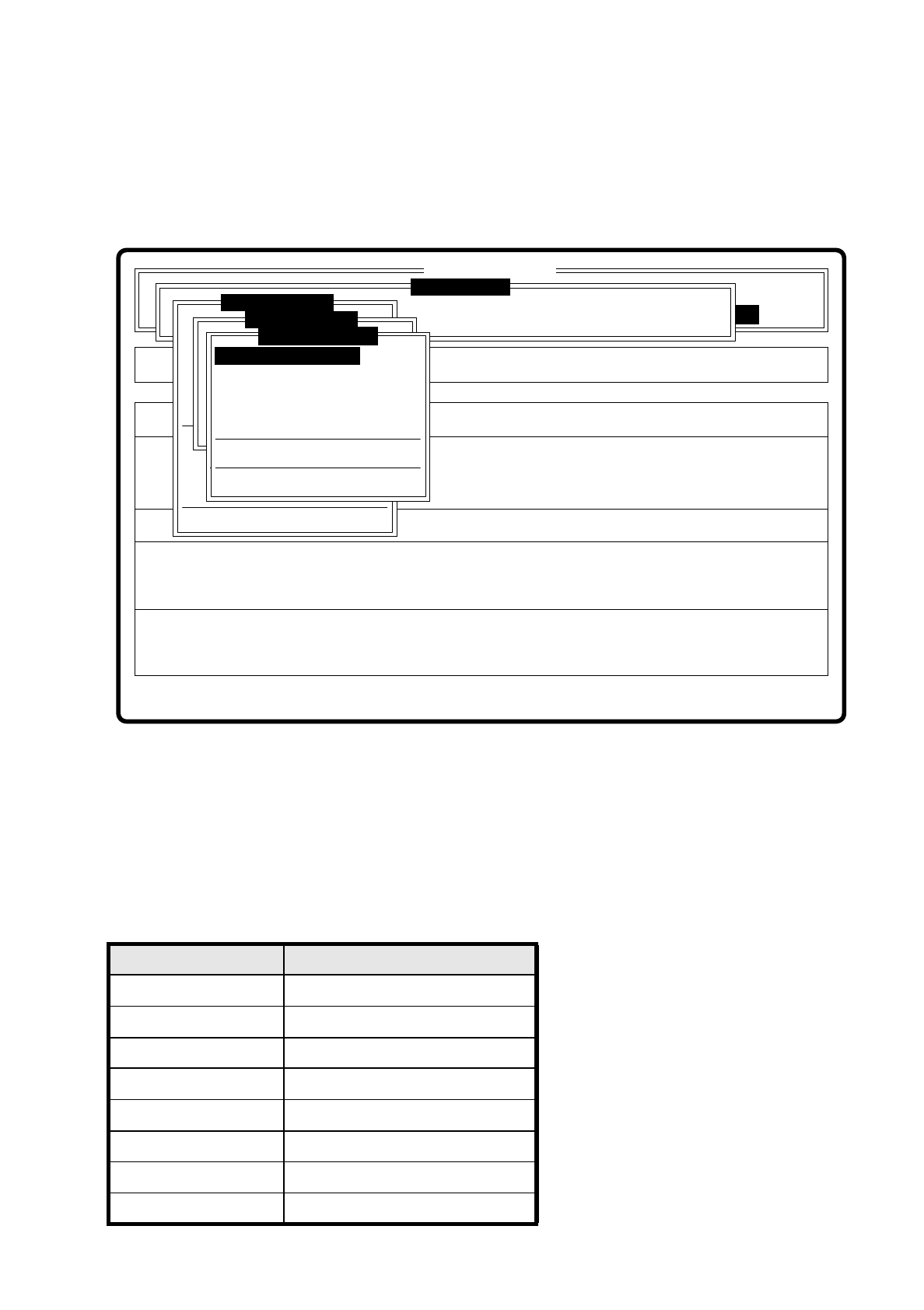
On selecting the option “Color graduation” in the menu “Edit fiducial”, the menu “Color graduation” is dis-
played.
Fig. 7.5.20
Each pixel of the video camera contains 8 bits of grey-scale information. Here
–
the value 0 signifies black and
–
the value 255 signifies white
In order to make it easier to judge the brightness distribution or contrast relationships, these grey-scale values
are converted into color with the help of transformation tables, as shown below:
Grey-scale value Color allocation
0black
30 violet
50 blue
77 blue-green
100 green
127 brown
150 red
175 orange
Error
State
Action
Show template with transform 1
Single functions
:
:
:
SI80 V 10.x
Vision system
Vision system
Rüstung:
Maschinenoptionen
Softwareoptionen
BE - Zuführung
Vision system
Version: 2133
x/y - Achsen verfahren
Marke zentrieren
Teach fiducial
Marke neu
Marke ändern
Edit fiducial
PCB to output conveyor
Choose gantry
Display errors
Template mittl. Aufl.
Marke neu
LP ins Mittenband
Marke zentrieren
Disp with transform 2
Disp with transform 3
Disp with transform 4
Disp with transform 5
Program transform 5
Disp with transform 1
Color graduation
Transform 5 default values