00191025-01.pdf - 第278页
7 Vision Systems SIPLACE 80S /F/G User’s Manual 7.6 Test Component Edition 07/97 f rom Software Version SR.010.xx 7 - 86 Line engine er 7.6.3.9 Menu “Display errors” Fig. 7.6.16 The menu “Display error” and its options –…
SIPLACE 80S/F/G User’s Manual 7 Vision Systems
Edition 07/97 from Software Version SR.010.xx 7.6 Test Component
Line engineer 7 - 85
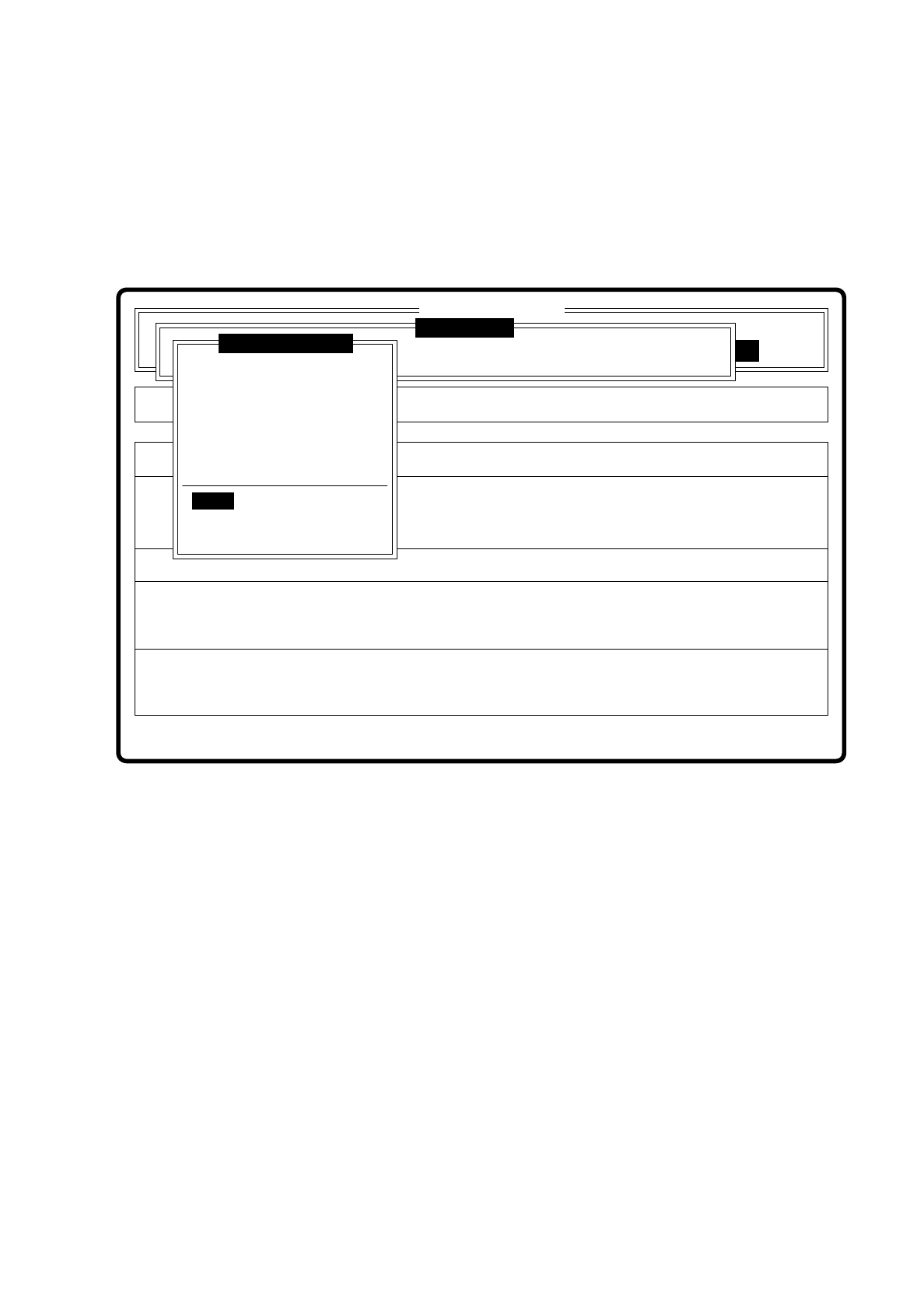
7.6.3.8 Option “Refill”
If the track is emptied due to pick-up error then with this option you can refill the track. When you select it a
dialog window pops up.
Fig. 7.6.15
Error
State
Action
Refill components and set feeders full
Single functions
:
:
:
Cluster:
SI80 V 10.x
Vision system
Vision system
Vision system
Version: 2133
Setup:
Test component
Enter GF number
Pickup component
Display component
Measure component
Test component
Edit GF data
Change measure mode
Refill
Display errors
Test output

7 Vision Systems SIPLACE 80S/F/G User’s Manual
7.6 Test Component Edition 07/97 from Software Version SR.010.xx
7 - 86 Line engineer
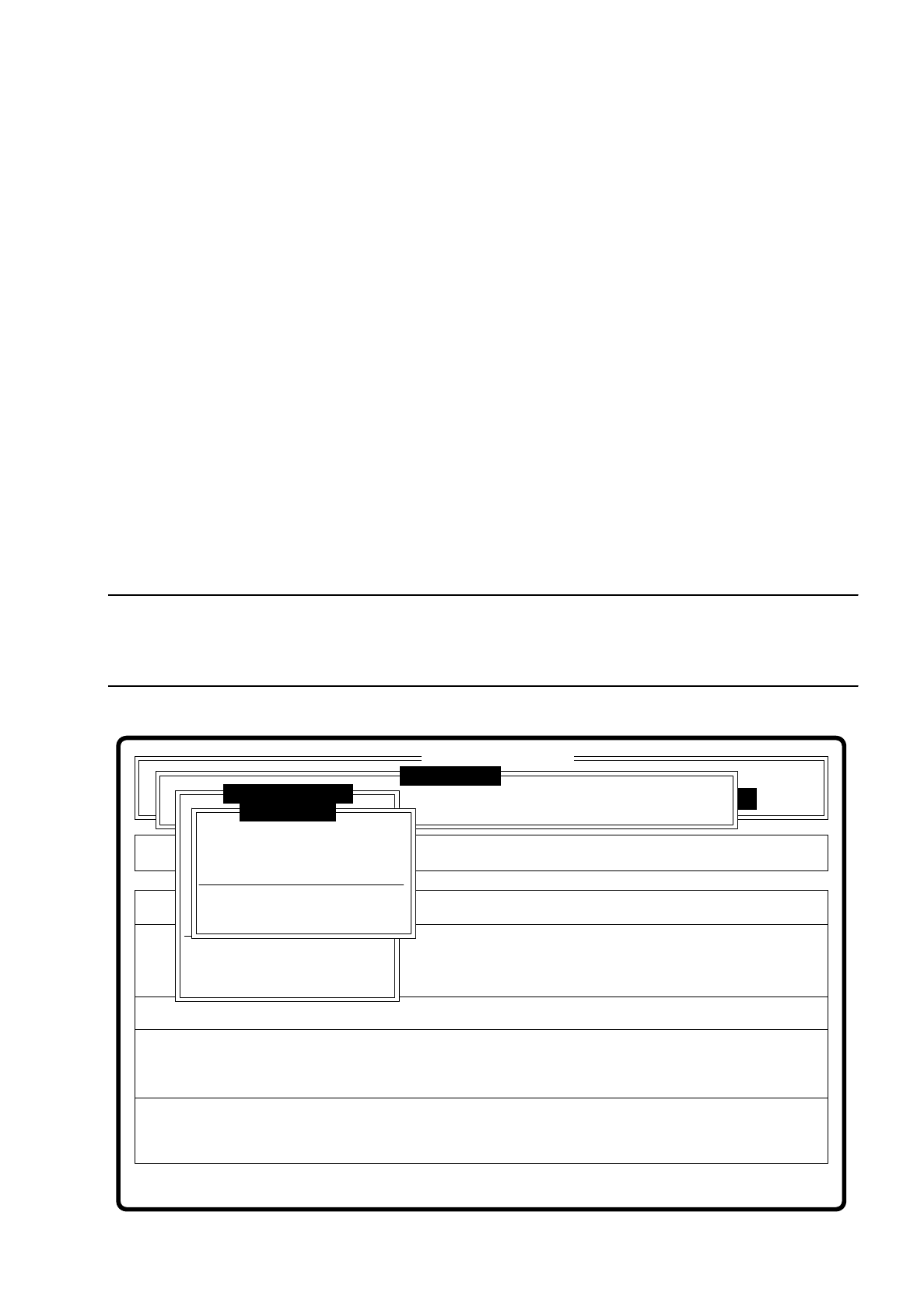
7.6.3.9 Menu “Display errors”
Fig. 7.6.16
The menu “Display error” and its options
–
Track error
–
Transport error
–
Machine error
–
General error
pop up when selected.
Key functions
–
With the
cursor keys
↑
and
↓
you can scroll through the display line by line.
–
With the keys
PgUp
and
PgDn
you can move through the display page by page.
–
With the key
Home
you can jump to the beginning of the display, and with the key
End
to the last item in the
display.
–
With the key
ESC
you may quit the menu. The menu which you used to call the menu "Confirm error" is
displayed on the screen.
A description of the menu will be found in Section 5.6 “Display functions” of this user’s manual.
Error
State
Action
Display error list separately according to error types
Rüstung:
Single functions
:
:
:
Cluster:
SI80 V 10.x
Vision system
Vision system
Vision system
Version: 2133
Setup:
Test component
Enter GF number
Pickup component
Display component
Measure component
Test component
Edit GF data
Change measure mode
Refill
Display errors
Test output
SIPLACE 80S/F/G User’s Manual 7 Vision Systems
Edition 07/97 from Software Version SR.010.xx 7.6 Test Component
Line engineer 7 - 87
7.6.3.10 Option "Test Output"
The "Test output" option is intended as a development tool. When you have problems with a package form,
print out the results of optical centering and contact the vision system development group.
7.6.4 Menu “Edit GF data”
The GF ("Gehäuse-Form" = package form) file is stored in the line computer. It basically consists of two main
parts:
–
the geometric package form data and
–
the sensor-specific data
The sensor specific part contains the
–
measurement conditions for the component
–
the type of illumination and the
–
transformation table data
NOTE
The menu “Edit GF data” is only activated if you have already entered a GF number. If not, a message is dis-
played which asks you to enter a GF number. When you have done so, the menu pops up.
Fig. 7.6.17
Error
State
Action
Change dimension of a pin (optical length and width)
Machine options Single functions
Softwareoptionen
BE - Zuführung
Cluster:
SI80 V 10.x
Vision system
Vision system
Vision system
Setup:
Version: 2133
Meßmodus ändern
GF-Nr. eingeben
BE abholen
BE darstellen
BE messen
BE prüfen
GF-Daten ändern
Pin dimension
Package dimension
Ball image
Illumination
Program transform 5
Edit GF data
Test component
Refill
Display errors
Test output
:
:
: