00191025-01.pdf - 第338页
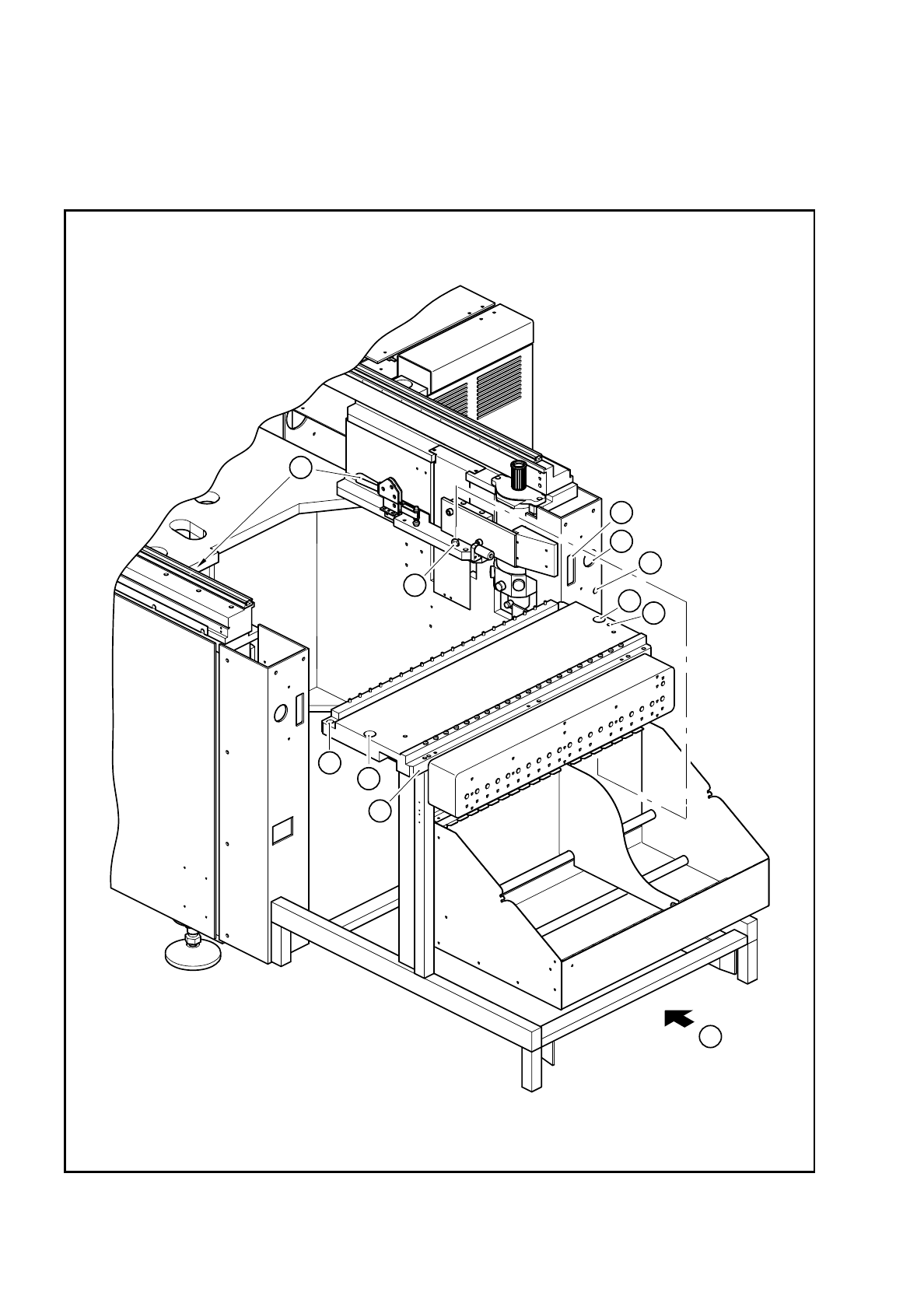
SIPLACE 80S/F/G User’s Manual 8 Component Supply Edition 07/97 from S oftware Version SR.010.xx 8.3 Changeable Components Tables 8 - 13 - K ey to Fig. 8.3.1 8.3.2. 3 I nstalla tion ● Make su re that th e contact su rface…
8 Component Supply SIPLACE 80S/F/G User’s Manual
8.3 Changeable Components Tables Edition 07/97 from Software Version SR.010.xx
8 - 12
●
Open the horizontal tensioner
➆
.
●
Carefully raise the component table using the platform truck until the centering pins
«
are outside the hole
s.
●
Then pull out the component table.
Fig. 8.3.1 Removal of the component table
4
5
3
1
2
4
5
6
8
7
A

SIPLACE 80S/F/G User’s Manual 8 Component Supply
Edition 07/97 from Software Version SR.010.xx 8.3 Changeable Components Tables
8 - 13
- Key to Fig. 8.3.1
8.3.2.3 Installation
●
Make sure that the contact surfaces of the component table and machine are clean (
➈
and
➉
).
●
Pick up a component table with the lifting truck and raise the component table until it will not catch any-
where while being slid into the machine.
●
Carefully push the component table into the machine until the centering pin locating holes on the compo-
nent table are above the centering pins (
➃
and
➇
).
●
Carefully lower the component table until the component table rests on the machine base mounting.
●
Close the clamping levers (
➆
).
●
Then plug in the flat plug for the communication signals.
●
Insert and tighten the two hexagon socket head screws
➄
.
●
Plug in the round power supply plug.
●
Close the protective covers.
●
Release the EMERGENCY-STOP button.
➀
Connection for the communication interface
➁
Connection for the power supply to the component table
➂
Compressed air connection
➃
Holes for the centering pins
➄
Hexagon socket head screws for fixing the component table
➅
Supporting surface for the component table
➆
Horizontal tensioner
➇
Centering pins
➈
Contact surfaces for the component table
➉
Contact surfaces for the machines
A Push in the component table platform truck

8 Component Supply SIPLACE 80S/F/G User’s Manual
8.3 Changeable Components Tables Edition 07/97 from Software Version SR.010.xx
8 - 14