00191025-01.pdf - 第492页
SIPLACE 80S/F/G User’s Manual 10 SIPLACE G Edition 07/97 from S oftware Version SR.010.xx 10.5 E rror Menus 10 - 25 Abort glueing In order to leave th e error menu w ithout con tinuing th e glueing process, us e the curs…
10 SIPLACE G SIPLACE 80S/F/G User’s Manual
10.5 Error Menus Edition 07/97 from Software Version SR.010.xx
10 - 24
10.5.2 Transport Errors Menu
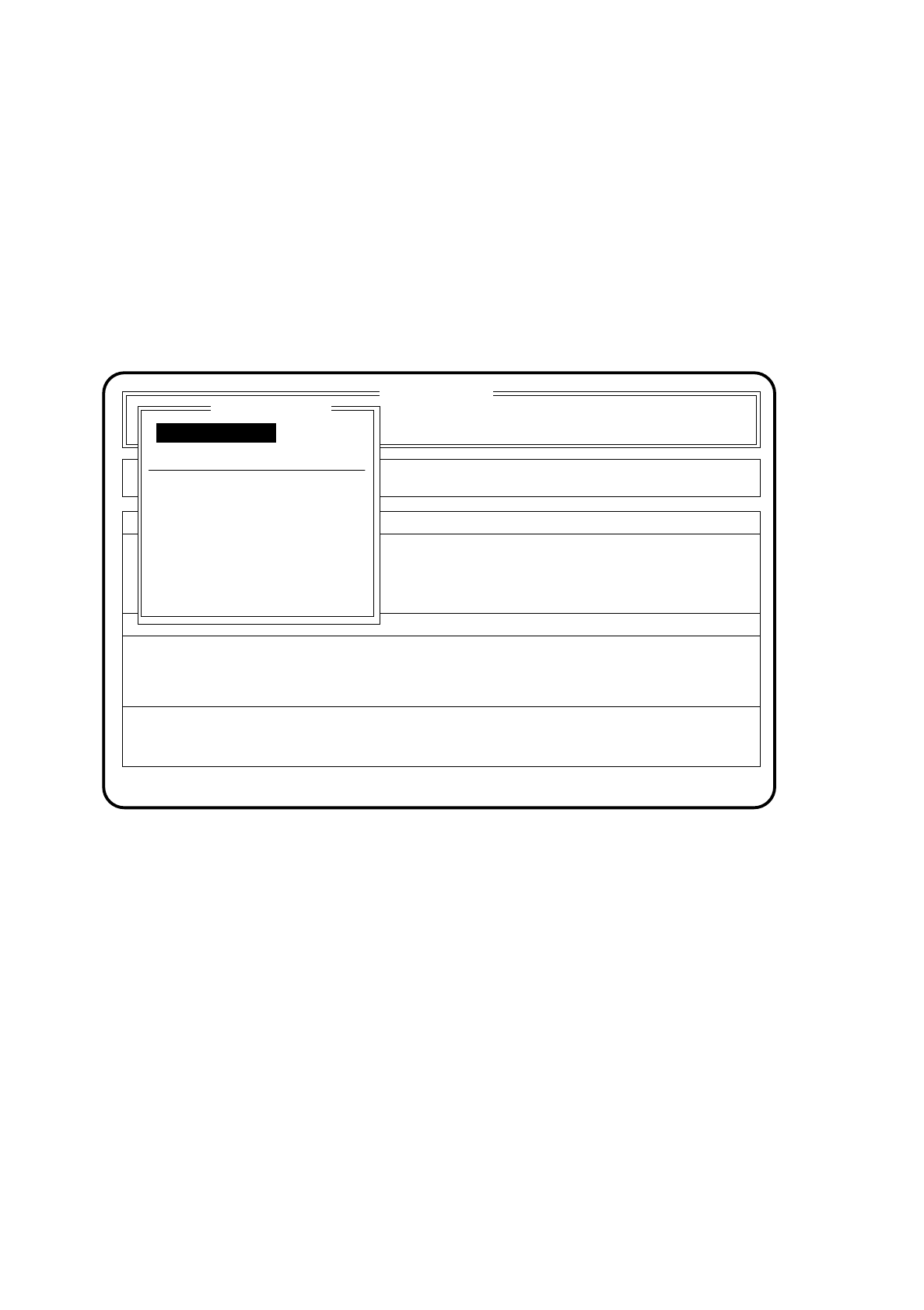
The transport errors menu appears on the screen when errors occur while the board is being transported.
Possible errors include, for example, the ultrasound sensors not responding correctly or the board not being
stopped or held.
10.5.2.1 Range of Functions - Operator
Fig. 10.5.1
PCB to output conveyor
When the function "PCB to output conveyor" is selected by means of the cursor keys and
Return key
, a
board which is on the center conveyor is sent on to the output conveyor and left there for manual
removal.
PCB to center conveyor
When the function "PCB to center conveyor" is selected by means of the cursor keys and
Return key
, a
board which is on the input conveyor is sent on to the center conveyor where it is stopped and clamped.
Display errors
In order to display all of the errors which have occurred, use the cursor keys to select the menu item
"Display errors". Then press the
Return key
. On the screen the menu described in Section 10.6 "Display
Functions": "Display errors" appears.
SI 80G V 10.x
Cluster:
Rüstung :
Error
State
Action
:
:
:
Transport errors
Abort glueing
Display errors
PCB to center conveyor
PCB to output conveyor
Error treatment - transport errors
Continue glueing
Continue glueing
Machine options

SIPLACE 80S/F/G User’s Manual 10 SIPLACE G
Edition 07/97 from Software Version SR.010.xx 10.5 Error Menus
10 - 25
Abort glueing
In order to leave the error menu without continuing the glueing process, use the cursor keys to select the
menu item "Abort glueing" and press the
Return key
. The board on the conveyor will be moved on to the
output conveyor. The gantry will be brought into the stand-by position.
Continue glueing
In order to continue the glueing process, use the cursor keys to select the menu item "Continue glueing".
After this, press the
Return key
. The machine will move the board out which is on the conveyor and request
the operator to add a new board. In order to continue the glueing procedure the machine requires a board
to be in the glueing area.
10.5.2.2 Range of Functions - Line engineer
Once the
line engineer password
has been typed in, the following additional functions will be displayed in
the transport errors menu:
Sensor state
To display the current state of the ultrasound sensors, use the cursor keys to select the menu item "Sensor
state". Then press the
Return key
. In the right-hand part of the "Transport errors" menu the current state of
the ultrasound sensors (responded 1, not responded 0) will be displayed.
Transport Status
The menu item "Transport status" indicates how the states (1/0) of the board conveyor are set in the
software.
To display the current states of the board conveyor, use the cursor keys to select the menu item "Transport
status" and press the
Return key
. In the right-hand part of the menu "Transport errors" the current state of
the board conveyor will be displayed.
Actuate clamping
After selecting the function "Actuate clamping" by means of
cursor keys
and pressing the
Return key
,
clamping is activated (if there is a board on the conveyor it will be clamped). When the Return key is
pressed again the clamping device returns to its home position. This procedure can be repeated as often
as you like by pressing the
Return key
.
Actuate stopper
After selecting the function "Actuate stopper" by means of
cursor keys
and pressing the
Return key
the
stopper is moved out. When the Return key is pressed again the stopper returns to its home position. If the
Return key
is pressed again these actions will be repeated.
10 SIPLACE G SIPLACE 80S/F/G User’s Manual
10.5 Error Menus Edition 07/97 from Software Version SR.010.xx
10 - 26
Cycle mode
Use the cursor keys to move the cursor bar onto the menu item "Cycle mode". Then press the
Return key
.
For each step of the glueing sequence you must now press the start key.
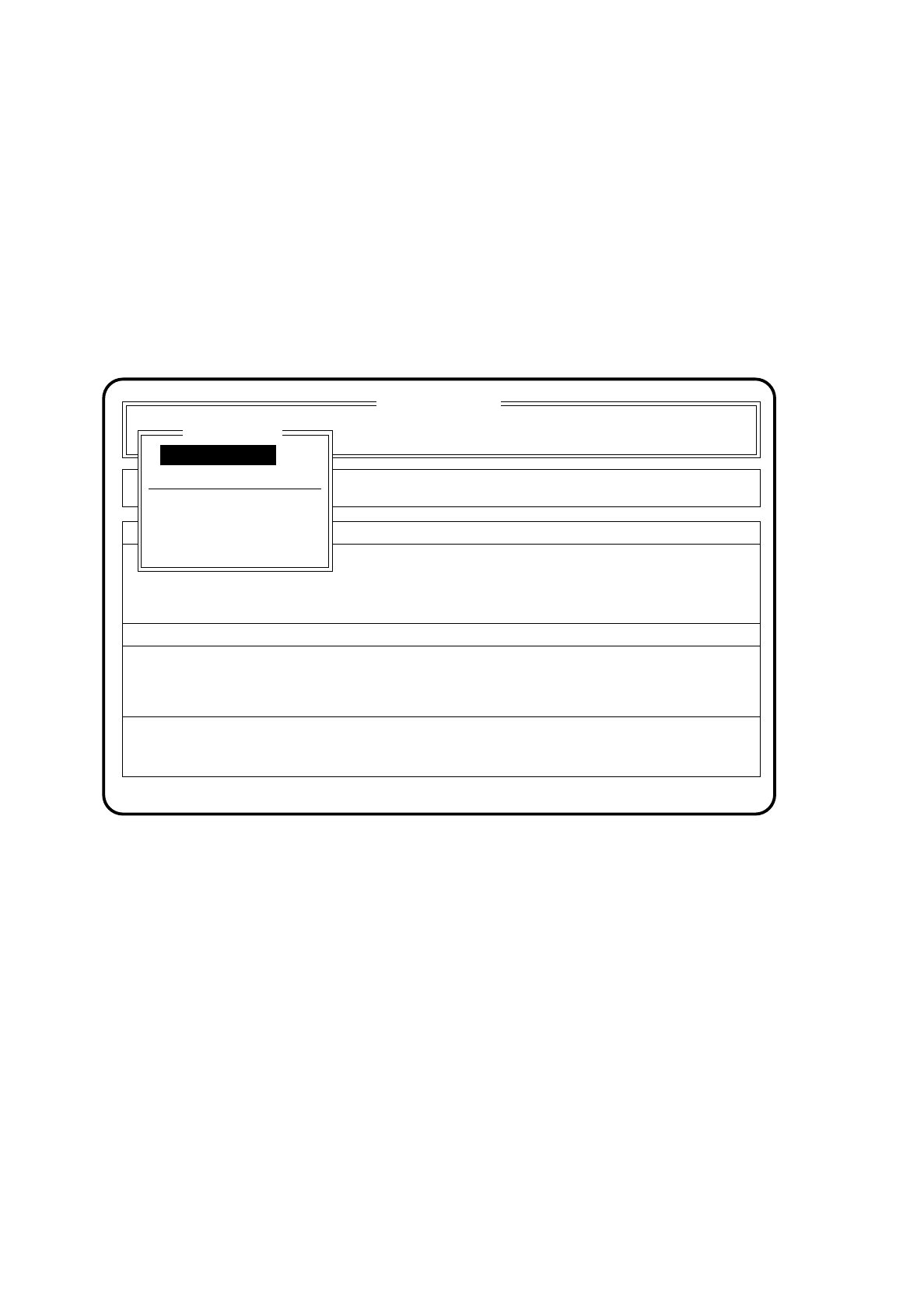
10.5.3 Fiducial Errors Menu
If a fiducial is not found or is not recognized during the course of position recognition, the fiducial error menu
will appear automatically on the screen.
Fig. 10.5.2
10.5.3.1 Range of Functions - Operator
Display errors
In order to display all errors which have occurred, use the cursor keys to select the menu item "Display
errors" and press the
Return key
. On the screen the menu described in Section 10.6 "Display Functions":
"Display errors" appears.
Abort glueing
In order to leave the error menu without continuing the glueing process, use the cursor keys to select the
menu item "Abort glueing" and press the
Return key
. The board on the conveyor will be moved on to the
output conveyor. The gantry will be brought into the stand-by position.
SI 80G V 10.x
Cluster: TEST
Neuer Nutzen
Display errors
Confirm errors
Machine options
Error
State
Action
:
:
:
Error treatment - fiducial errors
Abort glueing
PCB to output conveyor
PCB to center conveyor
Display errors
Continue glueing
Fiducial errors
Continue glueing
Glueing adjustmts