00191025-01.pdf - 第54页
2 Display and Operating Elem ents SIPLACE 80S/F/G User’s Manual 2.2 Machine Input and O utput Equipment Edition 07/97 from Softwareversion SR.010.xx 2 - 6 ● MAINS VO LTAGE ON/OFF This i ndicator l ights up when the mains…
SIPLACE 80S/F/G User’s Manual 2 Display and Operating Elements
Edition 07/97 from Softwareversion SR.010.xx 2.2 Machine Input and Output Equipment
2 - 5
2.2 Machine Input and Output Equipment
2.2.1 Monitor (DMD 14)
CAUTION
∆
!
●
Protect the monitor from humidity and excessive heat (direct sunlight, heating).
●
Do not obstruct the ventilation louvres.
●
Never attempt to remove the casing as you will then expose yourself to high voltages.
●
Do not spill any liquids over the monitor and not allow any objects to fall through the openings in the
casing.
●
Make sure that the correct operating voltage has been selected.
After the monitor is switched on the station menu appears on the screen in accordance with the privilege level
(password protection). The monitor is switched over by a multiplexer controlled by the machine controller
(MC1). This results firstly in the control menu of the station computer appearing, and secondly the digital
images of the two portal axis systems generated by the PCB and component vision systems can be shown.
2.2.1.1 Operating and Display Elements on the Front of the Monitor
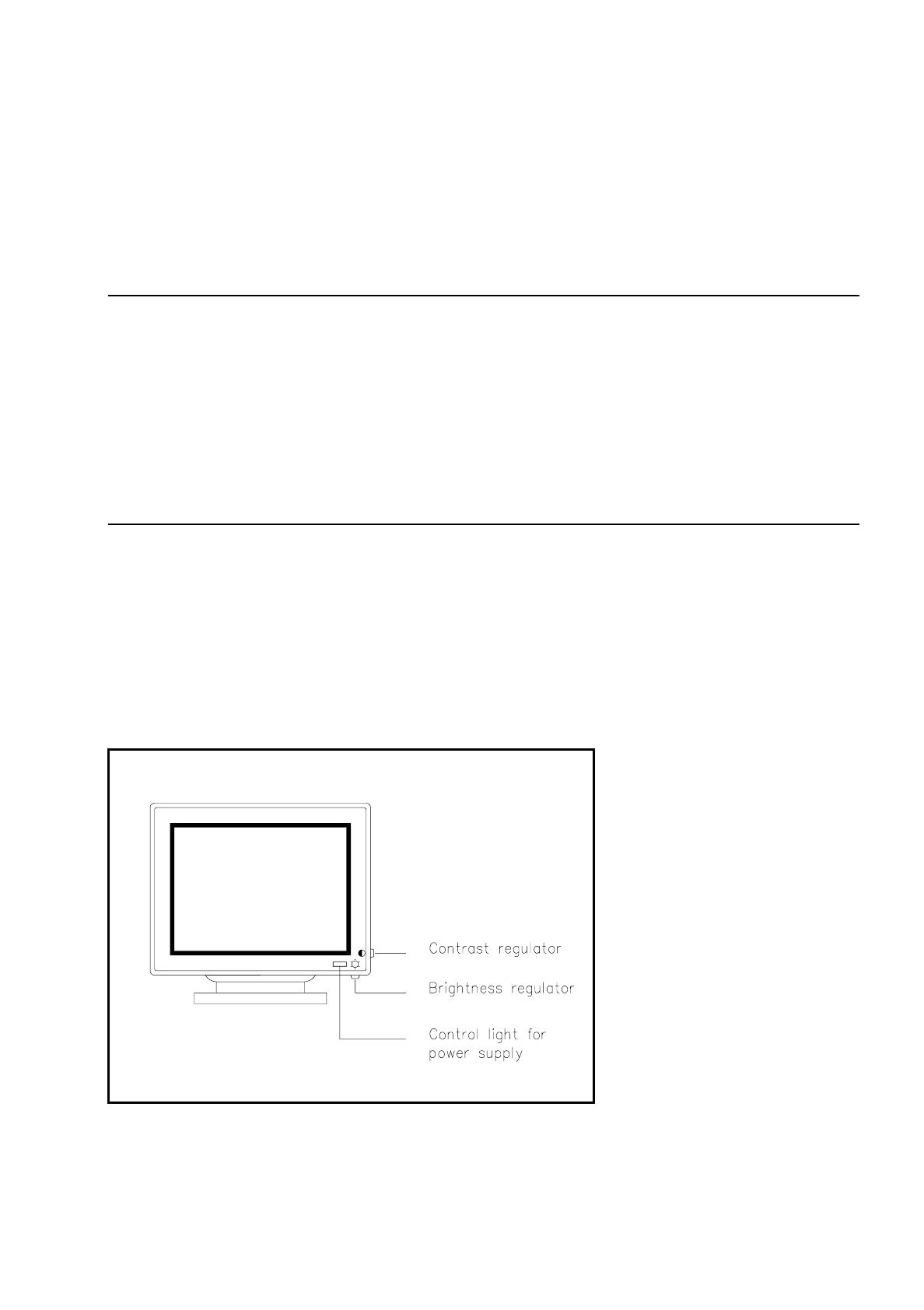
Fig. 2.2.1 Operating elements and displays on the front side
2 Display and Operating Elements SIPLACE 80S/F/G User’s Manual
2.2 Machine Input and Output Equipment Edition 07/97 from Softwareversion SR.010.xx
2 - 6
●
MAINS VOLTAGE ON/OFF
This indicator lights up when the mains voltage supply is connected correctly and the mains switch is
switched on.
●
Brightness
The brightness of the screen can be adjusted using this regulator.
●
Contrast
The contrast of the screen can be adjusted using this regulator.
NOTE
Do not set the brightness or contrast to the maximum. This will unnecessarily shorten the life of the screen.
2.2.1.2 Operating Elements at the Back of the Monitor
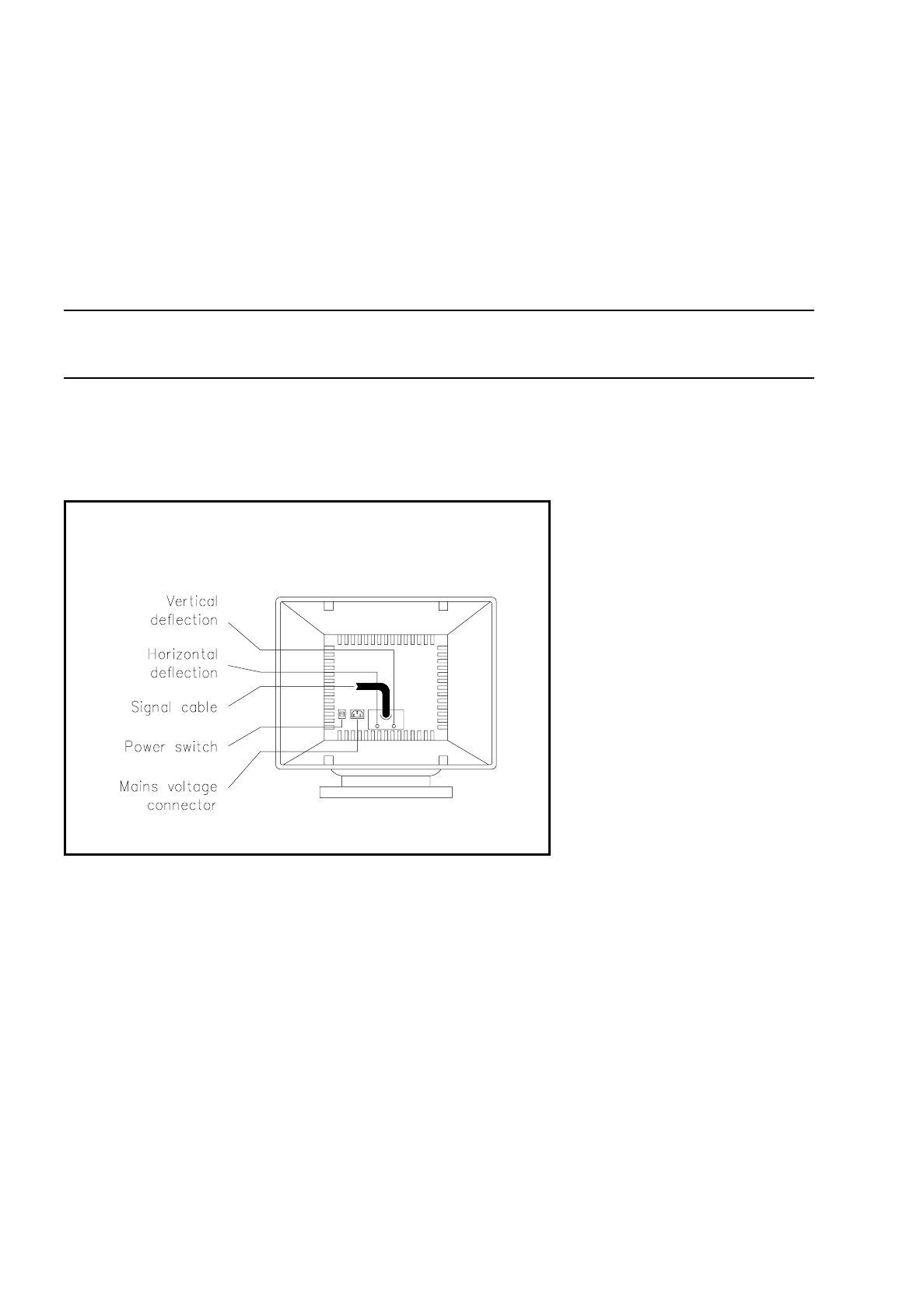
Fig. 2.2.2 Operating elements on the rear side
●
Power Switch ON/OFF
This toggle switch is used to switch the monitor on or off.
●
Horizontal Deflection
This rotary knob is used for adjusting the horizontal deflection of the screen display.
●
Vertical Deflection
This rotary knob is used for adjusting the vertical deflection of the screen display.
●
Mains voltage connection
First connect the mains cable to the monitor, and then to the socket with earth connection.
SIPLACE 80S/F/G User’s Manual 2 Display and Operating Elements
Edition 07/97 from Softwareversion SR.010.xx 2.2 Machine Input and Output Equipment
2 - 7
NOTE
Horizontal and vertical deflection have been adjusted in the factory and as a rule do not require readjustment.
However readjustment will be necessary in the cases listed below:
• The picture tilts: Adjust the horizontal deflection.
• The picture skips: Adjust the vertical deflection.
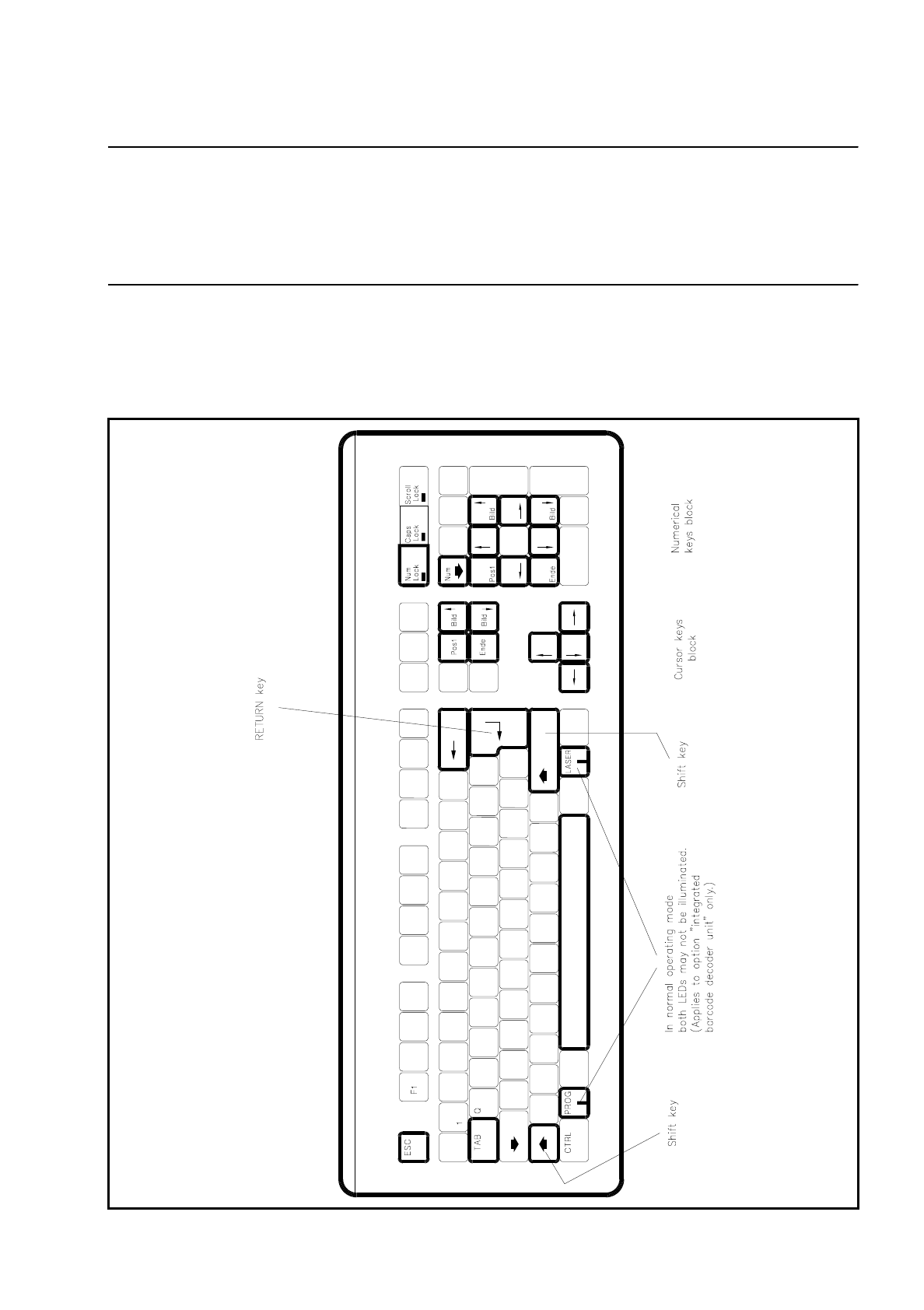
2.2.1.3 Keyboard
The keyboard is an IBM-MF-compatible keyboard with 104 keys and a country-specific configuration (Ger-
man). As an option a barcode decoding unit can be integrated.
Fig. 2.2.3 Keyboard