00191025-01.pdf - 第544页
SIPLACE 80S/F/G User’s Manual 11 Station Extensions Edition 07/97 from S oftware Version SR.010.xx 11.4 Compo nent Bar-Code 11 - 19 11.4 Component Bar-Code 11.4.1 General The SIP LACE 80S p lacement mac hine allows you t…

11 Station Extensions SIPLACE 80S/F/G User’s Manual
11.3 PCB Bar-Code Edition 07/97 from Software Version SR.010.xx
11 - 18
SIPLACE 80S/F/G User’s Manual 11 Station Extensions
Edition 07/97 from Software Version SR.010.xx 11.4 Component Bar-Code
11 - 19
11.4 Component Bar-Code
11.4.1 General
The SIPLACE 80S placement machine allows you to make sure track occupancy is correct by means of a bar-
code reader and to read component data from, for example, component reels.
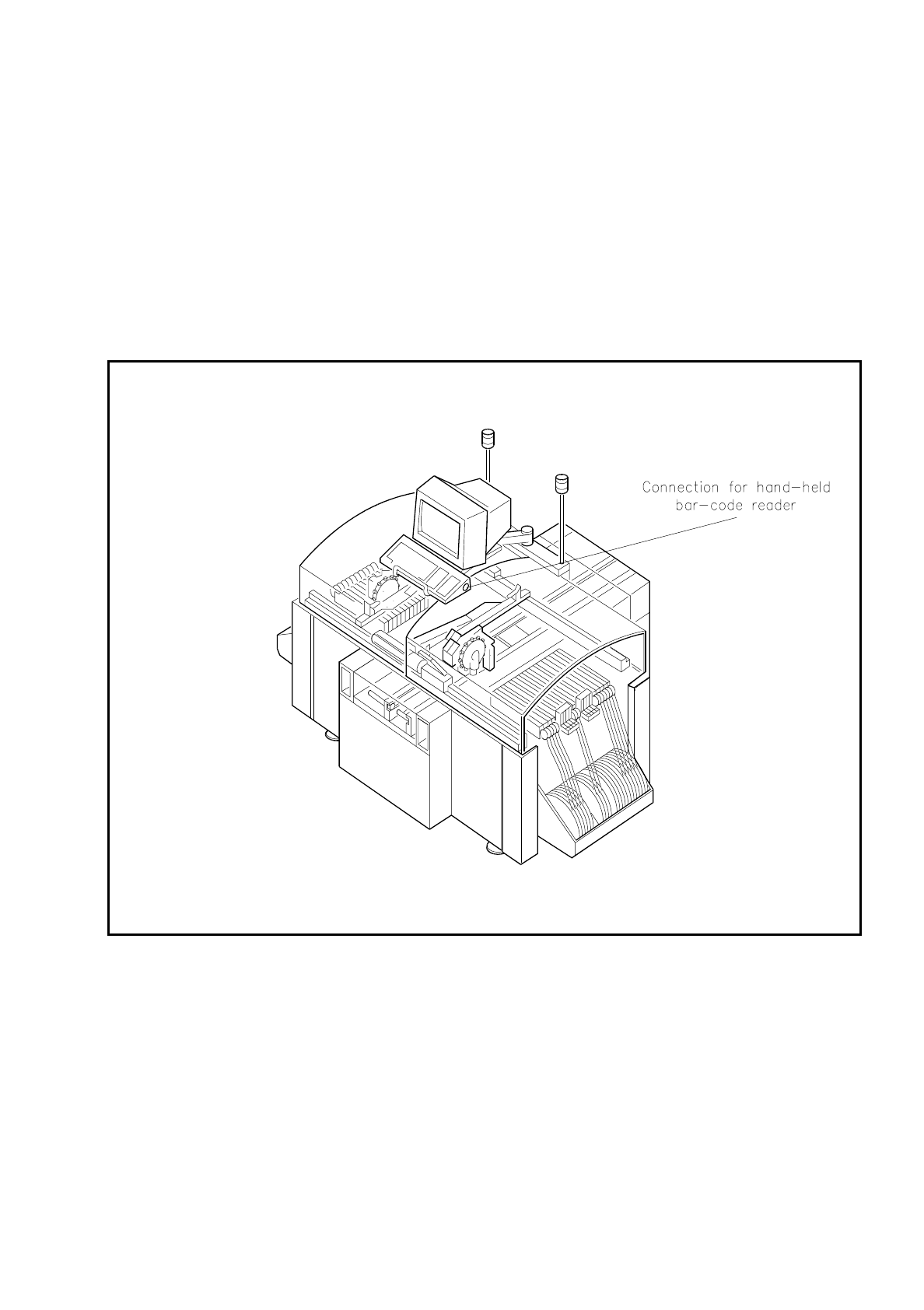
The bar codes are read in using a hand-held reader connected to the keyboard.
Fig. 11.4.1 Bar-code reader connection

11 Station Extensions SIPLACE 80S/F/G User’s Manual
11.4 Component Bar-Code Edition 07/97 from Software Version SR.010.xx
11 - 20
●
Track Occupancy
For track occupancy, black labels with four-place bar-code strips are fitted. The first place is used for iden-
tifying the component table (1 or 2) while the remaining three places specify the track numbers.
Return
bar-codes
are provided at each end of the label. These have the same function as the Return key on the
keyboard. These bar-code strips are numbered consecutively in increments of two (1, 3, 5, 7 and so on)
and apply in each case to 2 tracks (for example, bar code 1 = tracks 1 and 2).
●
Components
In order to compare, for example, the stock of components with the numbers required by the set-up file
(refill check), data can be read off the component reels.
You will hear an acoustic signal each time a data record is read in successfully.
NOTE
If the bar-code option is not fitted, all inputs must be made via the keyboard.
NOTE
Bar codes which begin with the number 1 or 2 and are 4 characters long are interpreted as track bar-codes.
All other bar codes which begin with the number 1 or 2 are interpreted as component bar-codes.
11.4.2 Notes on Operating
-
The hand-held reader must be connected to the connection socket in the keyboard.
-
The bar code must be keyed in at the line computer for the component in question.
NOTE:
If a place in the bar code is occupied by a filter this place will not be evaluated. This facility can be used for fil-
tering out unwanted data contained in the bar code (such as date, company name, and so on).
-
If the component bar-code is set at the line computer and in the station the refill check has been switched
in via the machine options:
it will not be possible to set the tracks full.
it will not be possible to "Fill all", "Set location full" or "Set track with bar-code full" manually either.
-
In the case of tracks with a component without bar code, it will be possible to "Set full" manually (space
bar) despite the refill check having been activated.