00191025-01.pdf - 第545页
11 Station Extensions S IPLACE 80S/F/G User’s Manual 11.4 Component Bar-Code Ed ition 07/97 from Software Version SR.010.xx 11 - 20 ● Track Occupancy For track occupancy, black labels with four-plac e bar-code strips are…
SIPLACE 80S/F/G User’s Manual 11 Station Extensions
Edition 07/97 from Software Version SR.010.xx 11.4 Component Bar-Code
11 - 19
11.4 Component Bar-Code
11.4.1 General
The SIPLACE 80S placement machine allows you to make sure track occupancy is correct by means of a bar-
code reader and to read component data from, for example, component reels.
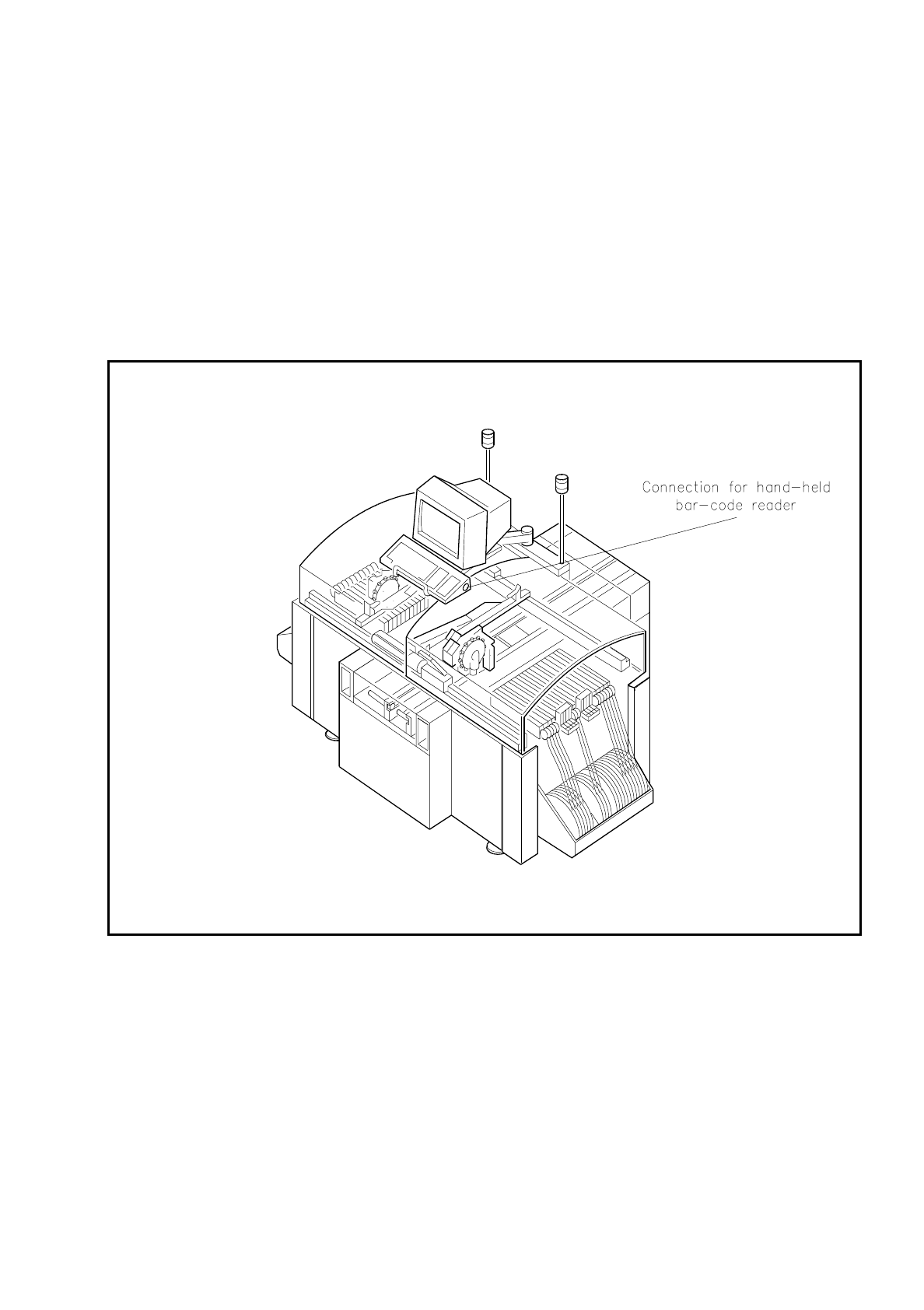
The bar codes are read in using a hand-held reader connected to the keyboard.
Fig. 11.4.1 Bar-code reader connection

11 Station Extensions SIPLACE 80S/F/G User’s Manual
11.4 Component Bar-Code Edition 07/97 from Software Version SR.010.xx
11 - 20
●
Track Occupancy
For track occupancy, black labels with four-place bar-code strips are fitted. The first place is used for iden-
tifying the component table (1 or 2) while the remaining three places specify the track numbers.
Return
bar-codes
are provided at each end of the label. These have the same function as the Return key on the
keyboard. These bar-code strips are numbered consecutively in increments of two (1, 3, 5, 7 and so on)
and apply in each case to 2 tracks (for example, bar code 1 = tracks 1 and 2).
●
Components
In order to compare, for example, the stock of components with the numbers required by the set-up file
(refill check), data can be read off the component reels.
You will hear an acoustic signal each time a data record is read in successfully.
NOTE
If the bar-code option is not fitted, all inputs must be made via the keyboard.
NOTE
Bar codes which begin with the number 1 or 2 and are 4 characters long are interpreted as track bar-codes.
All other bar codes which begin with the number 1 or 2 are interpreted as component bar-codes.
11.4.2 Notes on Operating
-
The hand-held reader must be connected to the connection socket in the keyboard.
-
The bar code must be keyed in at the line computer for the component in question.
NOTE:
If a place in the bar code is occupied by a filter this place will not be evaluated. This facility can be used for fil-
tering out unwanted data contained in the bar code (such as date, company name, and so on).
-
If the component bar-code is set at the line computer and in the station the refill check has been switched
in via the machine options:
it will not be possible to set the tracks full.
it will not be possible to "Fill all", "Set location full" or "Set track with bar-code full" manually either.
-
In the case of tracks with a component without bar code, it will be possible to "Set full" manually (space
bar) despite the refill check having been activated.

SIPLACE 80S/F/G User’s Manual 11 Station Extensions
Edition 07/97 from Software Version SR.010.xx 11.4 Component Bar-Code
11 - 21
●
Possible:
Switch out refill control under machine options.
Manual and bar-code-based filling are possible at the same time.
11.4.3 Operating
NOTE
In this connection see also Section 5.4 "Component Handling" in this user's manual.
●
Select the Refill menu. Empty tracks are already included in the table.
●
Now select a track (make your selection by reading the bar code of the track in question). The cursor will
jump to the track you have selected.
●
Read in the component bar-code for the selected track (from the component reel, for example). A compar-
ison is then made. Filtered-out places will be ignored. Pay attention to leading or appended spaces.
NOTE
When you read in the bar code do not hold the reader vertically but slightly aslant with respect to the bar code.
-
If comparison is successful, the track will be marked yellow and once you have pressed Return can be "Set
full" (Return bar-code or key).
-
If comparison was incorrect, a warning will be given. After this a further component bar-code can be read
in.