00191025-01.pdf - 第547页
11 Station Extensions SIPLACE 80S/F/G User’s M anual 11.4 Component Bar-Code Ed ition 07/97 from Software Version SR.010.xx 11 - 22 11.4.3. 1 Flow diagram for operating sequence Fig. 11.4.2 Flow diagram for compo nent ba…

SIPLACE 80S/F/G User’s Manual 11 Station Extensions
Edition 07/97 from Software Version SR.010.xx 11.4 Component Bar-Code
11 - 21
●
Possible:
Switch out refill control under machine options.
Manual and bar-code-based filling are possible at the same time.
11.4.3 Operating
NOTE
In this connection see also Section 5.4 "Component Handling" in this user's manual.
●
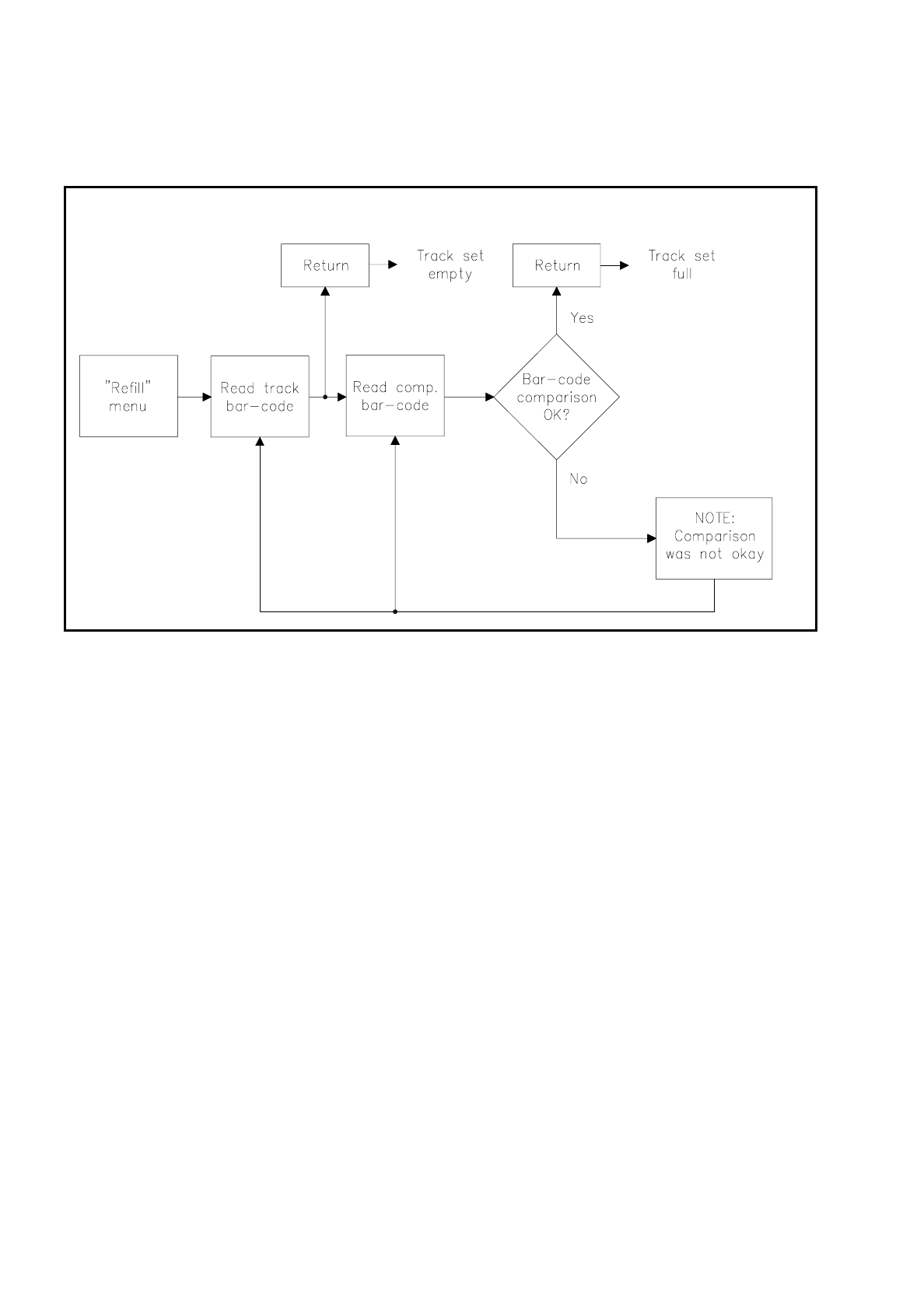
Select the Refill menu. Empty tracks are already included in the table.
●
Now select a track (make your selection by reading the bar code of the track in question). The cursor will
jump to the track you have selected.
●
Read in the component bar-code for the selected track (from the component reel, for example). A compar-
ison is then made. Filtered-out places will be ignored. Pay attention to leading or appended spaces.
NOTE
When you read in the bar code do not hold the reader vertically but slightly aslant with respect to the bar code.
-
If comparison is successful, the track will be marked yellow and once you have pressed Return can be "Set
full" (Return bar-code or key).
-
If comparison was incorrect, a warning will be given. After this a further component bar-code can be read
in.
11 Station Extensions SIPLACE 80S/F/G User’s Manual
11.4 Component Bar-Code Edition 07/97 from Software Version SR.010.xx
11 - 22
11.4.3.1 Flow diagram for operating sequence
Fig. 11.4.2 Flow diagram for component bar-code operating sequence
SIPLACE 80S/F/G User’s Manual 11 Station Extensions
Edition 07/97 from Software Version SR.010.xx 11.5 Flip Chip Vision Module
11 - 23
11.5 Flip Chip Vision Module
11.5.1 Overview
The flip chip vision module is based on the concept of the fine pitch vision system.
It differs from it in that the resolution is higher and the illumination has been modified. Two illumination levels
are available, for a flat and for a middle angle of incidence.
The package form editor has been extended to cover programming of the array-type lead structures and for
some irregular structures.
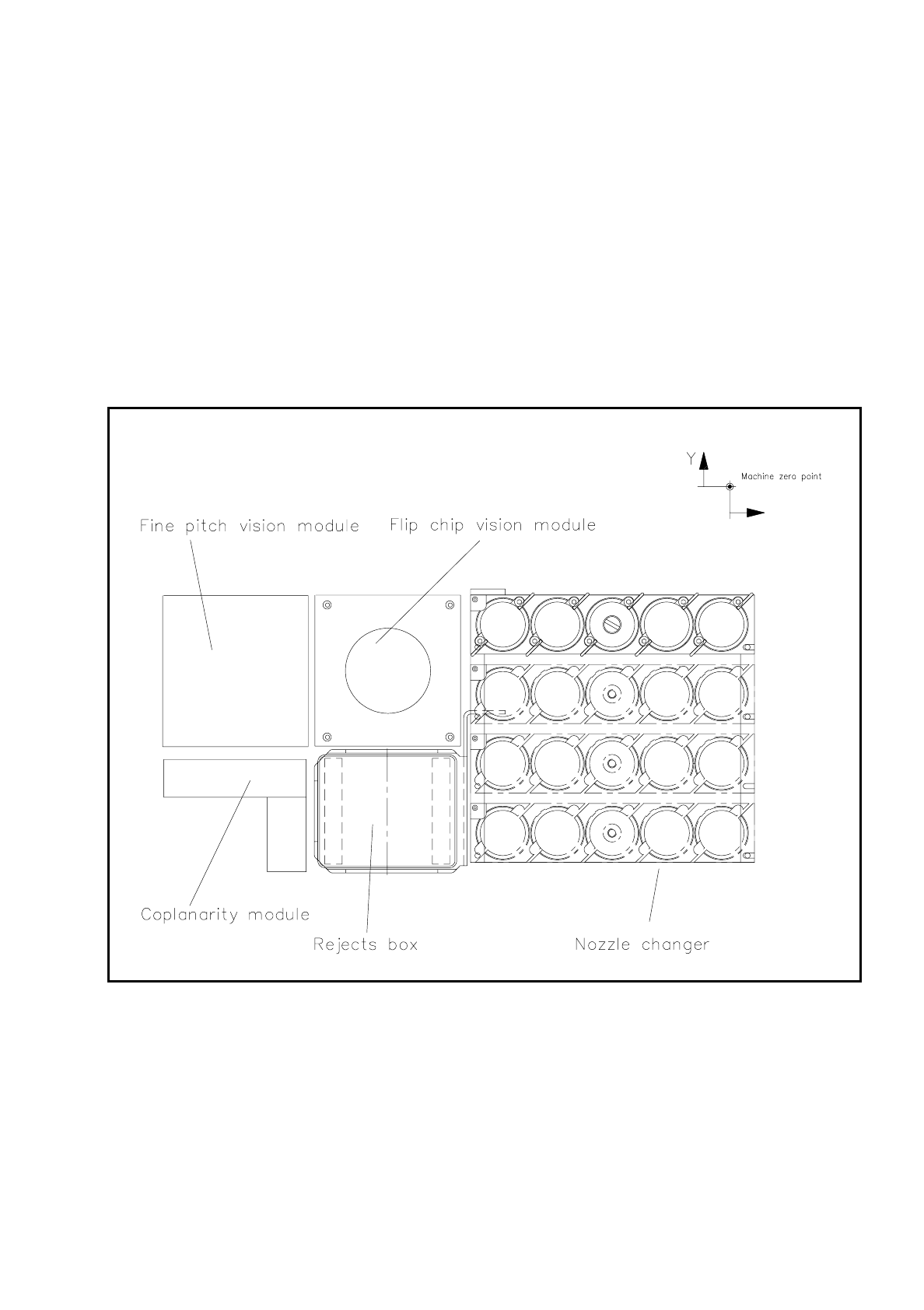
Fig. 11.5.1 Location of the flip-chip vision module
The module is described, including using it, in Section 7, ’Vision Systems’.