00191025-01.pdf - 第551页
11 Station Extensions SIPLACE 80S/F/G User’s M anual 11.6 Ceramic Substrate Centering Edition 07/97 from S oftware Version SR.010.xx 11 - 26 Fig. 11.6.1 Overall view, viewed f rom the top

SIPLACE 80S/F/G User’s Manual 11 Station Extensions
Edition 07/97 from Software Version SR.010.xx 11.6 Ceramic Substrate Centering
11 - 25
11.6 Ceramic Substrate Centering
11.6.1 General
Ceramic substrate centering is used for holding ceramic substrates securely in the x and y directions and with
the material being protected. Ceramic substrates can also be mounted right up to the edge of the substrate.
11.6.2 Changing from Ceramic Substrate to Board
●
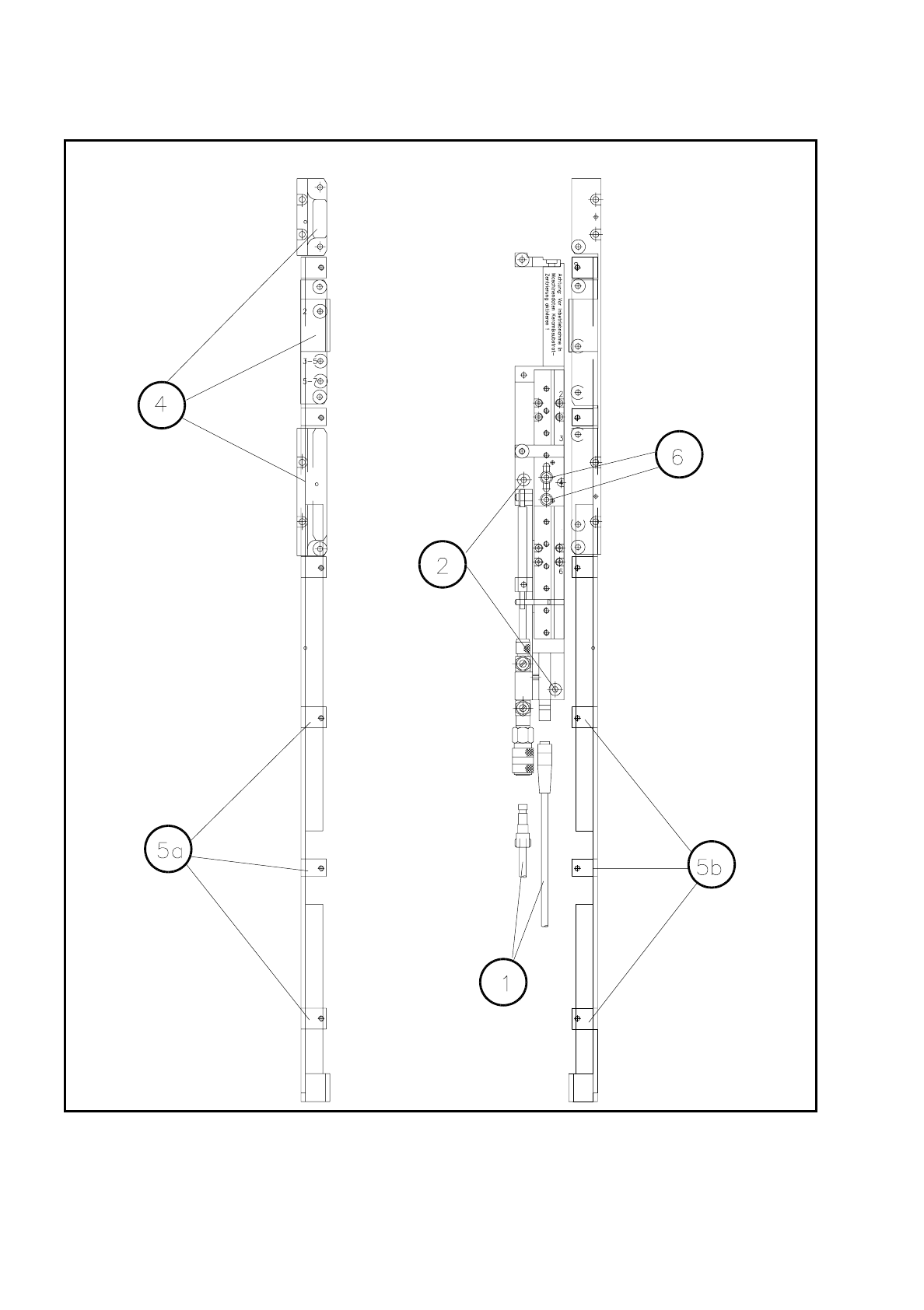
Disconnect the pneumatic line and the electrical connecting line (see item 1 in Fig. 11.6.1).
●
Remove the ceramic substrate centering device (see item 2 in Fig. 11.6.1).
●
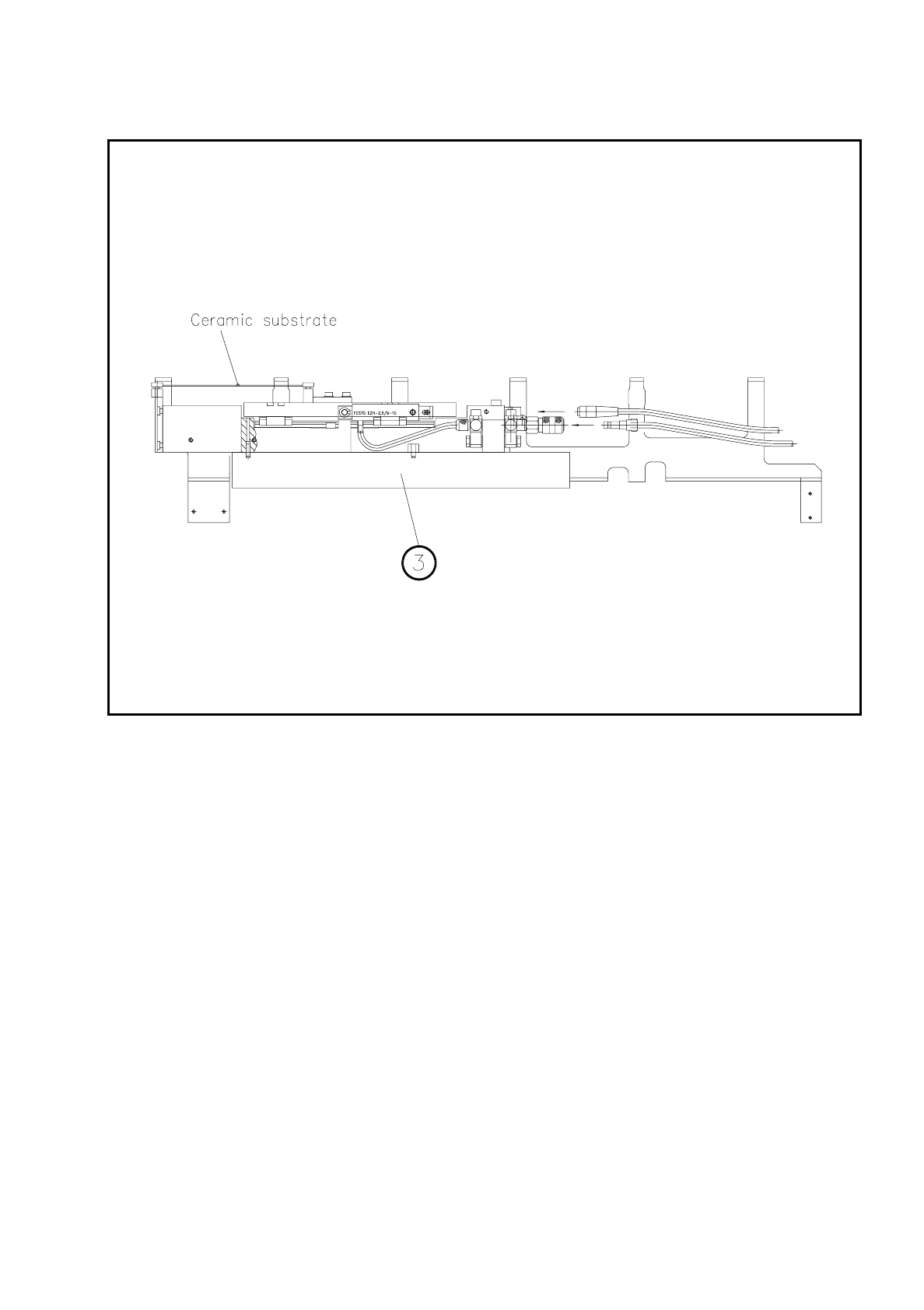
Remove the base of the ceramic substrate centering device (see item 3 in Fig. 11.6.2).
●
Remove the three clamping devices (see item 4 in Fig. 11.6.1), fitting the standard guide in their place.
●
Fit the retainer brackets (see item 5a and 5b in Fig. 11.6.1).
●
Set the size of the board (see item 6 in Fig. 11.6.1).
●
For operation under "Single functions" see also Section 6.4 "Transport Functions 80S" of this user's man-
ual.
11.6.3 Maintenance
-
The spherical rotating guide in the x centering unit must be cleaned and lubricated.
-
When necessary, check the pneumatic drive for ease of running.
-
Carry out maintenance of the conveyor as described in Section 9.3.2 PCB Handling.
11 Station Extensions SIPLACE 80S/F/G User’s Manual
11.6 Ceramic Substrate Centering Edition 07/97 from Software Version SR.010.xx
11 - 26
Fig. 11.6.1 Overall view, viewed from the top
SIPLACE 80S/F/G User’s Manual 11 Station Extensions
Edition 07/97 from Software Version SR.010.xx 11.6 Ceramic Substrate Centering
11 - 27
Fig. 11.6.2 Ceramic substrate centering (viewed from aside)
11.6.4 Technical Data
Usable substrate sizes 50 mm x 50 mm (2" x 2") up to 7" max.
Further sizes on request
Compressed air supply 5 bar
❒