00194614-08 Trainingsdoku. SG X-Serie_X4i SW70x (AL2)_EN.pdf - 第129页
Communication and Control One Wire Bus Function Control and Troubleshooting for Service Work 129 Student Guide SIPLACE X-Serie and X4I SW70x (AL2) Subsystem control ▪S e l e c t Get Versions . All available subsystems wi…
Communication and Control
Function Control and Troubleshooting for Service Work One Wire Bus
Student Guide SIPLACE X-Serie and X4I SW70x (AL2) 128
Function Cont rol and Troubleshooting fo r Service Wor k
4.5.2 Function Control and Troubleshooting for Service Work
This section provides an overview of how to assign the one wire bus subsystems to the relevant
hardware assemblies, enabling a structured approach to service work.
With the help of the Cacciatool, all subsystems on the one wire bus can be checked.
Subsystem Query i n PA1
4.5.2.1 Subsystem Query in PA1
▪ Connect the service laptop to the machine CAN bus at PA1.
Make sure that the cable to channel 1 is connected to PA 1 and that the transceiver is connected to
channel 2 of the Kvaser Card or switch off the query for the transceiver at channel 2 in the Change
Properties .
▪ Start the Caccia software and check the machine configuration and the language set in Caccia.
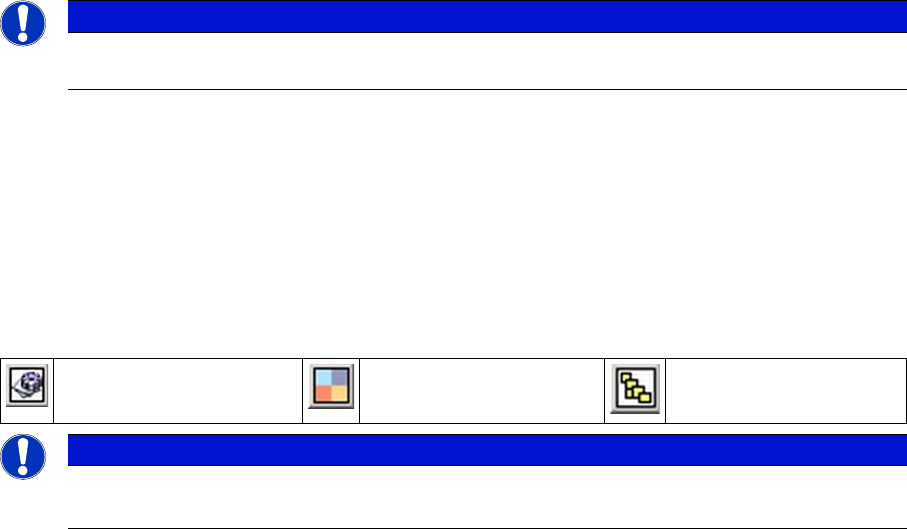
▪ This can be opened by double-clicking on the Subsystem control center.
NOTICE
All the CAN bus commands listed in this section are also equally applicable for the SIPLACE
X4I, even if the NC and the reject bin are no longer controlled or monitored by the one wire bus.
Change Properties Change Machine
Configuration
Open Subsystem Control
Center
NOTICE
Caccia
CACCIA is only fully supported in English. Functions may be missing in the other languages.
Communication and Control
One Wire Bus Function Control and Troubleshooting for Service Work
129 Student Guide SIPLACE X-Serie and X4I SW70x (AL2)
Subsystem control
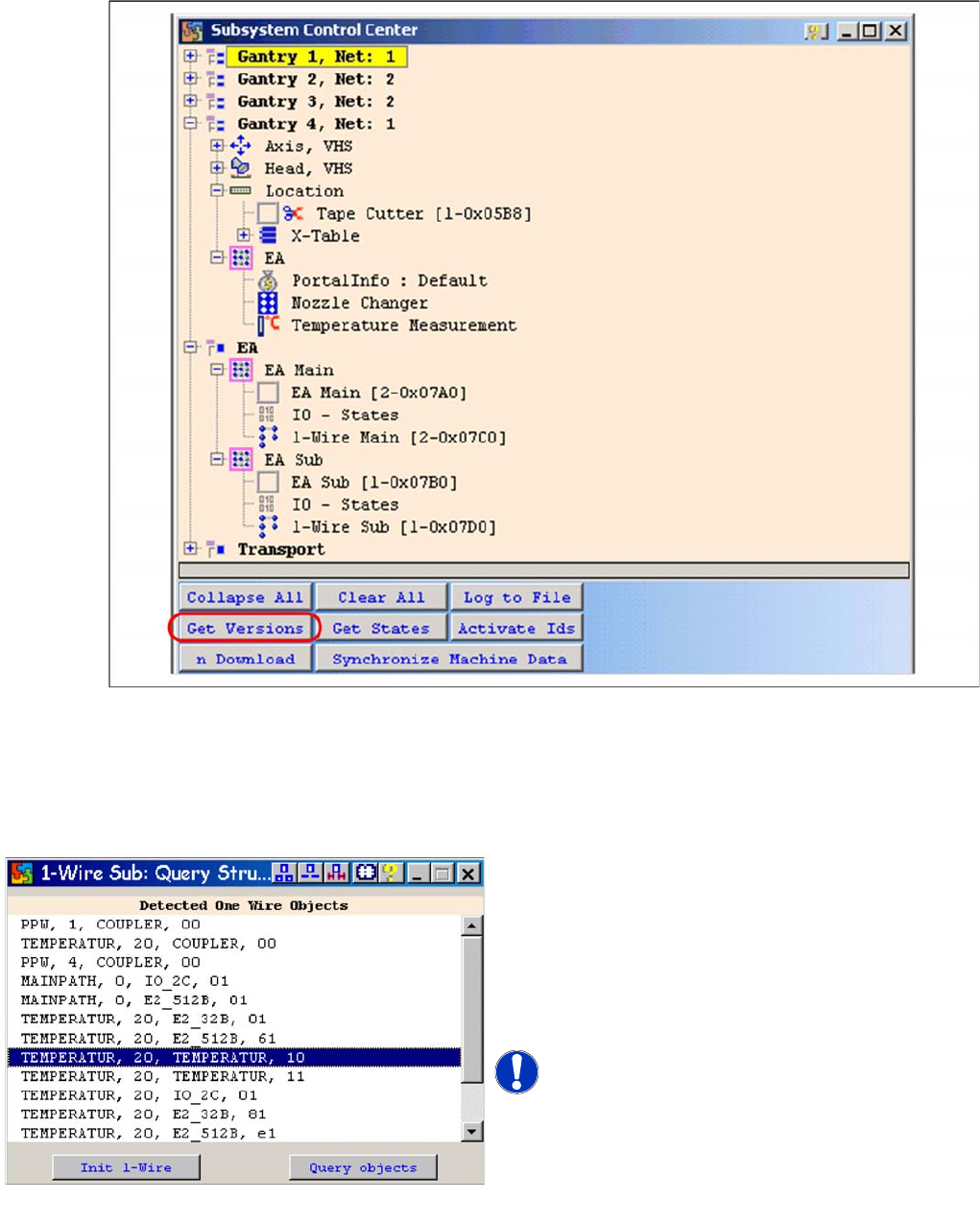
▪Select Get Versions.
All available subsystems will be shown with their firmware versions and their CAN ID.
▪ Doubleclick on the IO SUB (PA1) directory to open the 1 wire subdirectory. The following dialog will
appear:
One wire sub query structure with example of X4I
► Select Query objectsand all subsystems on the
one wire bus at PA 1 will be displayed.
► The function Init 1-Wire is not required, as the
one wire bus system is initialized when the machine
is switched on. One wire bus initialization is required
for test purposes or in cases of errors e.g. after
disconnecting a node.
NOTICE! The next pages show the assignment
of the lines from the adjacent window for the relevant
hardware components of the one wire bus (HF/HF3, X
series, X4I)
Query Structure

Communication and Control
Function Control and Troubleshooting for Service Work One Wire Bus
Student Guide SIPLACE X-Serie and X4I SW70x (AL2) 130
Allocation o f Subsystems to the Hardware Components
Allocation of Subsystems to the Hardware Components
Assignme nt HF/HF3 PA1
Assignment HF/HF3 PA1
SIPLACE HF/HF3 - PA1
Subsystem Hardware components Comments
Temperature, 1, coupler, 00 PCB: 1 wire trailing
interface
Trailing interface gantry 1
Temperature, 4, coupler, 00 PCB: 1 wire trailing
interface
Trailing interface gantry 4
NC, 4, coupler, 00 1 wire hub for NC Hub for NC at location 4 for NC row 1/2
NC, 1, coupler, 00 1 wire hub for NC Hub for NC at location 1 for NC row 1/2
Mainpath, 0, IO_2C, 01
Mainpath, 0, E2_512B, 01
I/O submodule I/O module, the-1-Wire-CAT5 board
interface will be integrated later into the
I/O module
Temperature, 1, E2_512B, 81
Temperature, 1, E2_32B, 01
Temperature, 1, E2_512B, 61
Temperature, 1, temperature, 10
Temperature, 1, temperature, 11
Temperature, 1, IO_2C,01
Temperature sensors
Gantry 1
The two temperature sensors form a unit
and can only be replaced as a set. The
gantry recognition part can not be
replaced.
Temperature, 4, E2_512B, 81
Temperature, 4, E2_32B, 01
Temperature, 4, E2_512B, 61
Temperature, 4, temperature, 10
Temperature, 4, temperature, 11
Temperature, 4, IO_2C,01
Temperature sensors
Gantry 4
The two temperature sensors form a unit
and can only be replaced as a set. The
gantry recognition part can not be
replaced.
NC, 4, E2 32B, 81
NC, 4, AD, 03
NC, 4, AD, 15
NC, 4, AD, 16
1 wire hub NC on location
4
Shows, that the 1 wire hub is connected.
NC, 4, E2_32, 01
NC, 4, AD, 01
NC, 4, IO_8C, 01
Control board in NC
Gantry 4, only for
C&P20A NC
Control board of NC row 1
(only for C&P20A NC).
NC, 4, E2_32, 02
NC, 4, AD, 02
NC, 4, IO_8C, 02
Control board in NC
Gantry 4, only for
C&P20A NC
Control board of NC row 2
(only for C&P20A NC).
NC, 1, E2_32B, 81
NC, 1, AD, 03
NC, 1, AD, 15
NC, 1, AD, 16
1 wire hub NC on location
1
Shows that the 1 wire hub is connected.
NC, 1, E2_32B, 01
NC, 1, AD, 01
NC, 1, IO_8C, 01
Control board in NC
Gantry 1, only for
C&P20A NC
Control board of NC row 1
(only for C&P20A NC).
NC, 1, E2_32B, 02
NC, 1, AD, 02
NC, 1, IO_8C, 02
Control board in NC
Gantry 1, only for
C&P20A NC
Control board of NC row 2
(only for C&P20A NC).