00194614-08 Trainingsdoku. SG X-Serie_X4i SW70x (AL2)_EN.pdf - 第141页
Communication and Control Board IDs Re ading the Board IDs out of the EEPROM 141 Student Guide SIPLACE X-Serie and X4I SW70x (AL2) Subsystem control center ► Double-click on Gripper and the following di alog box will ope…
Communication and Control
Reading the Board IDs out of the EEPROM Board IDs
Student Guide SIPLACE X-Serie and X4I SW70x (AL2) 140
Reading the Board IDs ou t of the EEPROM
4.6.2 Reading the Board IDs out of the EEPROM
The board ID can be checked with the help of the Cacciatool.
You can use CAN Bus commands to read the board type IDs or open the corresponding menu to read
the memory of the EEPROM. When one or more ID‘s are missing so you can write the correct ID on the
board.
At the moment it is necessary to use the correct ID‘s on the board which are installed on the gantry (Head
interface, - adapter, Intermediate distributor and main board). The other board type ID‘s are not used at
the moment.
Reading Out the Board Type ID via the Grippe r Menu
4.6.2.1 Reading Out the Board Type ID via the Gripper Menu
► Switch off the machine.
► Connect the service laptop to the machine CAN bus at PA1 and/or PA2.
Make sure that the cable is connected at channel 1 for PA1 and at channel 2 for PA2 of the Kvaser
card.
► Switch on the machine
► Start the Caccia software and check the machine configuration in Caccia.
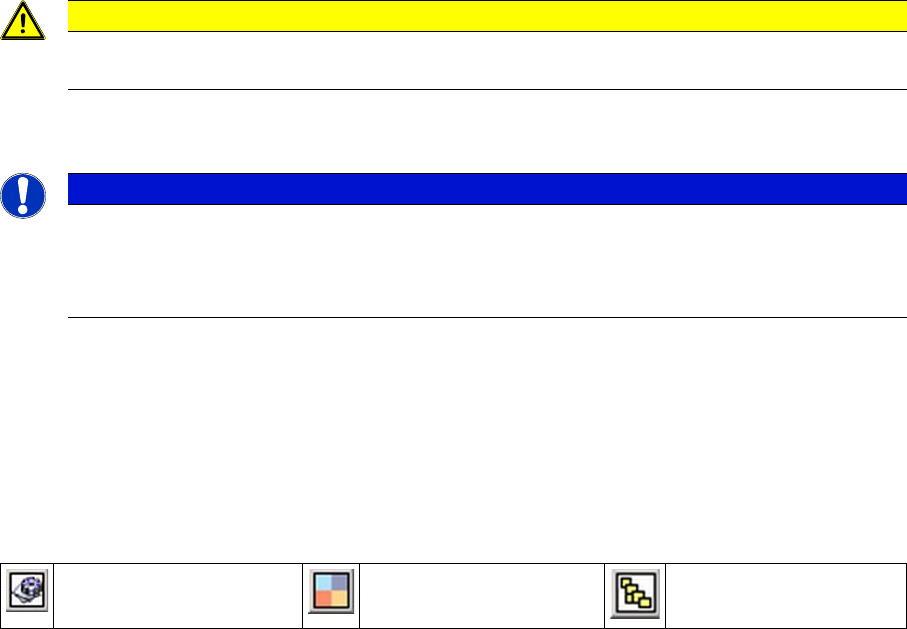
► Doubleclick on the Open Subsystem Control Center button.
Select Get Versions. All available subsystems will be shown with their firmware versions and their
CAN IDs.
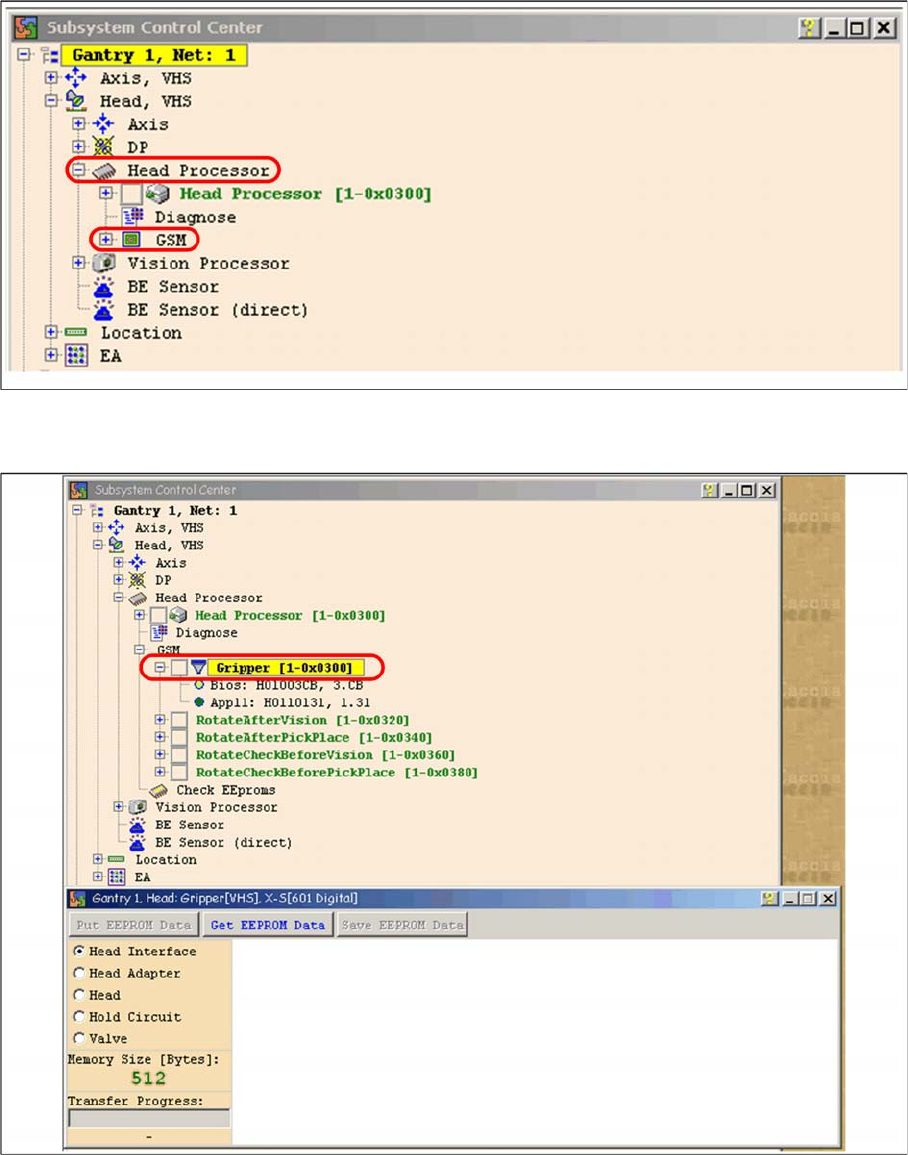
► Select the head processor for the relevant gantry e.g. gantry 1.
► Open the GSMfolder.
CAUTION
Direct CAN bus commands should only be used by specially trained and qualified service
technicians.
NOTICE
When you want to be read out the board type ID‘s via the menu gripper, the BIOS and
application-software have to downloaded on the TQM module. Reading out is currently only
possible via the Gripper menu. to write the ID‘s on the EEPROM you need CAN Bus
commands.
Change Properties Change Machine
Configuration
Open Subsystem Control
Center
Communication and Control
Board IDs Reading the Board IDs out of the EEPROM
141 Student Guide SIPLACE X-Serie and X4I SW70x (AL2)
Subsystem control center
► Double-click on Gripper and the following dialog box will open:
Dialog head processor gripper
► Select the board to be checked Off then select the button Get EEPROM.
Communication and Control
Reading the Board IDs out of the EEPROM Board IDs
Student Guide SIPLACE X-Serie and X4I SW70x (AL2) 142
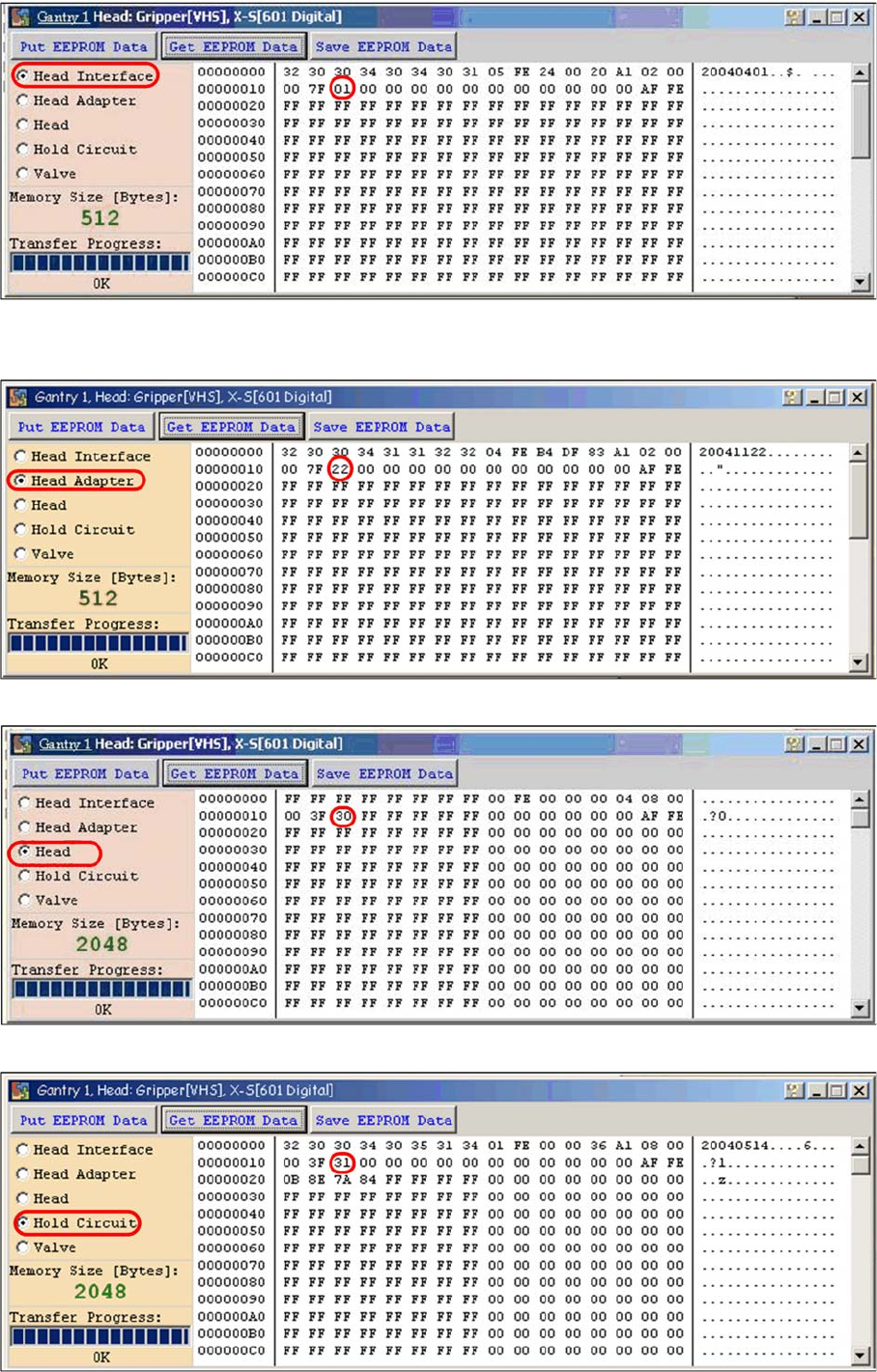
Head interface board type recognition ID 01
► The ID will appear in the memory cell 12, the ID 01 for the head interface C500.
Head adapter board type recognition ID 22 for the C&P20A head
C&P20A board ID 30
C&P20A board ID 31 vacuum sensor, hold circuit