00194614-08 Trainingsdoku. SG X-Serie_X4i SW70x (AL2)_EN.pdf - 第364页
Component Handling Operation X Feeder Student Guide SIPLACE X-Serie and X4I SW70x (AL2) 364 Menu Pick Up Positi on Manual in the Main Menu 10.2.7.10 Menu Pick Up Position Manual in the Main Menu Setting the pick up p osi…
Component Handling
X Feeder Operation
363 Student Guide SIPLACE X-Serie and X4I SW70x (AL2)
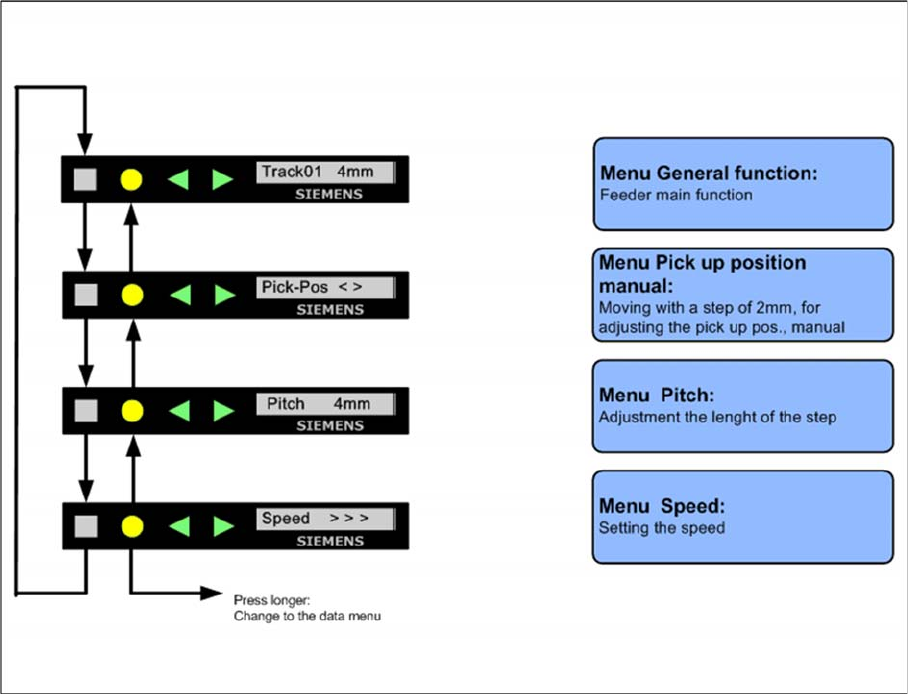
Sequence in the 12mm X Feeder Main Menu
10.2.7.8 Sequence in the 12mm X Feeder Main Menu
Sequence main menu 12mm X feeder
Setting the Pick Up Position for the 8 mm X Feeder
10.2.7.9 Setting the Pick Up Position for the 8 mm X Feeder
► Press the "SET" button.
► It appears the current pick up position on the display (e.g. Pick-Pos 3)
► With the buttons "FORWARD" or "BACKWARD" you can set the new pick up position.
► If you change the pick up position to the previous position, you will see the following message
(example assumes previous position was position 3): Pick-Pos 2 ? on the display.
► Confirm the new pick up position with the yellow button, it appears Pick-Pos 2 ! on the display.
► If pickup position 4 and an 8mm pitch were selected, you will see the menu for manually setting the
"Pickup pos < >" if you press the "SET" button.
► Depend on the Pick up position you can adjust in 2mm steps the correct pick up position.
► Was the pick up position correct appears the menu "Pitch" now and you can set the correct pitch
1,2,4,8mm with the buttons "FORWARD" or "BACKWARD".
► Press the "SET" button two times to confirm your settings.
Component Handling
Operation X Feeder
Student Guide SIPLACE X-Serie and X4I SW70x (AL2) 364
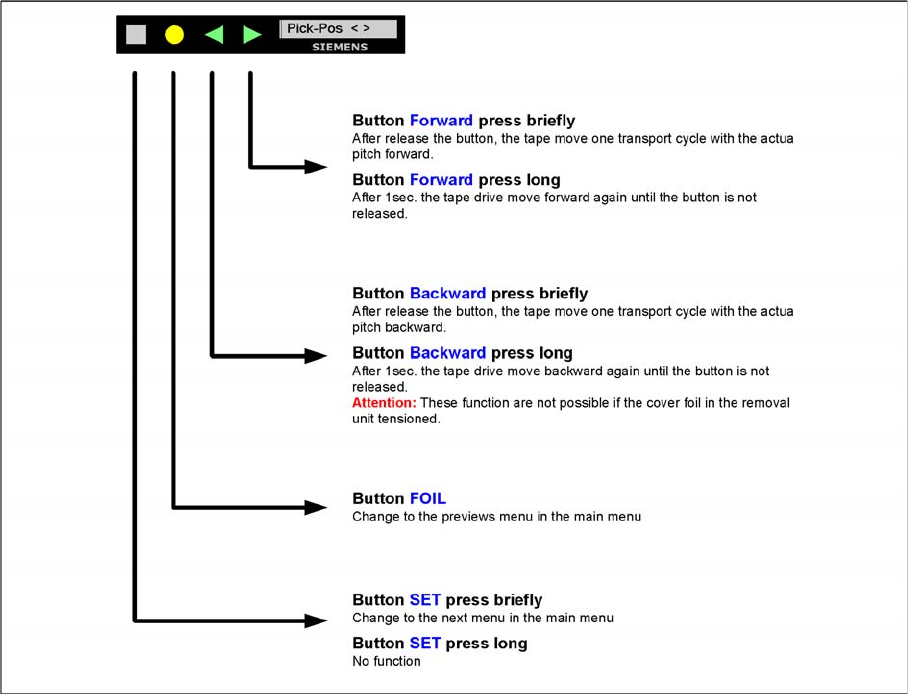
Menu Pick Up Position Manual in the Main Menu
10.2.7.10 Menu Pick Up Position Manual in the Main Menu
Setting the pick up position manual
Component Handling
X Feeder Operation
365 Student Guide SIPLACE X-Serie and X4I SW70x (AL2)
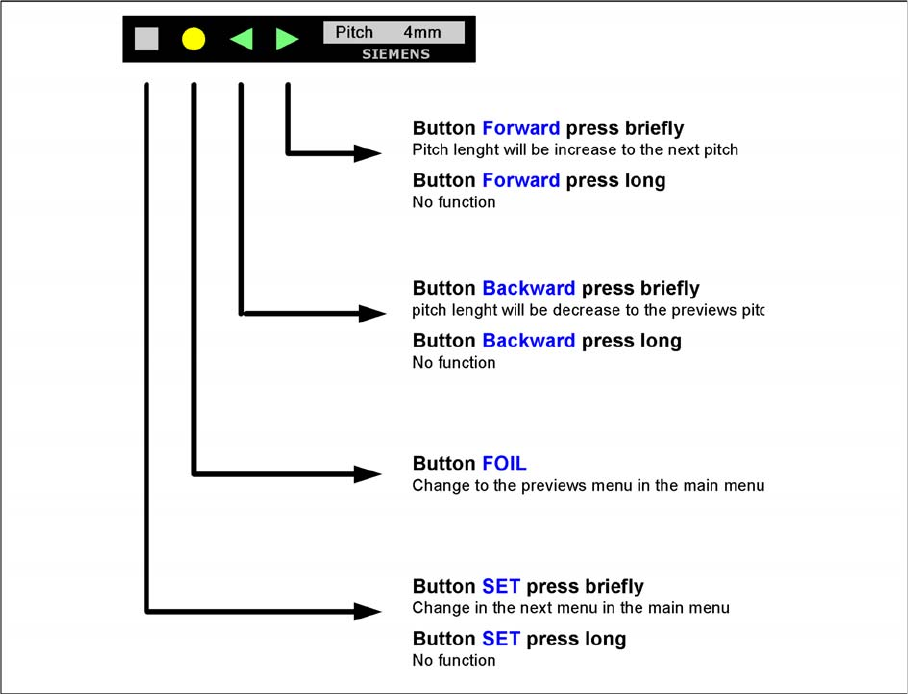
Menu Pitch in t he Main Menu
10.2.7.11 Menu Pitch in the Main Menu
Setting the transport length