00194614-08 Trainingsdoku. SG X-Serie_X4i SW70x (AL2)_EN.pdf - 第366页
Component Handling Operation X Feeder Student Guide SIPLACE X-Serie and X4I SW70x (AL2) 366 Menu Trans port Speed in the Ma in Menu 10.2.7.12 Menu Transport Speed in the Main Menu Setting the transport speed Data Menu 10…
Component Handling
X Feeder Operation
365 Student Guide SIPLACE X-Serie and X4I SW70x (AL2)
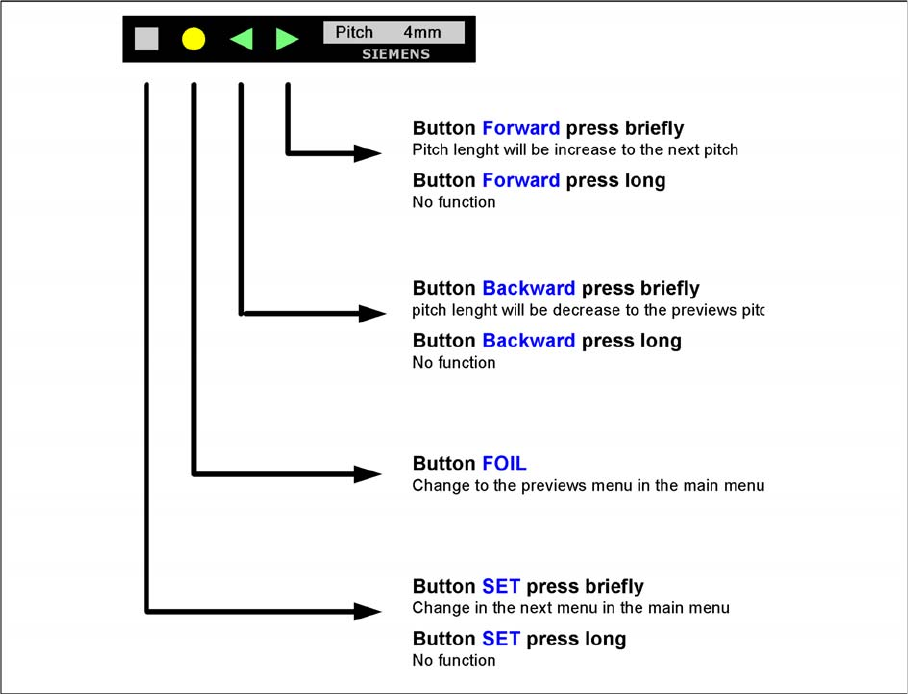
Menu Pitch in t he Main Menu
10.2.7.11 Menu Pitch in the Main Menu
Setting the transport length
Component Handling
Operation X Feeder
Student Guide SIPLACE X-Serie and X4I SW70x (AL2) 366
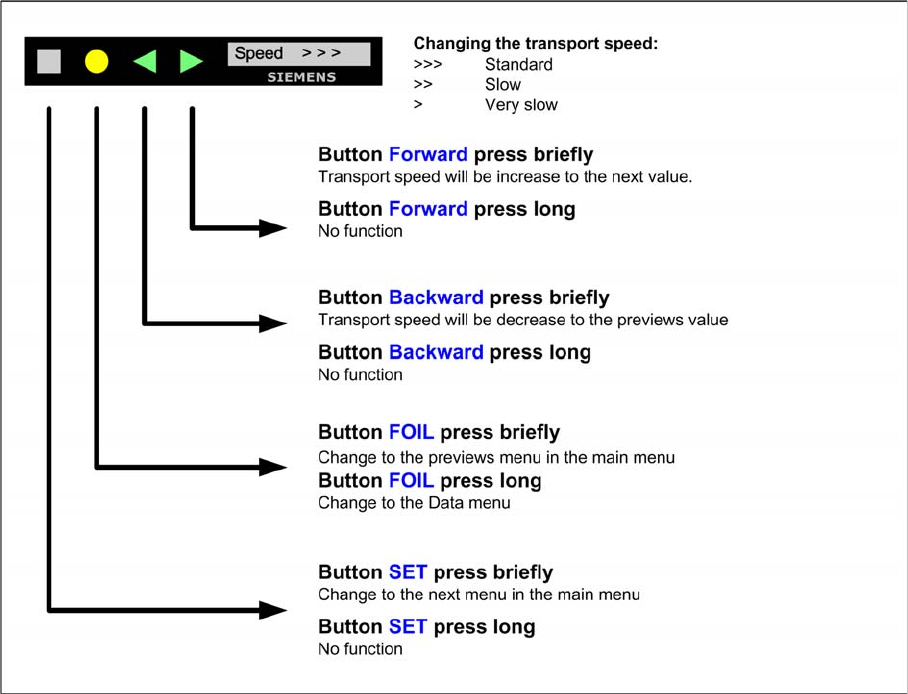
Menu Transport Speed in the Main Menu
10.2.7.12 Menu Transport Speed in the Main Menu
Setting the transport speed
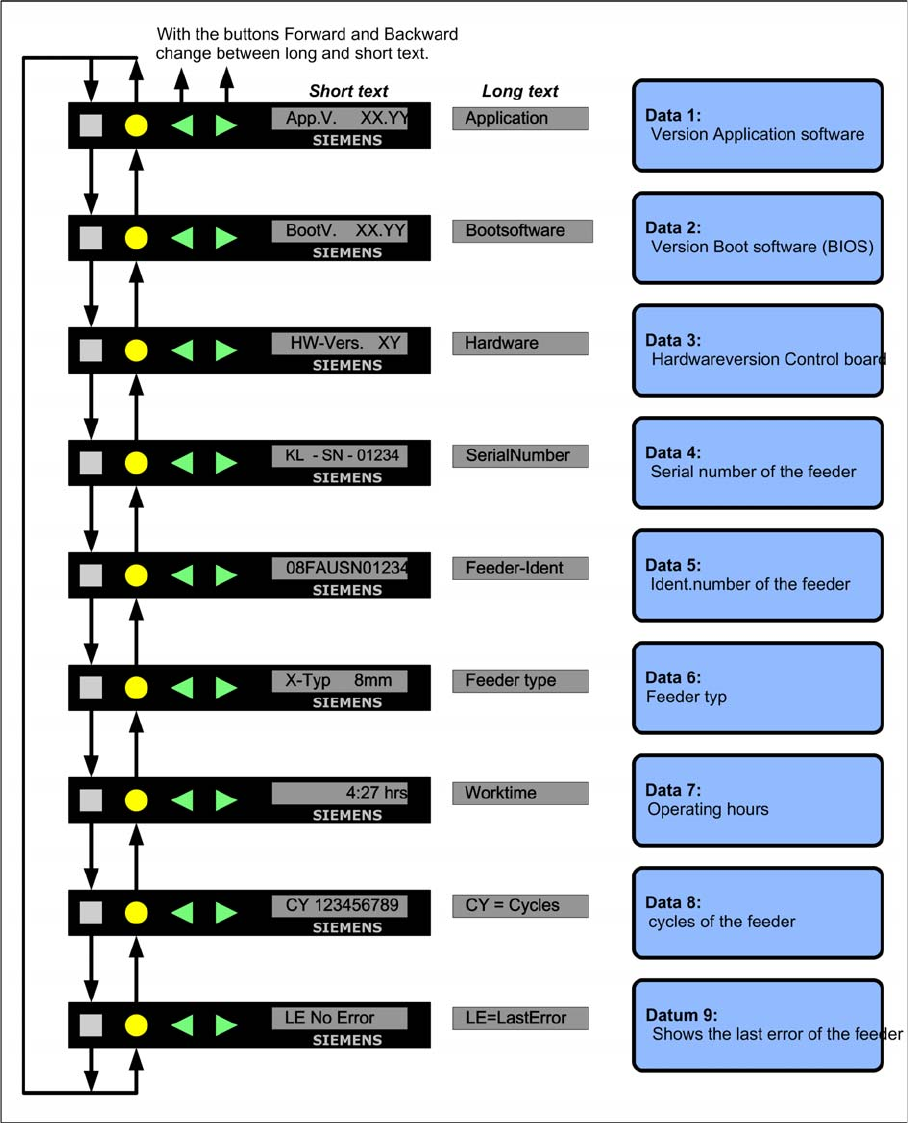
Data Menu
10.2.7.13 Data Menu
Calling up the data menu
▪ Press the SET Button until you see speed in the display
▪ Press the FOIL Button long
Back to the main menu
▪ Press the FOIL Button long
Component Handling
X Feeder Operation
367 Student Guide SIPLACE X-Serie and X4I SW70x (AL2)
Display in the data menu
Activation and Function in the Service Technician Menu
10.2.7.14 Activation and Function in the Service Technician Menu
▪ The menu setting Service technician is only temporarily active. If a minute has passed since
the last time a button was pressed, the menu will automatically return to Standard and the menu
item Reference will be hidden again. You then need to reset the setting Service technician
manually.
▪The Service technician menu includes the item Reference as an additional entry. Here you
can start a reference run for the tape drive, if required.