00194614-08 Trainingsdoku. SG X-Serie_X4i SW70x (AL2)_EN.pdf - 第368页
Component Handling Operation X Feeder Student Guide SIPLACE X-Serie and X4I SW70x (AL2) 368 Service menu for re ference r un Feeder Setti ngs at the Stat ion 10.2.7.15 Feeder Settings at the Station CAUTION During the re…
Component Handling
X Feeder Operation
367 Student Guide SIPLACE X-Serie and X4I SW70x (AL2)
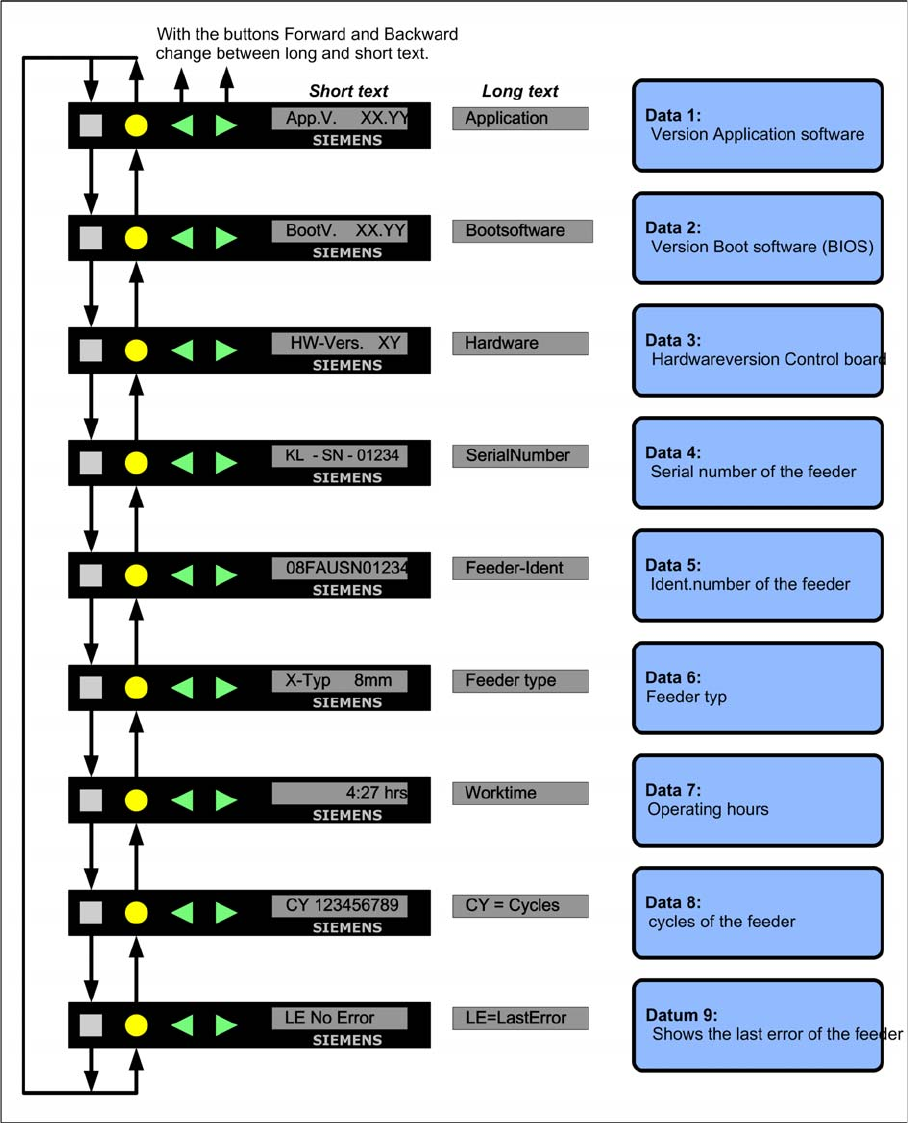
Display in the data menu
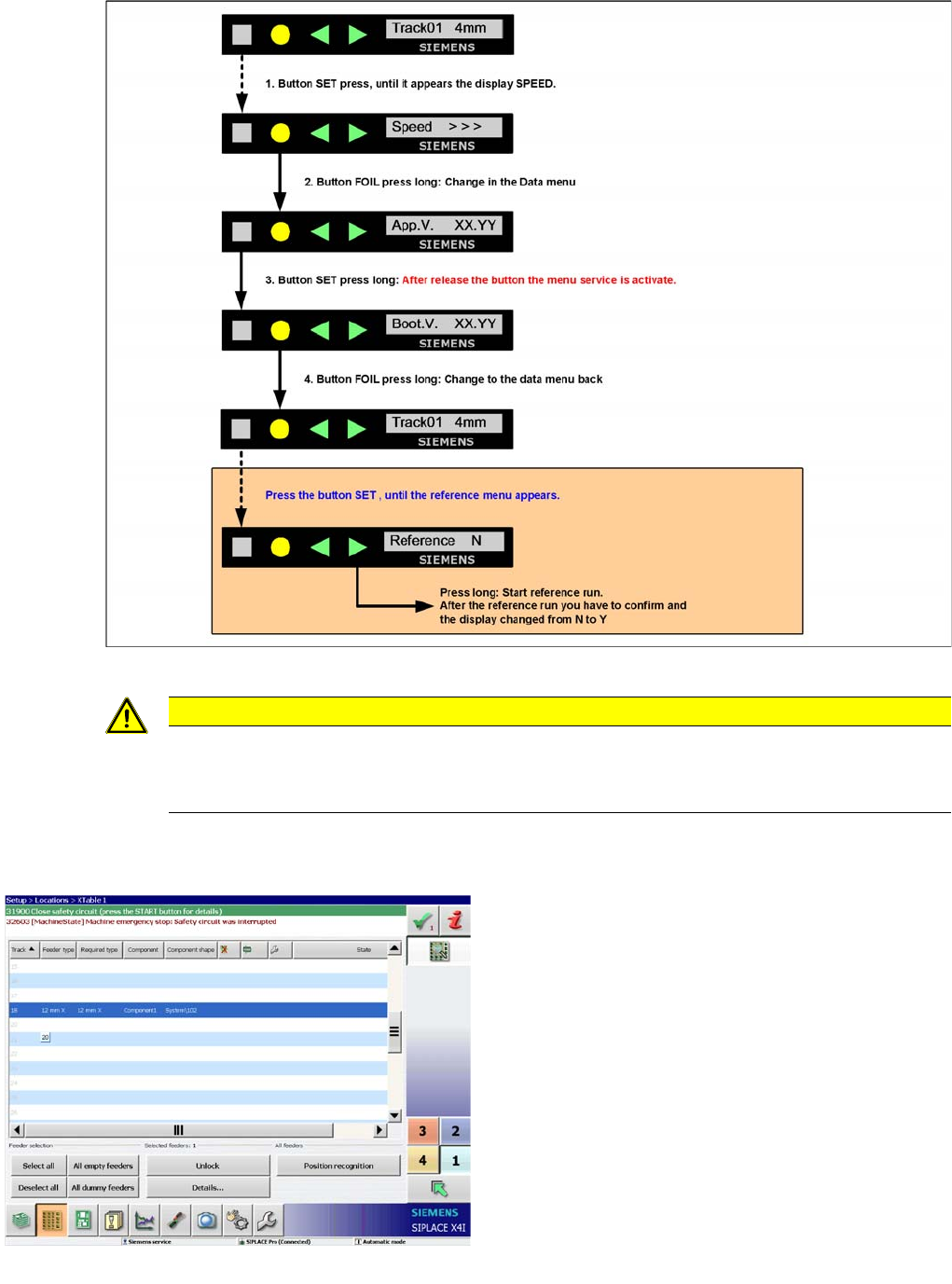
Activation and Function in the Service Technician Menu
10.2.7.14 Activation and Function in the Service Technician Menu
▪ The menu setting Service technician is only temporarily active. If a minute has passed since
the last time a button was pressed, the menu will automatically return to Standard and the menu
item Reference will be hidden again. You then need to reset the setting Service technician
manually.
▪The Service technician menu includes the item Reference as an additional entry. Here you
can start a reference run for the tape drive, if required.
Component Handling
Operation X Feeder
Student Guide SIPLACE X-Serie and X4I SW70x (AL2) 368
Service menu for reference run
Feeder Setti ngs at the Stat ion
10.2.7.15 Feeder Settings at the Station
CAUTION
During the reference run with a tape you have to open the pick up window and no foil in the foil
removal unit and you lost components.
► Recommendation: Carry out the reference run with out a tape.
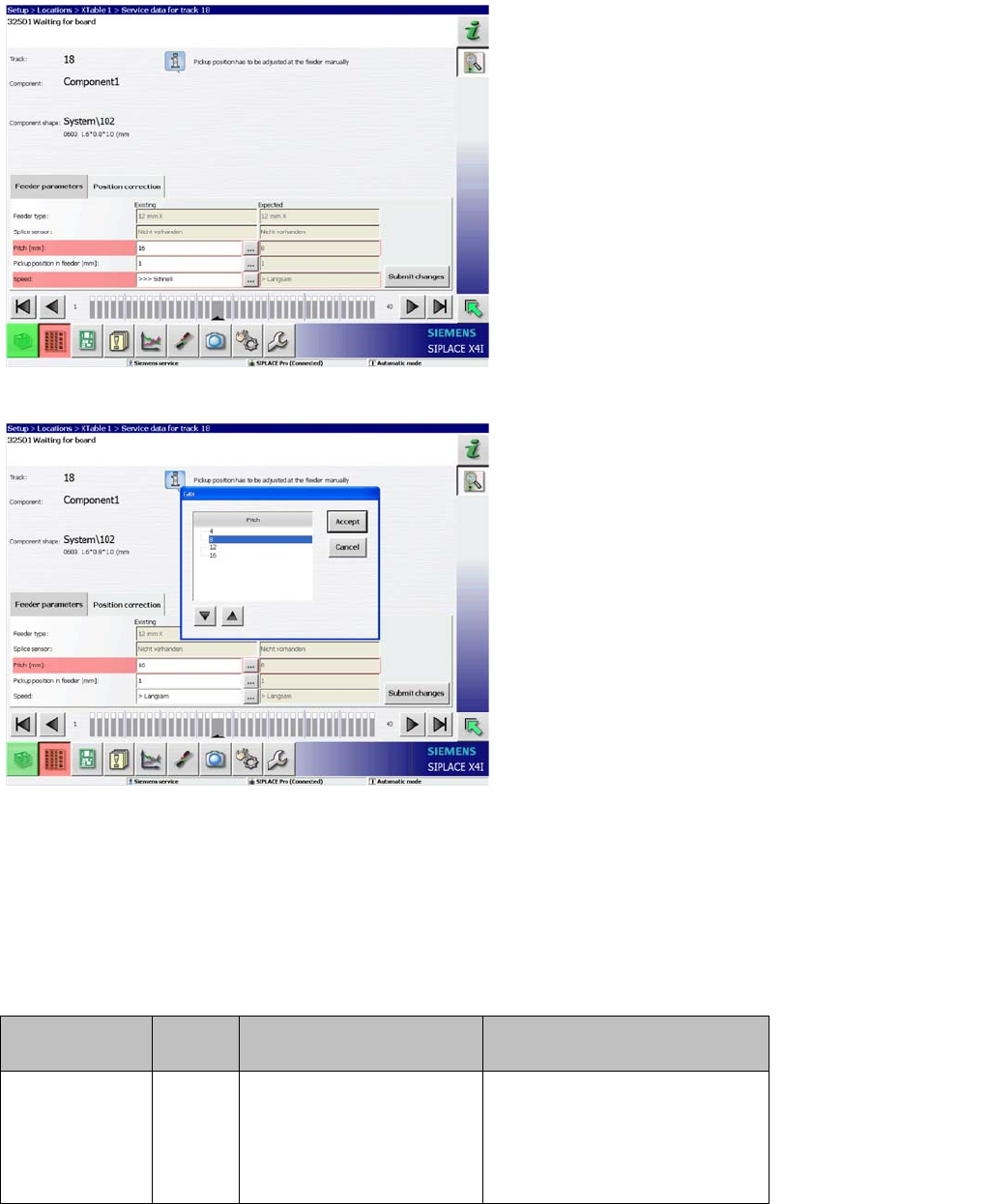
View of feeder settings
The line GUI can be configured in the SIPLACE Pro
programming system, so that correct feeder data are sent
to the machine. For reliable production, we recommend
regularly updating the feeder data for the components, to
avoid incorrect operation of the feeders.
The adjacent diagram shows the correct transmission of
feeder settings from SIPLACE Pro.
If a spanner appears in the feeder status field, this means
that manual settings are needed.
Component Handling
X Feeder Error Messages on X Feeder
369 Student Guide SIPLACE X-Serie and X4I SW70x (AL2)
Error Messages on X Feeder
10.2.8 Error Messages on X Feeder
When the feeder is ready for operation, you will see a green LED. Warnings and error messages are
shown by orange or red LEDs and a text on the LCD display.
Warnings
View of feeder settings
If the feeder data transfer is disabled in SIPLACE Pro and
if the data from the programming system and the feeder
do not match, a warning will be issued or the fields will be
marked red (see adjacent diagram).
View of feeder settings
The data can now be manually changed using the
buttons in the relevant line.
Display LED
display
Meaning Troubleshooting
Remove Foil
(Folie
entfernen)
Orange Unable to perform the
function selected with the
cover foil stretched tight
(foil rocker is pushed
down).
If the required function is to be
performed, remove the foil from
the toothed wheels and cut it to
relax the foil rocket.