00194614-08 Trainingsdoku. SG X-Serie_X4i SW70x (AL2)_EN.pdf - 第458页
MTC2 Modules of the controller Construction and mode of operation Student Guide SIPLACE X-Serie and X4I SW70x (AL2) 458 Block diag ram, sensor s and act uators Block diagram, sensors and actuators Block diagram, sensors …
MTC2
Construction and mode of operation Modules of the controller
457 Student Guide SIPLACE X-Serie and X4I SW70x (AL2)
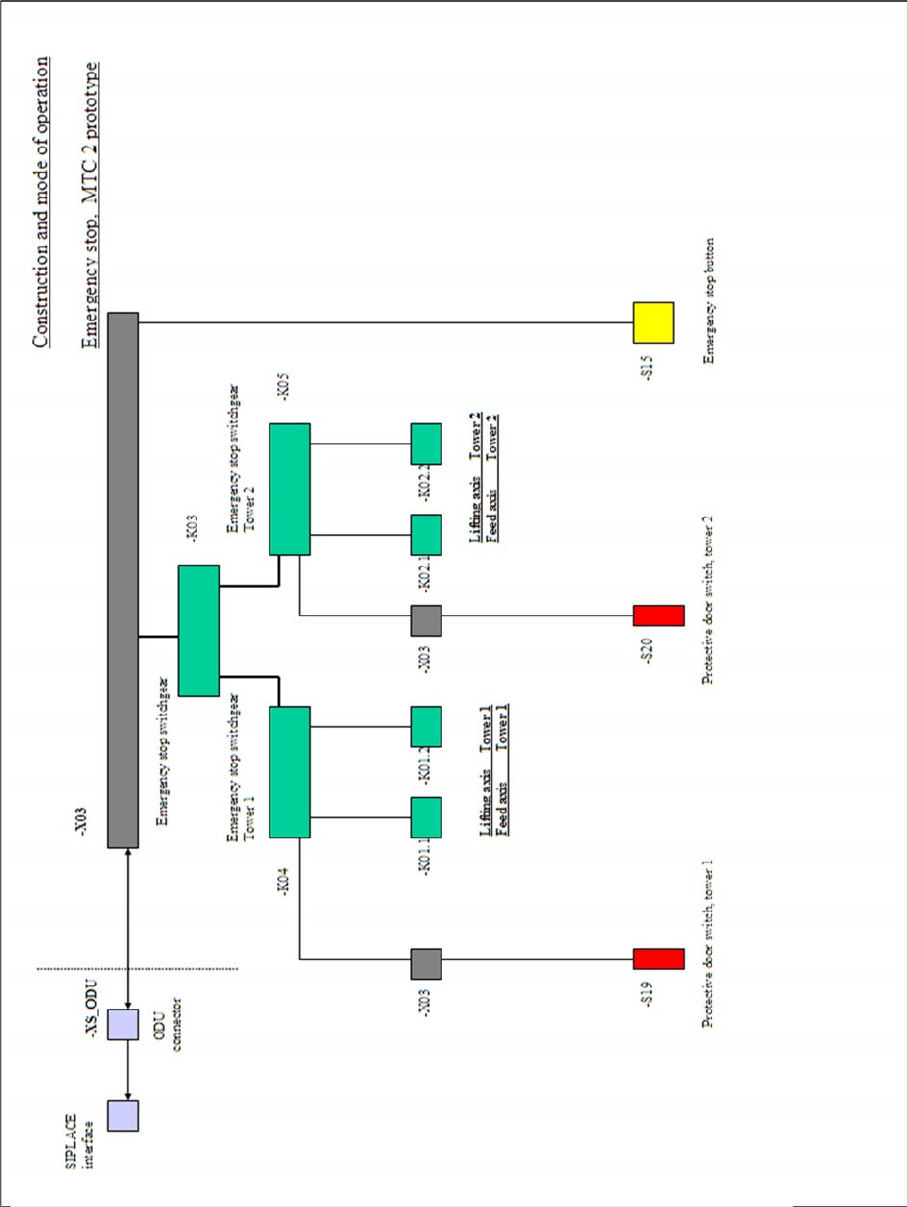
EMERGE NCY STOP circuit block diagram
EMERGENCY STOP circuit block diagram
EMERGENCY STOP circuit block diagram
MTC2
Modules of the controller Construction and mode of operation
Student Guide SIPLACE X-Serie and X4I SW70x (AL2) 458
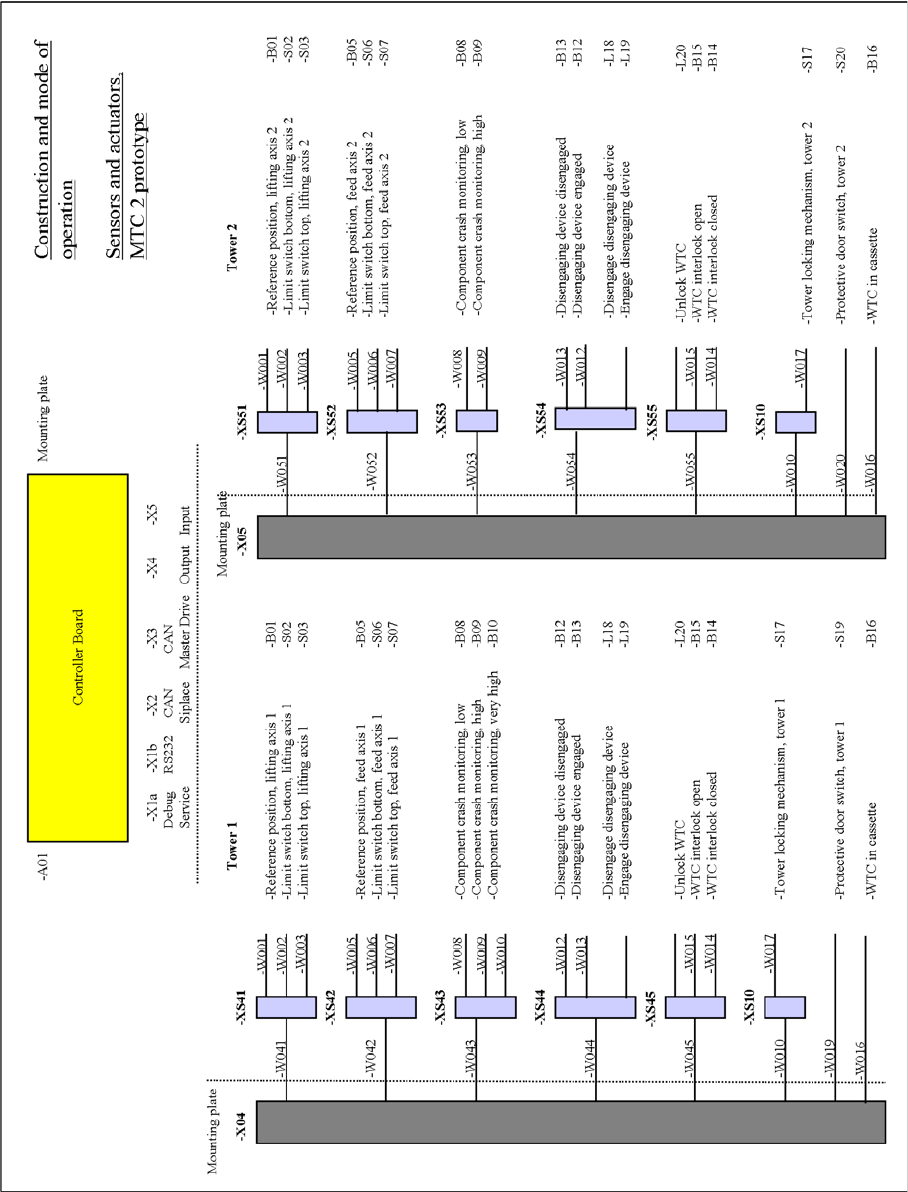
Block diagram, sensors and actuators
Block diagram, sensors and actuators
Block diagram, sensors and actuators
MTC2
Construction and mode of operation Installation of MTC2
459 Student Guide SIPLACE X-Serie and X4I SW70x (AL2)
Installati on of MTC2
13.2.6 Installation of MTC2
In the installation manual the modification is described for a HF machine. The cables aren't available to
newer HF/HF3 and at the SIPLACE X machines at the side of the machine. All cables which go to the
docking frame are in the machine frame and must be attached according to the cable name.
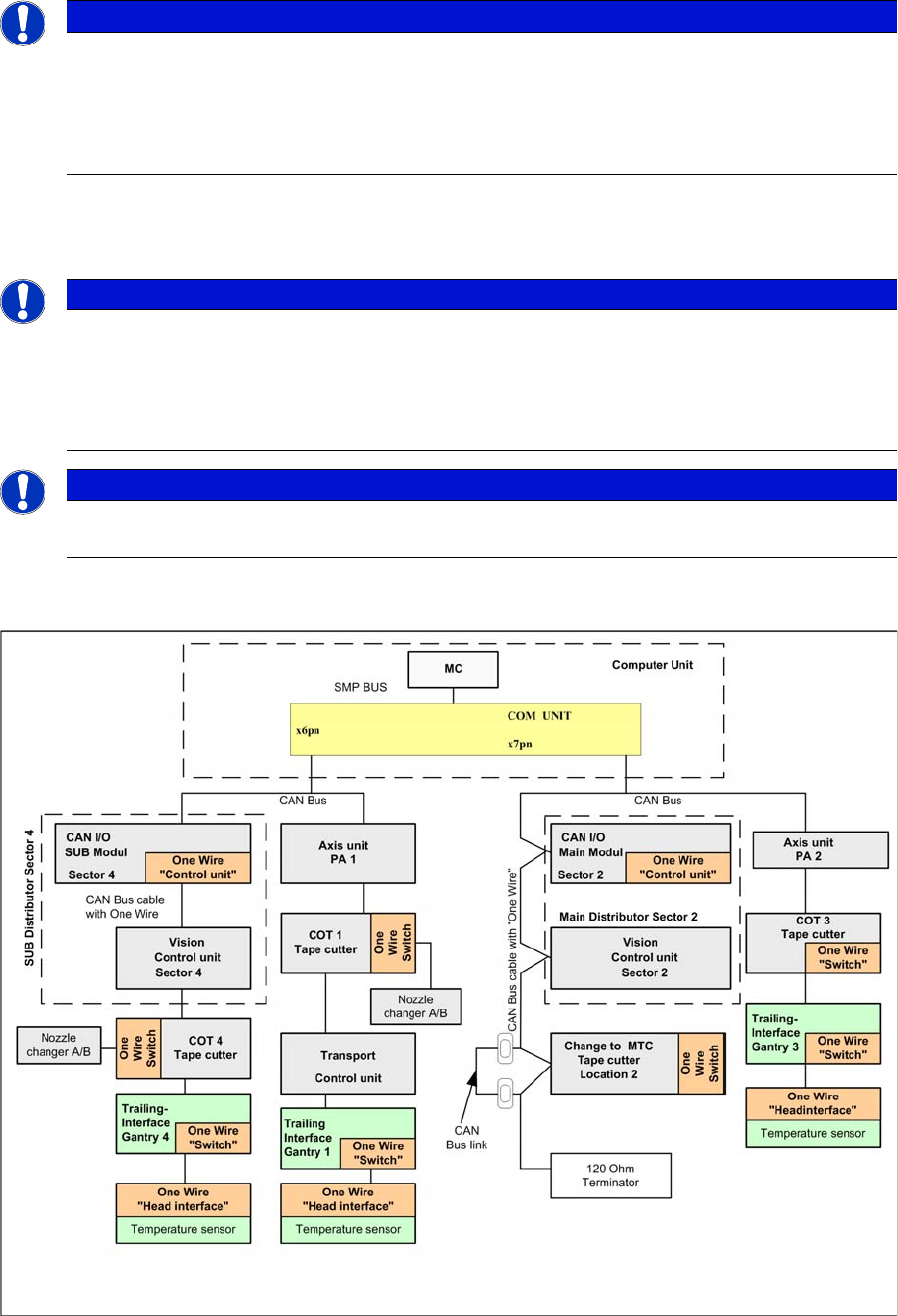
The CAN Bus bridge is needed either at location 2 or 4, depending on the location at which you install
the MTC2.
Additional CAN Bus bridge for MTC2, if one wire bus has not been realized with a CAT5 cable
NOTICE
If you change the changeover table to an MTC2 at location 2 and/or 4 of a SIPLACE HF/HF3
or SIPLACE X machine, you will also need to change the whole docking unit (time needed
approx. 1 hour).
► Installation manual: Conversion of component trolley to MTC2 (00193897-01.pdf / German,
English)
NOTICE
The HF machines with the series number A 001 and the SIPLACE X machines are equipped
with a "One Wire bus" which is integrated in the Can bus. If you install an MTC2 on these
machines, you must bridge the CAN Bus cable before the docking frame of the MTC.
Reason: The wiring in the docking frame can transmit the CAN Bus signals but not the one wire
signals.
NOTICE
The CAN Bus link is necessary, if the one wire cable integrated into the CAN Bus cable. When
the One Wire Bus installed with CAT5 cable, the CAN Bus link is not necessary.