00194614-08 Trainingsdoku. SG X-Serie_X4i SW70x (AL2)_EN.pdf - 第467页
MTC2 MTC2 Calibration and Settings SITEST Calibration Flow Ch arts 467 Student Guide SIPLACE X-Serie and X4I SW70x (AL2) SITEST Cali bration Flow C harts 13.3.2 SITEST Calib ration Flow Charts Lifting axis 13.3.2.1 Lifti…

MTC2
Calibration sequence in general MTC2 Calibration and Settings
Student Guide SIPLACE X-Serie and X4I SW70x (AL2) 466
▪ Disengaging mechanism
The disengaging mechanism enables the driver to engage with and disengage from the WTC.
CAUTION
Incorrectly set machine data can result in a crash between the lifting and feed axes or at the
limit positions of these axes.
NOTICE
For calibrating the zero point correction and transfer position at the feed axis, read the notes in
"13.3.2.2 Feed axis" [ ➙ 468].
MTC2
MTC2 Calibration and Settings SITEST Calibration Flow Charts
467 Student Guide SIPLACE X-Serie and X4I SW70x (AL2)
SITEST Cali bration Flow C harts
13.3.2 SITEST Calibration Flow Charts
Lifting axis
13.3.2.1 Lifting axis
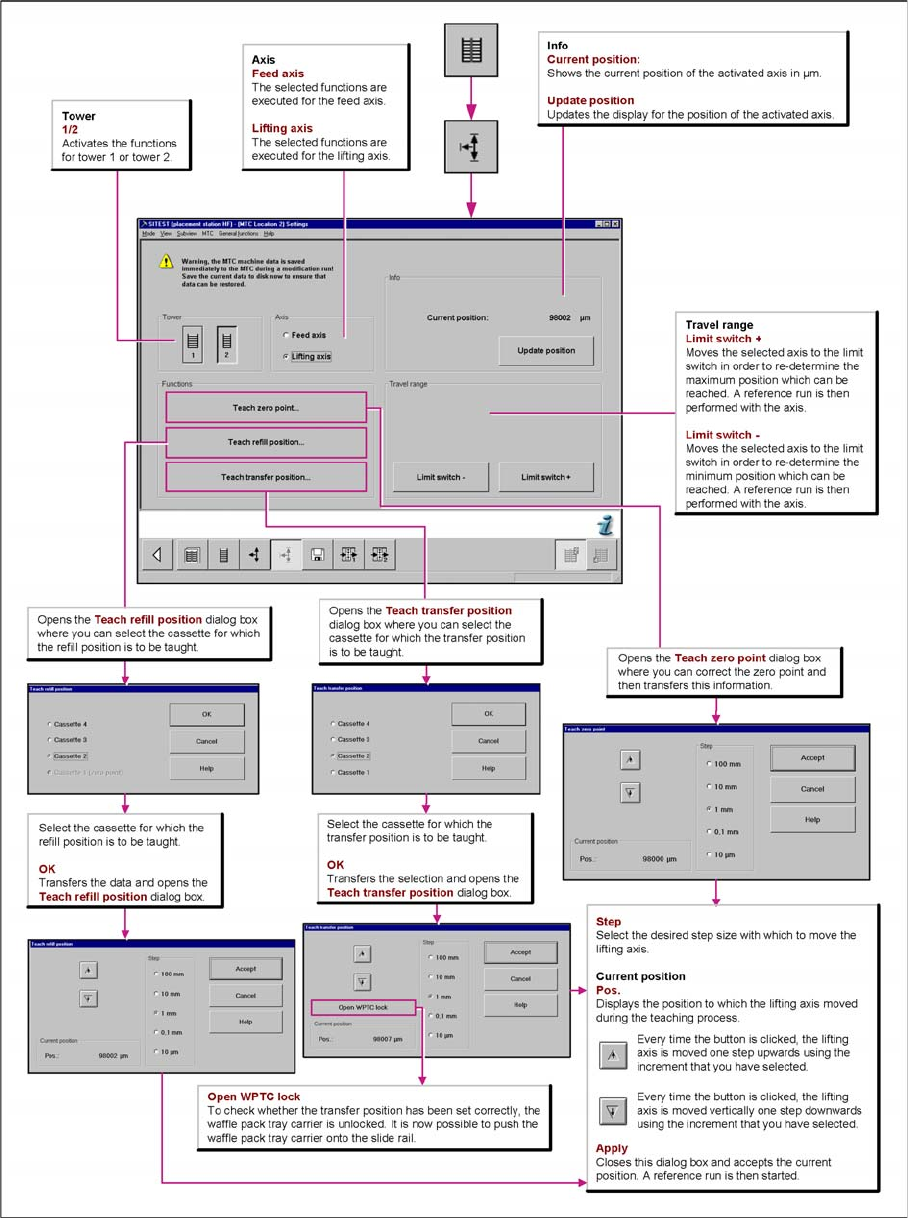
Overview "Calibration Lifting axes"
MTC2
SITEST Calibration Flow Charts MTC2 Calibration and Settings
Student Guide SIPLACE X-Serie and X4I SW70x (AL2) 468
Feed axis
13.3.2.2 Feed axis
Notes for calibration the zeropoint correction and transfer position into the machine.
1a. Calib ration of ze ro point correction:
1a. Calibration of zero point correction:
► Select SITEST --> MTC --> Settings
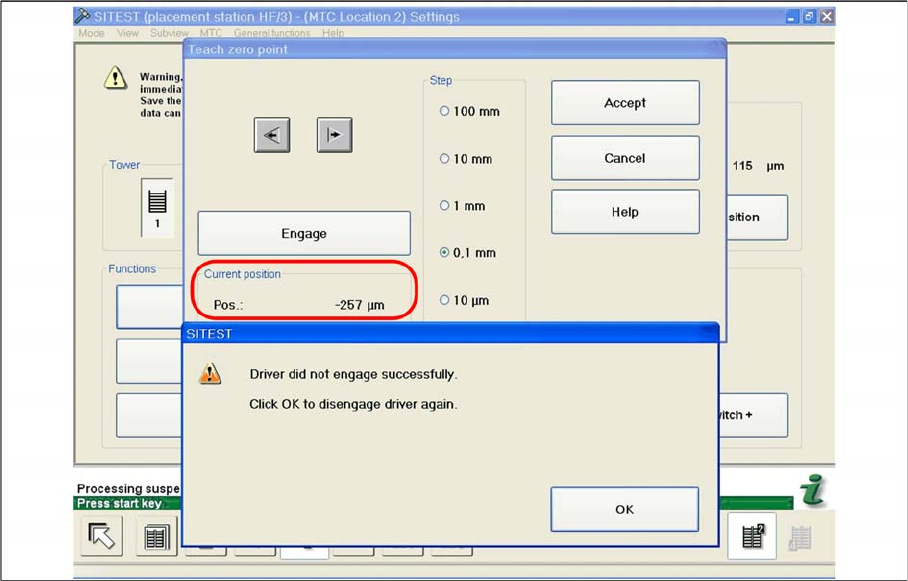
► Select Teach zero point.
► Check the position of the driver with the ENGAGE.
In case the driver did not engaged successfully you must determine the middle of the notch of the waffel
pack tray.
The accurate adjustment is described below:
► If the feed axis is positioned so that the driver is unable to connect, move the feed axis into an
approximately correct position, in which the driver is able to engage. Now determine the minimum
and maximum position in which the driver can engage.
► Once the driver has engaged, gently tap the feed axis into the minimum position, until the driver is
just unable to engage (see diagram).
► Make a note of the position value shown.
Minimum position
► Now gently tap the feed axis into the maximum position, until the driver is just unable to engage (see
diagram).