IPS adjustment on the modules.pdf - 第26页
E dition 1 .0 IPS Adjustment for V arious H ead T ypes on the Module < H24 head > FK - 9F50 - 74 - 0E 1- 14 FUJI CORPORA TION 5. In the “ADJU STME NT3 CHE CK” scre en block th e left - hand glas s with so me pap er…
Edition 1.0 IPS Adjustment for Various Head Types on the Module
<H24 head>
FK-9F50-74-0E 1-13
FUJI CORPORATION
Checking the Fi eld of Vision
External light can influence the results, so be sure to perform the procedure in a shaded
area.
1. Attach the jig nozzles (2A G KN J001500) to syringe B and X.
2. While checking the R-axis servo count in MotionAjustmentTool, move the A holder to
the front of t he head.
3. Press the upper button to change to “ADJUSTMENT 3” mode, and then press the
lower button to enter the adjustment mode. Press the lower button to select
“ADJUSTMENT 3 CHECK” to c heck the value is in the toleranc e shown below
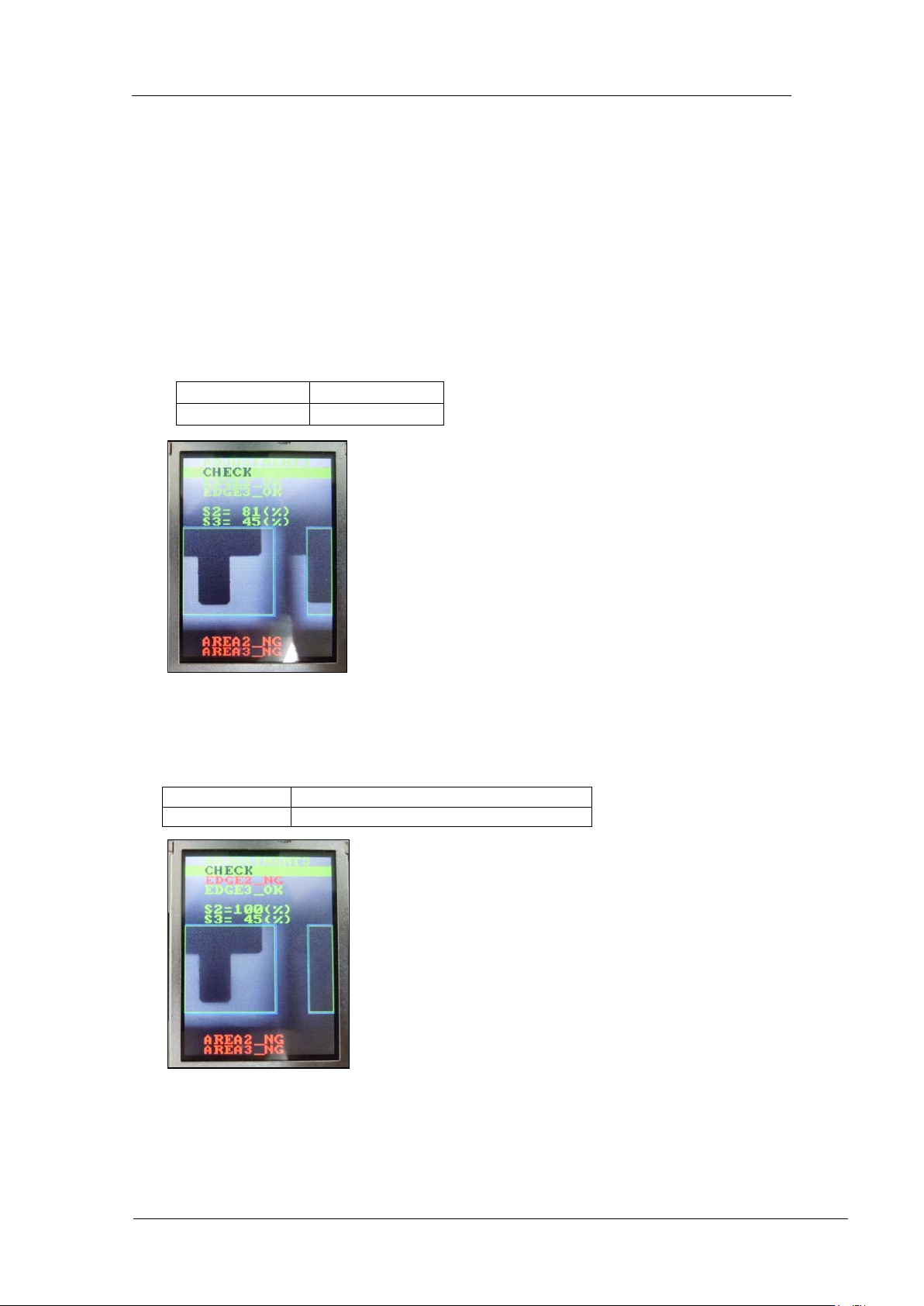
4. In the “ADJUSTMENT3 CHECK” screen, block the right glass with some paper etc.,
and then press the lower button to check the value is in the tolerance shown below. (In
the example below, the right-hand glass as viewed from the front of the machine is
blocked).
EDGE 2 = OK
EDGE 3 = OK
S2 = 75~95%
S3 = 25~45%
EDGE2 = NG
EDGE3 = OK
S2 = 100%
S3 = same valu e as w hen not bloc k ed
CONFIDENTIAL
Edition 1.0 IPS Adjustment for Various Head Types on the Module
<H24 head>
FK-9F50-74-0E 1-14
FUJI CORPORATION
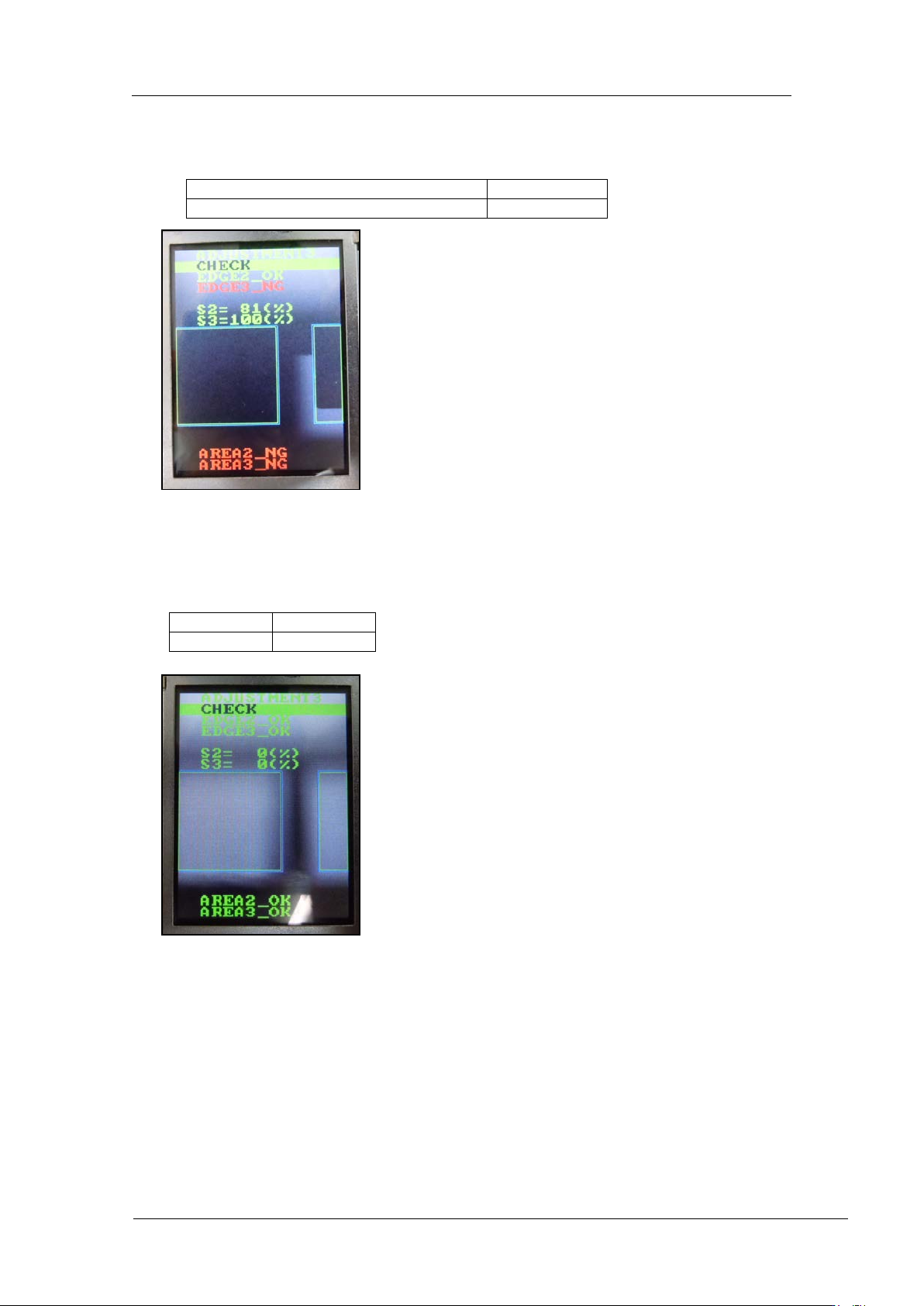
5. In the “ADJUSTMENT3 CHECK” screen block the left-hand glass with some paper and
then press the lower button to check the value is in the tolerance below. (In the
example b elow t he left-hand gl ass as viewed from the fro nt of the machine is blocked).
6. Remov e t he jig nozzles (2AGKNJ001500).
7. When displaying “ADJUSTMENT3 CHECK” and pressing the lower button without
blocking the glasses, check the v alu e. The value sho uld b e shown like bl ow.
EDGE2=OK
EDGE3=NG
S2= same value as when not blocked
S3=100%
AREA2=OK
AREA3=OK
S2=0%
S3=0%
CONFIDENTIAL
Edition 1.0 IPS Adjustment for Various Head Types on the Module
<H24 head>
FK-9F50-74-0E 1-15
FUJI CORPORATION
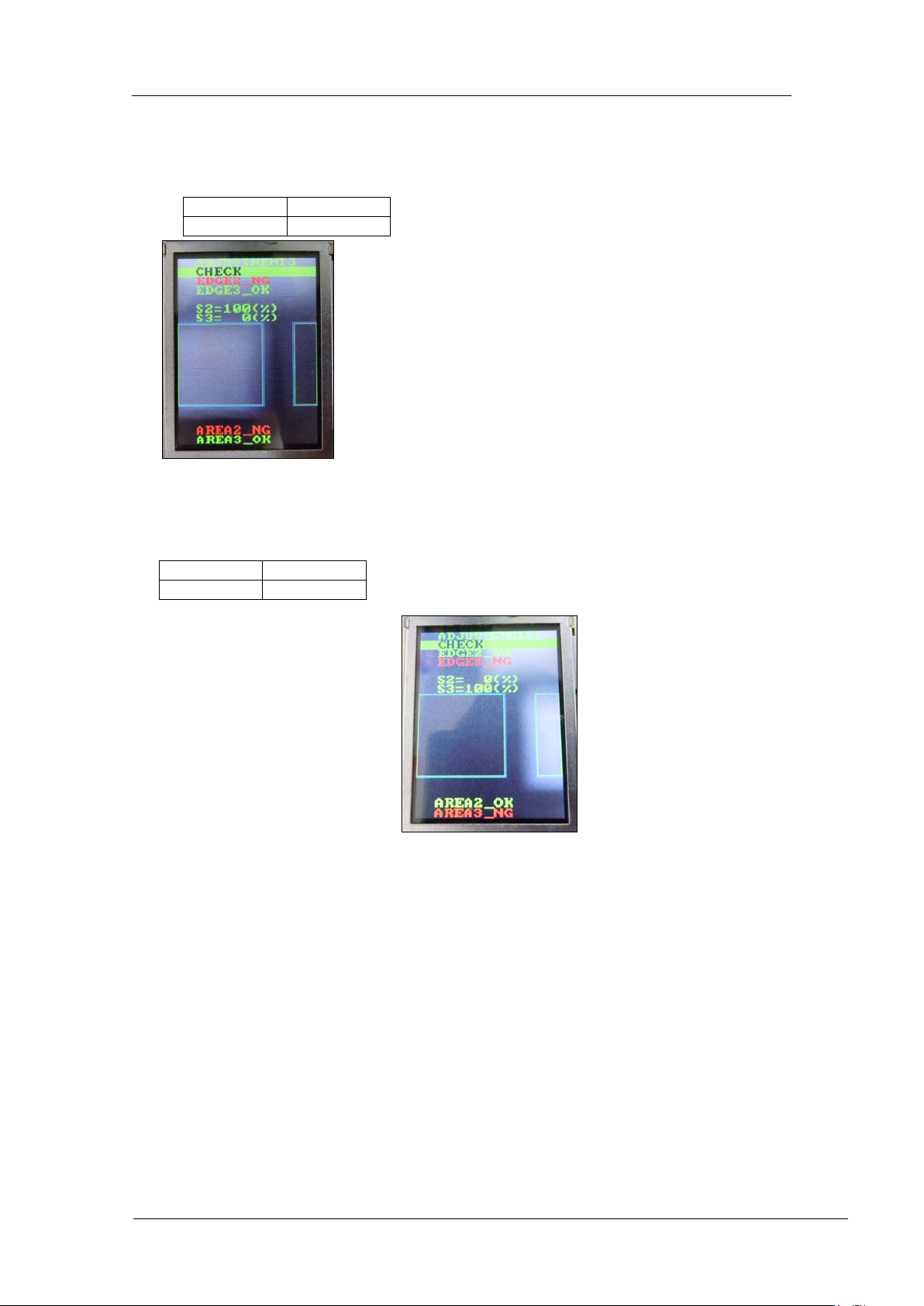
8. In the “ADJUSTMENT3 CHECK” screen block the right-hand glass with some paper
and then press the lower button to check the value is in the tolerance below. (In the
example below the right-hand glass as viewed from the front of the machine is
blocked).
9. In the “ADJUSTMENT3 CHECK” screen block the left-hand glass with some paper and
then press the lower button to check the value is in the tolerance below. (In the
example b elow t he left-hand gl ass as viewed from the fro nt of the machine is blocked).
AREA2=NG
AREA3=OK
S2=100%
S3=0%
AREA2=OK
AREA3=NG
S2=0%
S3=100%
CONFIDENTIAL