IPS adjustment on the modules.pdf - 第101页
Edition 1 .0 IP S Adjustment for V ariou s Head T ypes on the Module < H12HS Q h ead > FK - 9F50 - 74 -0 E 5-5 FUJI CORPORA TION Component names and ex planation of the adjustment modes Mode name: dis plays t he cu…
Edition 1.0
IP S Adjustment for V arious Head Types on the Module
< H12HSQ head>
FK-9F50-74-0E
5-4
FUJI CORPORATION
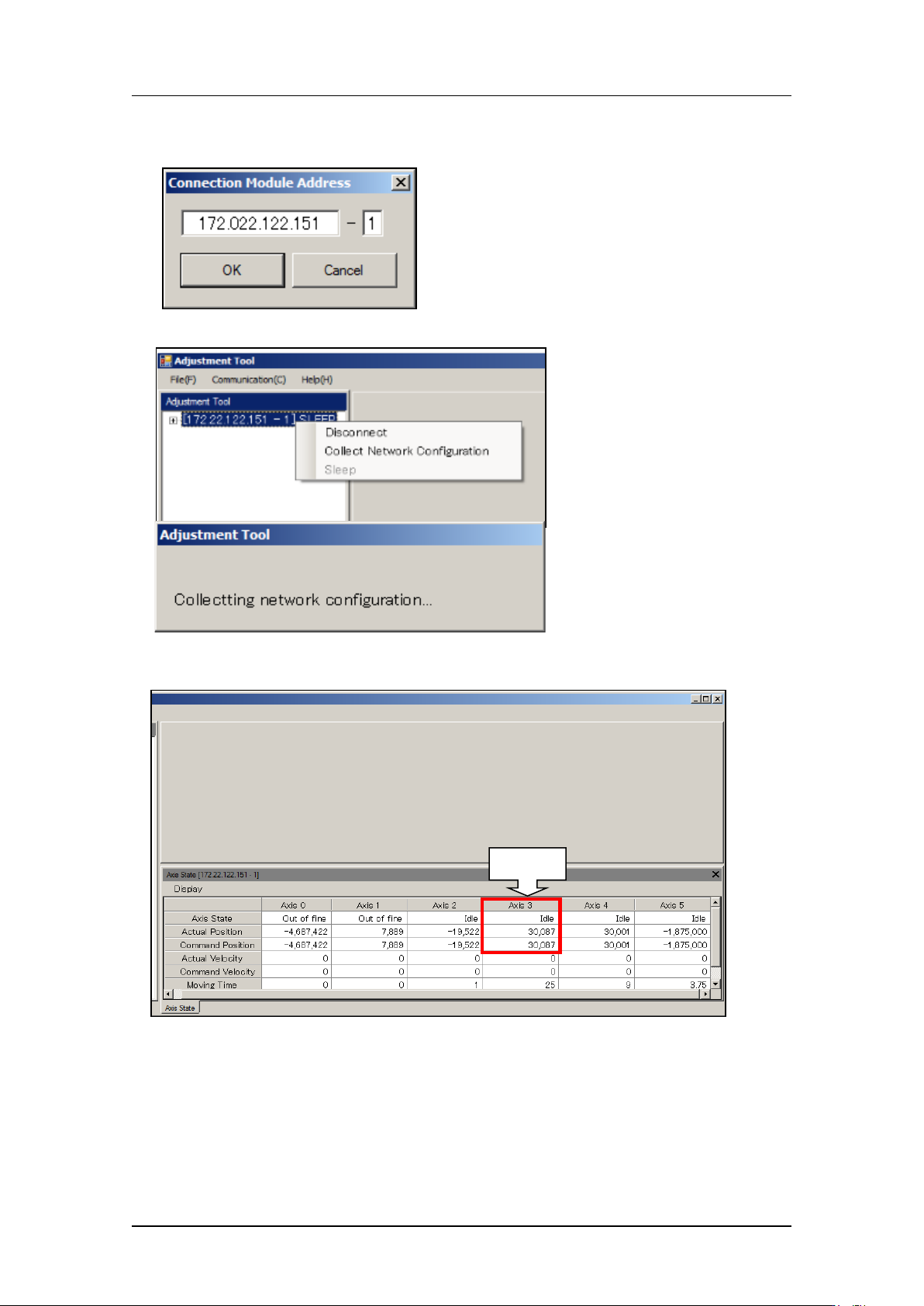
11. Enter the IP address of the target base and the module number, and then select
[Connect].
12. Right-click on the IP address and then se lect [ Collect Network Con fig ur at i on].
13. Record the Axis 3 ( R-axis servo c ount er ) value. (Ref er ence value: 0 to 60,000 pulses)
R-axis
CONFIDENTIAL
Edition 1.0
IP S Adjustment for V arious Head Types on the Module
< H12HSQ head>
FK-9F50-74-0E
5-5
FUJI CORPORATION
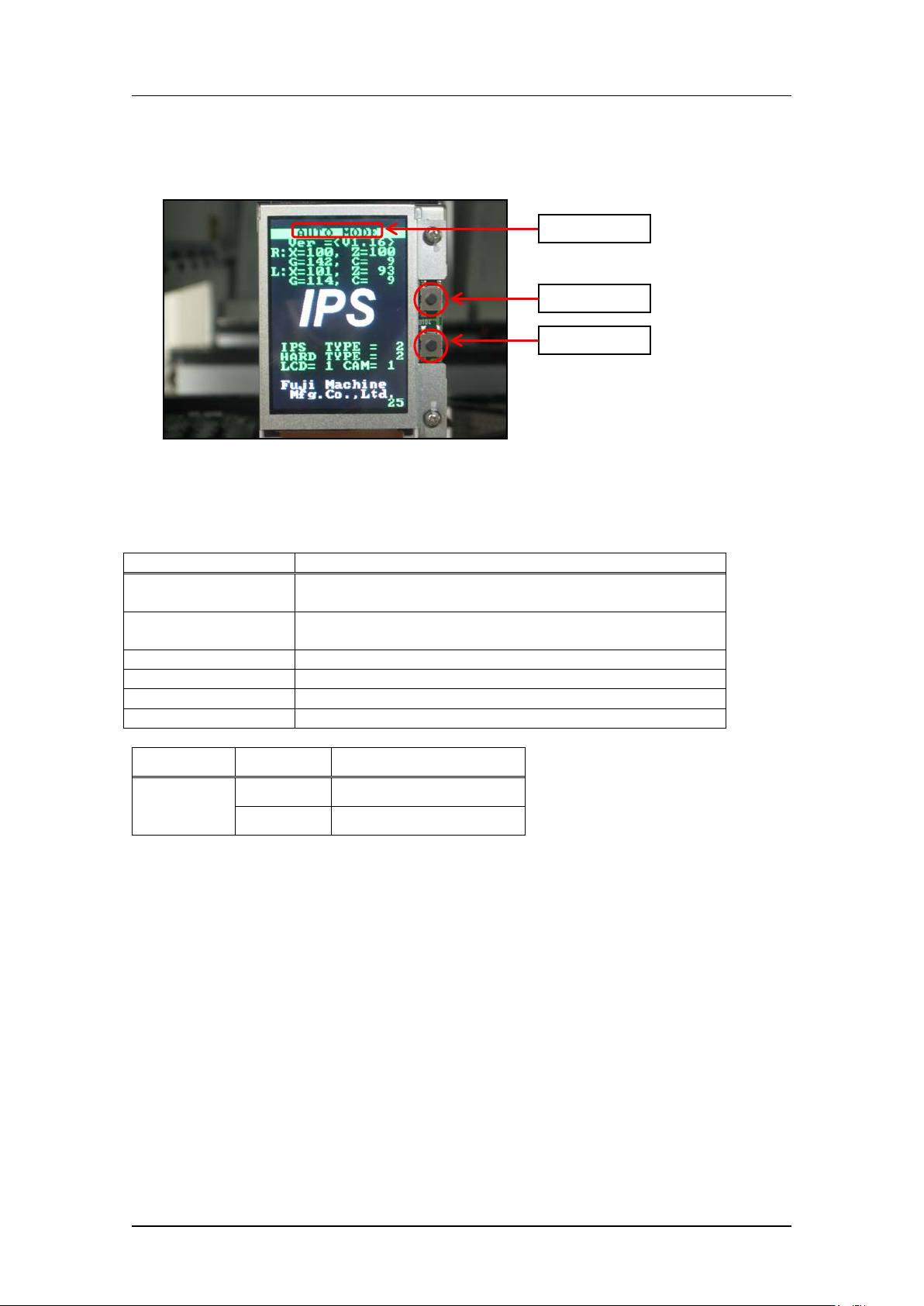
Component names and explanation of the adjustment modes
Mode name: displays t he cur r ent ly selected adjustment mode.
Back butt on: used t o switch t o a different mode from t he cur r ent ly selec ted mode.
Set button: us ed when saving or when selecting mo des.
There are six a djustment modes a s show n below. The adjustments differ for e ach mode.
Mode name
Contents
AUTO MODE
The initial screen displayed when the power is supplied
to the head.
ADJ MODE
This mode is used to access the 3 adjustment modes
below.
ADJUSTMENT 1
Used for res ol ut ion and tilt adjustment.
ADJUSTMENT 2
Used for gray scale and cu r r ent value adjustment.
ADJUSTMENT 3
Used to chec k the field of vision.
CONFIGURATION
Used to set the funct ion sett ings.
IPS Type
Hard Type
IPS Board
2
2
FH1406A1F(Old)
6
FH1335C1F(New)
Back butt on
Set button
Mode name
CONFIDENTIAL
Edition 1.0
IP S Adjustment for V arious Head Types on the Module
< H12HSQ head>
FK-9F50-74-0E
5-6
FUJI CORPORATION
Configuration settings
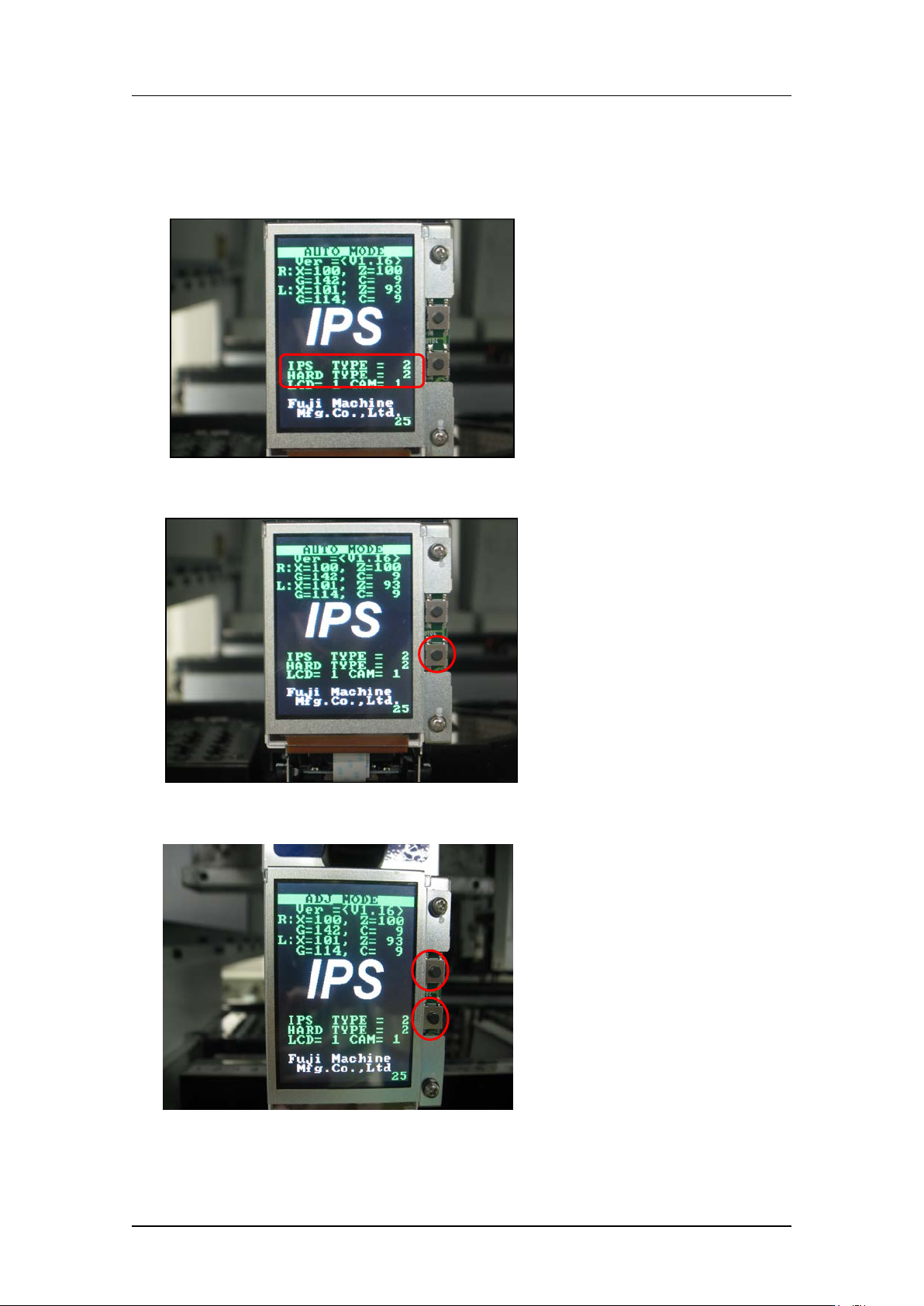
1. Firstly, check that the “IPS TYPE” and “HARD TYPE” ar e set t o 2 on the LCD screen. If
they are not set to 2, ma ke the settings s how n below.
2. Press and ho ld t he lower button to enter “ ADJ MODE”.
3. Press the upper and lower buttons simultaneously to select the “CONFIGURATION”
screen.
CONFIDENTIAL