IPS adjustment on the modules.pdf - 第104页
Edition 1 .0 IP S Adjustment for V ariou s Head T ypes on the Module < H12HS Q h ead > FK - 9F50 - 74 -0 E 5-8 FUJI CORPORA TION Adjusting t he c a mer a ins tallation posit i on ( A DJUSTM ENT1 ) 1. Press the uppe…
Edition 1.0
IP S Adjustment for V arious Head Types on the Module
< H12HSQ head>
FK-9F50-74-0E
5-7
FUJI CORPORATION
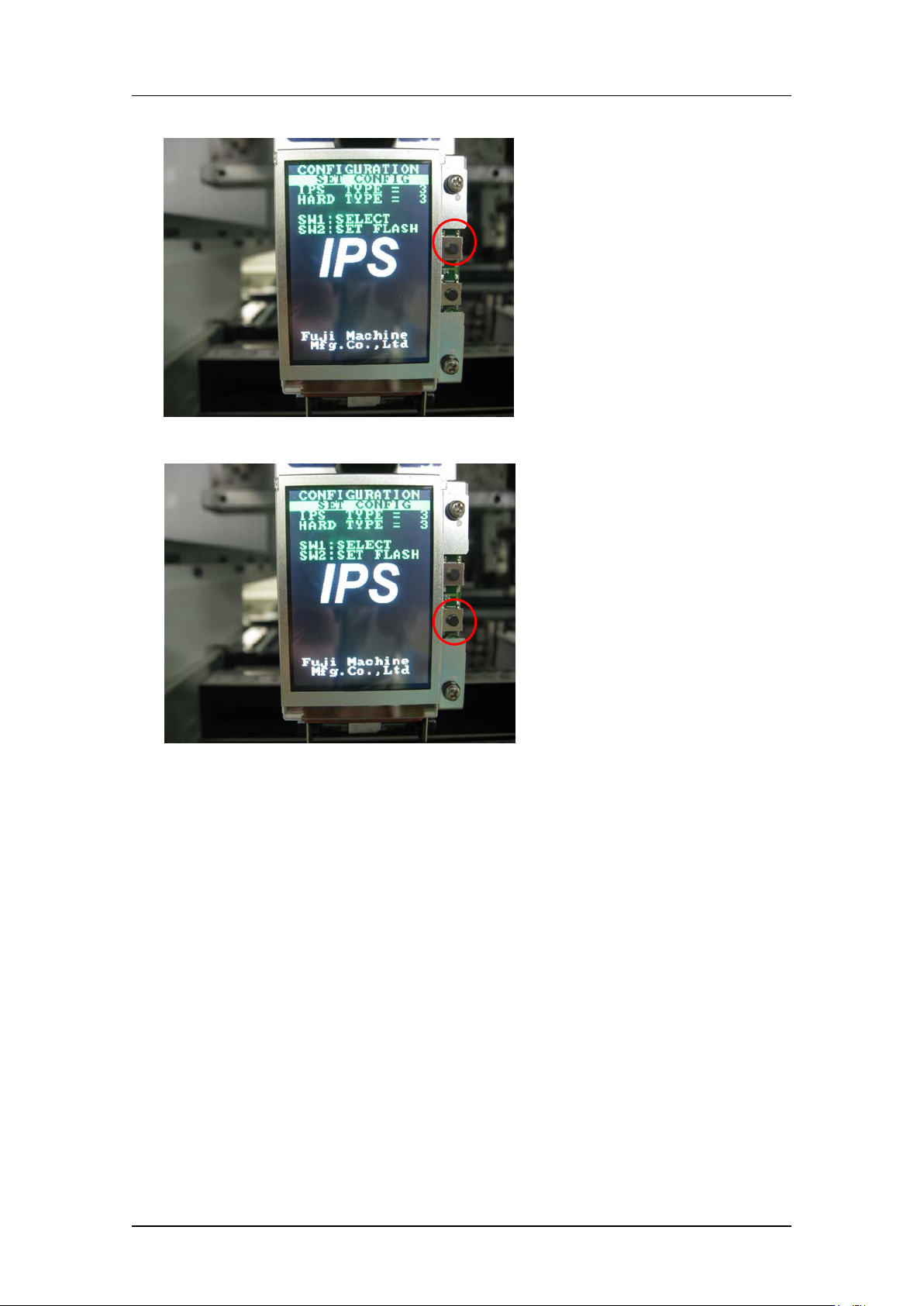
4. Press the upper button t o set “IPS TY PE” and “HARD TYPE” to 2.
5. Press the low er but t on t o comp lete the setting.
6. Rest ar t t he ma chine. The set t ings will be up dat ed after restart.
CONFIDENTIAL
Edition 1.0
IP S Adjustment for V arious Head Types on the Module
< H12HSQ head>
FK-9F50-74-0E
5-8
FUJI CORPORATION
Adjusting t he c a mer a ins tallation posit ion
(
ADJUSTMENT1
)
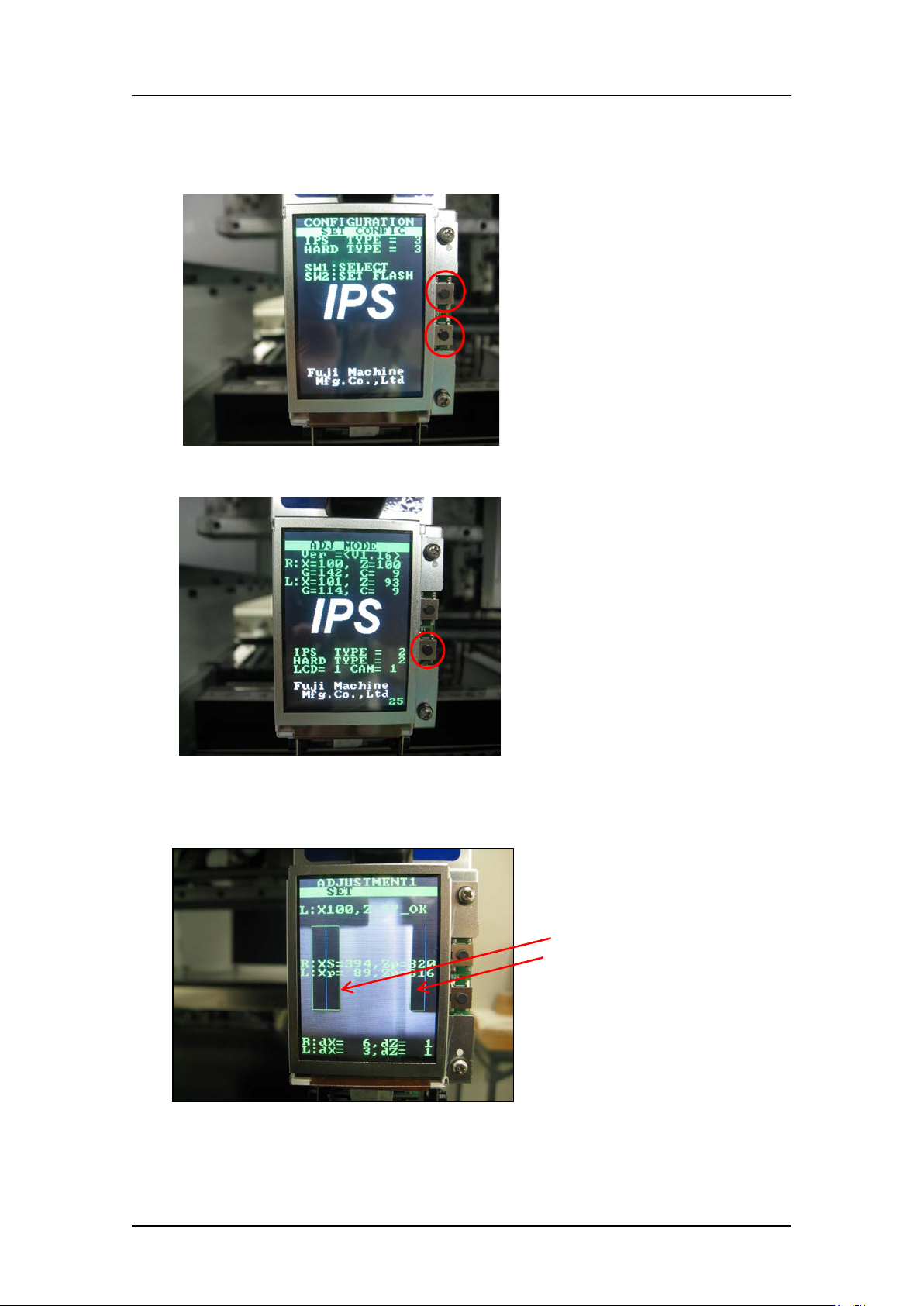
1. Press the upper and lower buttons s i m ultaneously t o retur n t o “ADJ MODE”.
2. Press the low er but t on t o enter “ ADJ USTM E NT 1” mode.
3. Use MotionTool.mini to check that the A holder is at the front of the head (the position
where the B and L holders are aligned).With holder A at this position, adjust the
position of the camera so that the jigs on the B and L holders match up with the green
frames on the s cr een.
The jigs match the
green frames on the
screen.
CONFIDENTIAL
Edition 1.0
IP S Adjustment for V arious Head Types on the Module
< H12HSQ head>
FK-9F50-74-0E
5-9
FUJI CORPORATION
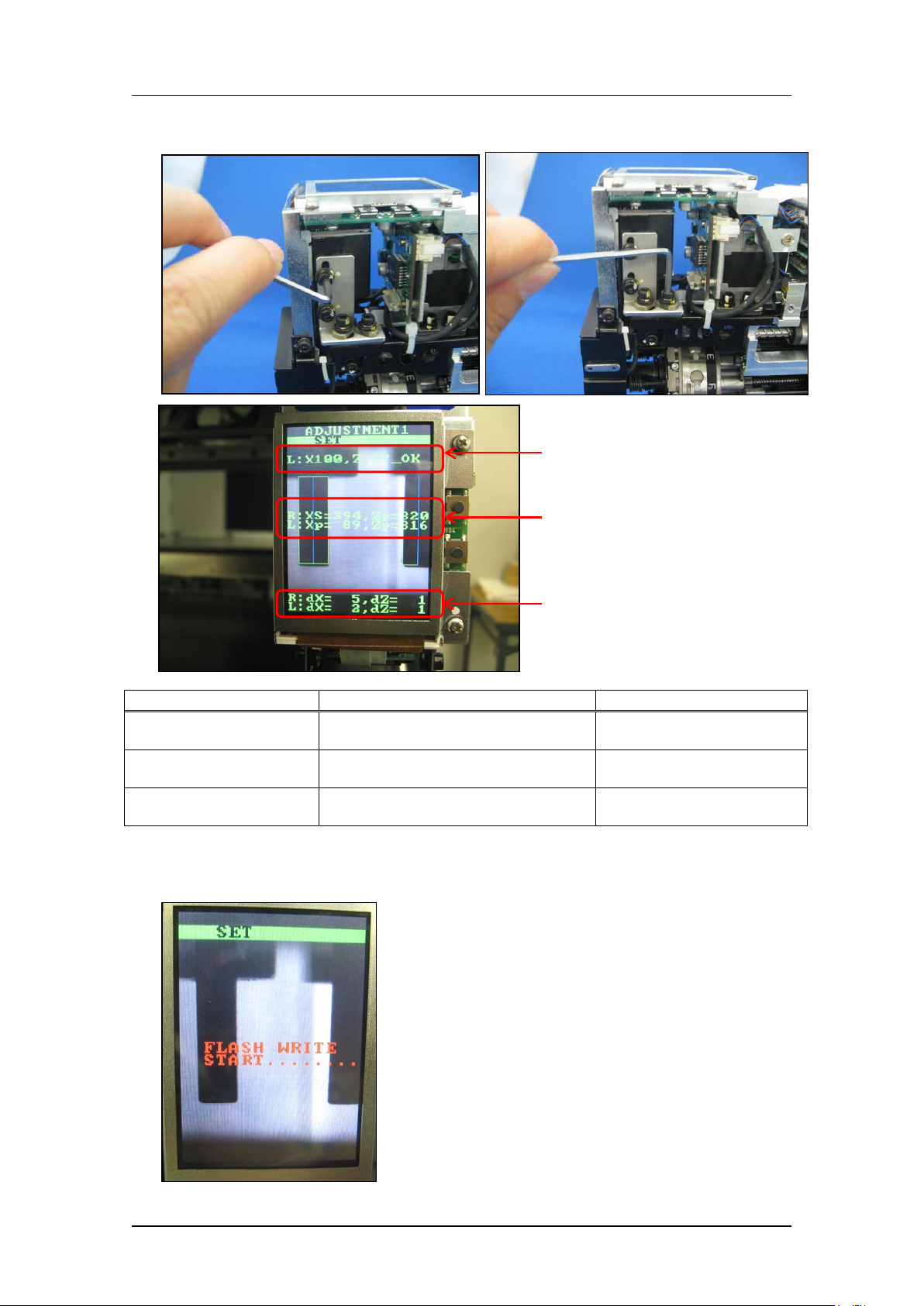
4. Use the bolts below to adjust the camera position so that the center value, resolution
and tilt are al l w ithin t olerance.
Inspection item
Tolerance
Target value
Camera resolution
L: X = 90~110
L: Z = 90~110
Same as tolerance
Center val ue
R: Xs = 380~400, Zp = 310~330
L: Xp = 80~100, Zp = 310 ~330
R: Xs = 390, Zp = 320
L: Xp = 90, Zp = 320
Tilt
R: dX = 0~9, dZ = 0~9
L: dX = 0~9, dZ = 0~9
R: dX = 0, dZ = 0
L: dX = 0, dZ = 0
5. Press the lower button to save the settings, and then press the upper button to enter
[ADJUSTMENT 2] mode.
Resolu
tion
Center
value
Tilt
CONFIDENTIAL