IPS adjustment on the modules.pdf - 第108页
Edition 1 .0 IP S Adjustment for V ariou s Head T ypes on the Module < H12HS Q h ead > FK - 9F50 - 74 -0 E 5- 12 FUJI CORPORA TION Checki ng t he fi e l d of vision ( ADJ USTMENT3 ) External l ight ca n af fect th …
Edition 1.0
IP S Adjustment for V arious Head Types on the Module
< H12HSQ head>
FK-9F50-74-0E
5-11
FUJI CORPORATION
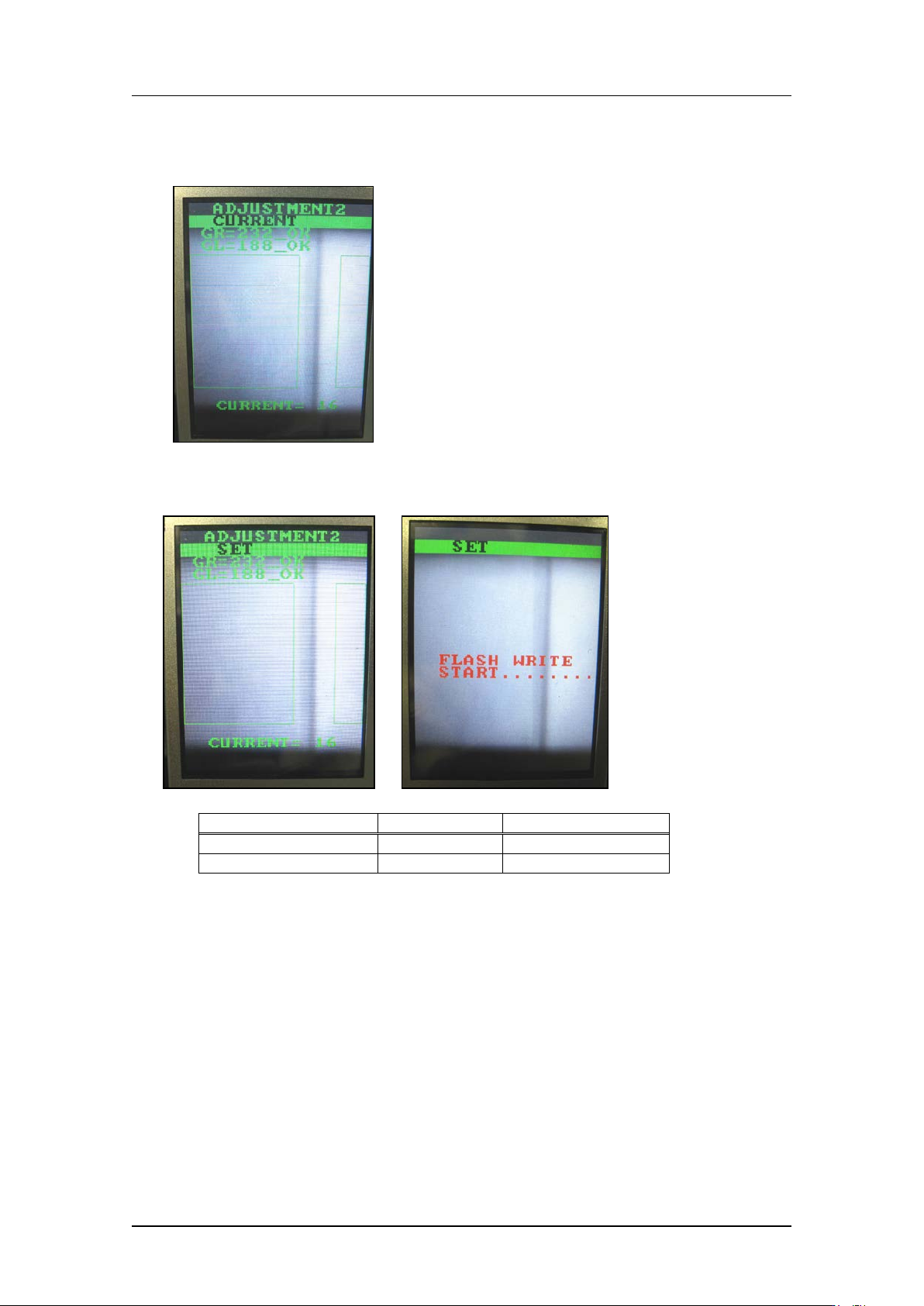
6. Press the upper button to display “CU RRENT BACK”.
7. Press the low er but t on t o return to “ADJUST M ENT2 CURRENT”.
8. Press the upper button to display “ADJUSTMENT2 SET” and then press the lower
button to save the sett ings.
Tolerance
Target value
GR, GL (Gray value)
95~250
120
CURRENT
24mA or l ess
Same as tolerance
CONFIDENTIAL
Edition 1.0
IP S Adjustment for V arious Head Types on the Module
< H12HSQ head>
FK-9F50-74-0E
5-12
FUJI CORPORATION
Checki ng t he fi e ld of vision (ADJUSTMENT3)
External l ight can affect the results, so be sure t o perform the pr ocedure in a shaded area.
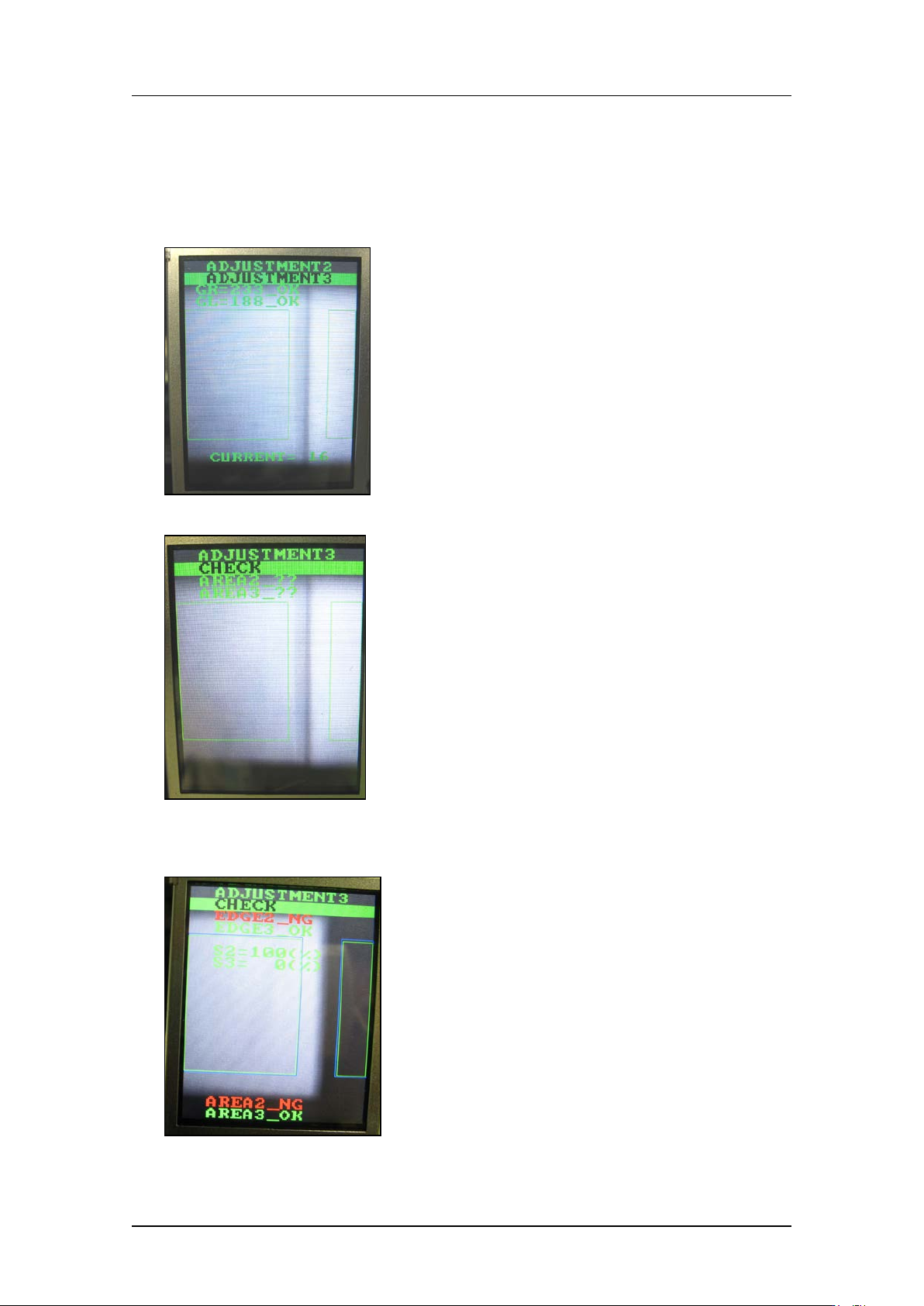
1. Continuing from the procedure above, press the upper button to display
“ADJUSTMENT 2 ADJUSTMENT 3”.
2. Press the low er but t on t o display “ A DJUSTMEN T 3 CHECK”.
3. Block one of the glasses with some paper etc., and then press the lower button. (In the
example below, the right-hand glass as viewed from the front of the machine is
blocked).
CONFIDENTIAL
Edition 1.0
IP S Adjustment for V arious Head Types on the Module
< H12HSQ head>
FK-9F50-74-0E
5-13
FUJI CORPORATION
4. Check that “EDGE2_NG, EDGE3_OK” displ ays. A lso che ck t hat S2 = 100 %, S3 = 0 %
displays.
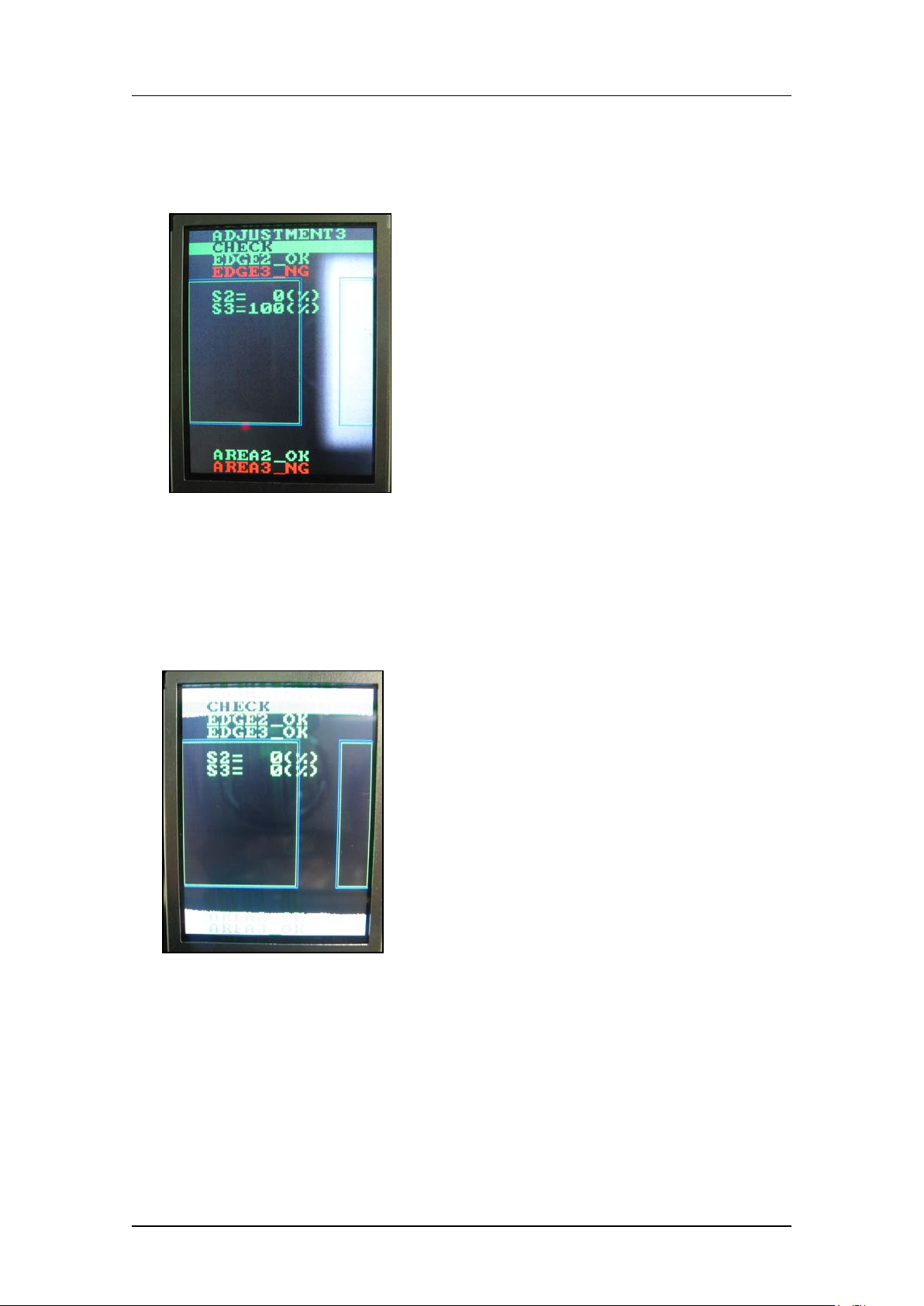
5. Block the other glass with some paper and then press the lower button. (In the
example b elow t he left-hand gl ass as viewed from the fro nt of the machine is blocked).
6. Check that “EDGE2_OK, EDGE3_NG” displays. Also, check that S2 = 0 %, S3 =
100 % displays.
7. Press the upper and lower buttons simultaneously to reverse the LCD contrast, and
then check that there are no white areas within the green rectangles. If there are white
areas within the green rectangles, it is necessary to readjust the position of the camera.
If the camera position is readjusted, it is necessary to check the resolution, center
values and t ilt.
CONFIDENTIAL