IPS adjustment on the modules.pdf - 第117页
Edition 1 .0 IPS Adjustment for V arious Head T ypes on the Module <H08MQ head > FK - 9F50 - 74 -0 E 6-3 FUJI CORPORA TION 8. Enter the bas e I P address and the mod ule n umber , and then click [Conn ect ] . 9. Se…
Edition 1.0
IPS Adjustment for Various Head Types on the Module
<H08MQ head>
FK-9F50-74-0E
6-2
FUJI CORPORATION
Preparation
1. Remov e t he covers.
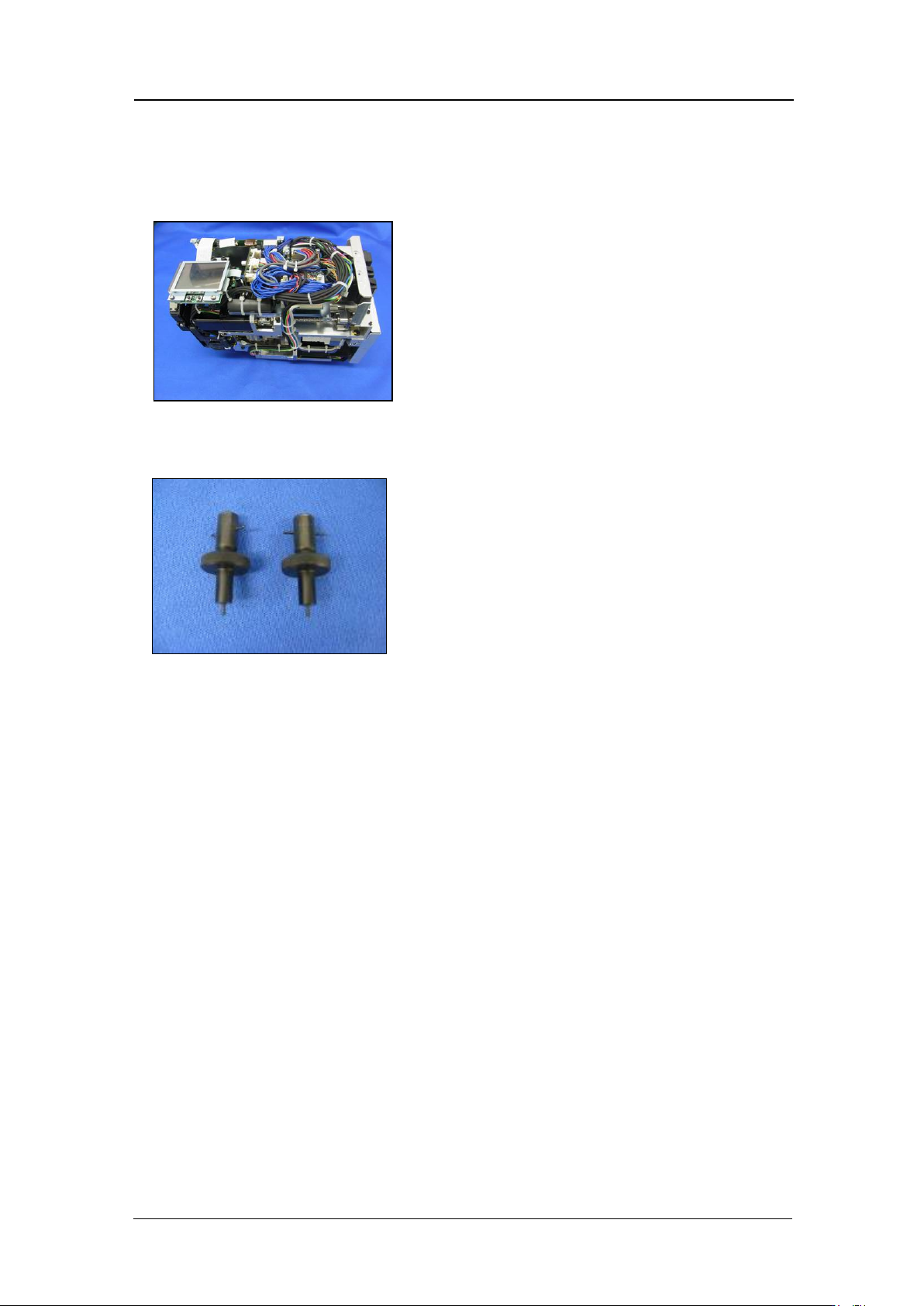
2. Attach the jigs (AA9FA0*) to holders B and H on the head, and then attach the head to
the module.
3. Attach the head to t he module and t ur n t he base pow er O N.
4. To adjust the IPS camera position, it is necessary to move the R-axis to the A-holder
proper data pos ition.
5. Use the Mot ion Tool M ini s oftw are to check the s er vo count o f the head on the module.
6. Push the START button at the main screen to rotate the R-axis. Check that holder A
has moved t o t he front of the hea d and t hen press the CYCLE STOP butt on.
7. Startup Mot ion Tool Mini.
CONFIDENTIAL
Edition 1.0
IPS Adjustment for Various Head Types on the Module
<H08MQ head>
FK-9F50-74-0E
6-3
FUJI CORPORATION
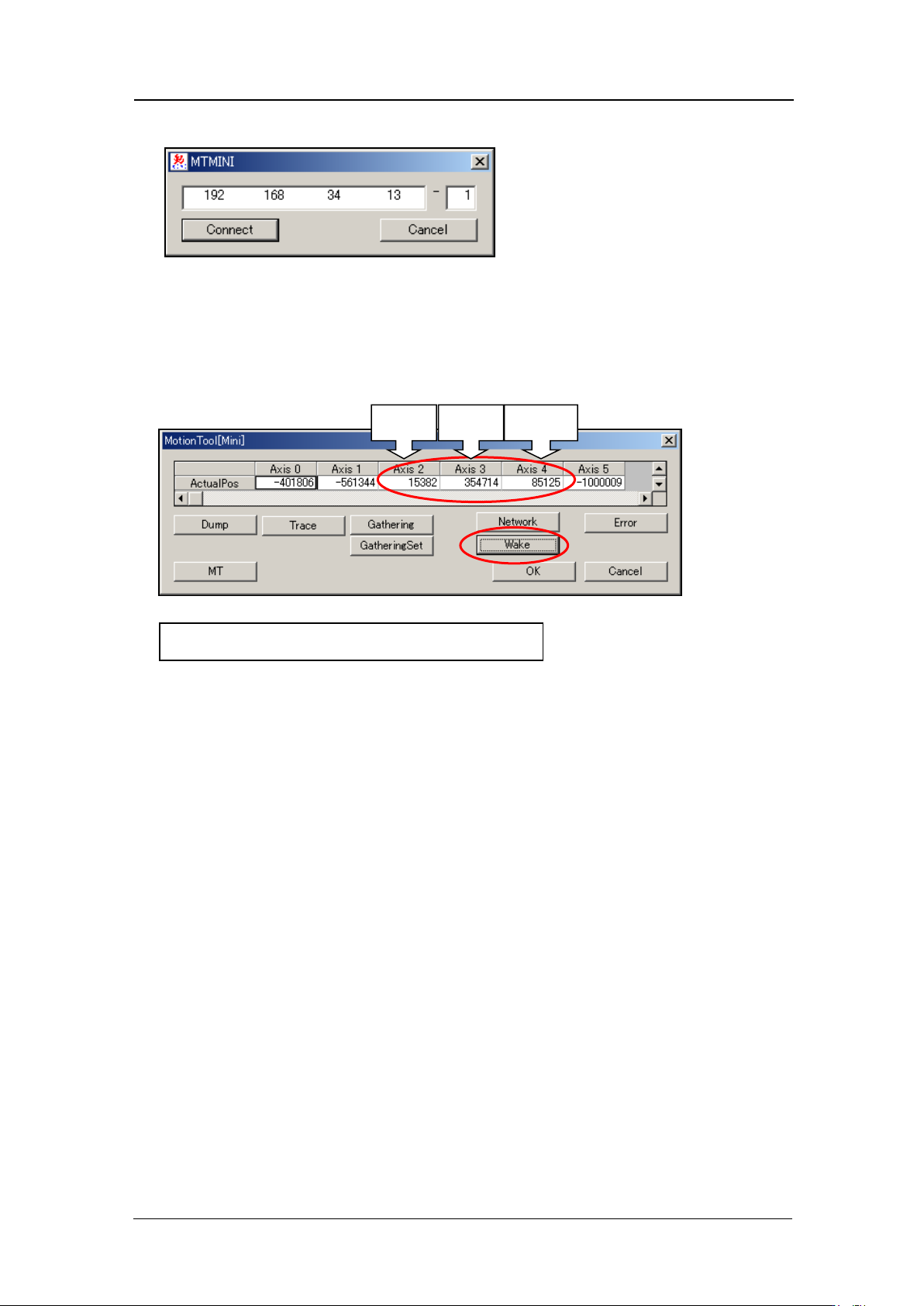
8. Enter the bas e I P address and the mod ule number, and then click [Connect].
9. Select [Wake] - [Automatic recognition] – [OK] to turn the servo power ON. After
approximately 10 seconds, the current servo count for each of the axes dis plays. Axi s 3
is the R-axis servo counter. Record this value. When adjusting the camera, the
adjust ment is performed with the R-axis at this position (the position where the A-holder
is at the front o f the head).
Z-axis
R-axis
Q-axis
Axis 3 : Reference value 30000
±
3000 pulses
CONFIDENTIAL
Edition 1.0
IPS Adjustment for Various Head Types on the Module
<H08MQ head>
FK-9F50-74-0E
6-4
FUJI CORPORATION
The following steps explain how to check the s er vo counter using Motion Adjustment Tool.
10. After the machine wakes up, press [Start] button and then press [Cycle stop] button
immediately.
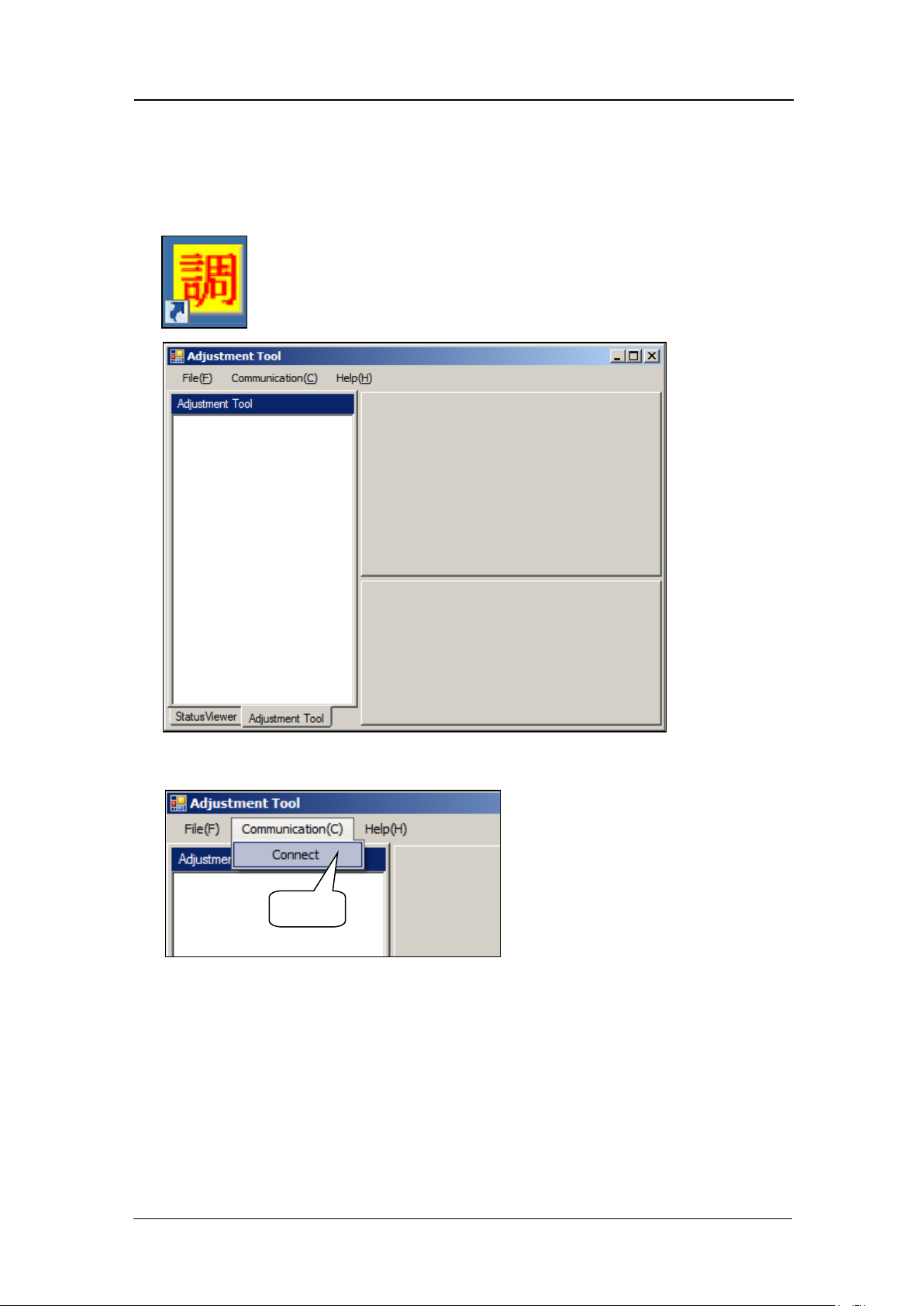
11. St ar t up M otion Adjust m ent Tool.
12. Select [Communication] – [Connect].
Select
CONFIDENTIAL