IPS adjustment on the modules.pdf - 第123页
Edition 1 .0 IPS Adjustment for V arious Head T ypes on the Module <H08MQ head > FK - 9F50 - 74 -0 E 6-9 FUJI CORPORA TION Adjusting t he c a mer a ins tallation posit i on 1. Press the low er but t on t o r eturn …

Edition 1.0
IPS Adjustment for Various Head Types on the Module
<H08MQ head>
FK-9F50-74-0E
6-8
FUJI CORPORATION
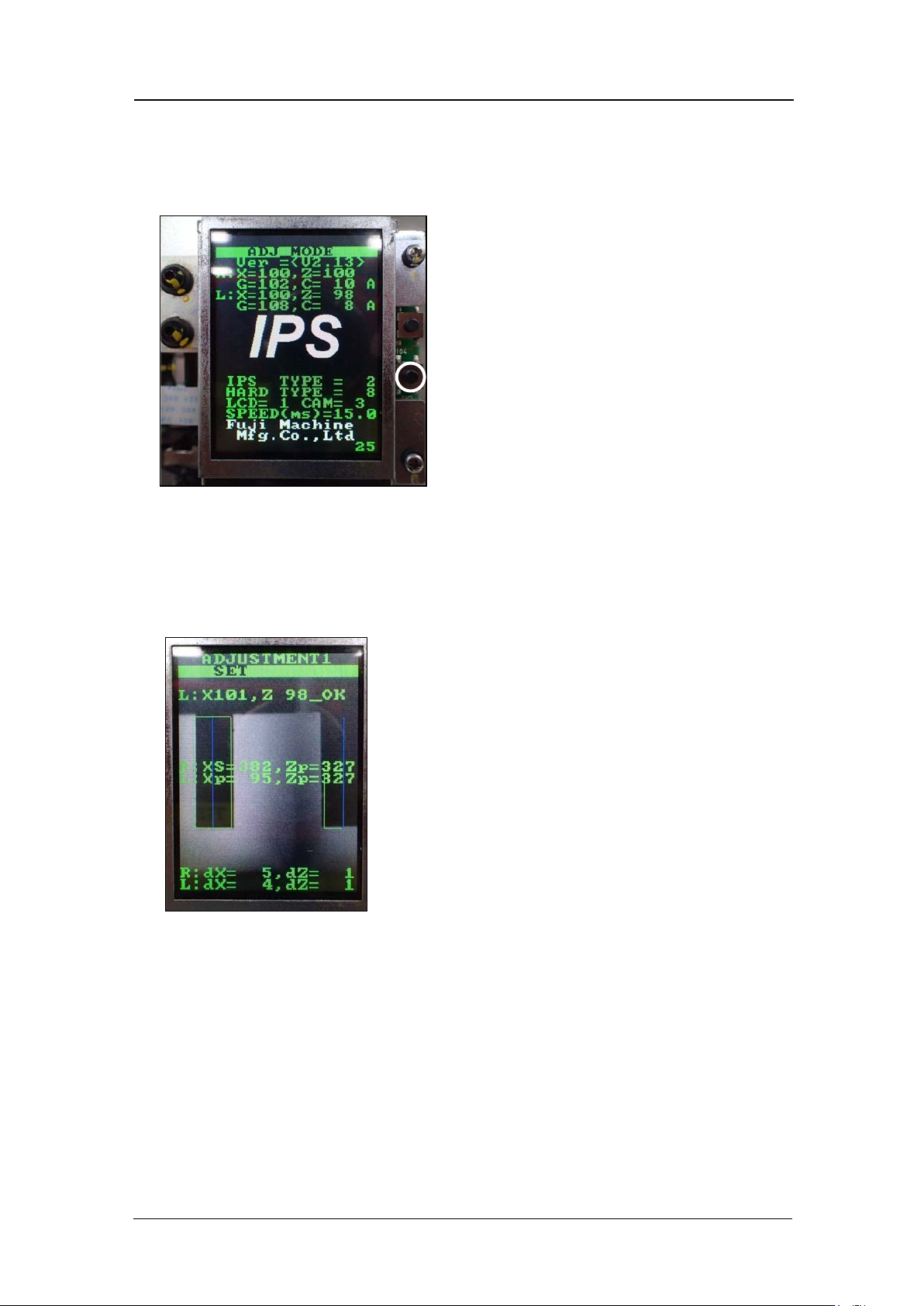
4. Press the upper button to select “IPS TYPE” and “HARD TYPE”, and then press the
lower button to save the settings. The settings differ depending on the IPS board, so
be careful t o m ake the correct settings.
IPS Type
Hard type
IPS Board
IPS2
4
FH1374A0F (Old)
8
FH1374B0F (New)
Note: The difference between old and new boards is the difference between the LED
drivers on t he I PS m ain board.
5. The head mu st be r ebooted a f t er m aking the sett i ngs.
CONFIDENTIAL
Edition 1.0
IPS Adjustment for Various Head Types on the Module
<H08MQ head>
FK-9F50-74-0E
6-9
FUJI CORPORATION
Adjusting t he c a mer a ins tallation posit ion
1. Press the low er but t on t o return to “ADJ MODE”.
2. Use Equipment Check to turn the following I/Os ON.
Y10C Lower Transport Height C ommand
Y10D Lower IPS Back Comm and
3. Press the low er but t on t o enter “ ADJ USTM E NT 1” mode.
CONFIDENTIAL
Edition 1.0
IPS Adjustment for Various Head Types on the Module
<H08MQ head>
FK-9F50-74-0E
6-10
FUJI CORPORATION
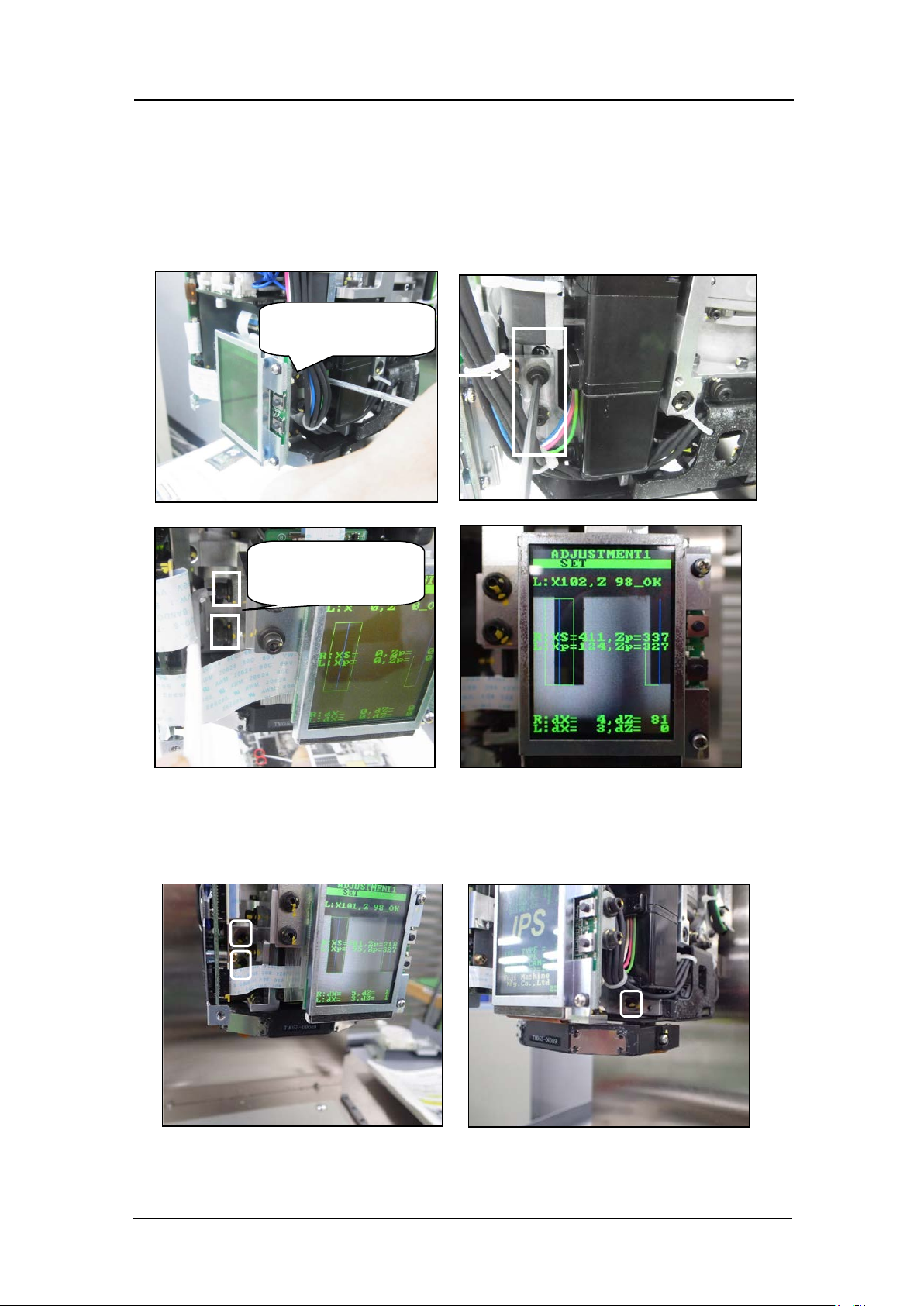
4. Adjust the position o f the camera so th at t he jig s on the B and H hol ders match up w ith
the green frames on t he screen.
5. Loosen the bolts on t he left and r i ght , and move t he camera b ack and forth to adjust
the pitch o f jig nozzles.
If the monit or i m age free zes during t he adjustme nt, it is necessary to return
to ADJUSTM ENT 1 and enter ADJUSTMENT 1 again.
6. Loosen the 3 bolts and move the camera in the XY direction so the nozzles
align with the green frames on the LCD monitor. Then check that the center
values, res ol ution and tilt are within tolerance.
Left a s vie wed f rom
front
Right as viewed
from front
CONFIDENTIAL