IPS adjustment on the modules.pdf - 第127页
Edition 1 .0 IPS Adjustment for V arious Head T ypes on the Module <H08MQ head > FK - 9F50 - 74 -0 E 6- 13 FUJI CORPORA TION 5. If the gray scal e v alues are out sid e t he tar get v alues, adjust t he m as shown …
Edition 1.0
IPS Adjustment for Various Head Types on the Module
<H08MQ head>
FK-9F50-74-0E
6-12
FUJI CORPORATION
Adjusting the current value (grayscale value)
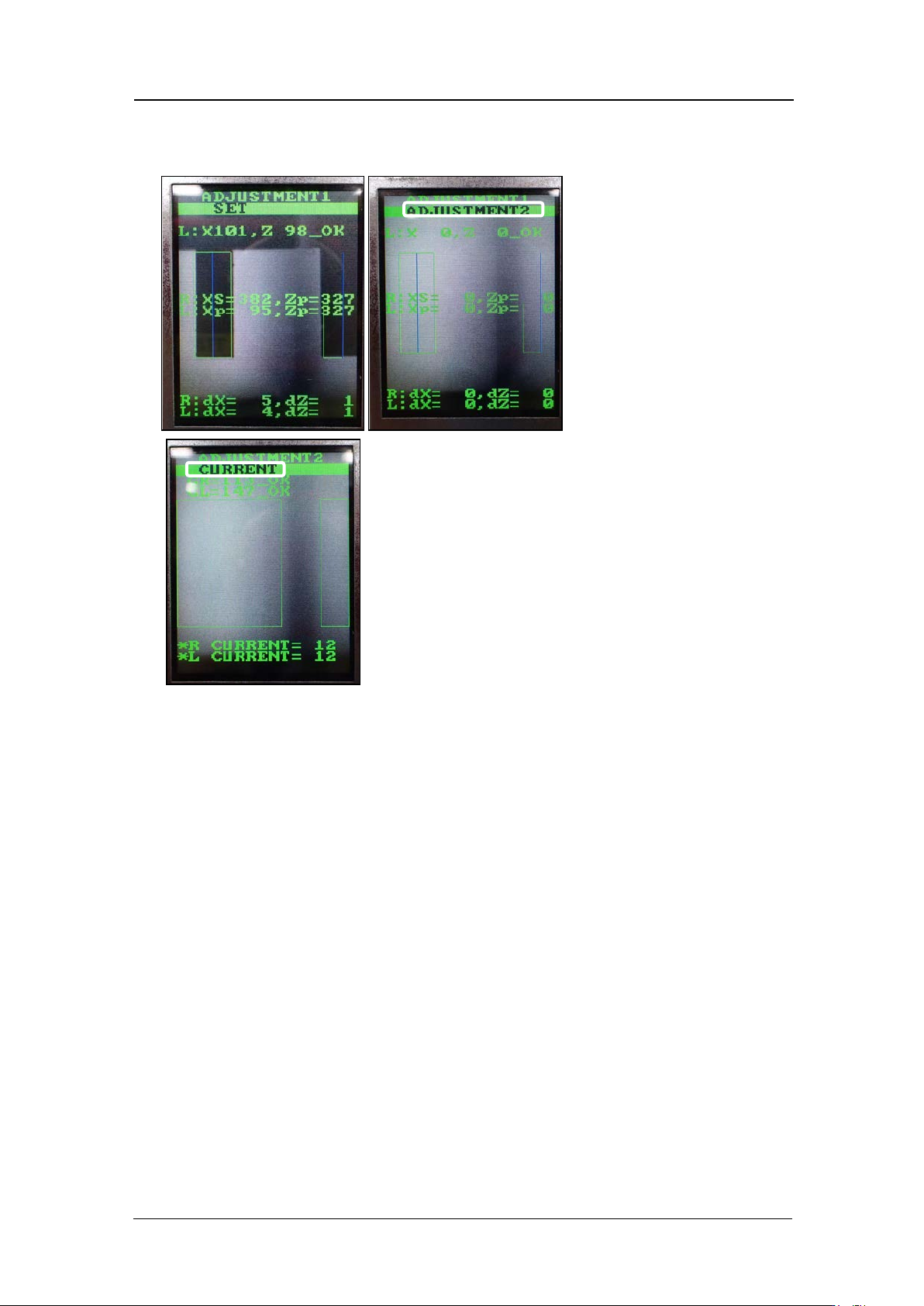
1. Press the low er but t on t o display t he cur r ent and grayscale valu es.
2. Rotate the R-axis by hand to find the positions where the grayscale values (GR and
GL) are maximized and minimized. Check that the minimum and maximum grayscale
values are within the to lerance show n below.
R: 90~170 Target: 100
L: 110~130 Target: 100
3. Also check that the current value is 26 mA or less, and the edge of a 0.3 mm nozzle
can be seen c learly.
4. Rotate the R-axis through one full rotation and confirm that there is no position where
the variation in the grayscale values (GR and GL) is extreme. Pay particular attention
to the variation in grayscale values at the position where the fluorescent sticker is
joined. If the variat ion i s la r ge, c lea n t he fluoresce nt sticker and r eplace it if necessary.
CONFIDENTIAL
Edition 1.0
IPS Adjustment for Various Head Types on the Module
<H08MQ head>
FK-9F50-74-0E
6-13
FUJI CORPORATION
5. If the gray scal e values are out sid e the tar get values, adjust t hem as shown below.
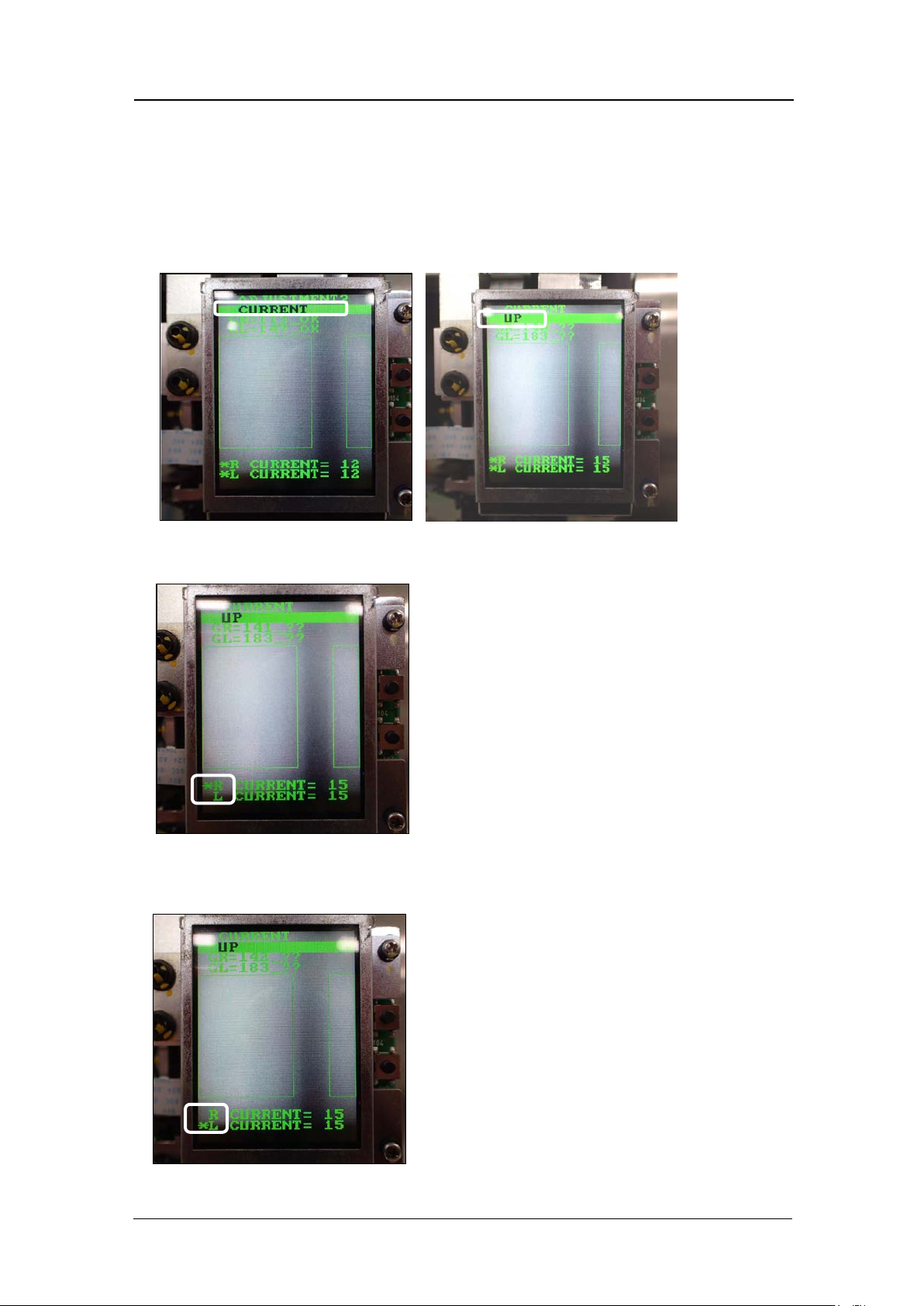
6. Press the upper button to select CURRENT, and then with either CURRENT UP or
CURRENT DOWN selected, press the lower button to raise or lower the CURRENT
value.
7. With either CURRENT UP or CURRENT DOWN selected, press and hold the lower
button.
8. An asterisk mark (*) displays next to the “R CURRENT” value only. The lower button
can now be used t o adjust t he R Current v alue separately.
9. Press and hold the lower button to display an asterisk mark (*) next to the “L
CURRENT ” value. The lower button can now be used to adj ust the L CURRENT value
separately.
CONFIDENTIAL
Edition 1.0
IPS Adjustment for Various Head Types on the Module
<H08MQ head>
FK-9F50-74-0E
6-14
FUJI CORPORATION
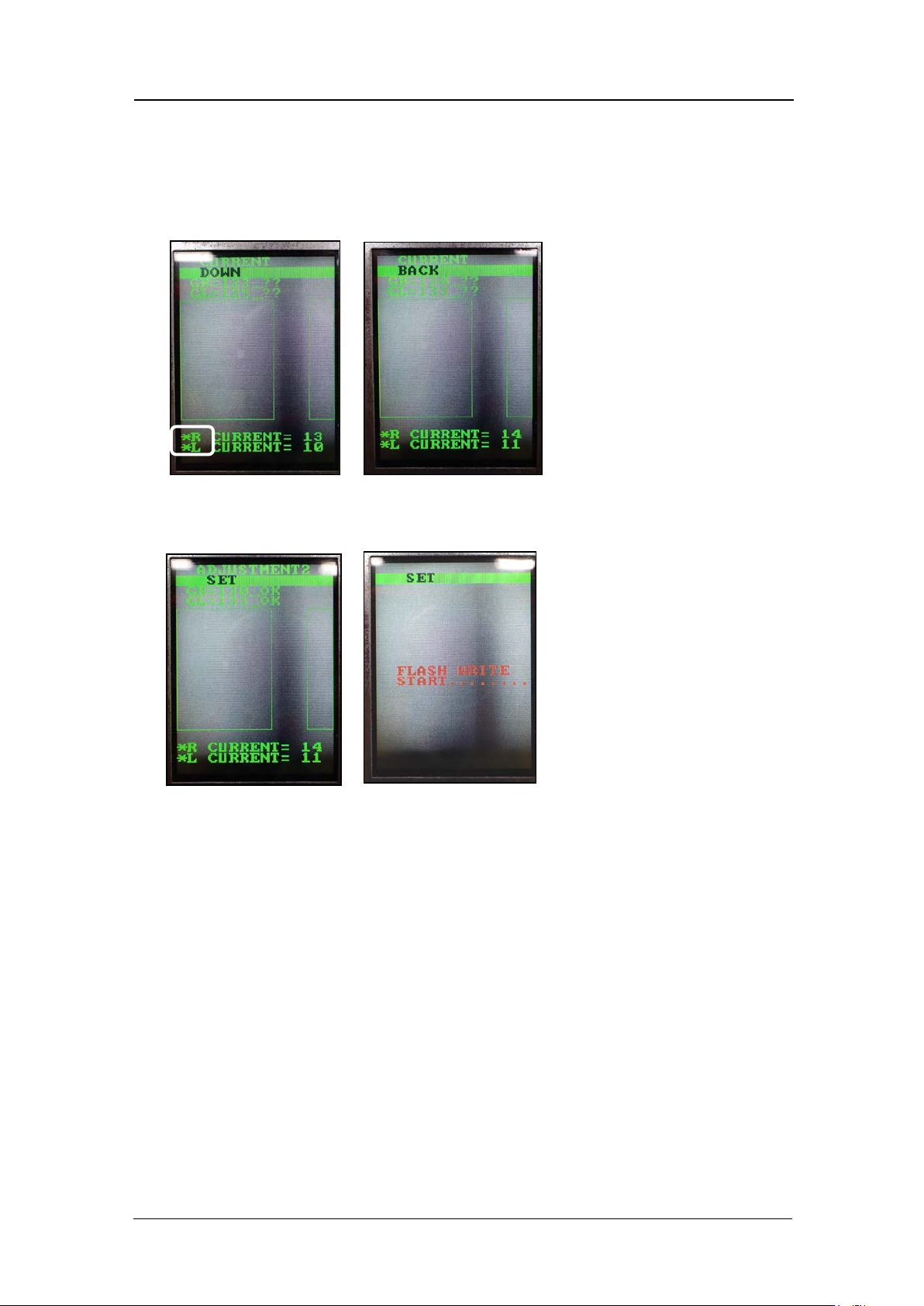
10. Press and hold the lower button to display an asterisk mark next to both the “R
CURRENT” and “L CURRENT” values. The lower button can now be used to adjust
the R CURRENT and L CURRENT values together. Once the values are within
tolerance, press the upper button once with [BACK] selected to return to the
[CURRENT] screen. Press the upper button once to select [SET], and then press the
lower button once to save the v alues.
11. Use the upper button to return to [ADJ MODE] and then reboot the machine to turn
the head pow er O FF and ret ur n t o [AUTO MODE].
CONFIDENTIAL