IPS adjustment on the modules.pdf - 第131页
Edition 1 .0 IPS Adjustment for V arious Head T ypes on the Module <H08MQ head > FK - 9F50 - 74 -0 E 6- 17 FUJI CORPORA TION 8. Press the upper b utton t o disp l ay “ ADJUSTMENT 3, B ACK ”. 9. Press the low er but…
Edition 1.0
IPS Adjustment for Various Head Types on the Module
<H08MQ head>
FK-9F50-74-0E
6-16
FUJI CORPORATION
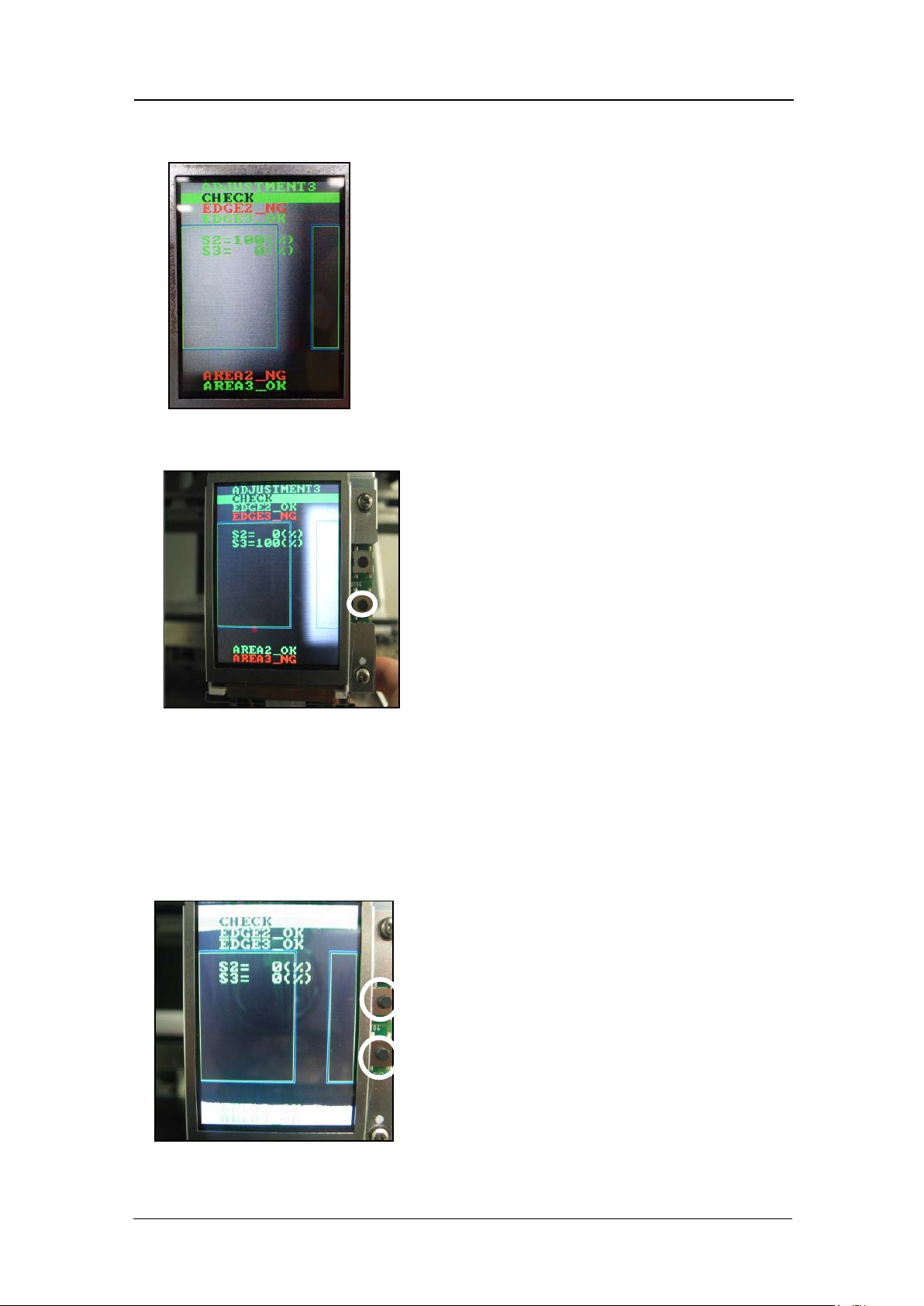
4. Check that “EDGE2_NG, EDGE3_OK” displa ys . A lso check t hat S2 = 100 %, S3 = 0 %
displays.
5. Block the other lens with a piece of paper, and then press the lower button. (In the
example below, the left-hand lens (as viewed from the front of the machine) is block ed).
6. Check that “EDGE2_OK, EDGE3_ NG” displays. Als o check that S2 = 0 %, S3 = 100 %
displays.
7. Press the upper and lower buttons together to reverse the LCD contrast, and then
check that there are no white areas within the green rectangles. If there are white
areas within the green rectangles, it is necessary to readjust the position of the camera.
If the camera position is readjusted, it is necessary to check the resolution, center
values and t ilt.
CONFIDENTIAL

Edition 1.0
IPS Adjustment for Various Head Types on the Module
<H08MQ head>
FK-9F50-74-0E
6-17
FUJI CORPORATION
8. Press the upper button t o disp lay “ADJUSTMENT 3, BACK”.
9. Press the low er but t on t o display “ A DJUSTMEN T 2 CURRENT”.
10. Press the upper button to display “ ADJUSTMENT 2 SET”.
11. Press the upper button to display “ ADJUSTMENT 2 ADJUSTMENT 3” .
12. Press the upper button to display “ ADJUSTMENT 2 BACK”.
13. Press the lower button t o display “ADJUSTMENT 1 SET”.
14. Press the upper button to display “ADJUSTMENT 1 ADJUSTMENT 2”.
15. Press the upper button to display “ ADJUSTMENT 1 BACK”.
16. Press the lower button t o display “ADJ MODE”.
17. The field of vision check is now complete.
If the ADJUSTMENT 1 data was updated, it is necessary to perform the
calibration using [Accessory software] – [Calibration] – [Remeasure
Calibration] command
.
Otherwise, the saved values will not be updated.
CONFIDENTIAL
Edition 1.0
IPS Adjustment for Various Head Types on the Module
<H08MQ head>
FK-9F50-74-0E
6-18
FUJI CORPORATION
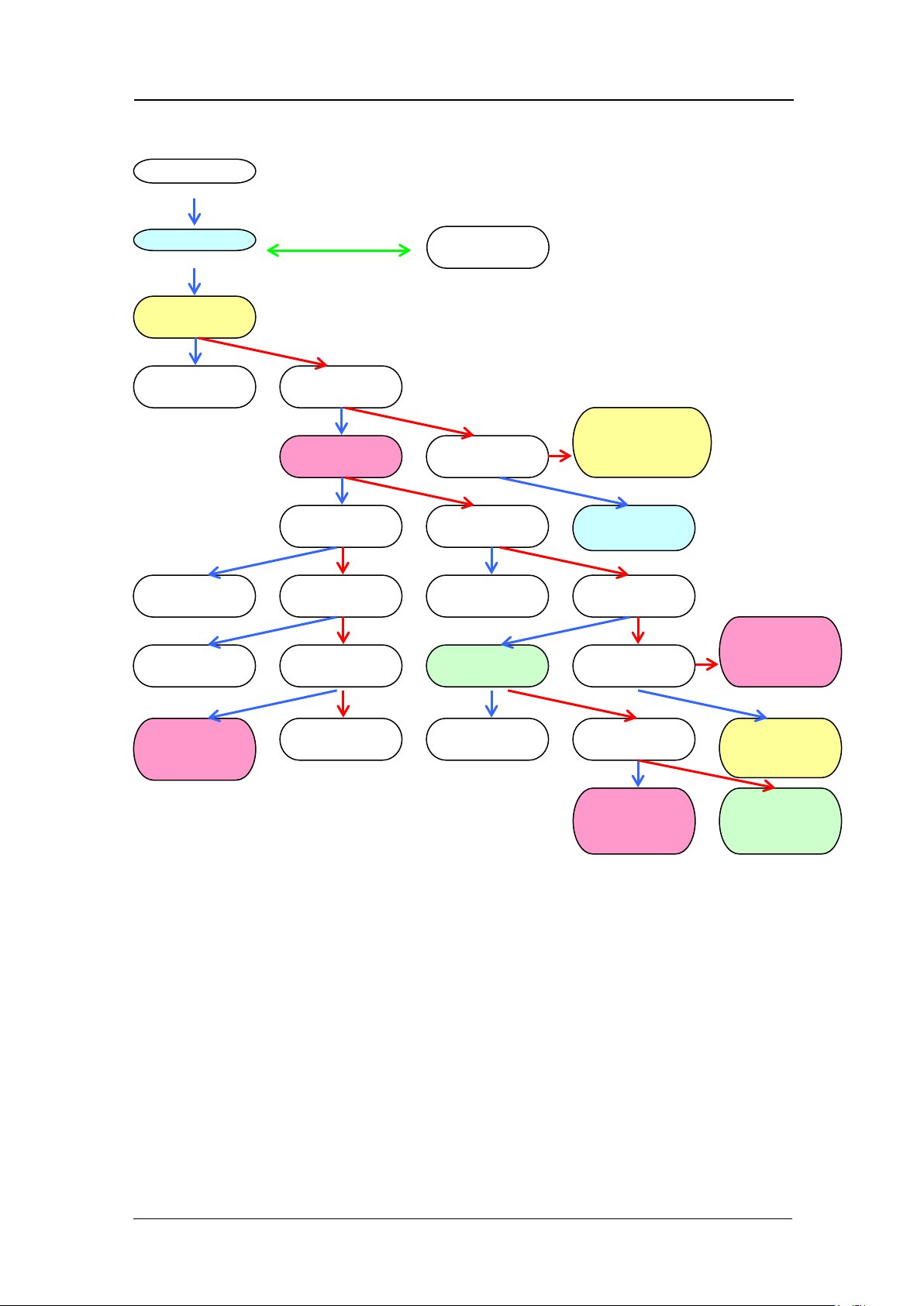
Mode se t ti ng c hart
ADJUSTMENT 1
ADJUSTME NT 2
ADJUSTME NT 1
BACK
ADJUSTME NT 2
CURRENT
CURRENT
UP
ADJUSTMENT 2
SET
CURRENT
DOWN
Raise
Current
Save setting
ADJUSTME NT 2
ADJUSTME NT 3
Lower
Current
CURRENT
BACK
ADJUSTME NT 3
CHECK
ADJUSTME NT 2
BACK
Return to:
ADJUSTME NT 2
CURRENT
CURRENT
UP
ADJUSTME NT 3
BACK
Return to:
ADJUSTME NT 2
CURRENT
Return to:
ADJUSTME NT 3
CHECK
AUTO MODE
ADJ MODE
ADJUSTME NT 1
SET
Save setting
Check field of vision
Return to
ADJUSTME NT 1
SET
Return to:
ADJUSTME NT 2
CURRENT
Up
Up long press
Down
Down
Down
Up
Up and down together
Up
Up
Up
Up
Up
Up
Up
Up
Up
Down
Down
Down
Down
Down
Down
Down
Down
Down
CONFIGURATION
SET CONFI G
Return to
ADJ MODE
Return to
ADJUSTME NT 1
SET
Up
Down
CONFIDENTIAL