IPS adjustment on the modules.pdf - 第139页
Edition 1.0 IPS Adjustment for V ari ous Head T yp es on the Module < G04Q h ead > FK - 9F50 - 74 -0 E 7- 5 FUJI CORPORA T IO N Configuration setting 1. Firs tly , check that “ IPS TY PE ” and “ HARD T YPE ” are se…
Edition 1.0 IPS Adjustment for Various Head Types on the Module
<G04Q head>
FK-9F50-74-0E 7- 4 FUJI CORPORATION
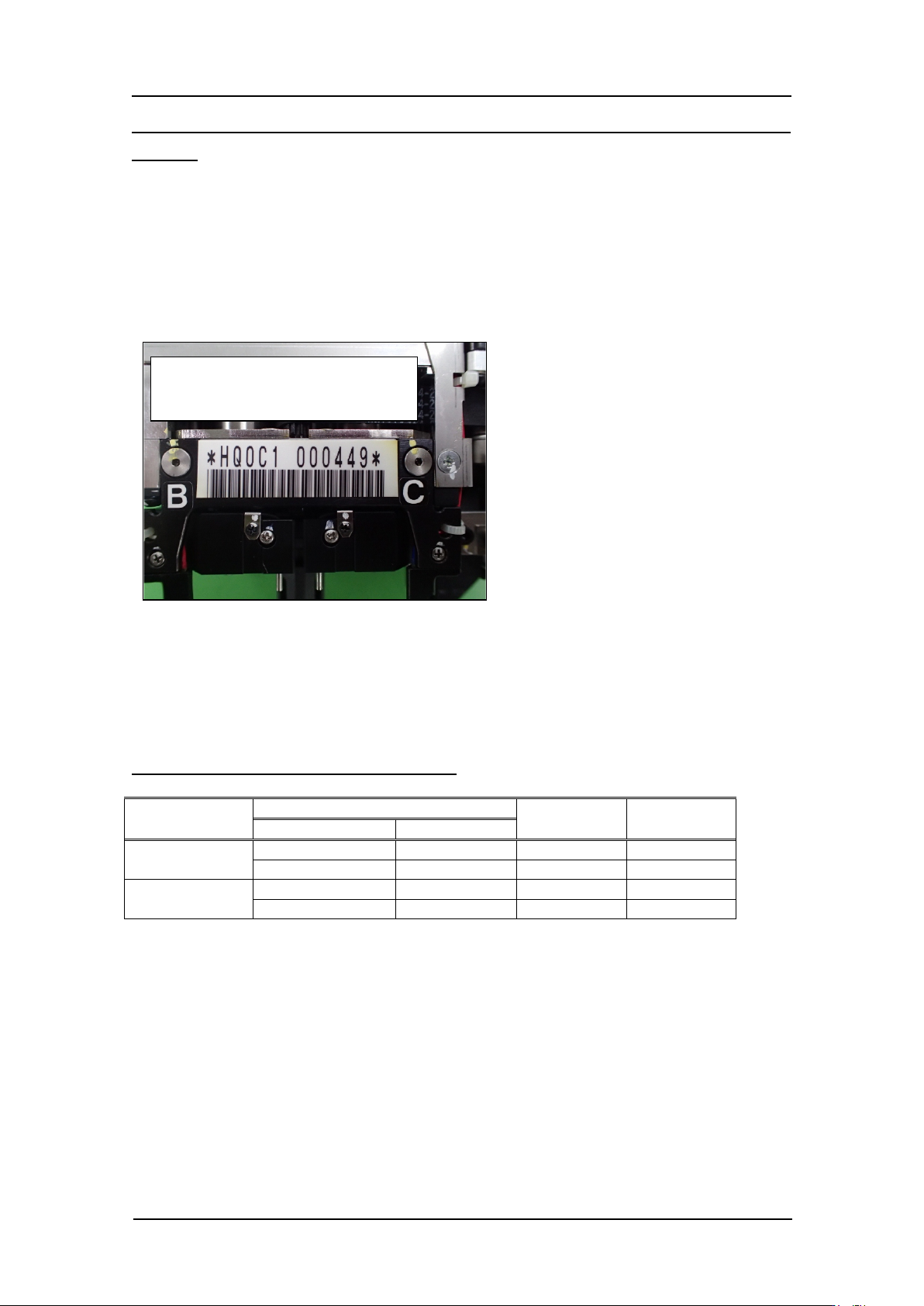
There are two revisions for G04Q head and the bar code attached to the head is
different.
Revision 1: *HQ0C1 s er ial number* (Without automatic back up pin picker )
*HQ0D1 serial number* (With aut omatic bac kup pin picker )
Revision 2: *HQ0C2 seria l num ber * (Without auto m atic backup pin picker)
*HQ0D2 serial number * ( Wit h aut omatic b ackup pin picker )
The capable parts height for the parts existence check function is different for revision 1
and 2.
Revision 1: 0.12 mm or higher
Revision 2: 0.07 mm or higher
There are several types of IPS main board.
Head name
IPS main board
IPS Type
HAR D Type
Drawing no.
Model
G04Q
XK05590
FH1407A0F
3
3
2EGKHB0001
FH1335C1F
3
7
G04Q(Rev2)
XK05590
FH1407A0F
3
9
2EGKHB0001
FH1335C1F
3
10
Example: Revision 1
Without automatic backup pin picker
CONFIDENTIAL
Edition 1.0 IPS Adjustment for Various Head Types on the Module
<G04Q head>
FK-9F50-74-0E 7- 5 FUJI CORPORATION
Configuration setting
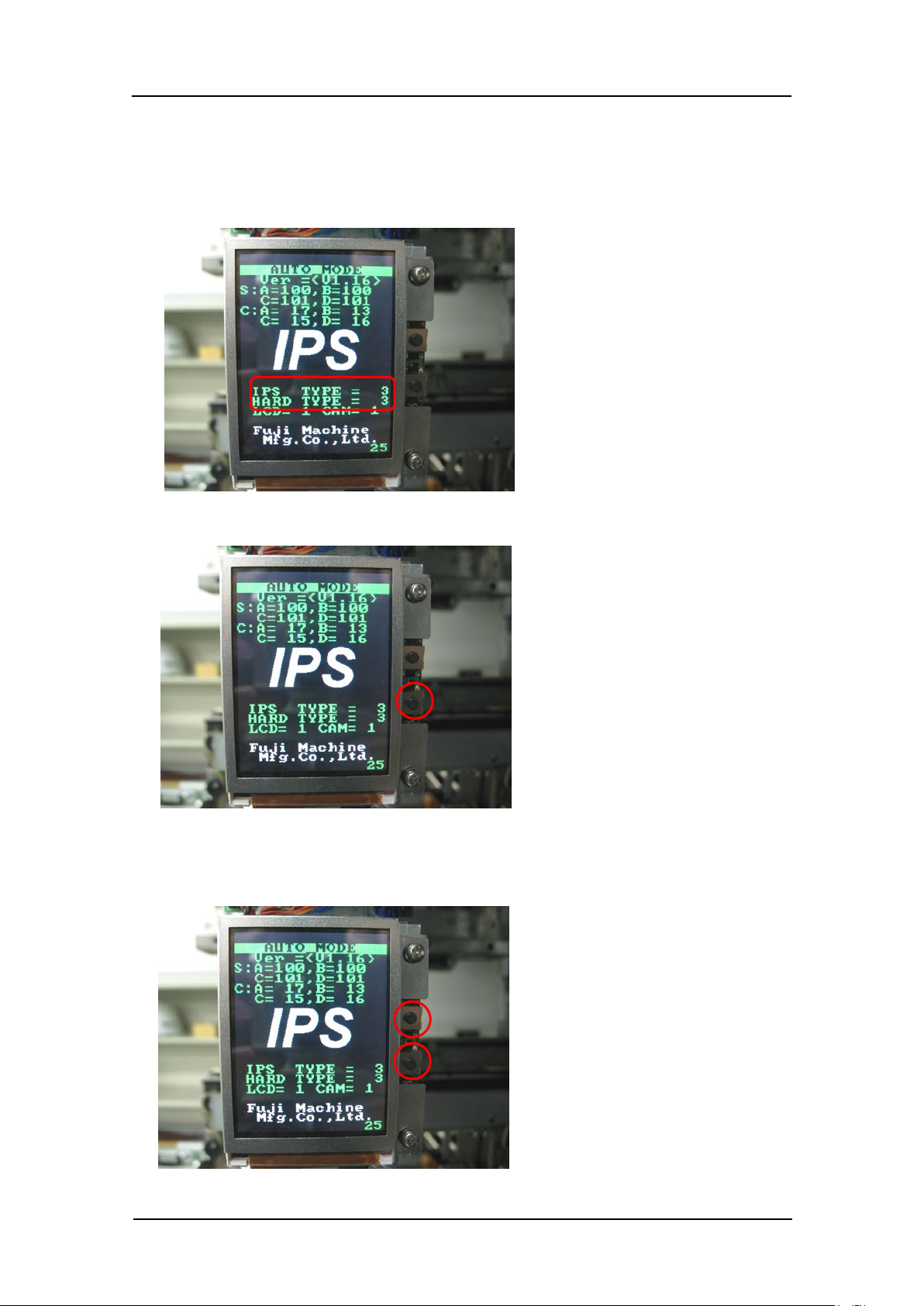
1. Firstly, check that “IPS TYPE” and “HARD TYPE” are set to 3 on the LCD screen. If
they are not set to 3, ma ke the setting s show n below.
2. Press and ho ld t he lower button to enter “ ADJ MODE”.
3. Press the upper and lower buttons simultaneously to select the “CONFIGURATION”
screen.
CONFIDENTIAL
Edition 1.0 IPS Adjustment for Various Head Types on the Module
<G04Q head>
FK-9F50-74-0E 7- 6 FUJI CORPORATION
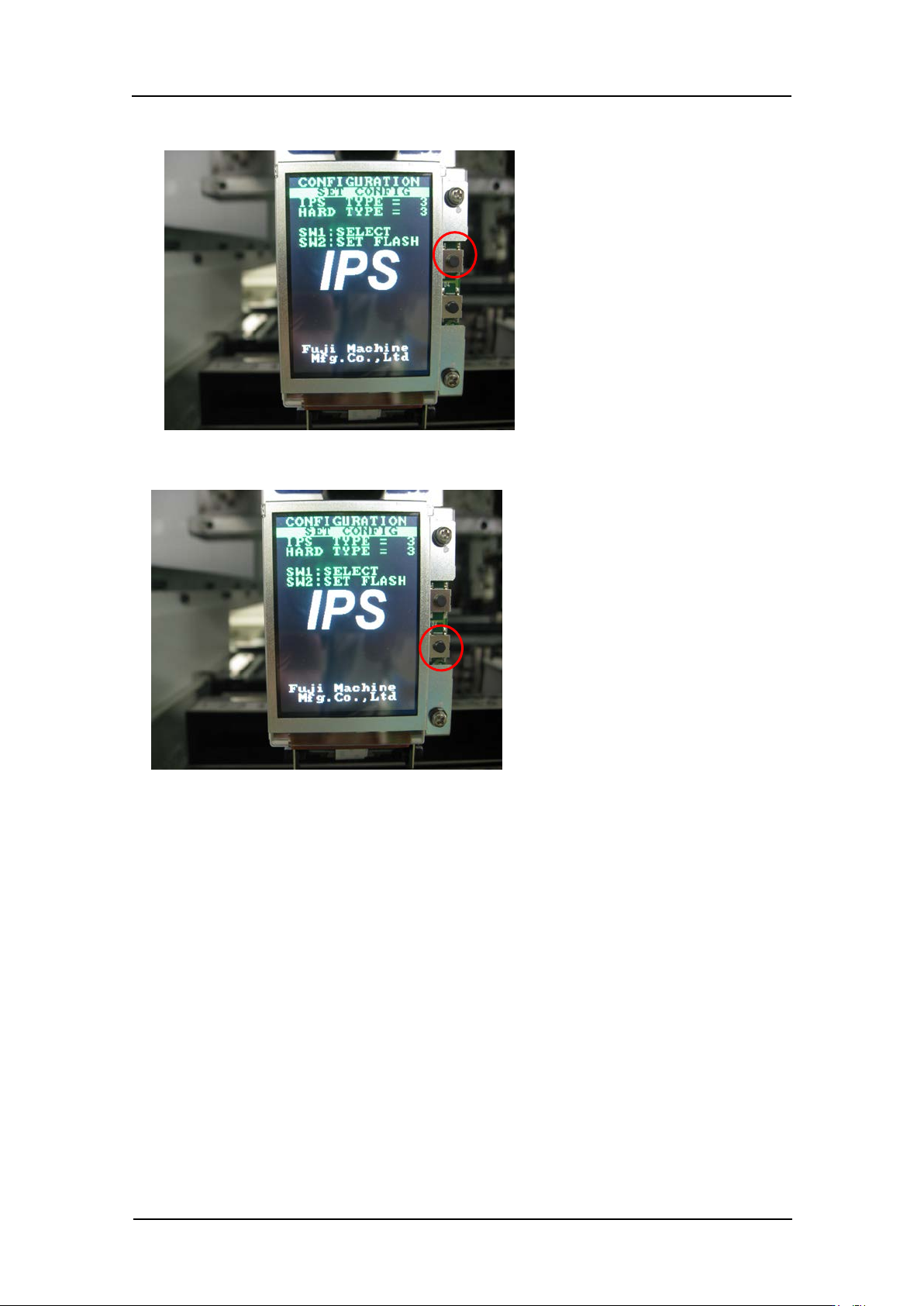
4. Press the upper button t o set “IPS TY PE” and “HARD TYPE” to 3.
5. Press the low er but t on t o comp lete the setting.
6. Be sure to restart the machine to update t he settings.
CONFIDENTIAL