IPS adjustment on the modules.pdf - 第140页
Edition 1.0 IPS Adjustment for V ari ous Head T yp es on the Module < G04Q h ead > FK - 9F50 - 74 -0 E 7- 6 FUJI CORPORA T IO N 4. Press the upper b utton t o set “ IPS TY PE ” and “ HARD TYPE ” t o 3 . 5. Press th…
Edition 1.0 IPS Adjustment for Various Head Types on the Module
<G04Q head>
FK-9F50-74-0E 7- 5 FUJI CORPORATION
Configuration setting
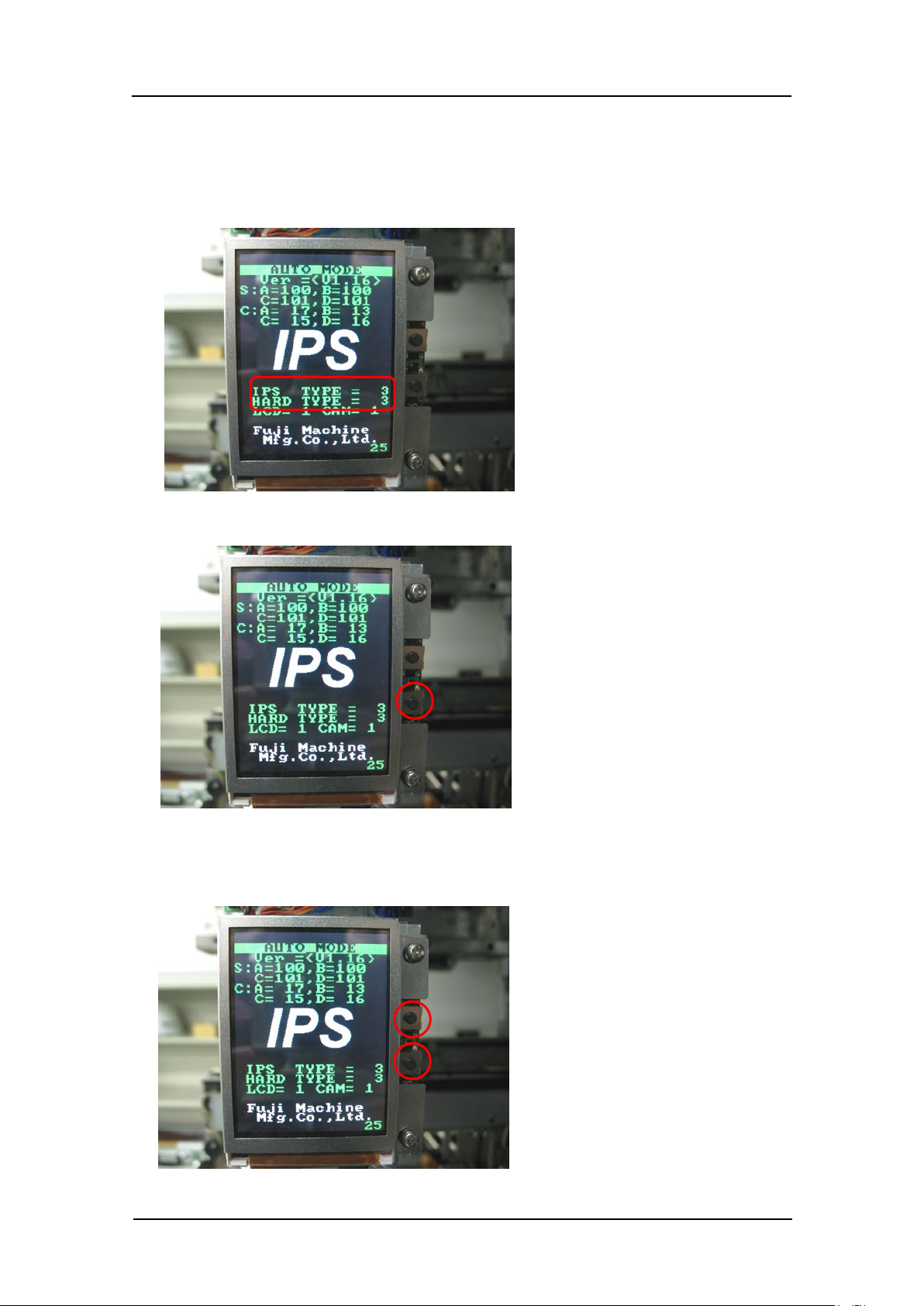
1. Firstly, check that “IPS TYPE” and “HARD TYPE” are set to 3 on the LCD screen. If
they are not set to 3, ma ke the setting s show n below.
2. Press and ho ld t he lower button to enter “ ADJ MODE”.
3. Press the upper and lower buttons simultaneously to select the “CONFIGURATION”
screen.
CONFIDENTIAL
Edition 1.0 IPS Adjustment for Various Head Types on the Module
<G04Q head>
FK-9F50-74-0E 7- 6 FUJI CORPORATION
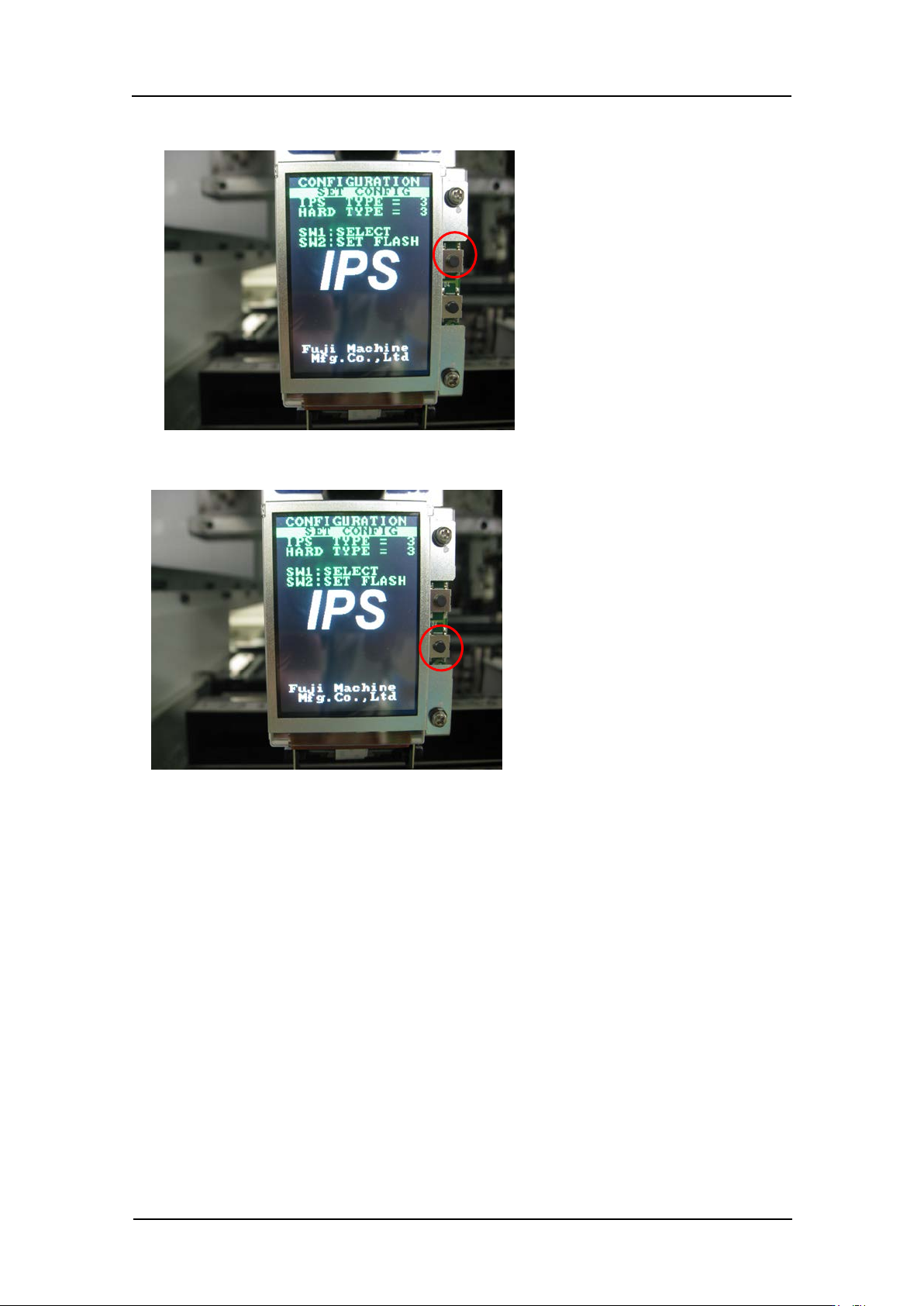
4. Press the upper button t o set “IPS TY PE” and “HARD TYPE” to 3.
5. Press the low er but t on t o comp lete the setting.
6. Be sure to restart the machine to update t he settings.
CONFIDENTIAL
Edition 1.0 IPS Adjustment for Various Head Types on the Module
<G04Q head>
FK-9F50-74-0E 7- 7 FUJI CORPORATION
Adjusti ng the camera installation position
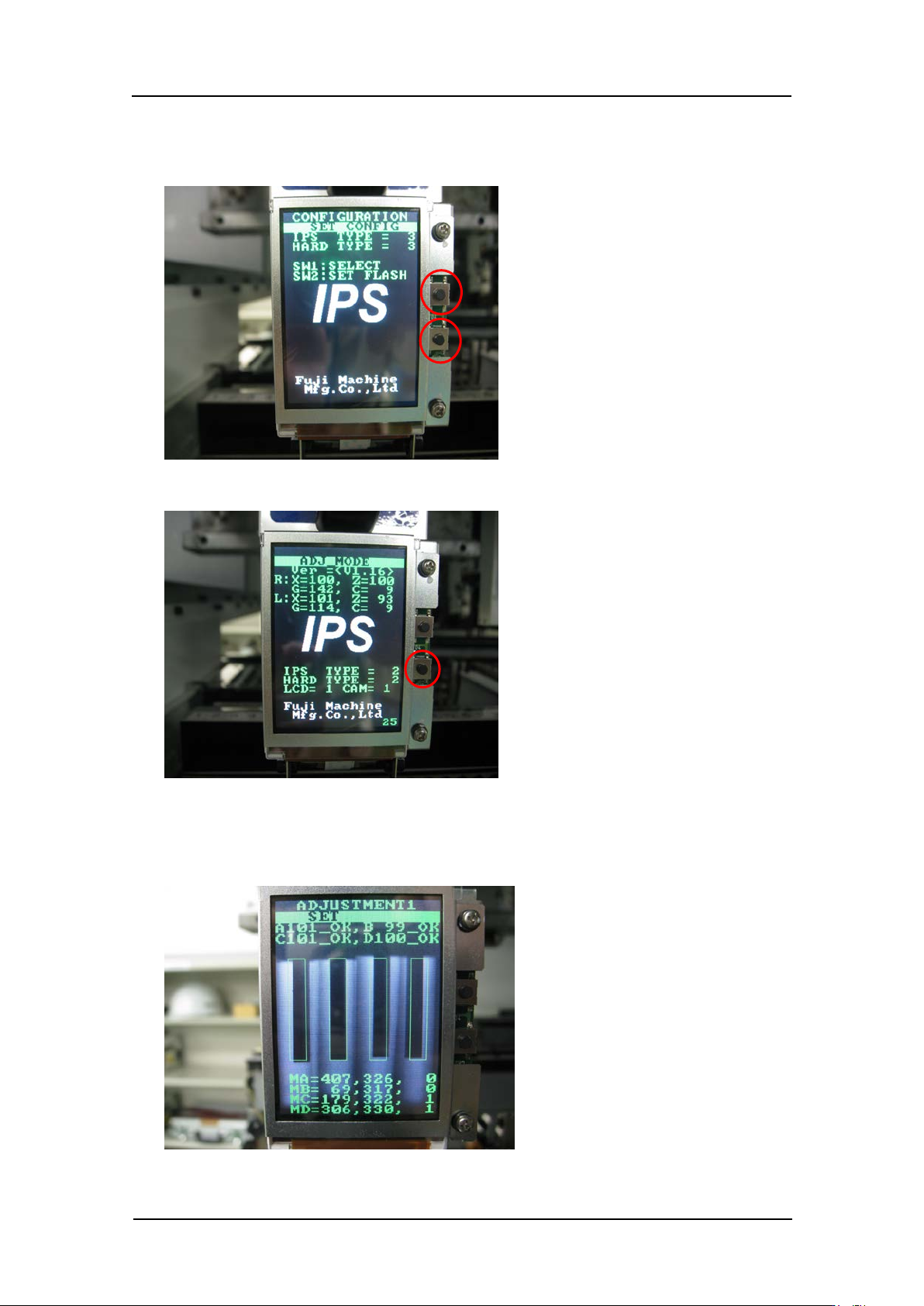
1. Press the upper and lower buttons s i m ultaneously t o r et ur n t o “ADJ MODE”.
2. Press the low er but t on t o enter “ ADJ USTM E NT 1” mode.
3. In “ADJU ST ME NT 1” mode the LED flashes and the jigs on holders A~D di splay on t he
LCD screen as shown be l ow.
CONFIDENTIAL