IPS adjustment on the modules.pdf - 第146页
Edition 1.0 IPS Adjustment for V ari ous Head T yp es on the Module < G04Q h ead > FK - 9F50 - 74 -0 E 7- 12 FUJI CORPORA T IO N 8. Press the low er but t on u ntil the curr ent v alue is w ithin tolera nce. 9. Onc…
Edition 1.0 IPS Adjustment for Various Head Types on the Module
<G04Q head>
FK-9F50-74-0E 7-11 FUJI CORPORATION
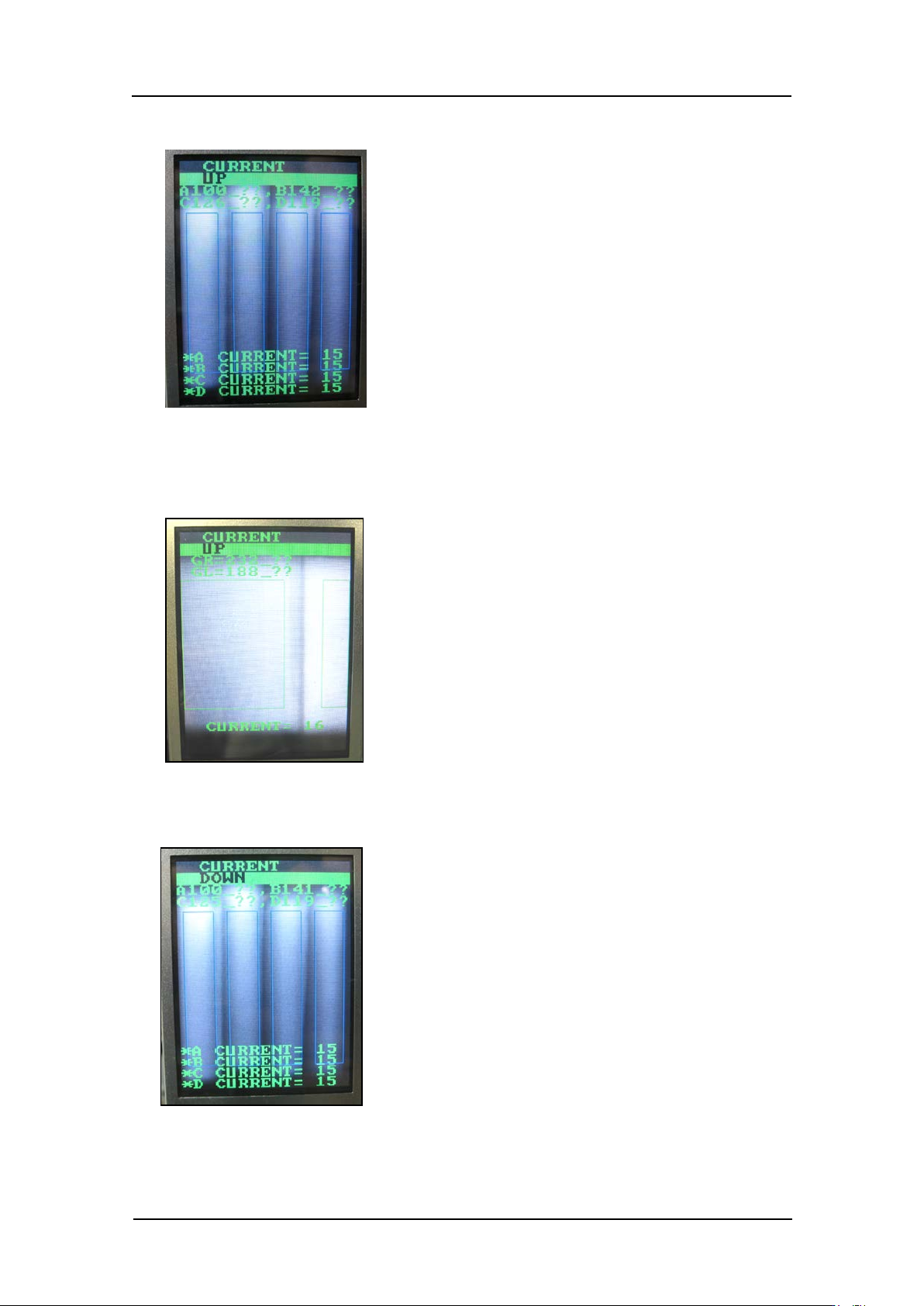
5. Press the low er but t on t o display “CUR RENT UP”.
6. If the gray scale value is lower than t he tolerance of 120, press the lower but t on to raise
the grayscale value within tolerance. Also, check that the current value is 20 mA or
lower.
7. If the current value is higher than 20 mA, press the upper button to display “CURRENT
DOWN”.
CONFIDENTIAL
Edition 1.0 IPS Adjustment for Various Head Types on the Module
<G04Q head>
FK-9F50-74-0E 7-12 FUJI CORPORATION
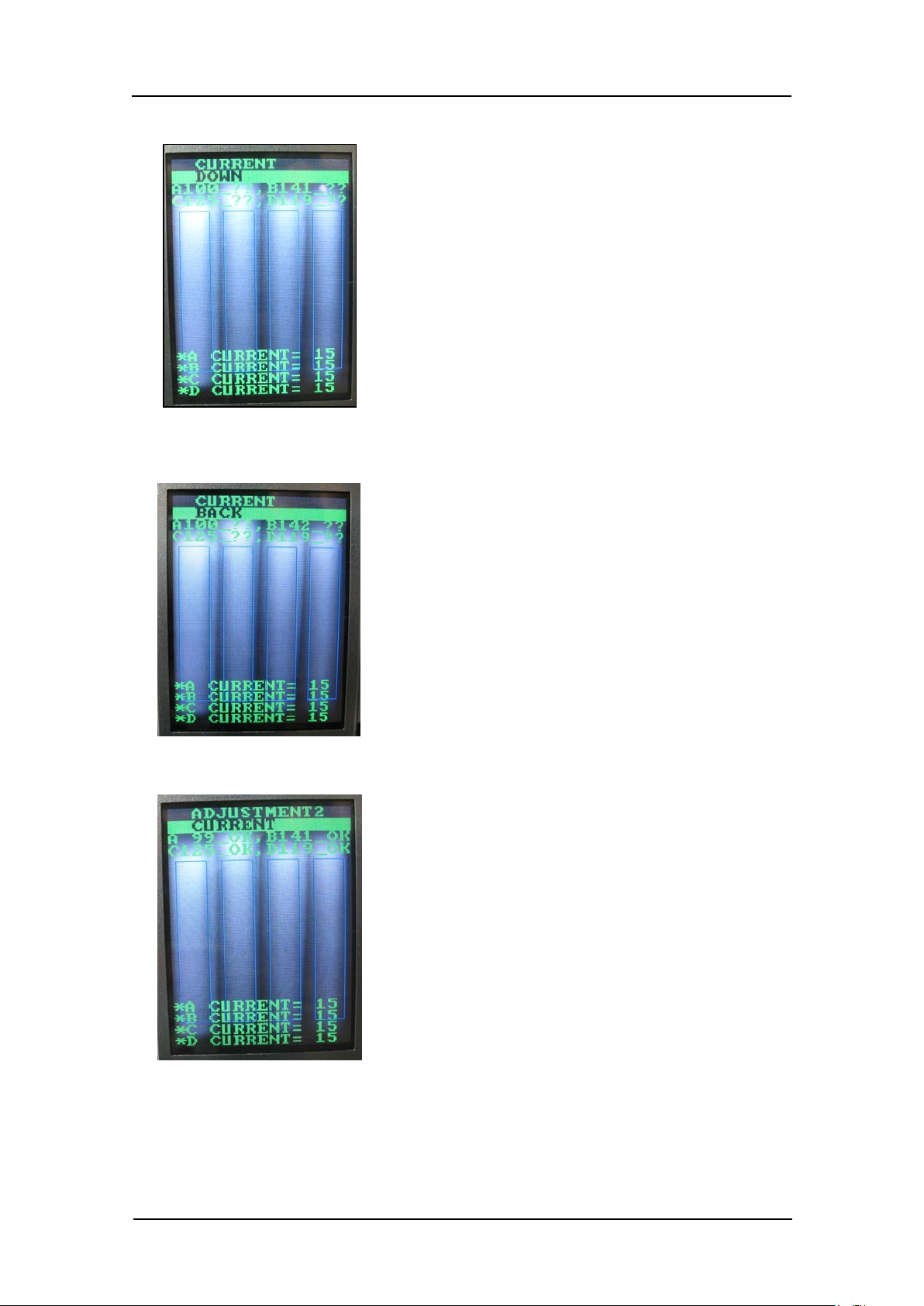
8. Press the low er but t on until the current v alue is within tolerance.
9. Once the grayscale value is 120 or more and the current value is 20 mA o r les s, p ress
the upper button to display “ CURR ENT BACK”.
10. Press the lower button t o return to “ADJUST M ENT2 CURRENT”.
CONFIDENTIAL
Edition 1.0 IPS Adjustment for Various Head Types on the Module
<G04Q head>
FK-9F50-74-0E 7-13 FUJI CORPORATION
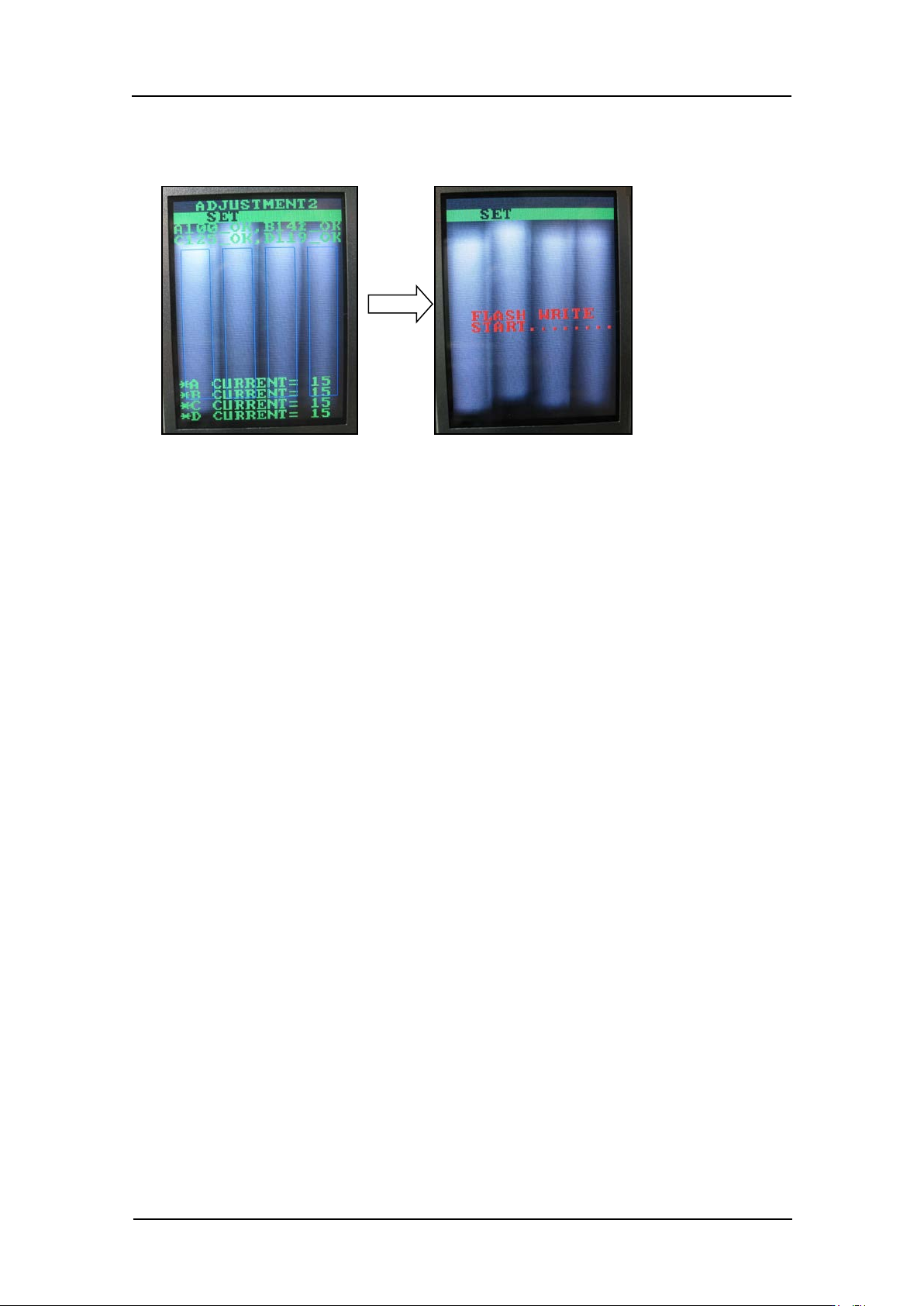
11. Press the upper button to display “ADJUSTMENT2 SET”, and then press the lower
button to save the sett ings.
CONFIDENTIAL