IPS adjustment on the modules.pdf - 第148页
Edition 1.0 IPS Adjustment for V ari ous Head T yp es on the Module < G04Q h ead > FK - 9F50 - 74 -0 E 7- 14 FUJI CORPORA T IO N Checking the field of vision External l ig ht can af fect the result s so be sur e to…
Edition 1.0 IPS Adjustment for Various Head Types on the Module
<G04Q head>
FK-9F50-74-0E 7-13 FUJI CORPORATION
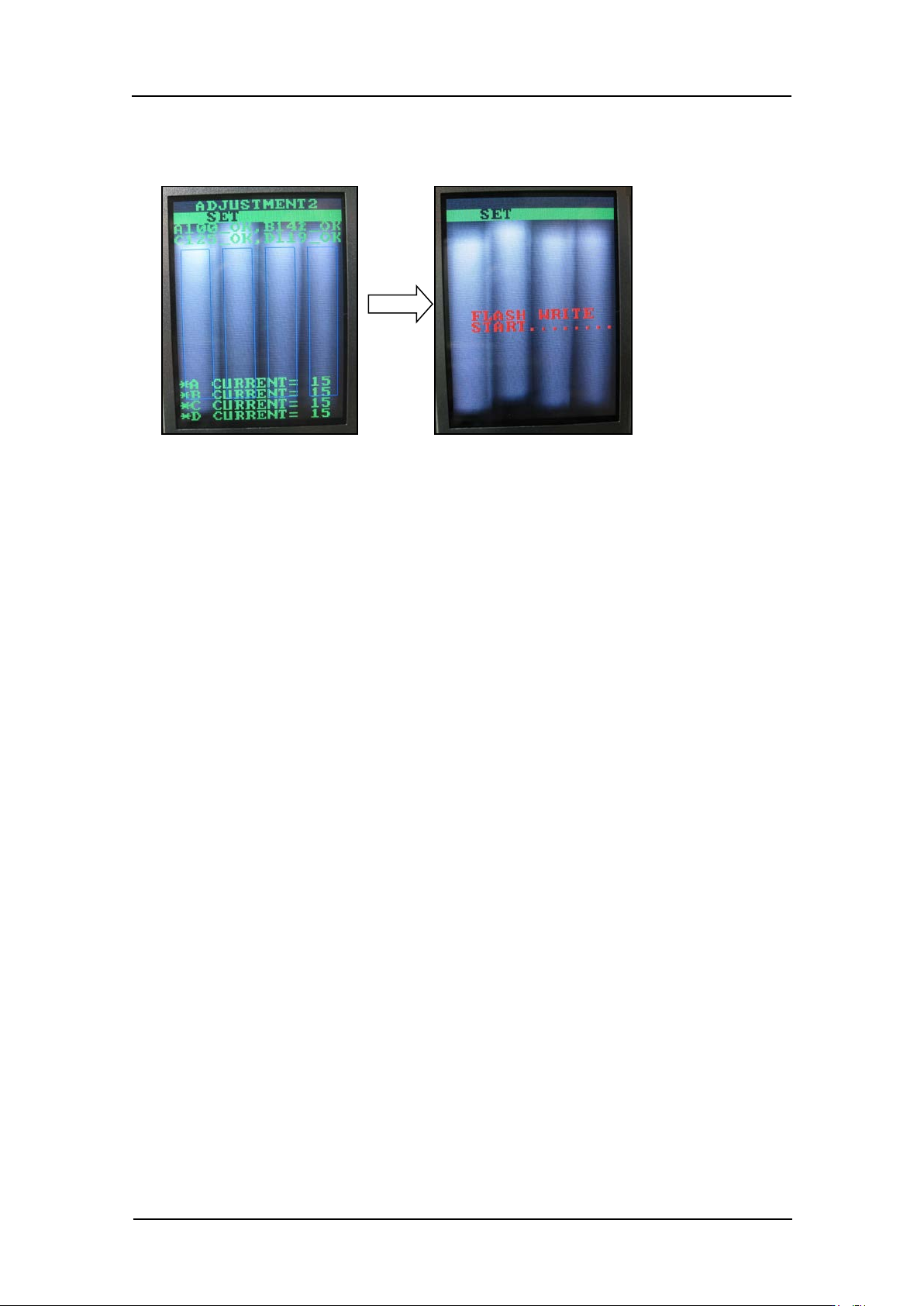
11. Press the upper button to display “ADJUSTMENT2 SET”, and then press the lower
button to save the sett ings.
CONFIDENTIAL
Edition 1.0 IPS Adjustment for Various Head Types on the Module
<G04Q head>
FK-9F50-74-0E 7-14 FUJI CORPORATION
Checking the field of vision
External l ig ht can affect the results so be sure to per form the procedure in a shaded area.
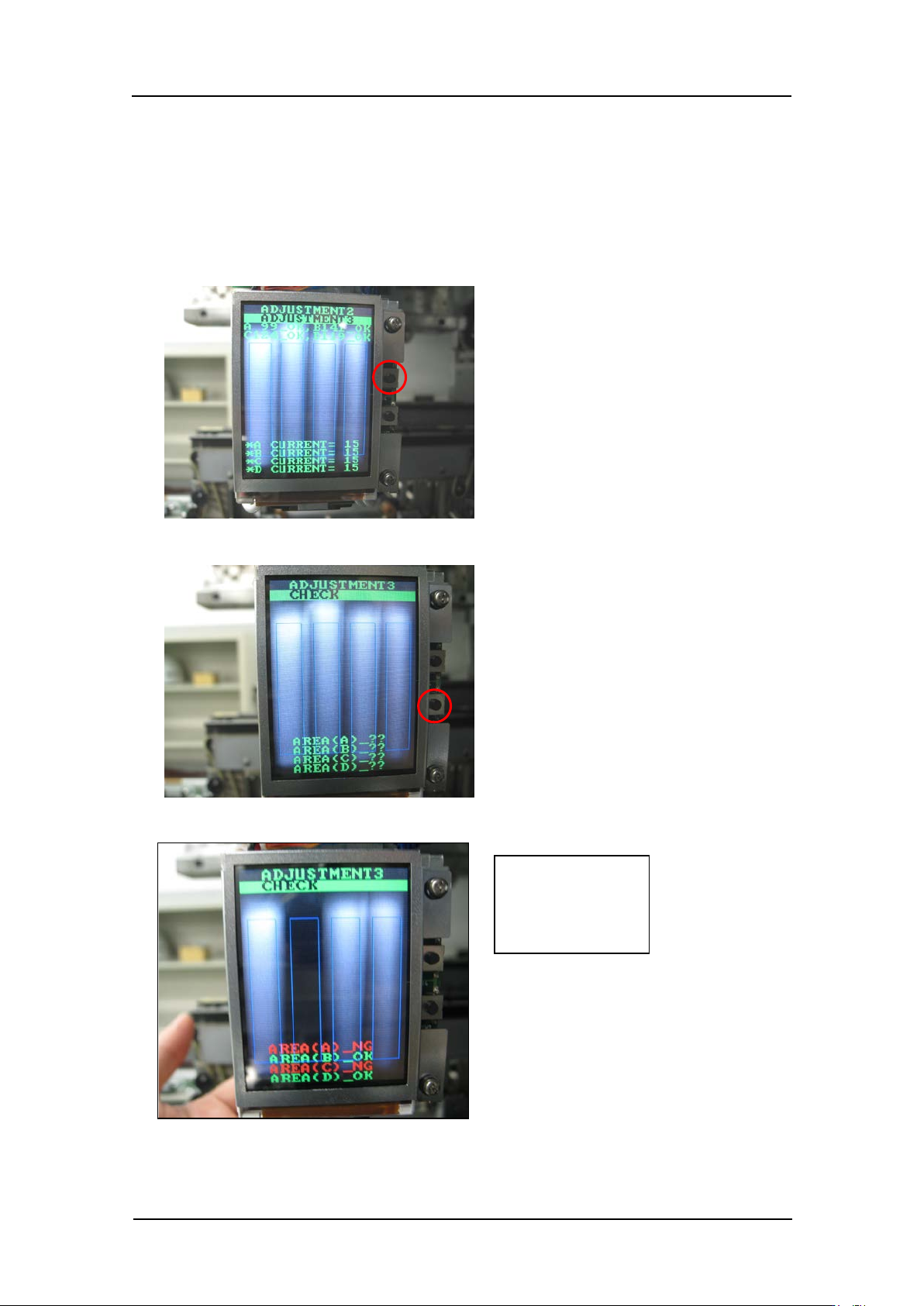
1. Continuing from the procedure above, press the upper button to display
“ADJUSTMENT 2 ADJUSTMENT 3”.
2. Press the lower button t o display “ ADJUSTMENT 3 CHECK”.
3. Block hold er A and conf irm that “AREA (A)_NG” and “AREA (C)_NG ” dis play.
Check:
AREA (A) _NG
AREA (C) _NG
CONFIDENTIAL
Edition 1.0 IPS Adjustment for Various Head Types on the Module
<G04Q head>
FK-9F50-74-0E 7-15 FUJI CORPORATION
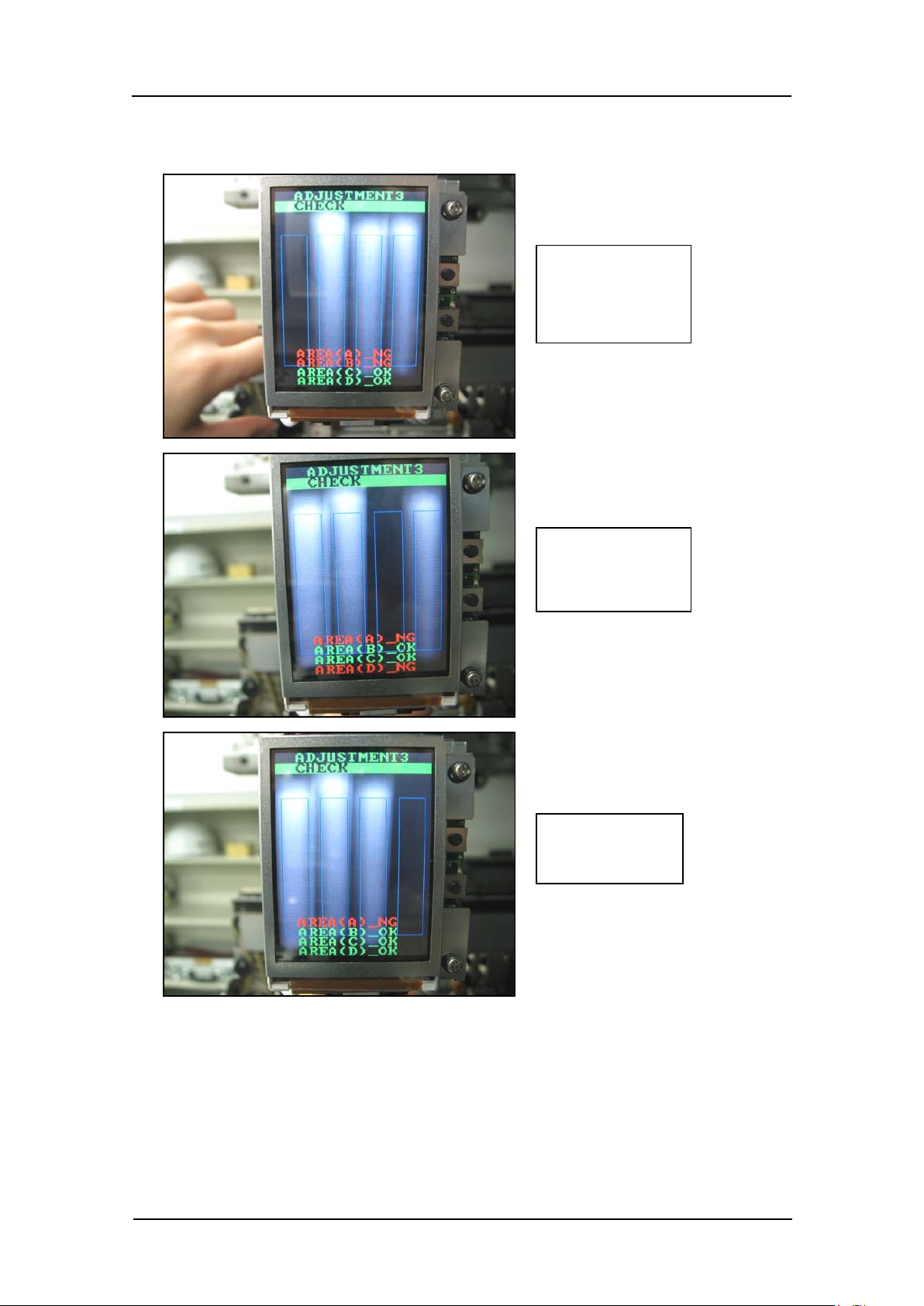
4. In the same way, confirm that the display changes as shown below when blocking
holders B~ D.
Check:
AREA (A) _NG
AREA (B) _NG
Check:
AREA (A) _NG
AREA (D) _NG
Check:
AREA (A) _NG
CONFIDENTIAL