IPS adjustment on the modules.pdf - 第150页
Edition 1.0 IPS Adjustment for V ari ous Head T yp es on the Module < G04Q h ead > FK - 9F50 - 74 -0 E 7- 16 FUJI CORPORA T IO N 5. Press the upper and low er buttons si multa neous ly to rev erse the LCD cont rast…
Edition 1.0 IPS Adjustment for Various Head Types on the Module
<G04Q head>
FK-9F50-74-0E 7-15 FUJI CORPORATION
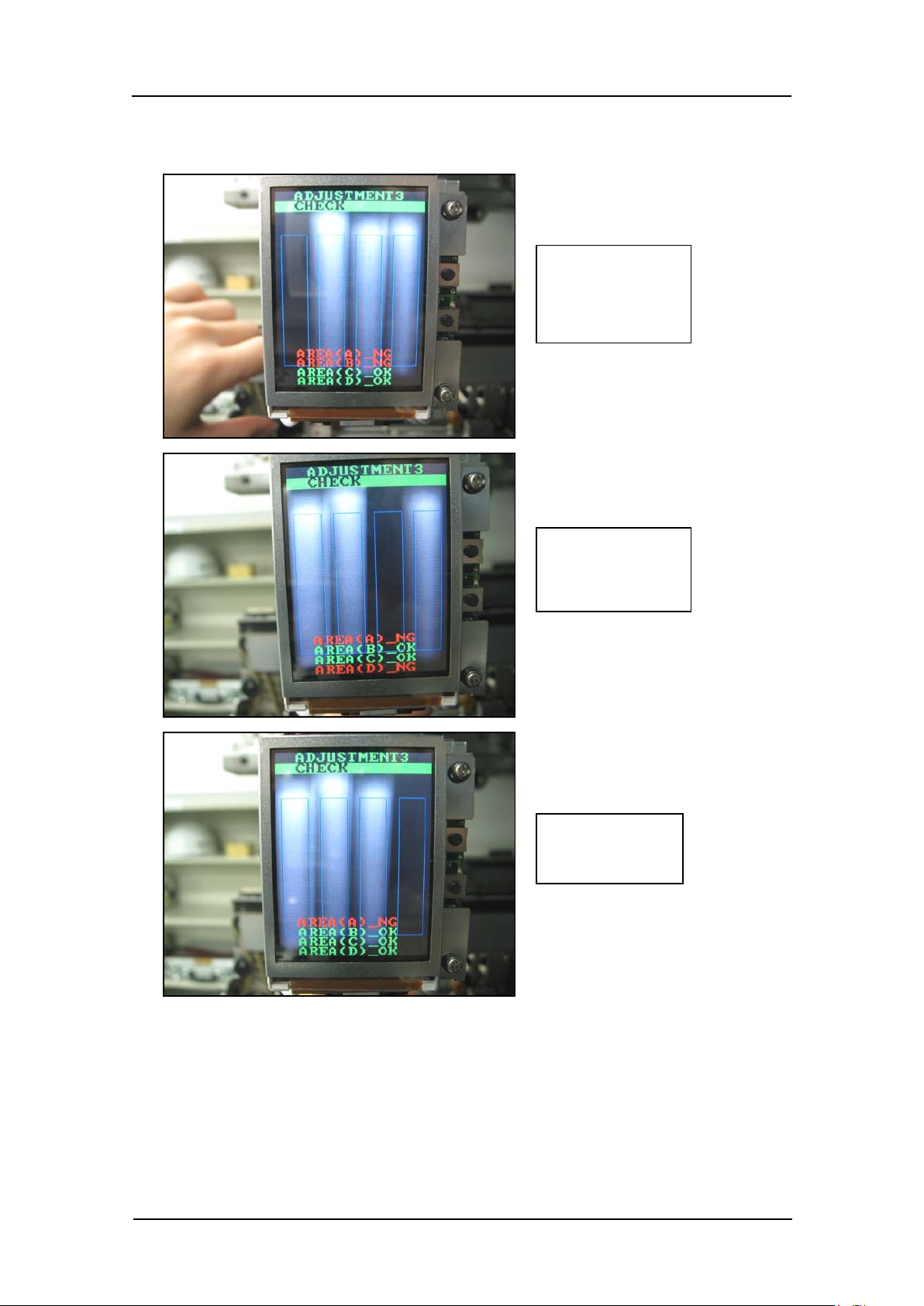
4. In the same way, confirm that the display changes as shown below when blocking
holders B~ D.
Check:
AREA (A) _NG
AREA (B) _NG
Check:
AREA (A) _NG
AREA (D) _NG
Check:
AREA (A) _NG
CONFIDENTIAL
Edition 1.0 IPS Adjustment for Various Head Types on the Module
<G04Q head>
FK-9F50-74-0E 7-16 FUJI CORPORATION
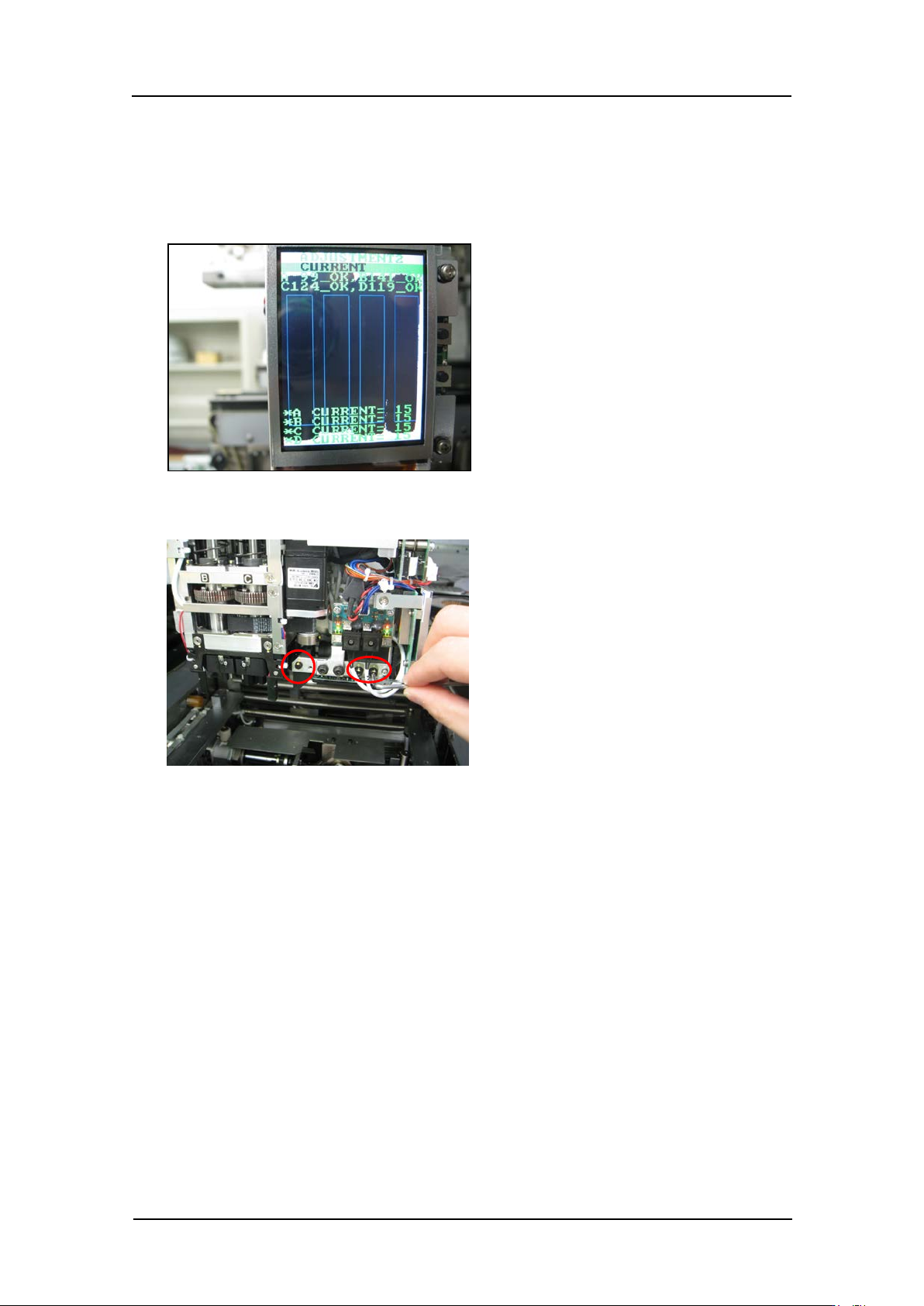
5. Press the upper and lower buttons simultaneously to reverse the LCD contrast, and
then check that there are no white areas within the blue rectangles. If there are white
areas within the blue rectangles, follow the procedure below to readjust the camera
position.
6. Use a wrench t o loosen the bolts shown in the following p hot o.
7. Adjust the position of the camera so that there are no white areas within the blue
rectangles on the LCD.
Caution: After this adjustment it is necessary to repeat “3.7 Adjusting the camera
installat i on position ” t o check the camera resoluti on, posi t i on and til t .
8. Tighten t he bolts with 0.5 Nm torque.
9. The field of v isi on check is now complete.
CONFIDENTIAL

Edition 1.0 IPS Adjustment for Various Head Types on the Module
<G04Q head>
FK-9F50-74-0E 7-17 FUJI CORPORATION
10. Press the upper button to display “ ADJUSTMENT 3 BACK”.
11. Press the lower button t o display “ADJUSTMENT 2 CURRENT”.
12. Press the upper button to display “ ADJUSTMENT 2 SET”.
13. Press the upper button to display “ ADJUSTMENT 2 ADJUSTMENT 3”.
14. Press the upper button to display “ ADJUSTMENT 2 BACK”.
15. Press the lower button t o display “ADJUSTMENT 1 SET”.
16. Press the upper button to display “ ADJUSTMENT 1 ADJUSTMENT 2”.
17. Press the upper button to display “ ADJUSTMENT 1 BACK”.
18. Press the lower button t o display “ADJ MODE”.
Note: to return to the initial “AUTO MODE” screen it is necessary to turn the head
power OFF.
Note: If the “ ADJUSTMENT 1” resolution and camera position were changed, be sure
to perform the calibration.
19. Transmit a JOB which uses the IPS function to the machine and confirm that the IPS
camera function s correct ly.
CONFIDENTIAL