IPS adjustment on the modules.pdf - 第159页
Edition 1 .0 IPS Adjustment for V arious Hea d T ypes on the Module < H12 L h ead > FK - 9F50 - 74 - 0E 8-5 FUJI CORPORA TION Component nam e s and e x pl anation of the a dj ustment modes Mode name : display s the…
Edition
1.0 IPS Adjustment for Various Hea d Types on the Module
<H12L head>
FK-9F50-74-0E 8-4 FUJI CORPORATION
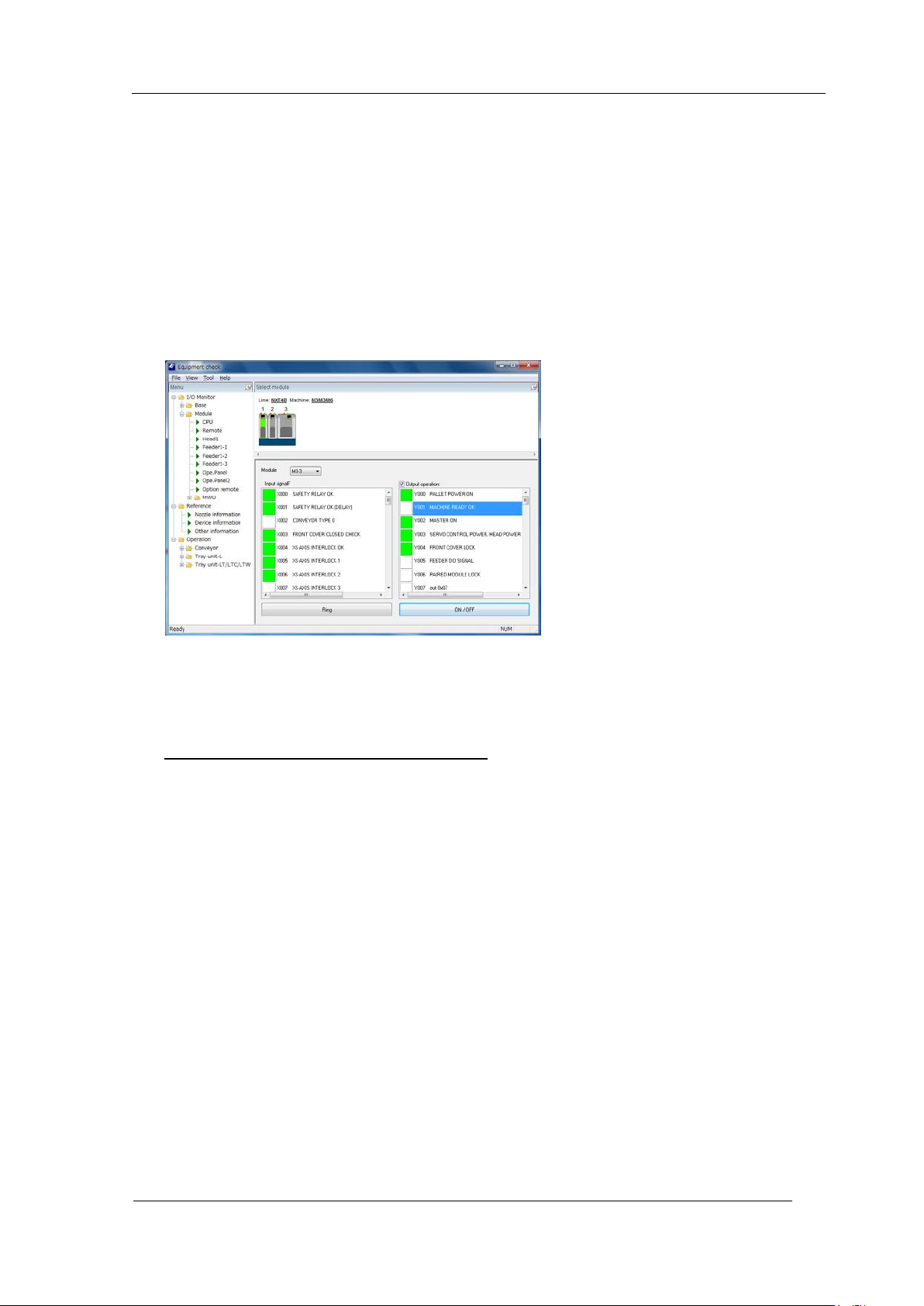
14 Select the mod ul e and select [ M odule] ⇒ [CPU].
15 Supply power t o t he head by t he follow in g pr ocedure .
● Put a check in [Output operation].
● Y003 SERVO CONTROL POWER HE AD POWER : ON
● Y002 MASTER ON : ON
● Y001 MACHINE READY OK : ON ⇒ OFF
● X000 SAFETY RELAY OK , X001 SAFETY OK (DEL AY) : ON
Confir m that t he I PS monitor jig scr een is displayed.
● Remove the chec k from [Output O per at ion].
16 Startup MotionAdjustmentTool. After starting communication, the current servo counter
of each axis are displayed. Move the R-axis (Axis 3) t o i ts original position (0 ~ 60000
pulses) and the Q-axis (Axis 4) to it s original position (30000 ± 500 pulses).
Be careful not to move from thi s position!
CONFIDENTIAL
Edition
1.0 IPS Adjustment for Various Hea d Types on the Module
<H12L head>
FK-9F50-74-0E 8-5 FUJI CORPORATION
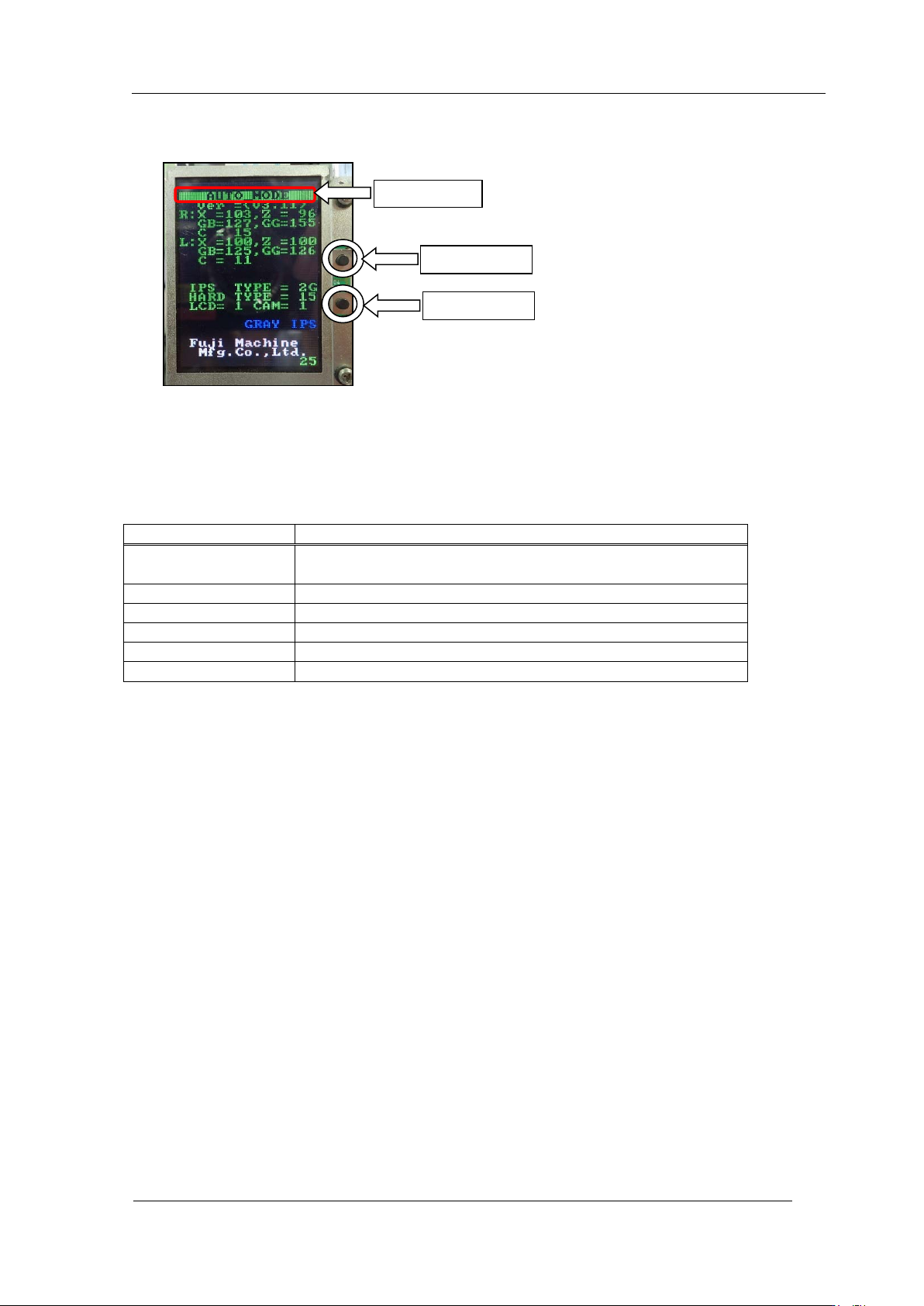
Component nam e s and e x planation of the a djustment modes
Mode name: displays the curr ent ly s el ected adjustment mo de.
Back butt on: used t o switch t o a different mode from t he cur r ent ly selected mode.
Set button: us ed when saving or when selecting modes.
There are 6 different adjustme nt m odes.
Mode name
Contents
AUTO MODE
The initial screen displayed when the power is supplied to
the head.
ADJ MODE
This mode is used to acce ss t he 3 adjustme nt modes below.
ADJUSTMENT 1
Used for res ol ut ion and ti lt adjustment.
ADJUSTMENT 2
Used for gray scale and cu r r ent value adjustment.
ADJUSTMENT 3
Used to chec k the field of vision.
CONFIGURATION
Used to set t he function settings.
Mode name
Back butt on
Set button
CONFIDENTIAL
Edition
1.0 IPS Adjustment for Various Hea d Types on the Module
<H12L head>
FK-9F50-74-0E 8-6 FUJI CORPORATION
Configur a t ion setti ngs
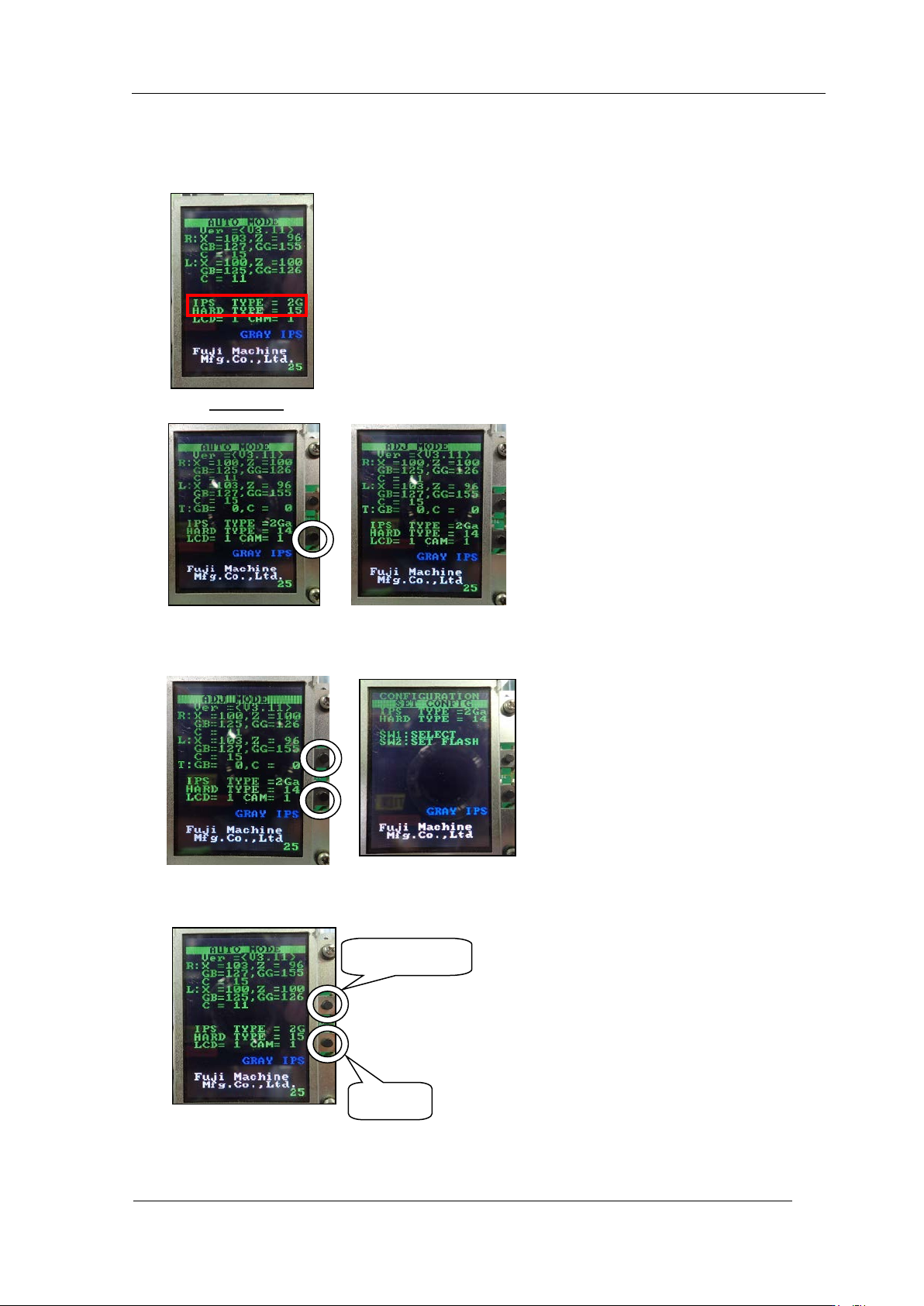
1. Make sure that "IPS TYP E" is 2G and "HA RD TYPE" is 15.
2. If not, hold down the lower butt on and ent er "ADJ MO DE".
3. In the "ADJ MODE" screen, press the upper and lower buttons at the same time to
display the " CONFIG U RATION" screen.
4. Press the upper button to make "IPS TYPE" 2G and "HARD TYPE" 15, then press the
lower button t o save the s et ting.
5. Reboot the base if you change the s et t ings.
Select TYPE
Save
CONFIDENTIAL