IPS adjustment on the modules.pdf - 第163页
Edition 1 .0 IPS Adjustment for V arious Hea d T ypes on the Module < H12 L h ead > FK - 9F50 - 74 - 0E 8-9 FUJI CORPORA TION 7. Confir m that t he cent er value, r eso lution a nd t ilt are wit hin to lerance. 8. …
Edition
1.0 IPS Adjustment for Various Hea d Types on the Module
<H12L head>
FK-9F50-74-0E 8-8 FUJI CORPORATION
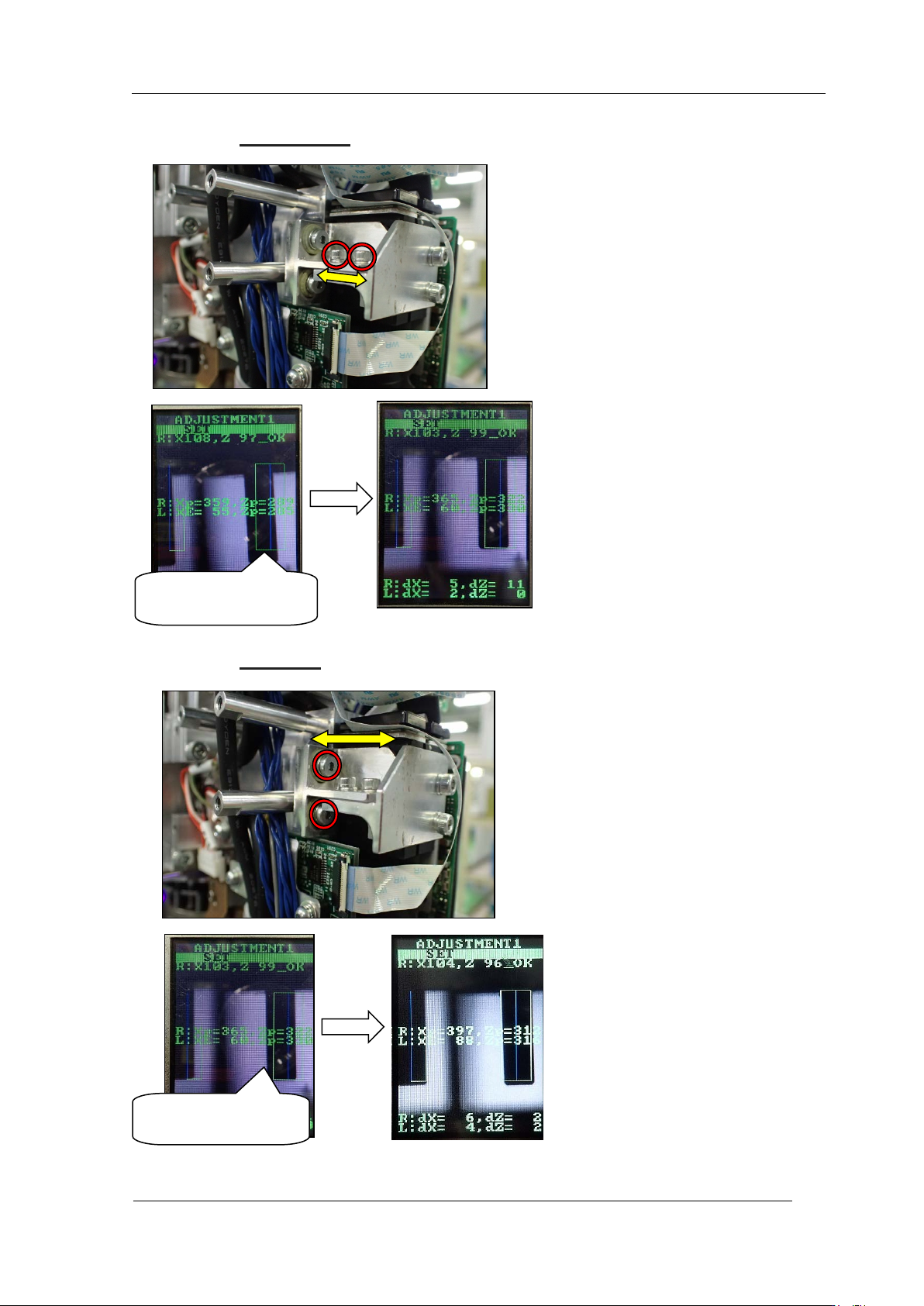
5. Loosen the two bolts shown in red cir cles be low, move the bracket back and forth and
adjust the hei ght direction so that t he i mag e of the jig fits into the green fra me.
6. Loosen the two bolts shown in red circles below, and move the bracket l ef t an d right to
adjust the X direction so t hat t he image of the ji g f its into t he gr een frame.
Misalignment in the
height dire ct ion
Misalig nment i n the
X-direction
CONFIDENTIAL
Edition
1.0 IPS Adjustment for Various Hea d Types on the Module
<H12L head>
FK-9F50-74-0E 8-9 FUJI CORPORATION
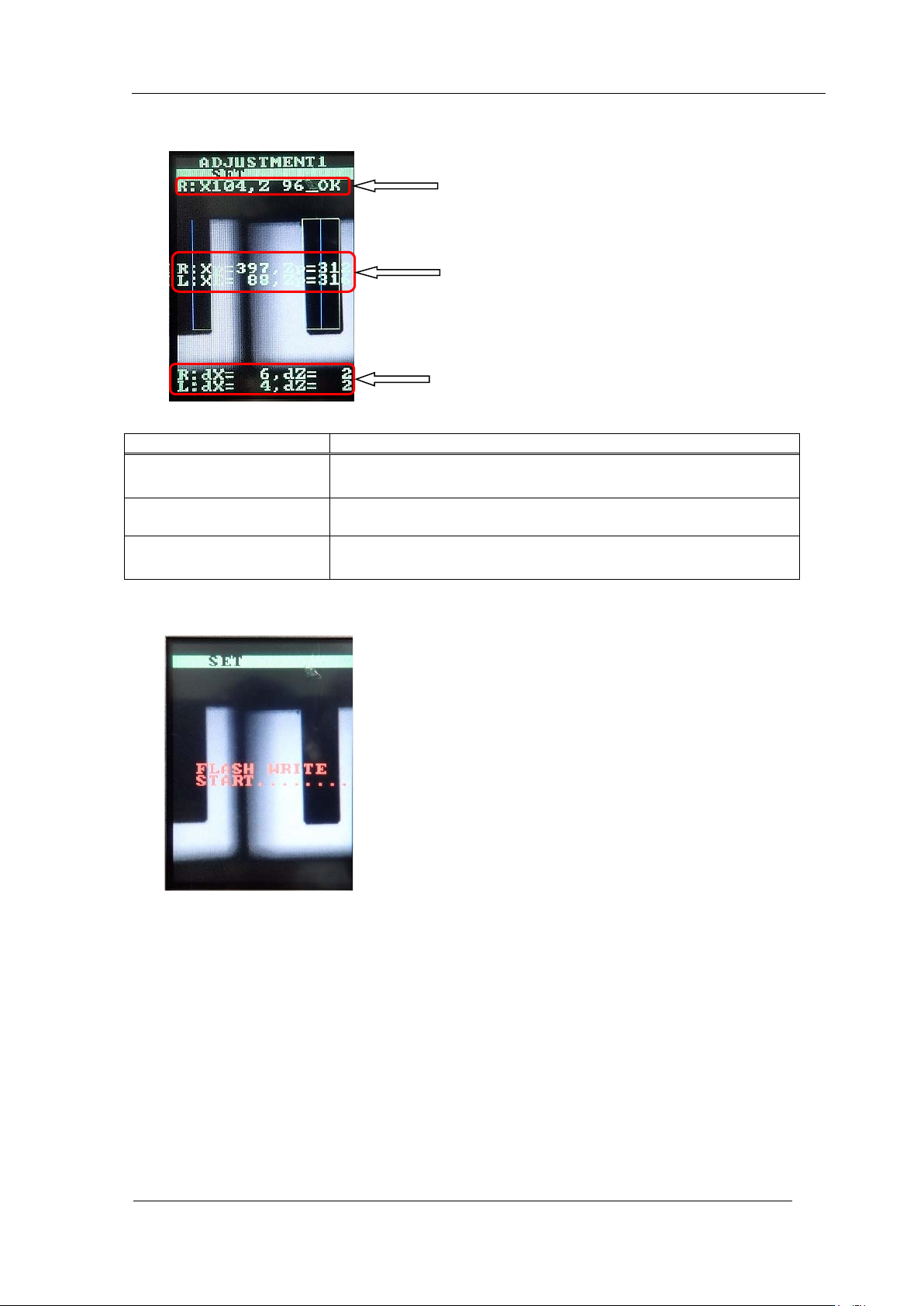
7. Confir m that t he center value, r esolution a nd tilt are wit hin tolerance.
8. Press the low er but t on t o save t he s et t ing.
9. Remov e t he jig nozzle.
Inspection item
Tolerance
Camera resolution ch eck
L: X = 90
~
110
L: Z = 90
~
110
Center val ue
R: Xs = 390±25 Zp = 320 ± 10
L: XE = 90±20
Zp = 320±20
Tilt
R: dX = 0
~
9
(
Target : 0
)
, dZ = 0
~
9 (Target: 0)
L: dX = 0
~
9
(
Target : 0
)
, dZ = 0
~
9 ( Target : 0)
Resolution
Center val ue
Tilt
CONFIDENTIAL
Edition
1.0 IPS Adjustment for Various Hea d Types on the Module
<H12L head>
FK-9F50-74-0E 8-10 FUJI CORPORATION
Adjusting the Current Value (Grayscale Value)
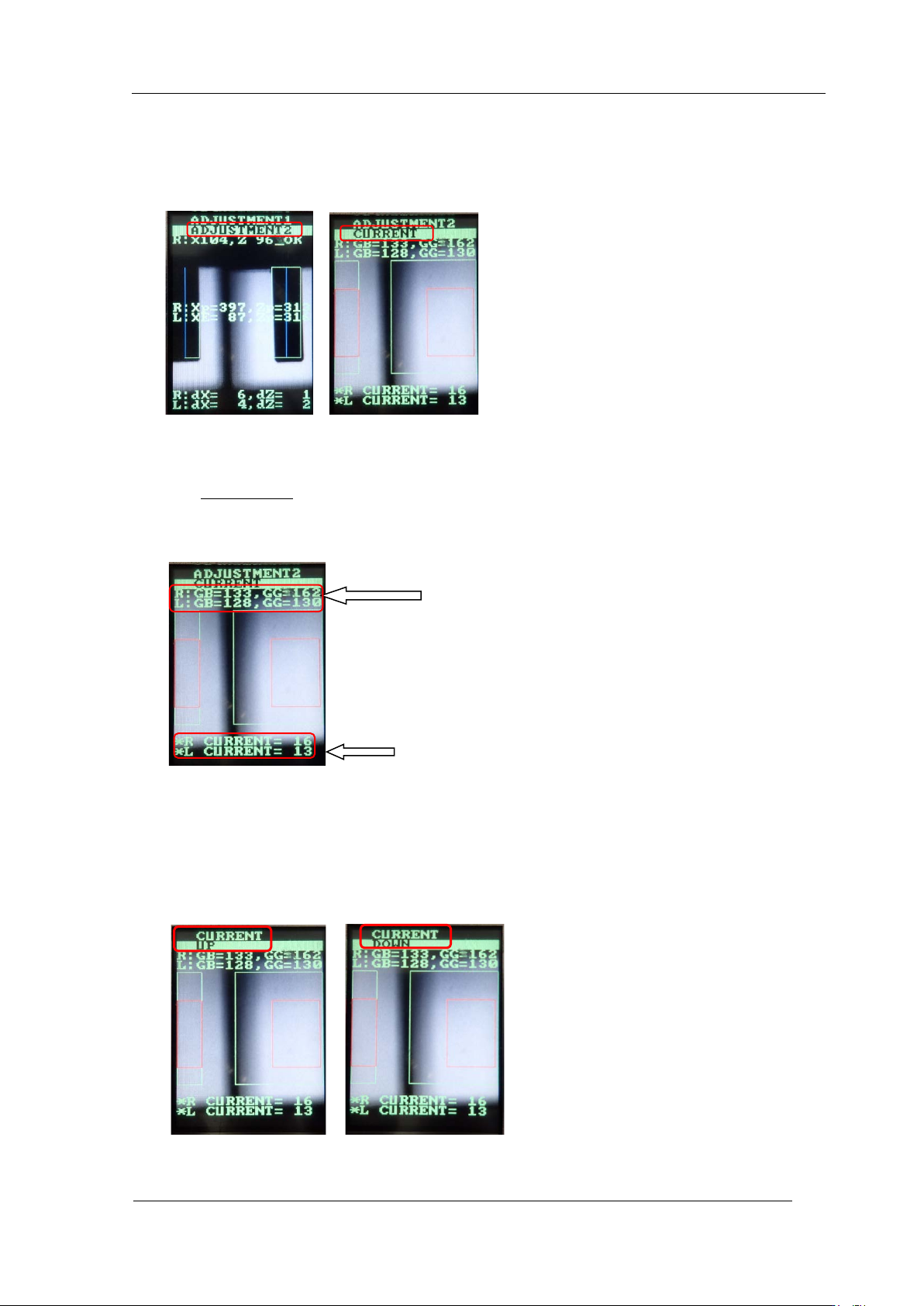
1. Press the upper button to change from [ADJUSTMENT 1] to [ADJUSTMENT 2] and
press the low er but ton to display " A DJUSTMEN T 2" "CURRENT".
2. In the "ADJUSTMENT 2" "CURRENT" display, rotate the R-axis by hand and look for
the position where "GB (grayscale value)" is maximum and minimum. At these
positions, check that GR, GL (grayscale value) is within the tolerance of 120 to
160.
(Target: 120)
3. At this time, confirm that CURRENT ( cur r ent value) is 24 mA or less .
4. If the gray scale value does not meet t he target value, adjust as fo llows.
5. Press the lower button to switch the display of "CURRENT, UP" or "CURRENT,
DOWN". If you want to raise the value, display "CURRENT, UP" and press the lower
button to adjust. If you want to decrease the value, press the upper button to display
"CURRENT, DOWN" and pr ess the lower but ton to adjust.
Current value
Grayscale value
CONFIDENTIAL