IPS adjustment on the modules.pdf - 第165页
Edition 1 .0 IPS Adjustment for V arious Hea d T ypes on the Module < H12 L h ead > FK - 9F50 - 74 - 0E 8- 11 FUJI CORPORA TION 6. Once the v alue is within tolerance , press the upper button to d isp lay "CUR…
Edition
1.0 IPS Adjustment for Various Hea d Types on the Module
<H12L head>
FK-9F50-74-0E 8-10 FUJI CORPORATION
Adjusting the Current Value (Grayscale Value)
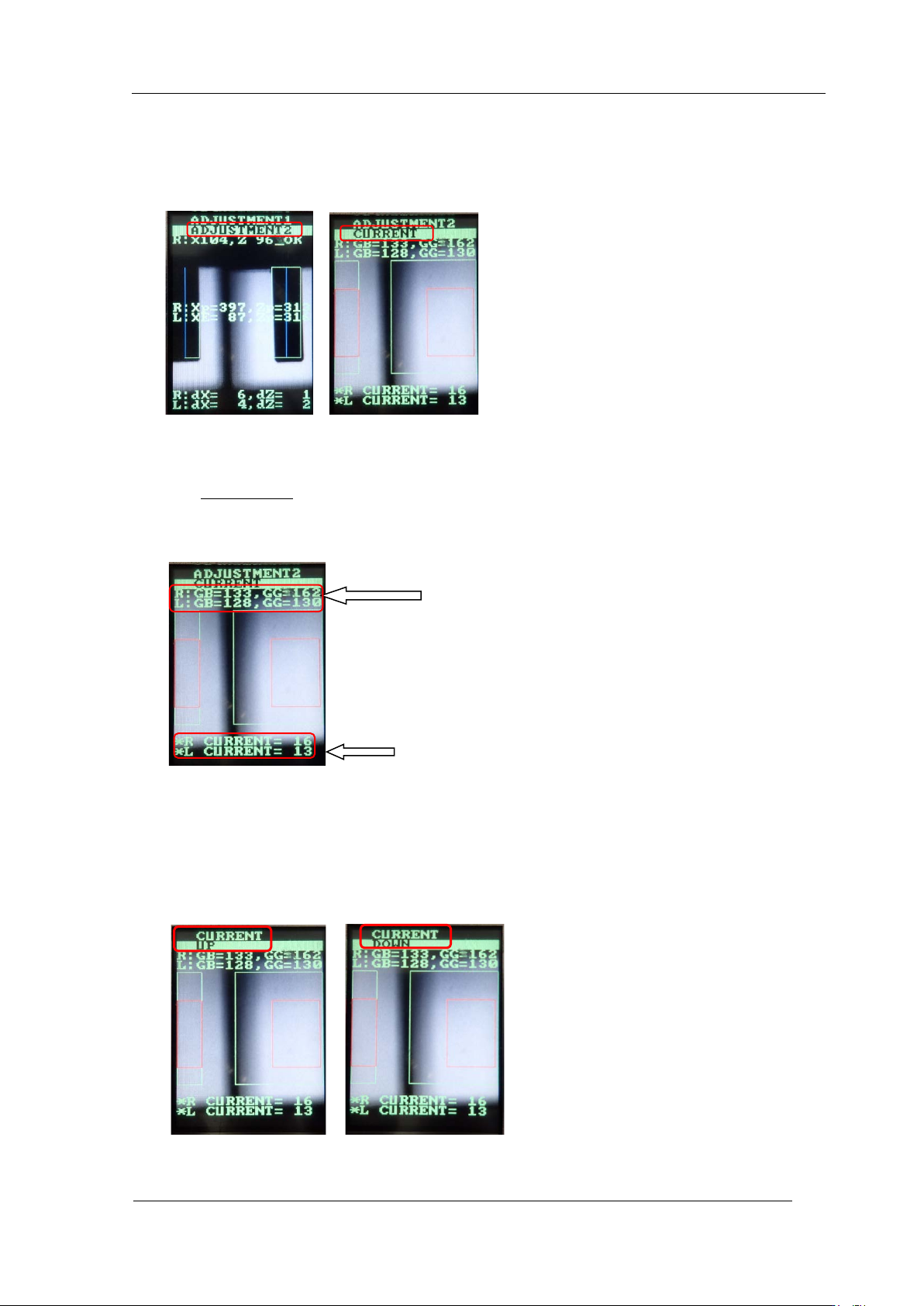
1. Press the upper button to change from [ADJUSTMENT 1] to [ADJUSTMENT 2] and
press the low er but ton to display " A DJUSTMEN T 2" "CURRENT".
2. In the "ADJUSTMENT 2" "CURRENT" display, rotate the R-axis by hand and look for
the position where "GB (grayscale value)" is maximum and minimum. At these
positions, check that GR, GL (grayscale value) is within the tolerance of 120 to
160.
(Target: 120)
3. At this time, confirm that CURRENT ( cur r ent value) is 24 mA or less .
4. If the gray scale value does not meet t he target value, adjust as fo llows.
5. Press the lower button to switch the display of "CURRENT, UP" or "CURRENT,
DOWN". If you want to raise the value, display "CURRENT, UP" and press the lower
button to adjust. If you want to decrease the value, press the upper button to display
"CURRENT, DOWN" and pr ess the lower but ton to adjust.
Current value
Grayscale value
CONFIDENTIAL
Edition
1.0 IPS Adjustment for Various Hea d Types on the Module
<H12L head>
FK-9F50-74-0E 8-11 FUJI CORPORATION
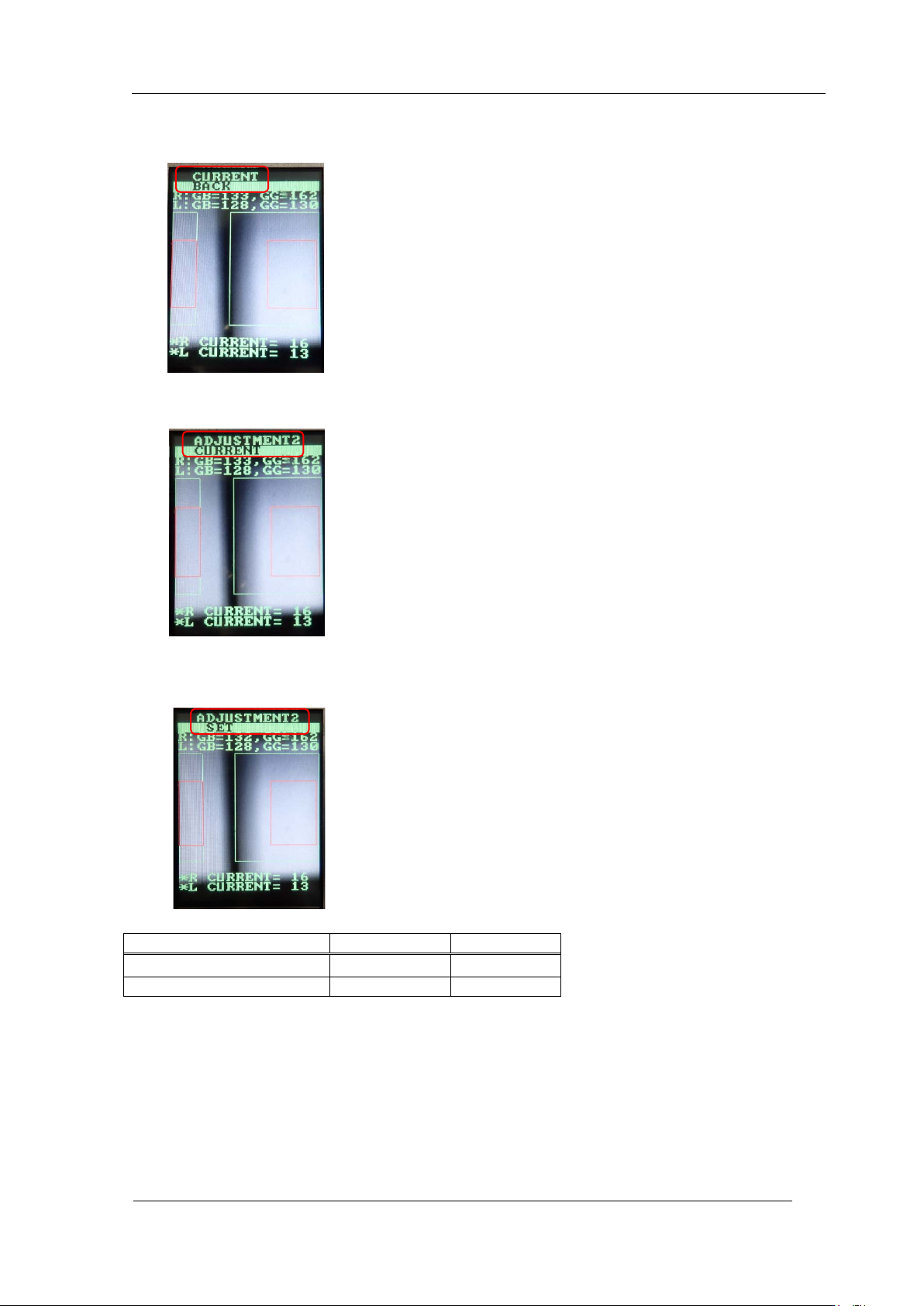
6. Once the value is within tolerance, press the upper button to display "CURRENT,
BACK".
7. Press the lower button t o display " A DJUSTMEN T 2, CURRENT".
8. Press the upper button to display "ADJUSTMENT 2, SET". Press the lower button to
save the set t ing.
Tolerance
Target value
GR, GL(grayscale value)
120
~
160
120
CURRENT(current value)
24mA or l ess
―
CONFIDENTIAL
Edition
1.0 IPS Adjustment for Various Hea d Types on the Module
<H12L head>
FK-9F50-74-0E 8-12 FUJI CORPORATION
【
Individual adjustment method of R CURRENT, L CURRENT
】
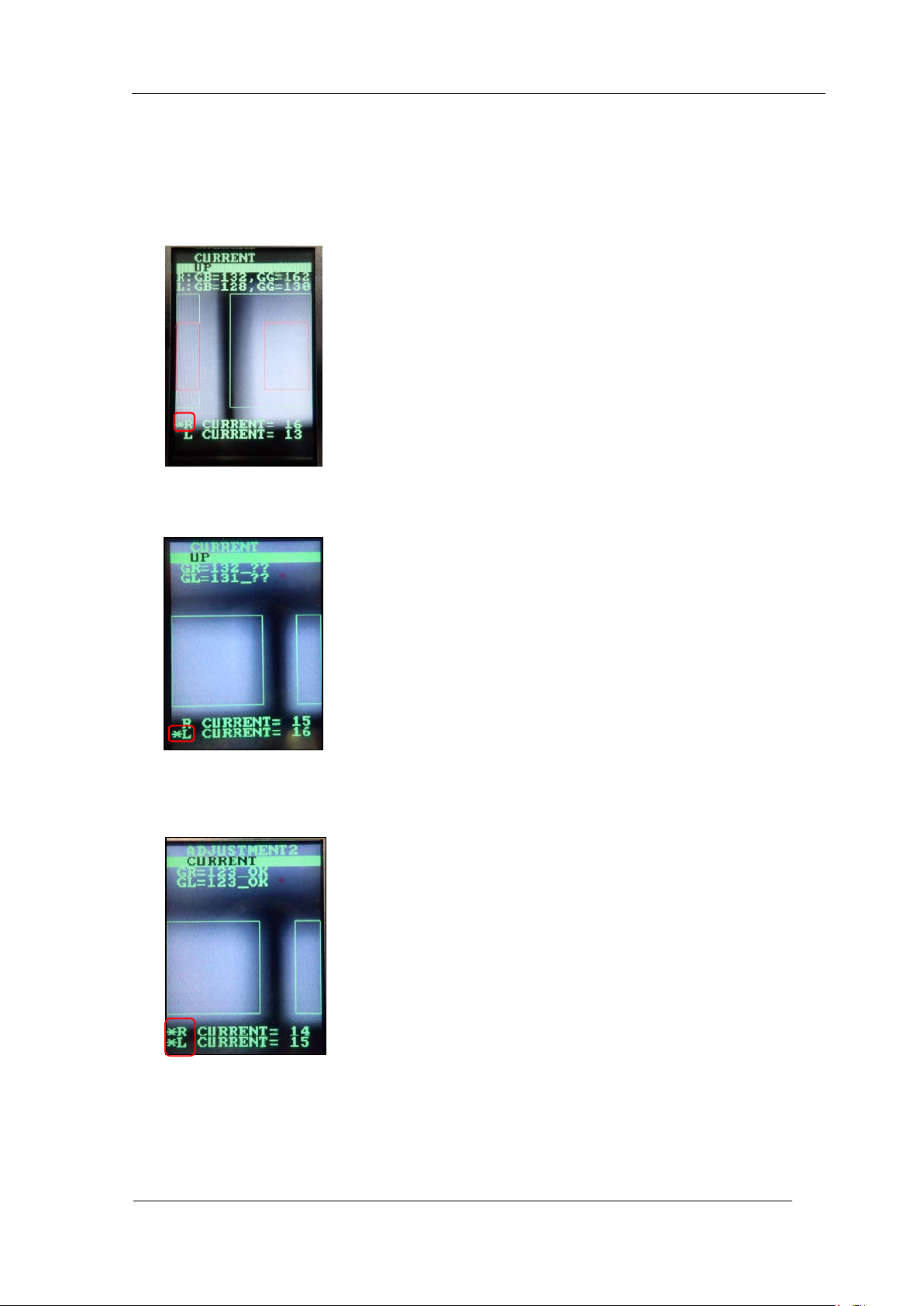
9. Display " CU R RENT, UP" or "CURRENT, DOWN" and hold dow n t he lower bu t t on.
10. “*“ is displayed only for R CURRENT. If you press the lower button in this state, you
can set the curr ent value of R only.
11. Hold down the lower button, then “*” is displayed on L CURRENT only. If you press
the lower butt on in this stat e, you can set the c ur rent value of L only.
12. Hold down the lower button, then “*” are displayed on both R and L CURRENT. I f you
press the low er but ton in this state, you can set the current value on both R and L.
CONFIDENTIAL