IPS adjustment on the modules.pdf - 第17页
E dition 1 .0 IPS Adjustment for V arious H ead T ypes on the Module < H24 head > FK - 9F50 - 74 -0E 1-5 FUJI C ORPORA TION Component na m e s a nd e x pl anation of the a dj ustment modes Mode name: dis plays t he…
Edition 1.0 IPS Adjustment for Various Head Types on the Module
<H24 head>
FK-9F50-74-0E 1-4 FUJI CORPORATION
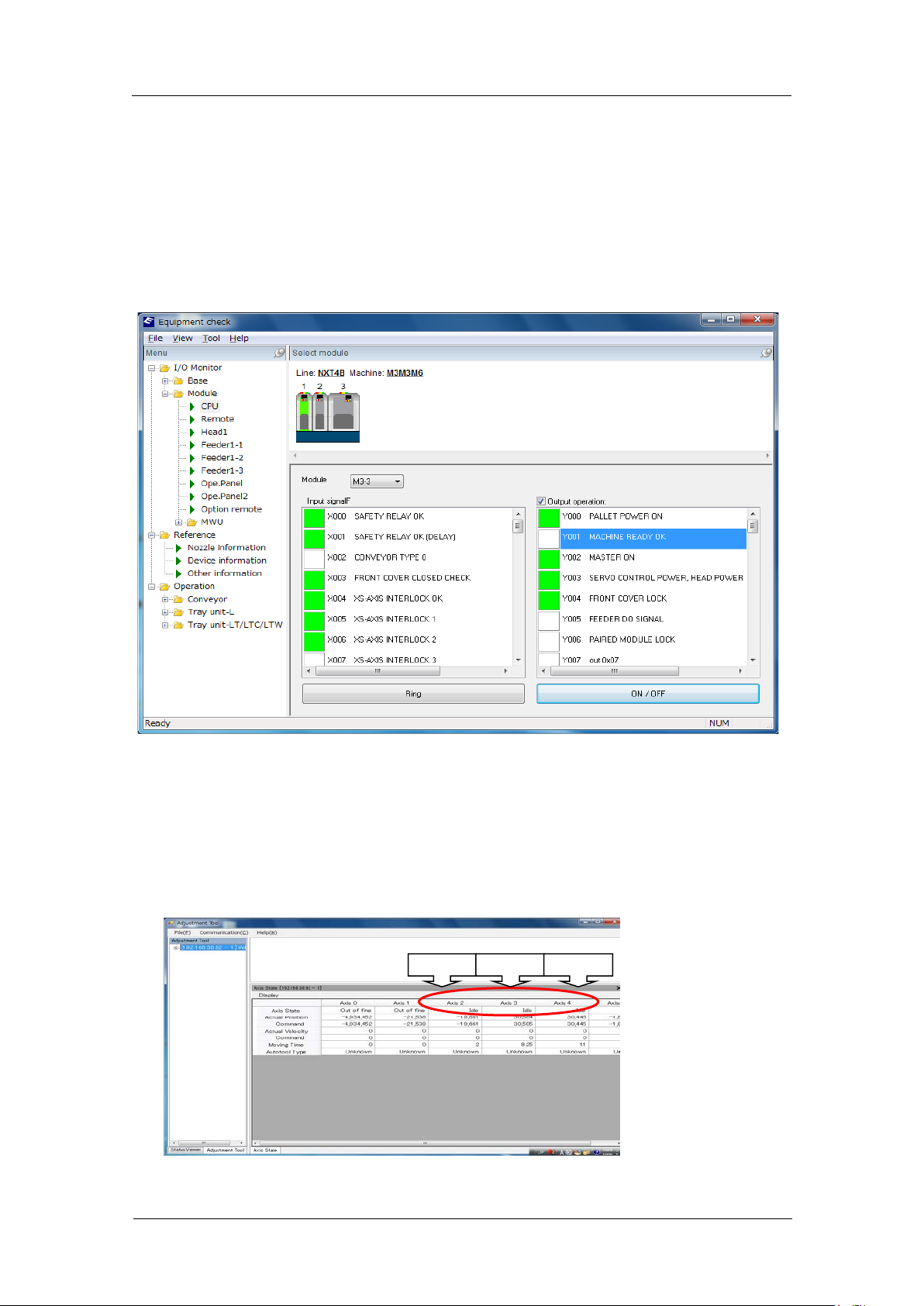
15. Select the module on which the H24 head is attached. Select [Module] – [CPU] and
then follow the procedur e below t o supply power t o the hea d.
(1) Apply a chec k in OutPutO per at io n.
(2) Y003 SER VO CON TR OL POWER HEA D POWER: ON
(3) Y002 MASTER ON: ON
(4) Y001 MACHINE READY OK: ON and then OFF
(5) Check that X000 SAFETY RELAY OK and X001 SAFETY OK (DELAY) are ON. Check
the IPS monitor jig displays.
(6) Remove the check in [Output Oper at ion].
16. Startup Motion Adjustment Tool. After the communication with the machine, the current
servo count of each axis is displayed. Confirm that the R-axis (Axis 3) is at the
calibration data po sition (Refere nce value: 30000 ± 3000 pulses) which w as r ecor ded in
step 9.
Note: Be sure to keep this position while adjust ing the IPS camera position.
Z-axis
R-axis
Q-axis
CONFIDENTIAL
Edition 1.0 IPS Adjustment for Various Head Types on the Module
<H24 head>
FK-9F50-74-0E 1-5 FUJI CORPORATION
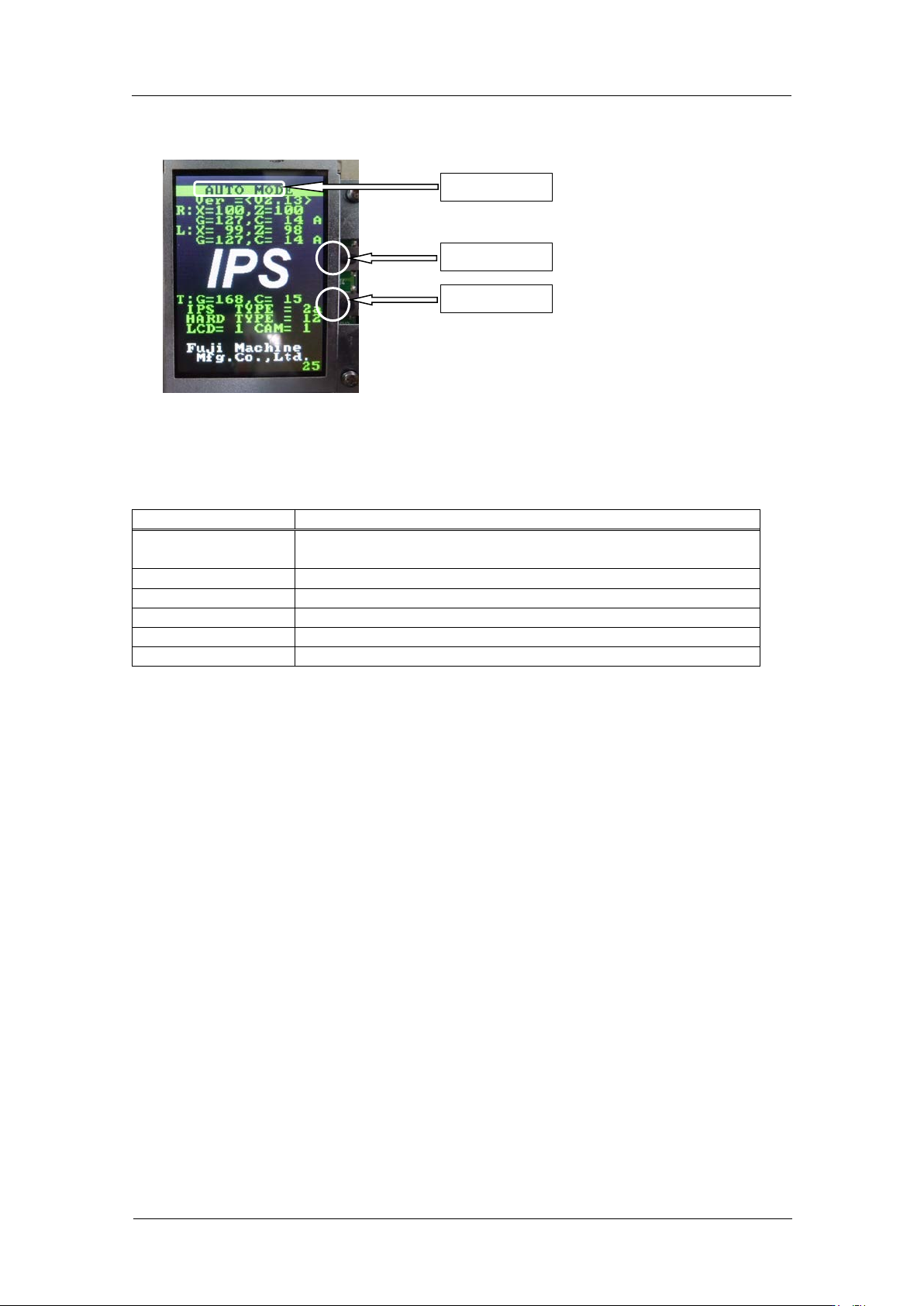
Component na m e s a nd e x planation of the a djustment modes
Mode name: displays t he cur r ent ly selected adjustment mode.
Back button: used to switch to a different mode fro m the currently selected mo de.
Set button: us ed when saving or when selecting mo des.
There are 6 different adjustme nt m ode.
Mode name
Contents
AUTO
MODE
The initial screen displayed when the power is supplied to the
head.
ADJ MODE
This mode is used to acce ss t he 3 adjustme nt modes below.
ADJUSTMENT 1
Used for res ol ut ion and tilt adjustment.
ADJUSTMENT 2
Used for gray scale and cu r r ent value adjustment.
ADJUSTMENT 3
Used to chec k the field of vision.
CONFIGURATION
Used to set t he function settings.
Back butt on
Set button
Mode name
CONFIDENTIAL
Edition 1.0 IPS Adjustment for Various Head Types on the Module
<H24 head>
FK-9F50-74-0E 1-6 FUJI CORPORATION
Configur a t ion Settings
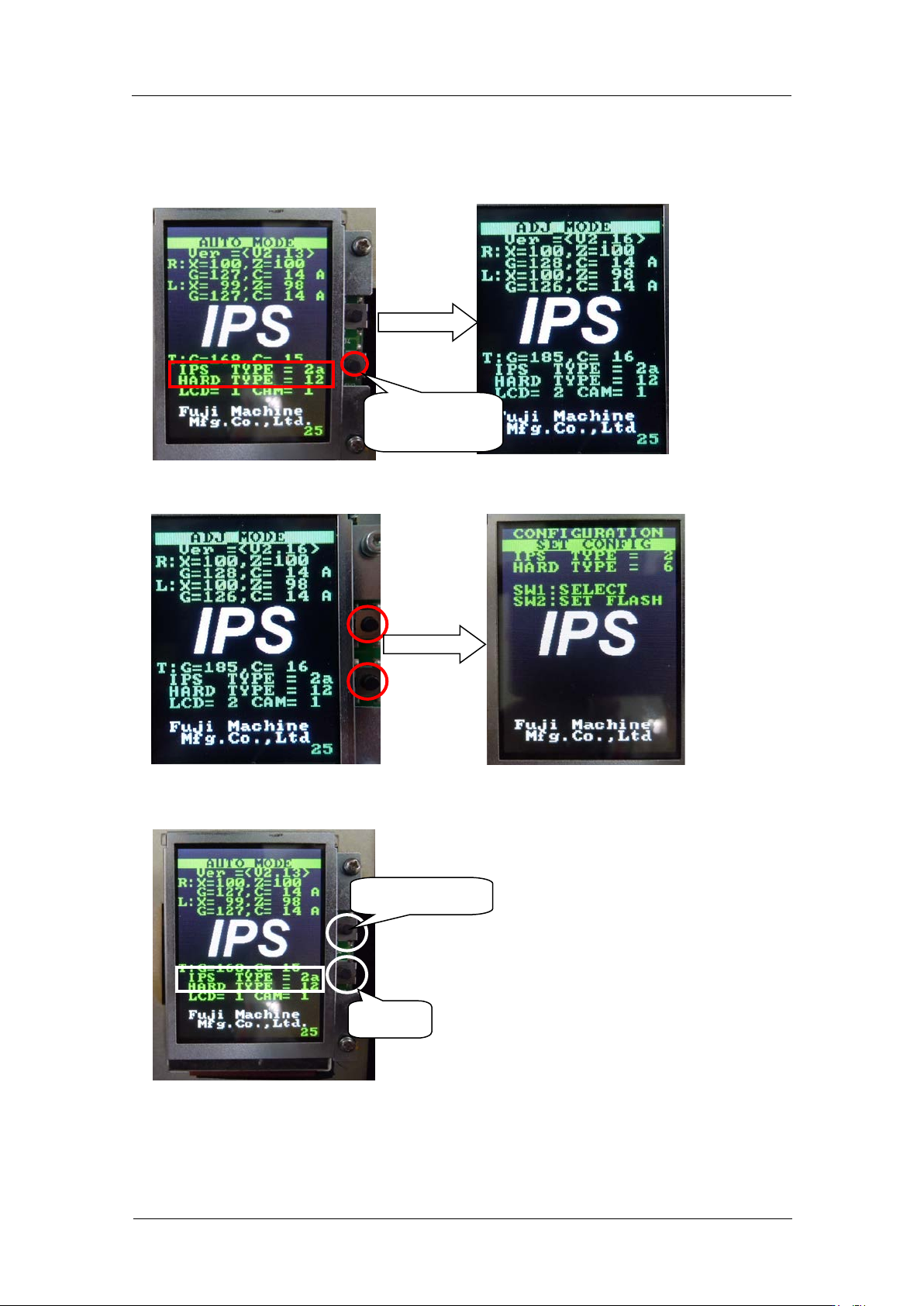
1. Firstly, check that the “IPS TYPE” is set to 2a and “HARD TYPE” is set to 12 on the
LCD screen. If NOT, hold the lower b ut ton and change the screen to “ADJ M O DE”.
2. If they are not set like above, press both of upper and lower buttons to change the
screen to “CONFIGURATION”.
3. Set the “IPS TYPE” to 2a and the “HARD TYPE” to 12 with the upper button. Pres s t he
lower button t o save the s et ting.
4. If you chang ed the settin gs, reboot t he bas e.
Select [TYPE]
Save
Hold the lower
button.
CONFIDENTIAL