IPS adjustment on the modules.pdf - 第18页
E dition 1 .0 IPS Adjustment for V arious H ead T ypes on the Module < H24 head > FK - 9F50 - 74 -0E 1-6 FUJI C ORPORA TION Configur a t i on S etti ngs 1. Firs tly , check that the “IPS TYPE” is s et to 2 a and “H…
Edition 1.0 IPS Adjustment for Various Head Types on the Module
<H24 head>
FK-9F50-74-0E 1-5 FUJI CORPORATION
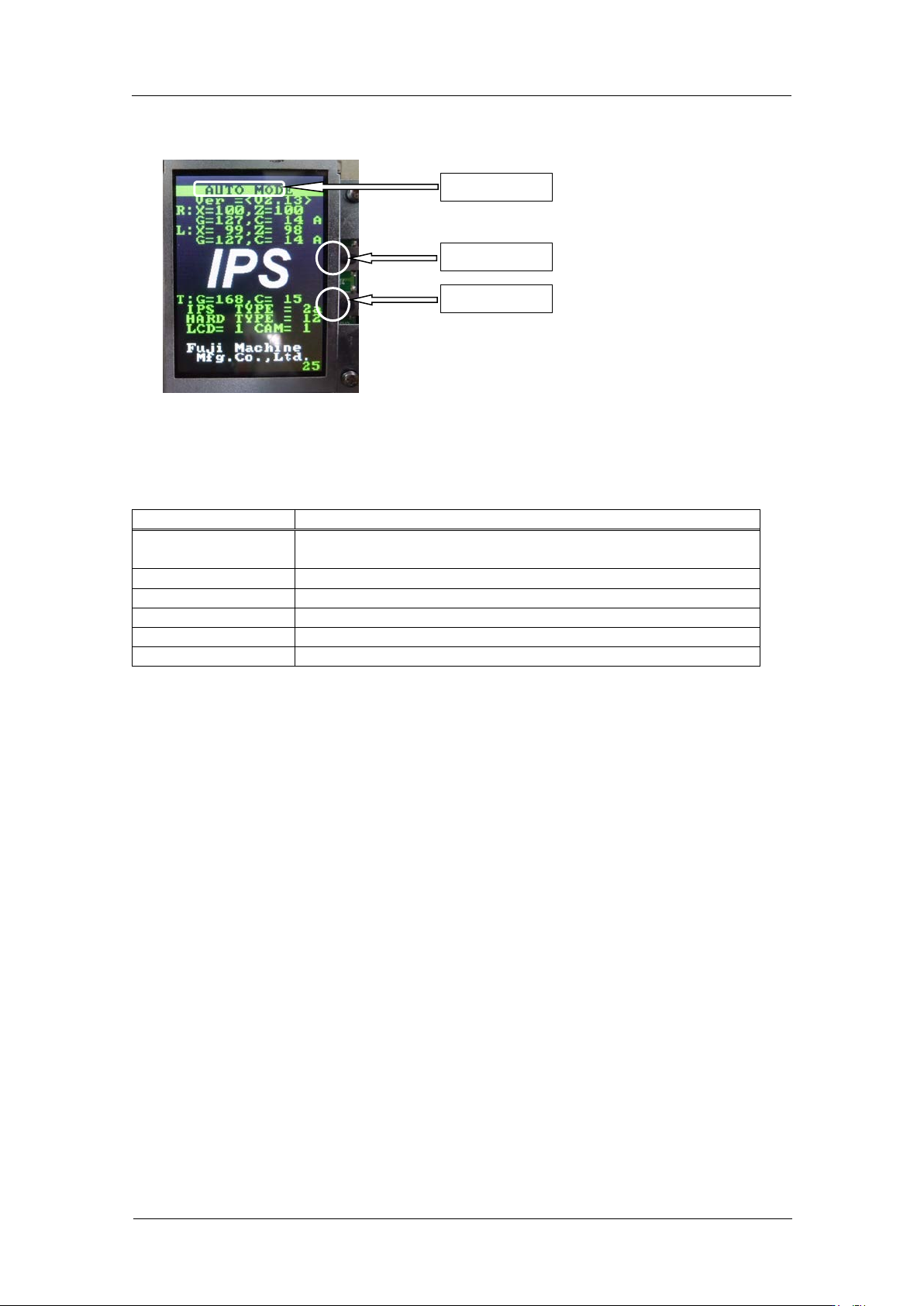
Component na m e s a nd e x planation of the a djustment modes
Mode name: displays t he cur r ent ly selected adjustment mode.
Back button: used to switch to a different mode fro m the currently selected mo de.
Set button: us ed when saving or when selecting mo des.
There are 6 different adjustme nt m ode.
Mode name
Contents
AUTO
MODE
The initial screen displayed when the power is supplied to the
head.
ADJ MODE
This mode is used to acce ss t he 3 adjustme nt modes below.
ADJUSTMENT 1
Used for res ol ut ion and tilt adjustment.
ADJUSTMENT 2
Used for gray scale and cu r r ent value adjustment.
ADJUSTMENT 3
Used to chec k the field of vision.
CONFIGURATION
Used to set t he function settings.
Back butt on
Set button
Mode name
CONFIDENTIAL
Edition 1.0 IPS Adjustment for Various Head Types on the Module
<H24 head>
FK-9F50-74-0E 1-6 FUJI CORPORATION
Configur a t ion Settings
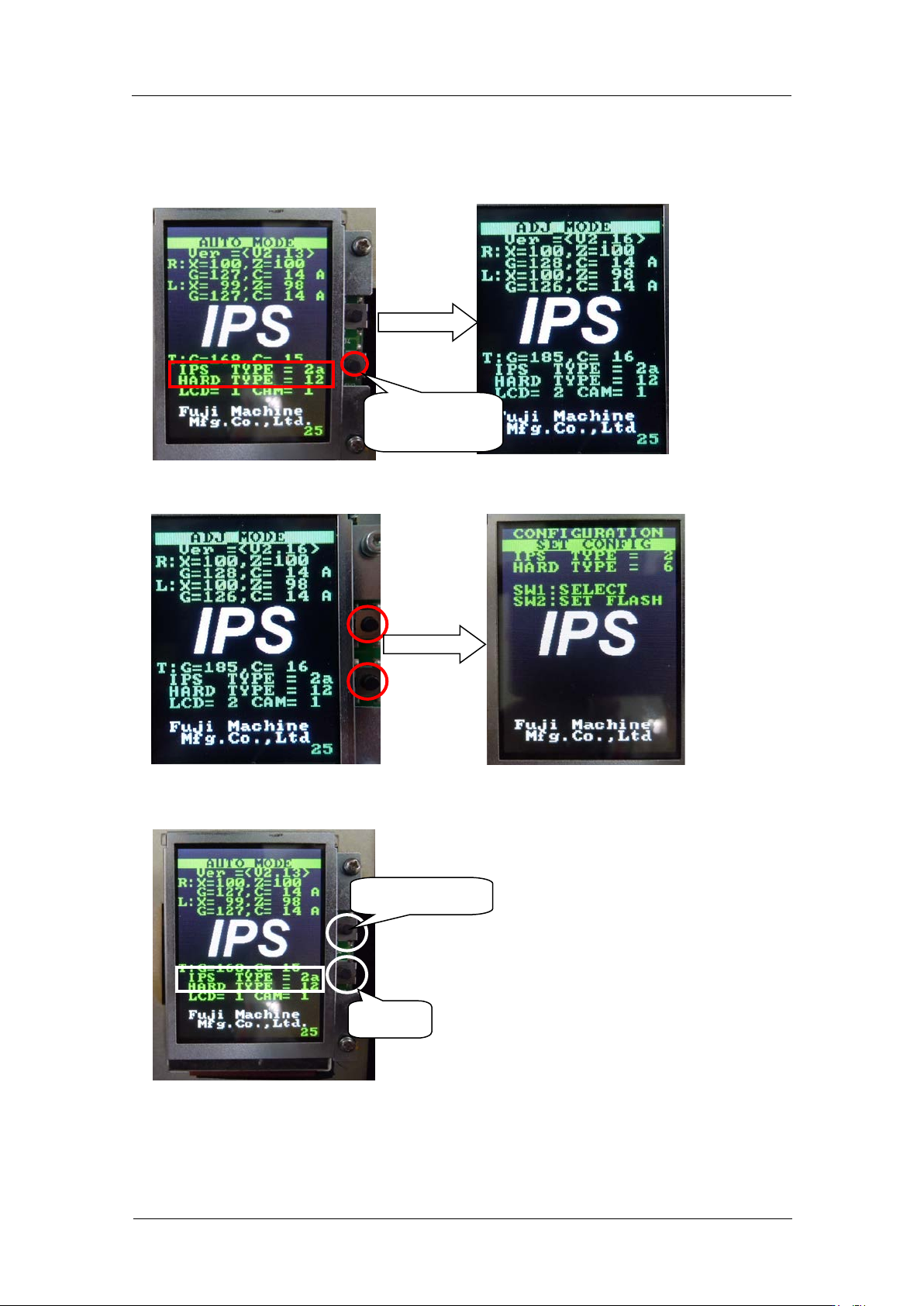
1. Firstly, check that the “IPS TYPE” is set to 2a and “HARD TYPE” is set to 12 on the
LCD screen. If NOT, hold the lower b ut ton and change the screen to “ADJ M O DE”.
2. If they are not set like above, press both of upper and lower buttons to change the
screen to “CONFIGURATION”.
3. Set the “IPS TYPE” to 2a and the “HARD TYPE” to 12 with the upper button. Pres s t he
lower button t o save the s et ting.
4. If you chang ed the settin gs, reboot t he bas e.
Select [TYPE]
Save
Hold the lower
button.
CONFIDENTIAL
Edition 1.0 IPS Adjustment for Various Head Types on the Module
<H24 head>
FK-9F50-74-0E 1-7 FUJI CORPORATION
Adjusting t he Ca m e ra Installation Position
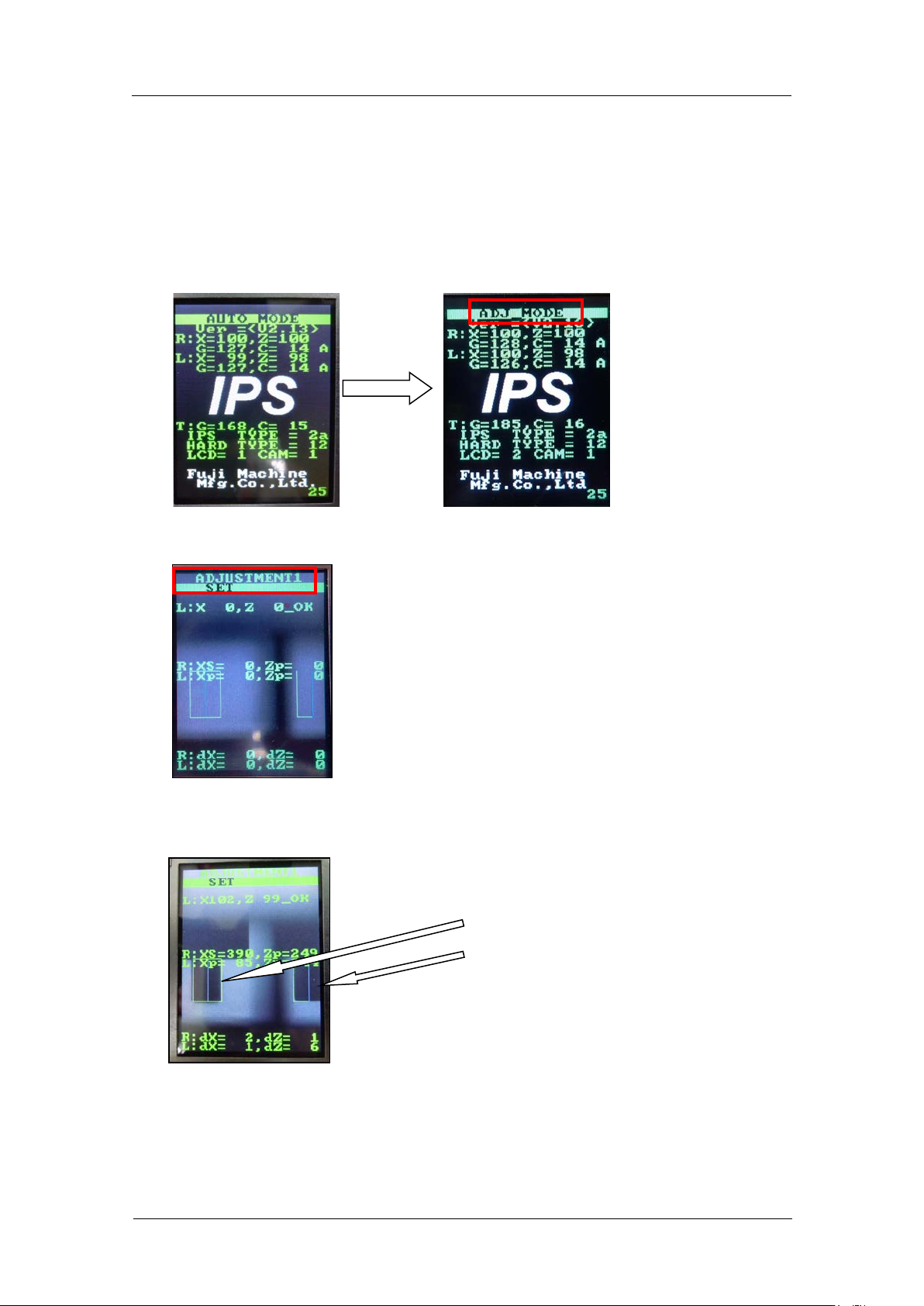
1. Check that the R-axis is at the calibration data position (Reference value:30000 ±
3000 pulses) .
Note: Be sure to keep this positi on while a djusting the IPS cam er a posit i on.
2. Press and hold the low er button for a few s econds to shift to “ADJ MODE”.
3. Press the lower button to shift to “ADJUSTMENT 1” and LED lamp flashes.
4. Adjus t t he position of the camera so that the jigs on the B and X holders match up with
the green frames on the screen.
The jigs match the
green frames on the
screen.
CONFIDENTIAL