IPS adjustment on the modules.pdf - 第23页
E dition 1 .0 IPS Adjustment for V arious H ead T ypes on the Module < H24 head > FK - 9F50 - 74 - 0E 1- 11 FUJI CORPORA TION 11. Press the lower button t o r eturn t o “ ADJ U STM E NT 2 CURRENT ”. 12. Press the u…
Edition 1.0 IPS Adjustment for Various Head Types on the Module
<H24 head>
FK-9F50-74-0E 1-10
FUJI CORPORATION
5. Rotate the R-axis through one full rotation and confirm that there is no position where
the variation in the grayscale values (GR and GL) is extreme. If the grayscale value is
too big, check the fluorescent status. I f it is d irt y, clean or replace it as ne cessar y.
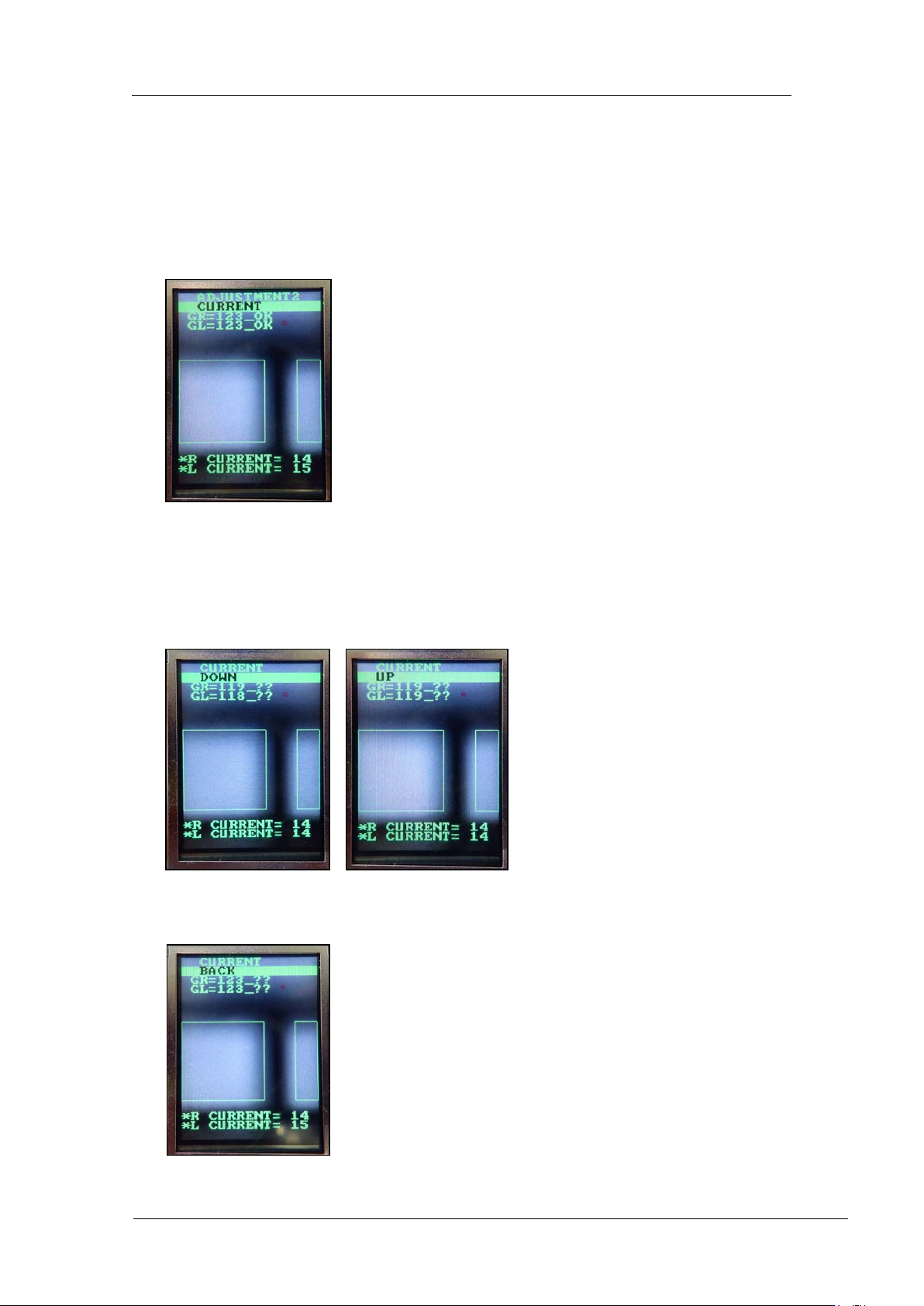
6. Rotate the R-axis by hand to find the positions where the grayscale values (GR and
GL) are maximized and minimized. Check that the minimum and maximum grayscale
values are within the to lerance of 12 0~ 160 (target: 120) .
7. Also check that the current v alue is 24 m A or less.
8. If the gray scal e values are not within t he target value s, adjust t hem as shown below.
9. Press the lower button to display “CURRENT UP” or “CURRENT DOWN”. When
raising the value, display “CURRENT UP” and press the lower button to adjust the
value. When lowering the value, display “CURRENT DOWN” and press the lower
button to adj ust the value.
10. Once the value is within the tolerance, press the upper button to display “CURRENT
BACK”.
CONFIDENTIAL
Edition 1.0 IPS Adjustment for Various Head Types on the Module
<H24 head>
FK-9F50-74-0E 1-11
FUJI CORPORATION
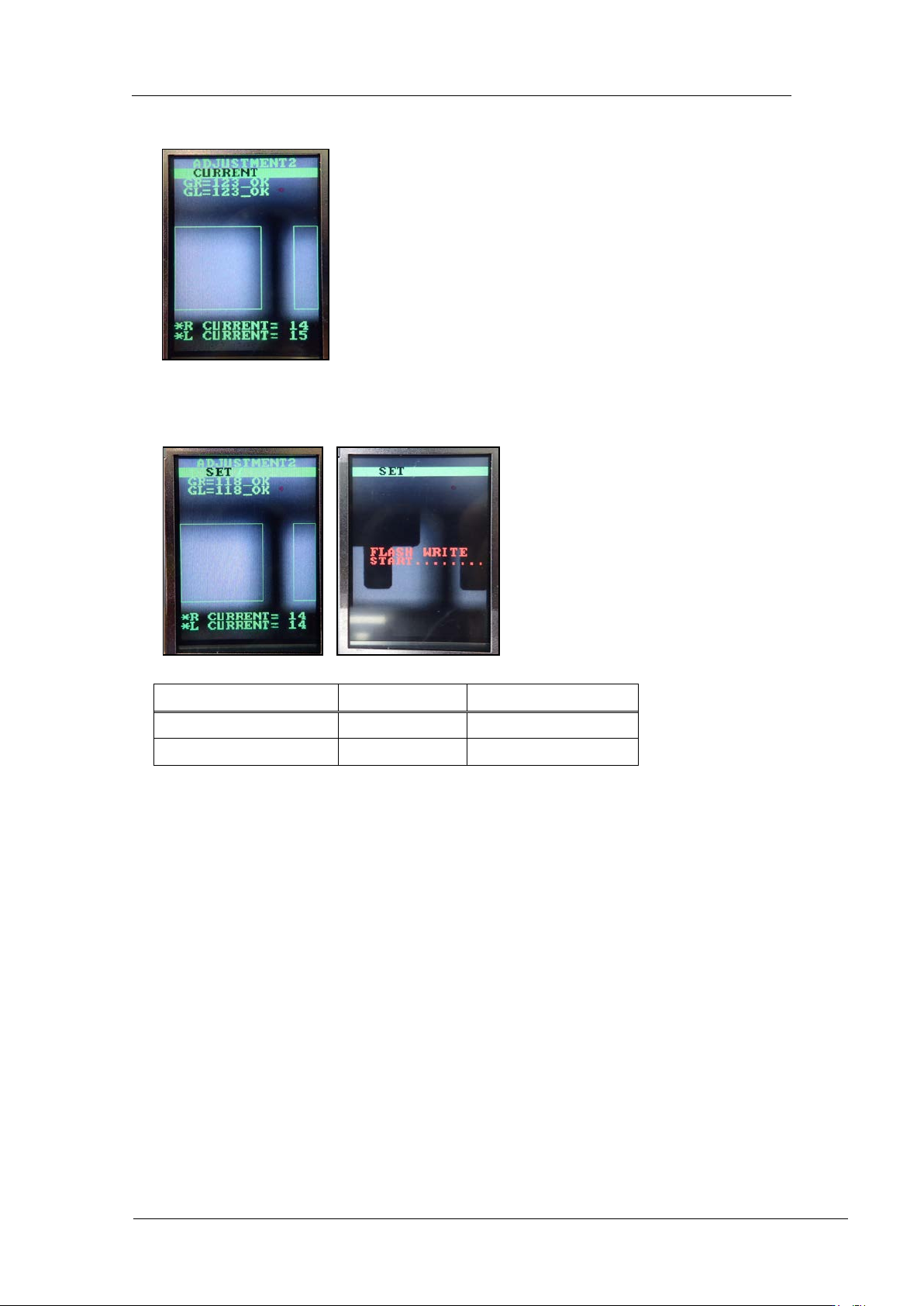
11. Press the lower button t o return to “ADJ USTM ENT 2 CURRENT”.
12. Press the upper button to display “ADJUSTMENT 2 SET” and then press the lower
button to save the sett ings.
Tolerance
Target
GR, GL (Gray value)
120~160
120
CURRENT
24mA or less
Same as tolerance
CONFIDENTIAL
Edition 1.0 IPS Adjustment for Various Head Types on the Module
<H24 head>
FK-9F50-74-0E 1-12
FUJI CORPORATION
【
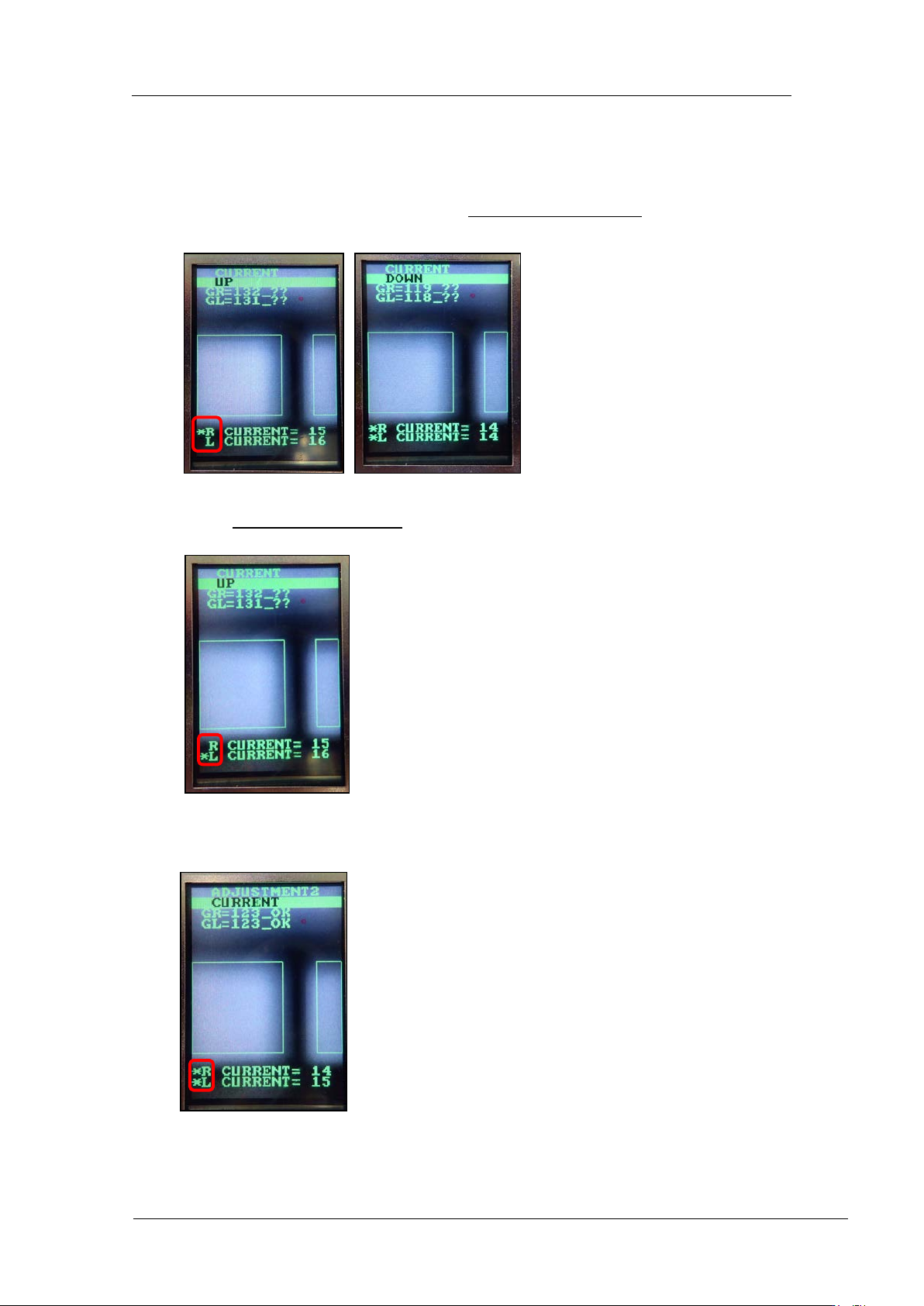
Adjust the R CURRENT and L CURRENT separately (IPS version 1.21 or l at er )
】
1. Press the lower but t on once, and t hen w it h [CURR ENT UP] or [C URRENT DOWN]
displayed, pr ess and hol d the lower button for 2 to 3 secon ds.
2. An asterisk mark * disp lays next to the R CUR RE NT value only. The lower butt on
can now be used t o adjust t he R C U RR ENT value.
3. Press and hold the lower but ton for 2 to 3 seconds. An asterisk mark * d isplays next
to the L CURRENT value only
. The lower but t on can now be us ed to adjust t he L
CURRE NT value.
4. Press and hold the lower but ton for 2 to 3 seconds. An asterisk mark * d isplays next
to both the R CURRENT and L CURRE NT values. The lower button can now be
used to adjust t he R CUR RE NT and L CURRENT values toget her.
CONFIDENTIAL