IPS adjustment on the modules.pdf - 第48页
E dition 1 .0 IPS Adjustment for V arious H ead T ypes on the Module <H24G/H24 S/H24A > FK - 9F50 - 74 -0E 2- 14 FUJI CORPORA TION 6. Press the low er but t on t o r eturn t o “ADJUST M E NT 2 CURREN T” . 7. Press …
Edition 1.0 IPS Adjustment for Various Head Types on the Module
<H24G/H24S/H24A>
FK-9F50-74-0E 2-13 FUJI CORPORATION
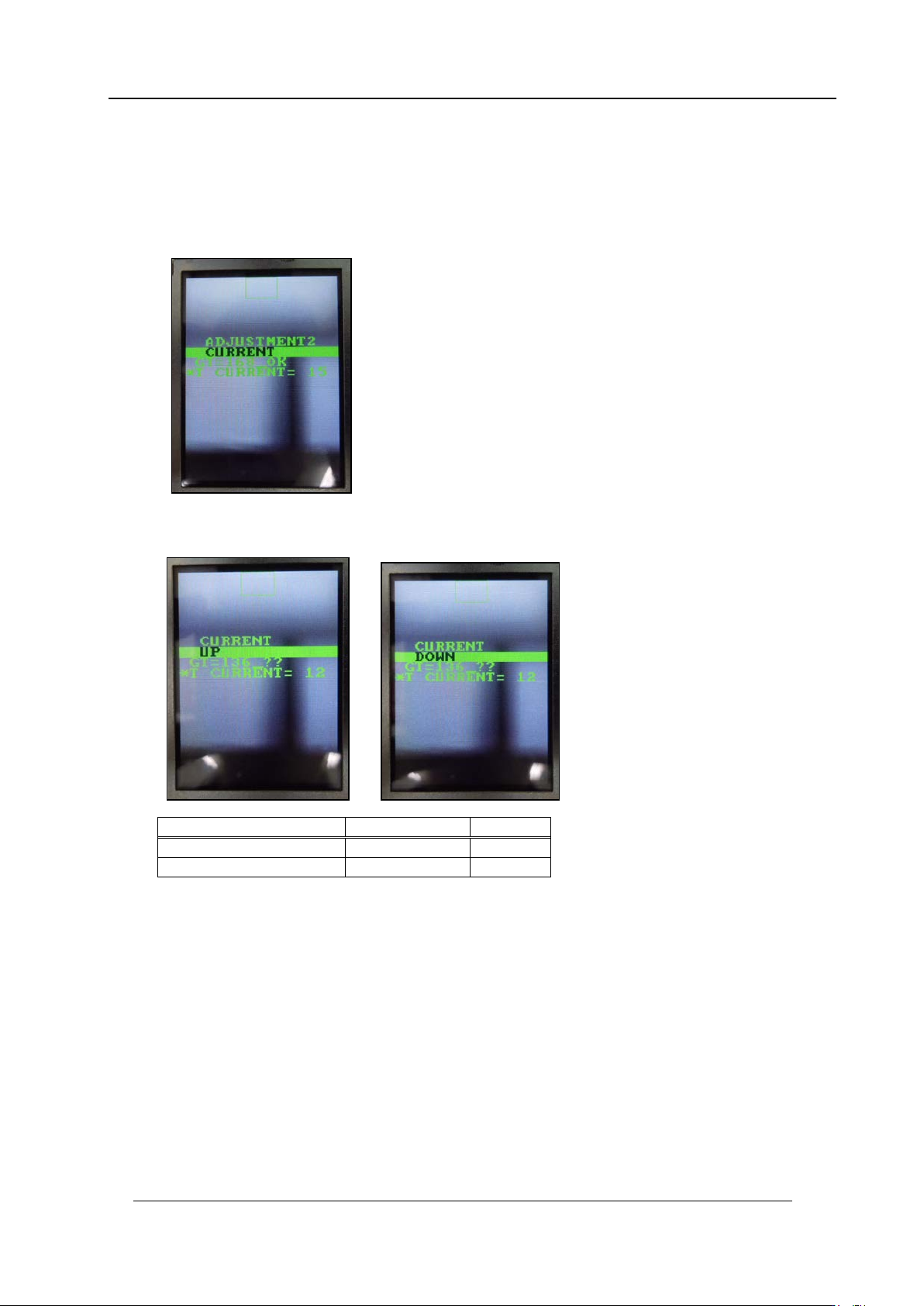
Adjusting the Nozzle Existence Curre nt ( Grayscale value)
1. Press the upper button to select “ADJUSTMENT 3 BACK” and then press the lower
button to change to “A DJ US TMENT 2 CU R RE N T” .
2. Press and ho ld t he lower button to chan ge to area 4 adjustment mode.
3. Press the lower button to display “CURRENT UP” or “CURRENT DOWN”, and then
adjust the cur r ent value.
4. Rotate the R-axis through one full rotation and confirm that there is no position where
the variation in the grayscale values (GT) is extreme. If the value is too big, check the
fluorescent status. I f it i s dirty, clean or replace it as necessar y.
5. Press the up per but t on to display “CURR ENT BACK”.
Tolerance
Target
Grays cale v alues (GT)
160~180
180
CURRENT
24mA or less
CONFIDENTIAL
Edition 1.0 IPS Adjustment for Various Head Types on the Module
<H24G/H24S/H24A>
FK-9F50-74-0E 2-14 FUJI CORPORATION
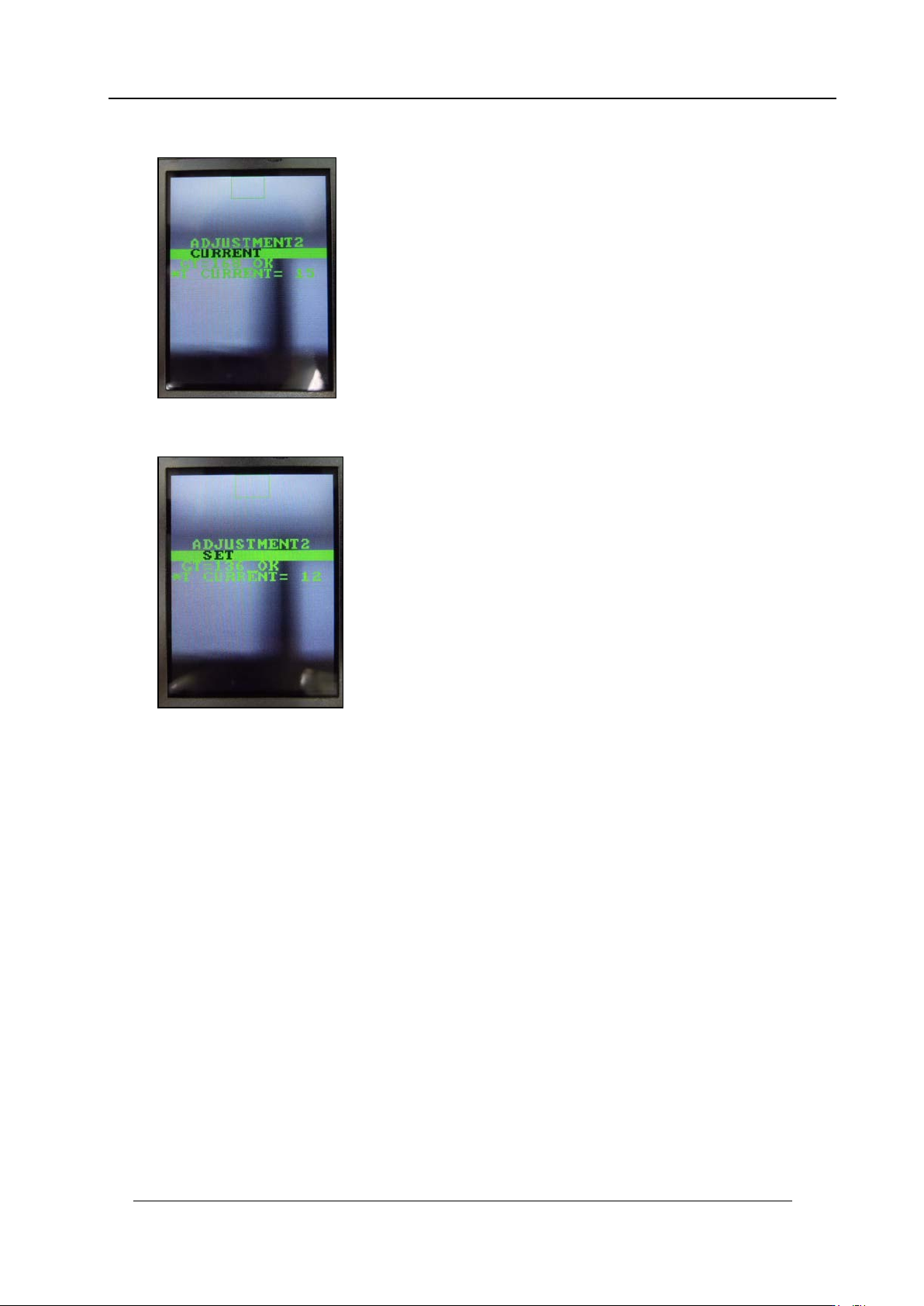
6. Press the low er but t on t o return to “ADJUST M ENT 2 CURREN T” .
7. Press the upper button to display “ADJUSTMENT 2 SET” and then press the lower
button to save the sett ings.
CONFIDENTIAL
Edition 1.0 IPS Adjustment for Various Head Types on the Module
<H24G/H24S/H24A>
FK-9F50-74-0E 2-15 FUJI CORPORATION
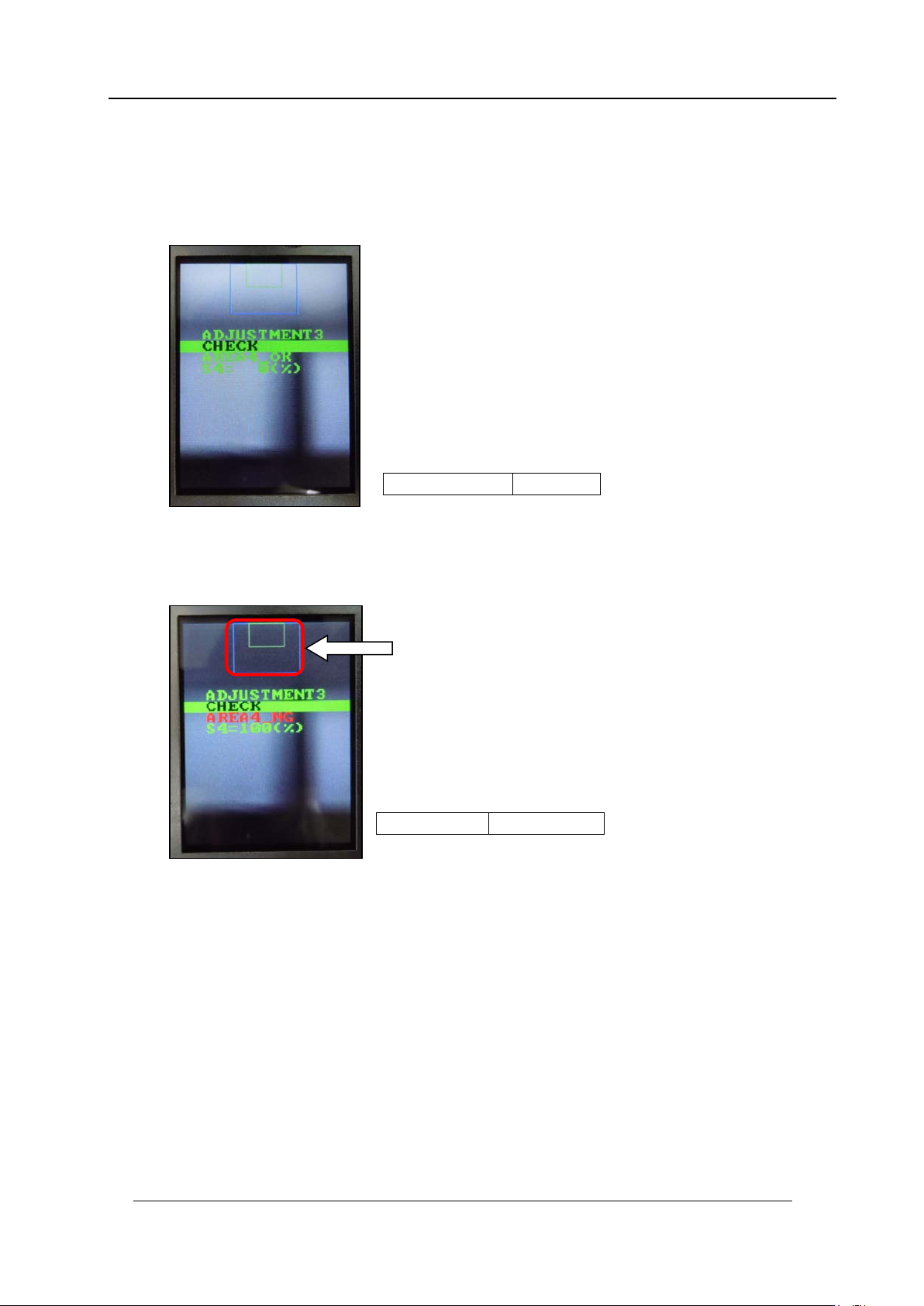
Checki ng t he Nozzle Existence Field of Vision
1. Press the upper button to change to “ADJUSTMENT 3” and then press the lower
button to enter the adjustment mode. Press the lower button to display
“ADJUS TM E NT 3 C HE CK” then check the val ue is in the toleran c e below.
2. Block the nozzle existence area glass with a piece of paper and then press the lower
button to display “ADJUSTMENT 3 CHECK”. (In the example below the right-hand
glass as view ed from the fr ont of t he machine is b lo cked).
AREA4
=
OK
S4
=
0%
AREA4
=
NG
S4
=
100%
Nozzle existence field
CONFIDENTIAL