IPS adjustment on the modules.pdf - 第57页
Edition 1.0 IPS Adjustment for Various Head Types on the Modul e <DX h ead> FK - 9F50 - 74 -0E 3-3 FUJI CORPORAT ION 7. Check the co nf iguratio n s ettings are s et as show n b elow . 8. If you need to cha nge the…
Edition
1.0 IPS Adjustment for Various Head Types on the Module
<DX head>
FK-9F50-74-0E 3-2 FUJI CORPORATION
3.1 Configuration settings
1. Remov e t he DX head cover.
2. Attach the IPS monitor ji g t o t he DX head.
Note: Attach the bracket for the DX head (2MGKXJ0139**) to the IPS monitor jigs for the H24
head (2AGKXJ0028**).
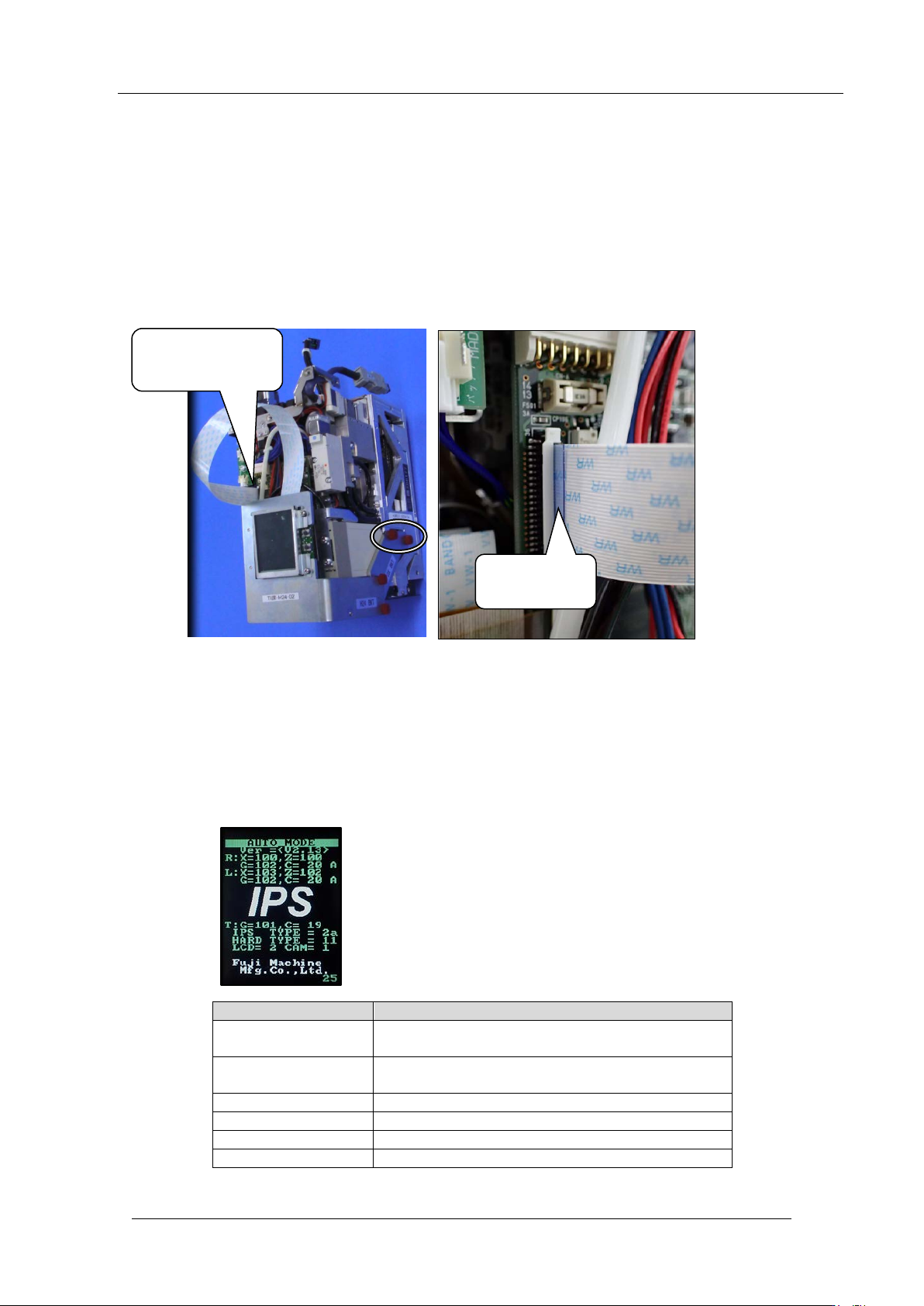
3. Connect the IPS monitor jig flat cable to the IPS board. Ensure the blue side of the flat
cable is on the left and the silv er side is on the right .
4. Attach the DX head to the module and t hen turn ON the machine.
5. Push the star t button and t hen push the cy c le stop button i m med iately.
6. The power is supplied to the DX head. Push the emergency stop button and then open
the front cover.
3.2 Component names and exp lanation of the ad justment mod es
Mode name
Details
AUTO
MODE
The initial screen displayed when the power is
supplied to the head.
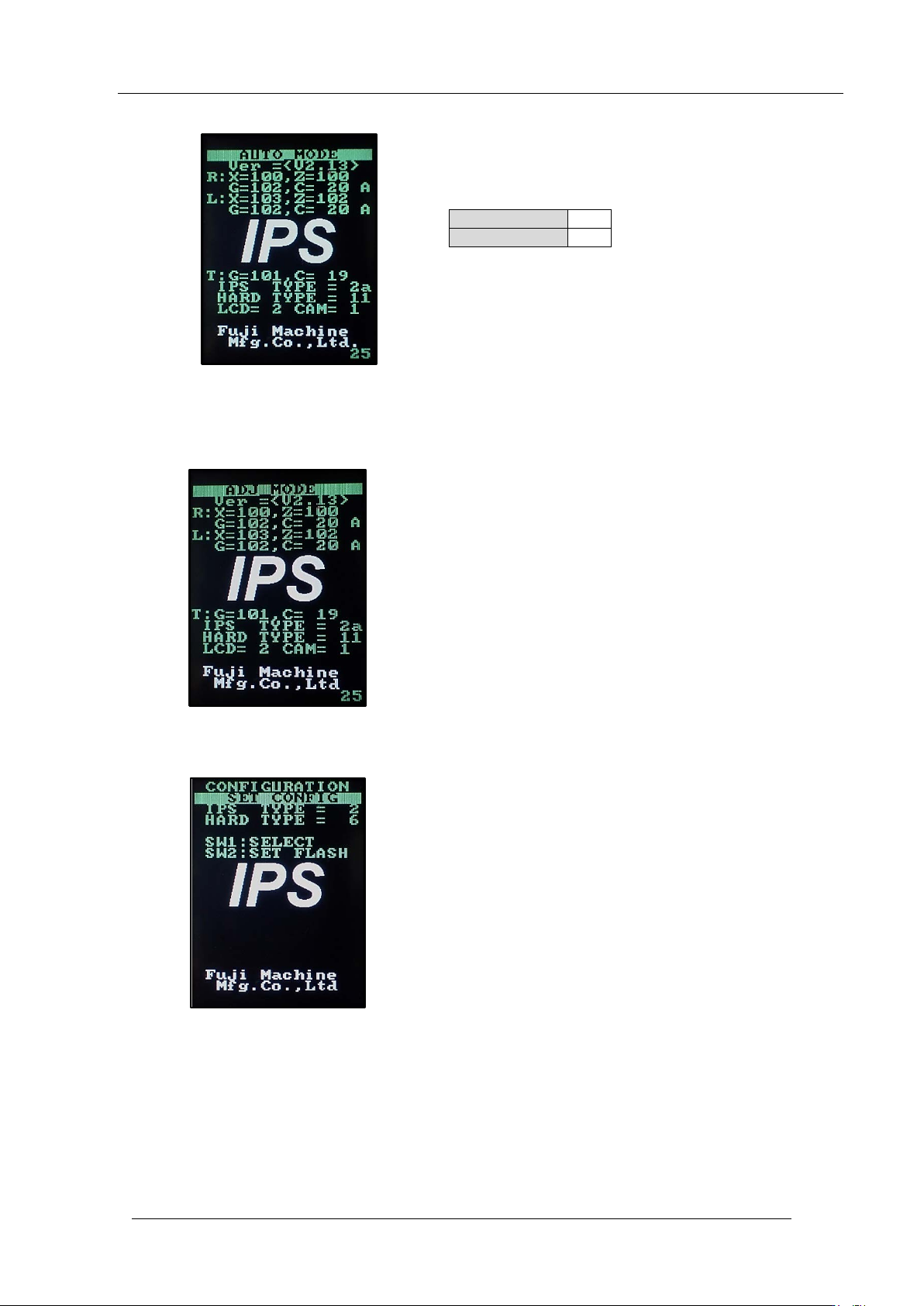
ADJ MODE
This mode is used to access the 3 adjustment
modes below.
ADJUSTMENT 1
Used for resolution and tilt adjustment.
ADJUSTMENT 2
Used for grayscale and current value adjustment.
ADJUSTMENT 3
Used to check the field of vision.
CONFIGURATION
Used to set the function settings.
Connect the
cable here
Blue side is
on the left
CONFIDENTIAL
Edition
1.0 IPS Adjustment for Various Head Types on the Module
<DX head>
FK-9F50-74-0E 3-3 FUJI CORPORATION
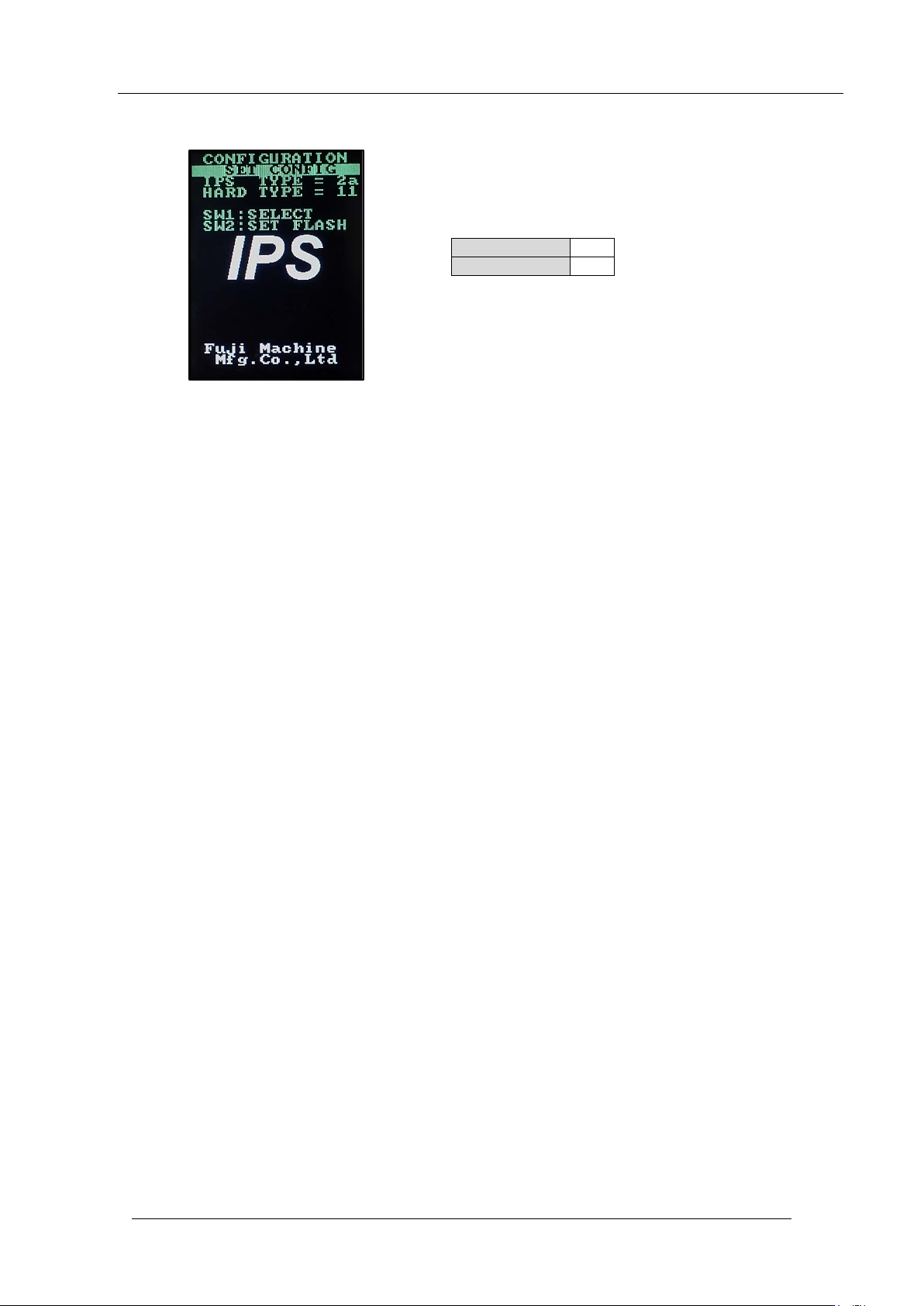
7. Check the co nfiguratio n settings are set as show n below.
8. If you need to change the set t ings, f ollow the pro c edure below.
9. Hold down t he low er but t on to enter “ADJ MODE”.
10. Push the upper and lower but tons togeth er to enter the “ CONFIG U RATION” screen.
IPS
TYPE
2a
HARD TYPE
11
CONFIDENTIAL
Edition
1.0 IPS Adjustment for Various Head Types on the Module
<DX head>
FK-9F50-74-0E 3-4 FUJI CORPORATION
11. Push the upper button t o ma ke the settings shown bel ow.
12. Push the lower butt on t o save the sett ings.
13. After changing the settings, be sure to turn OFF the module. (It is necessary to reboot
the head.)
14. T ur n ON the mod ule power.
15. Push the start but ton and then push the cy cle st op button i m med iately.
16. The power is su pplied to the DX head.
IPS TYPE
2a
HARD TYPE
11
CONFIDENTIAL