IPS adjustment on the modules.pdf - 第63页
Edition 1.0 IPS Adjustment for Various Head Types on the Modul e <DX h ead> FK - 9F50 - 74 -0E 3-9 FUJI CORPORAT ION 23. T o increase the current value, push the lower button . 24. T o decrease the curr e nt v alu …
Edition
1.0 IPS Adjustment for Various Head Types on the Module
<DX head>
FK-9F50-74-0E 3-8 FUJI CORPORATION
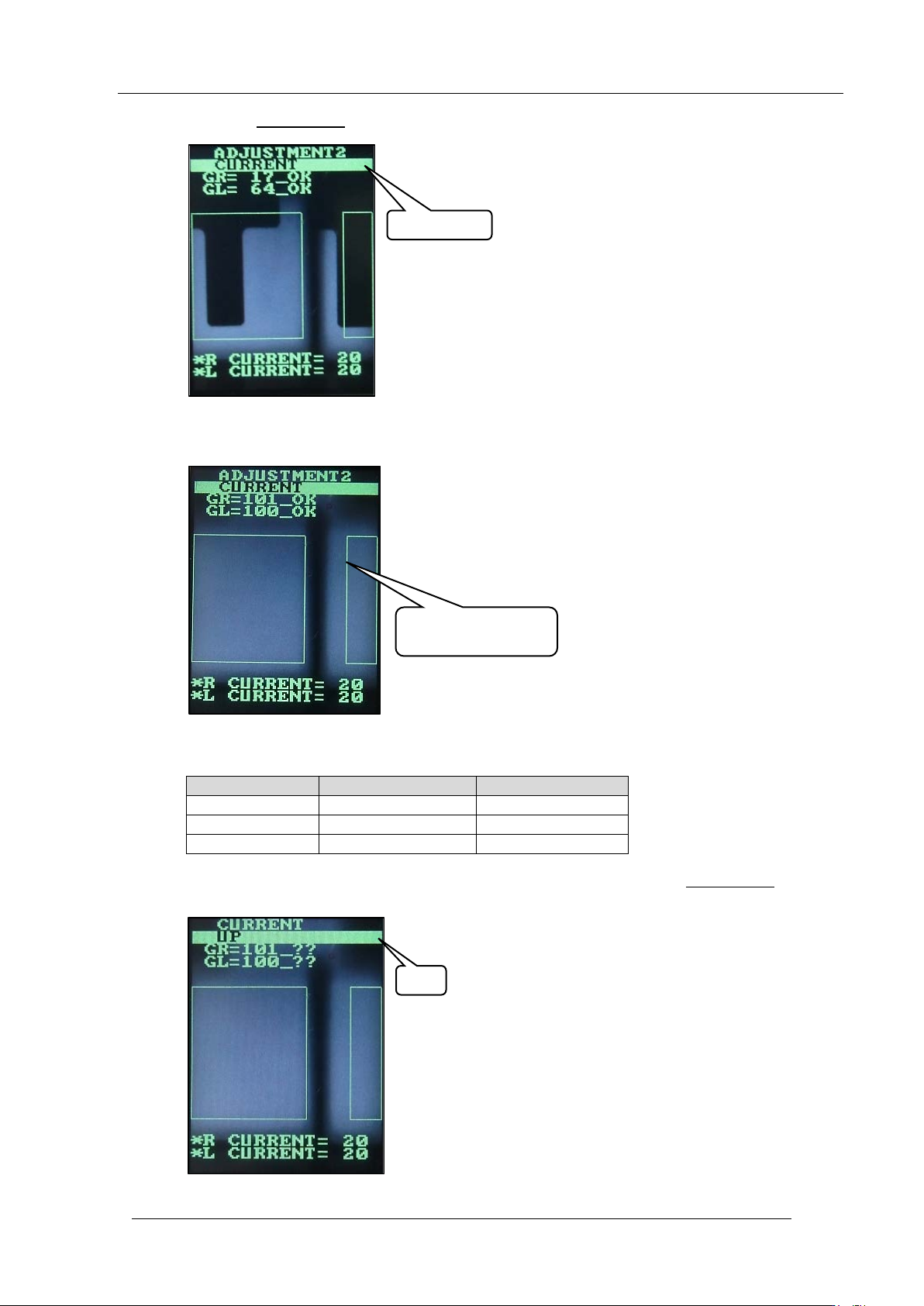
19. Push the lower button once to display “CURRENT”.
20. Rotate the jig 180 degrees (R-axis) so only the fluorescent sticker is displayed on the
IPS monitor .
21. Check the current and gray scale values are within tolerance shown in the following
table.
Tolerance
Target
CURRENT
26 or less
Same as toler ance
GR
100 ~ 140
100
GL
100 ~ 140
100
22. If the gray scale value is not close to the target value of 100, push the lower but ton once
to select “UP” .
。
CURRENT
UP
Only the sticker is
displayed
CONFIDENTIAL
Edition
1.0 IPS Adjustment for Various Head Types on the Module
<DX head>
FK-9F50-74-0E 3-9 FUJI CORPORATION
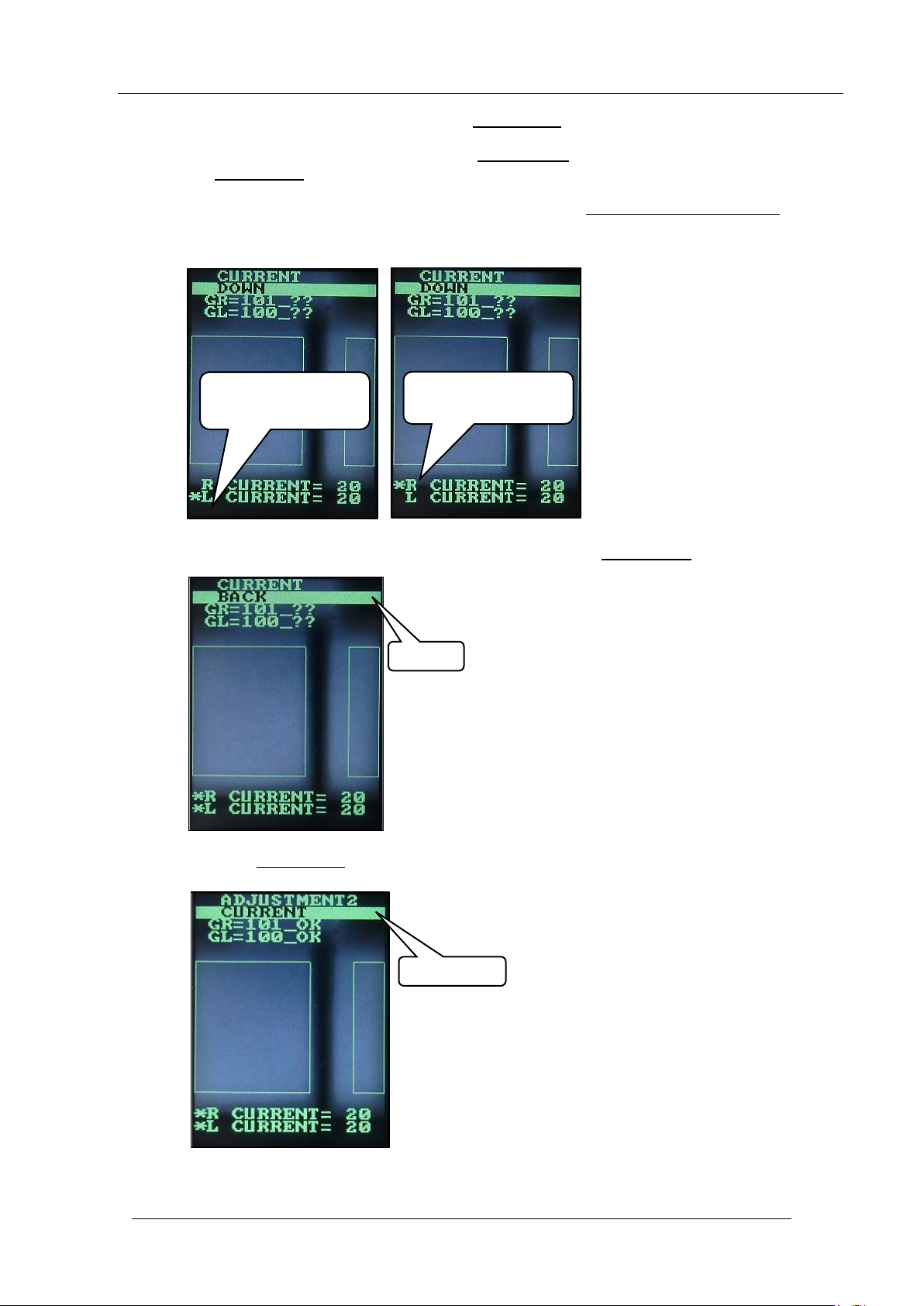
23. To increase the current value, push the lower button.
24. To decrease the curr ent v alue, push the upper button to select “ DOWN”, and then push
the lower but t on to decr ease the v alue.
25. If you need to adjust t he GR and GL values separate ly, hold down the lower button with
either “UP” or “DOWN” selected to move the asterisk (*) symbol to L or R. The left and
right value s can now be a djust ed separat ely.
26. Once the gray values are close to the target value, use the upper button
to select “BACK”.
27. Push the lower b ut t on
once to display “ CU R RENT”.
Left value can be
adjusted separately
Right value can be
adjusted separately
BACK
CURRENT
CONFIDENTIAL
Edition
1.0 IPS Adjustment for Various Head Types on the Module
<DX head>
FK-9F50-74-0E 3-10 FUJI CORPORATION
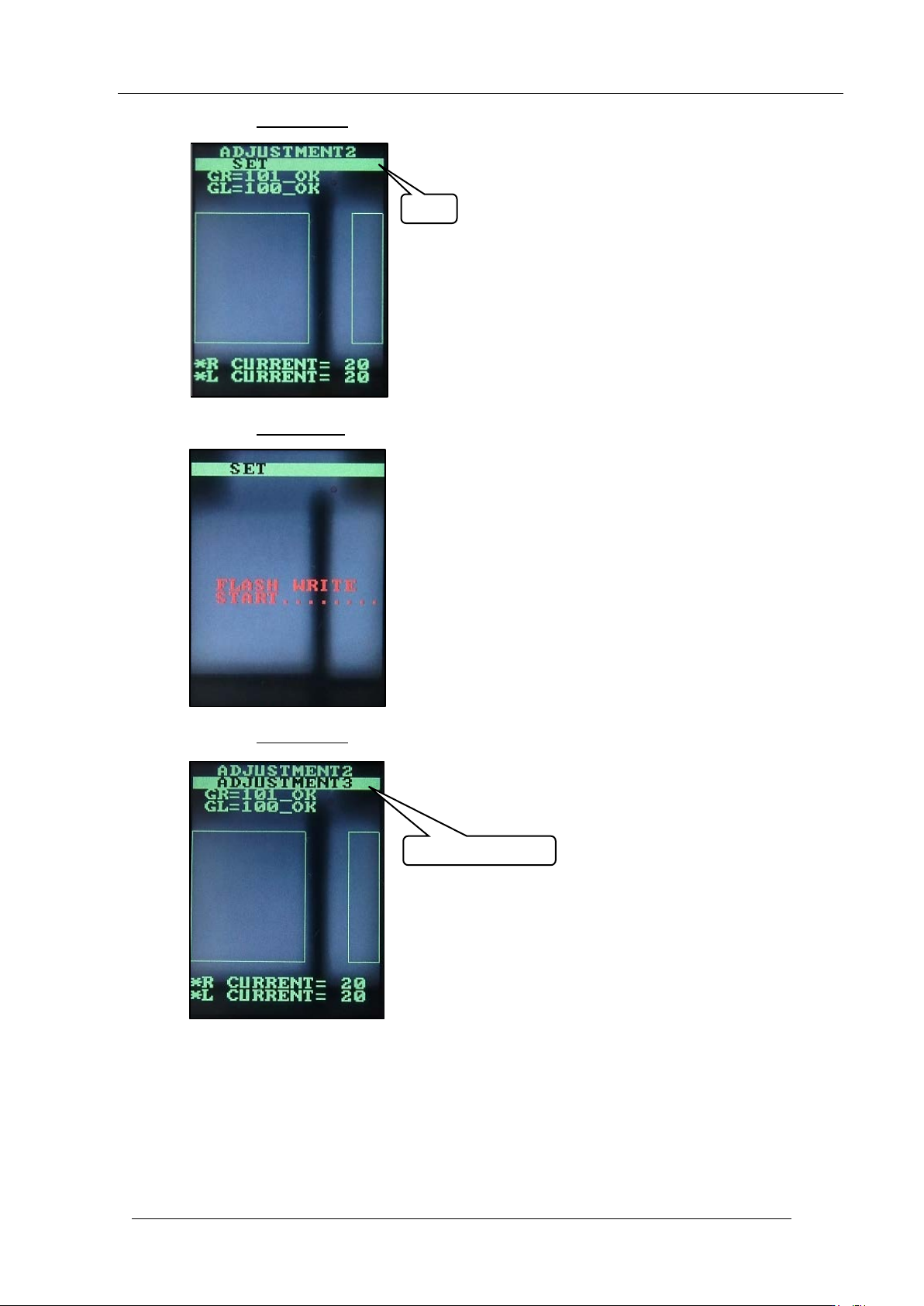
28. Push the upper butt on once to disp lay “SET”.
29. Push the lower button
once to sav e t he settings.
30. Push the upper butt on
once to select “ AD JUSTME NT 3”.
SET
ADJUSTMENT 3
CONFIDENTIAL