IPS adjustment on the modules.pdf - 第65页
Edition 1.0 IPS Adjustment for Various Head Types on the Modul e <DX h ead> FK - 9F50 - 74 -0E 3- 11 FUJI CORPORAT ION 31. Pu sh the lower b ut t on once to disp lay “CHE C K”. 32. Block the left - h and glass w it…
Edition
1.0 IPS Adjustment for Various Head Types on the Module
<DX head>
FK-9F50-74-0E 3-10 FUJI CORPORATION
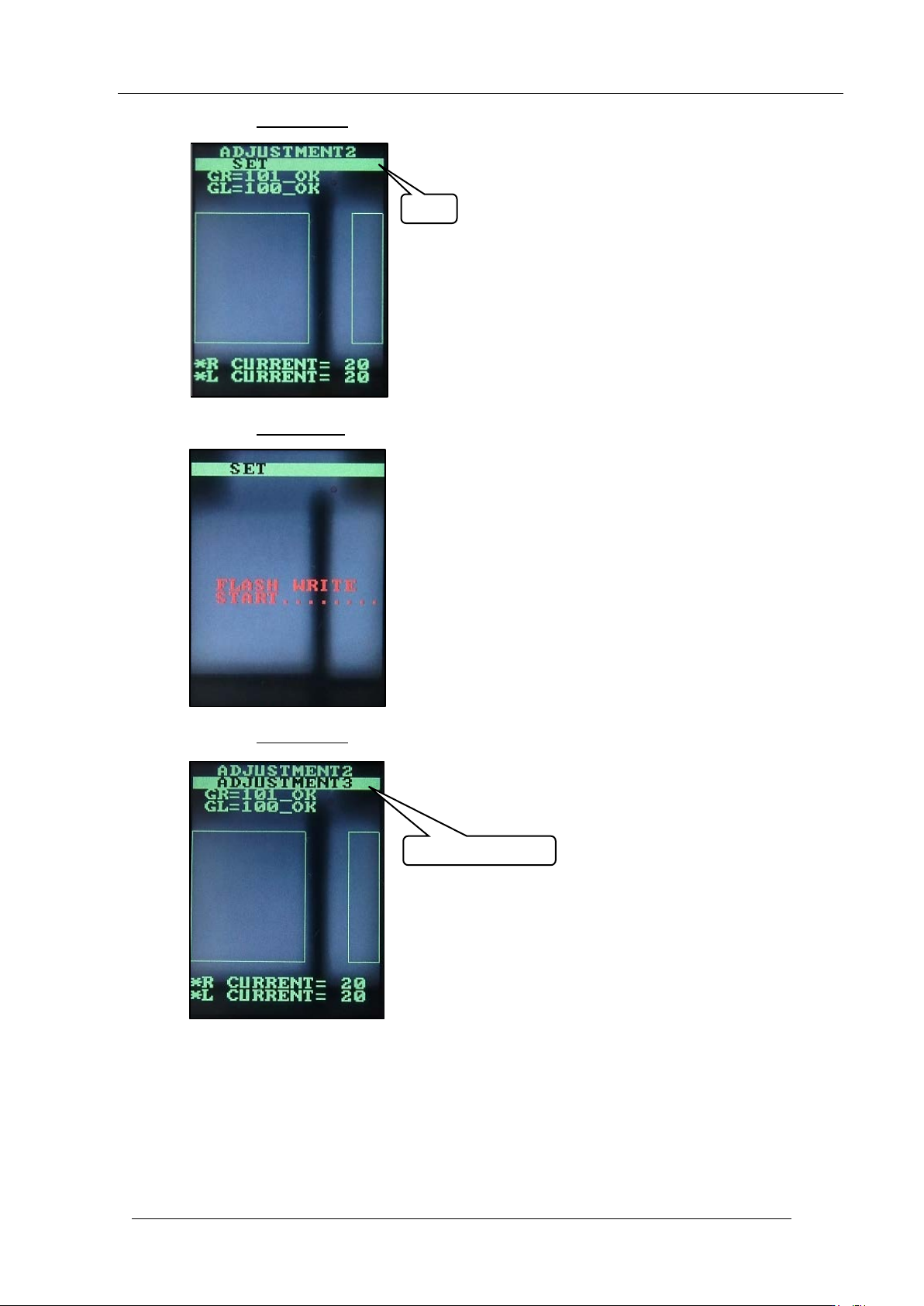
28. Push the upper butt on once to disp lay “SET”.
29. Push the lower button
once to sav e t he settings.
30. Push the upper butt on
once to select “ AD JUSTME NT 3”.
SET
ADJUSTMENT 3
CONFIDENTIAL
Edition
1.0 IPS Adjustment for Various Head Types on the Module
<DX head>
FK-9F50-74-0E 3-11 FUJI CORPORATION
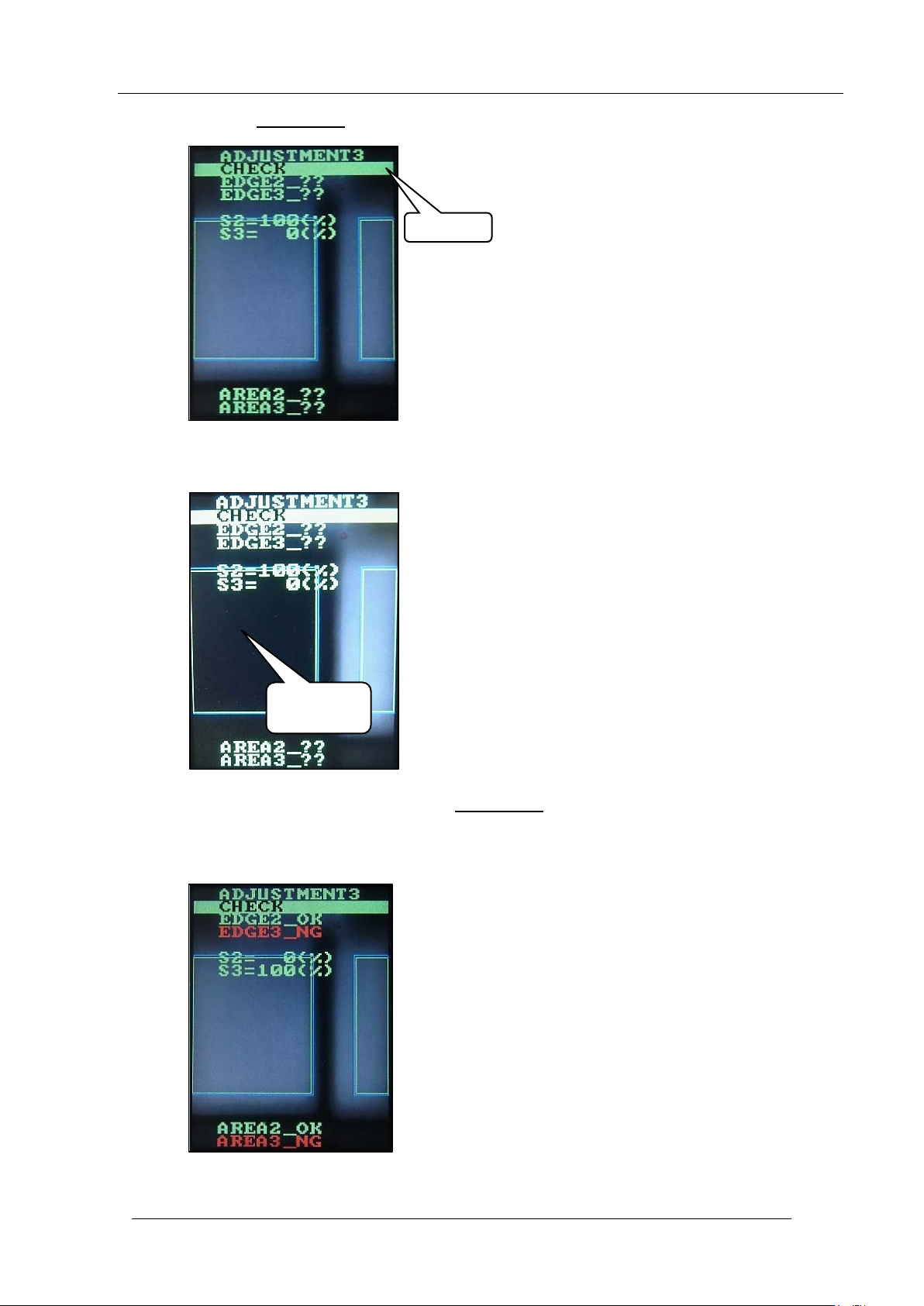
31. Push the lower b ut t on once to display “CHE CK”.
32. Block the left-hand glass w ith a piece of paper as shown be low.
33. With the glass still blocked, push the lower button
.
34. Check that “EDGE2_OK” and “EDGE3_NG” are displayed. Also, check that “S2=0%”
and “S3=100%” are displayed.
Block with
paper
CHECK
CONFIDENTIAL
Edition
1.0 IPS Adjustment for Various Head Types on the Module
<DX head>
FK-9F50-74-0E 3-12 FUJI CORPORATION
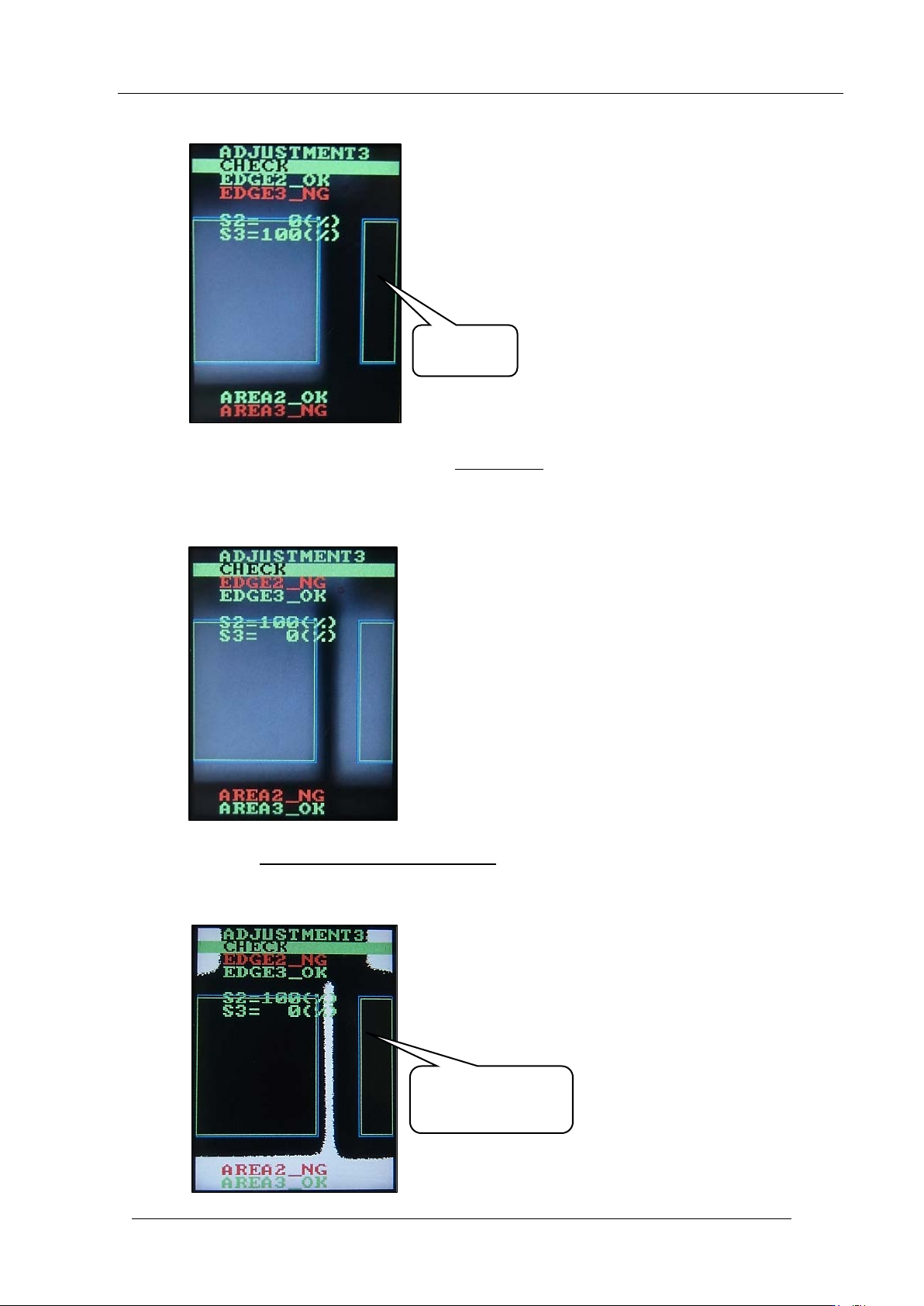
35. Block the right -hand glass with a piece of paper as shown below.
36. With the glass still blocked, push the lower button
.
37. Check that “E DGE 2_NG” and “E DGE3_O K” are displayed. Also, che ck that “S2=1 00% ”
and “S3=0%” are displayed.
38. Push the upper and lower buttons together
to reverse the LCD contrast, and then chec k
there are no white areas inside the rectangles. If there are white areas inside the
rectangles, it is necessar y to readjust t he position o f the IPS unit.
Block with
paper
Check there are no
white areas inside
the rectangles
CONFIDENTIAL