IPS adjustment on the modules.pdf - 第68页
Edition 1.0 IPS Adjustment for Various Head Types on the Modul e <DX h ead> FK - 9F50 - 74 -0E 3- 14 FUJI CORPORAT ION 43. Ch eck the curre nt and gr ay s cale value s are wit hin toler ance show n in the followin …
Edition
1.0 IPS Adjustment for Various Head Types on the Module
<DX head>
FK-9F50-74-0E 3-13 FUJI CORPORATION
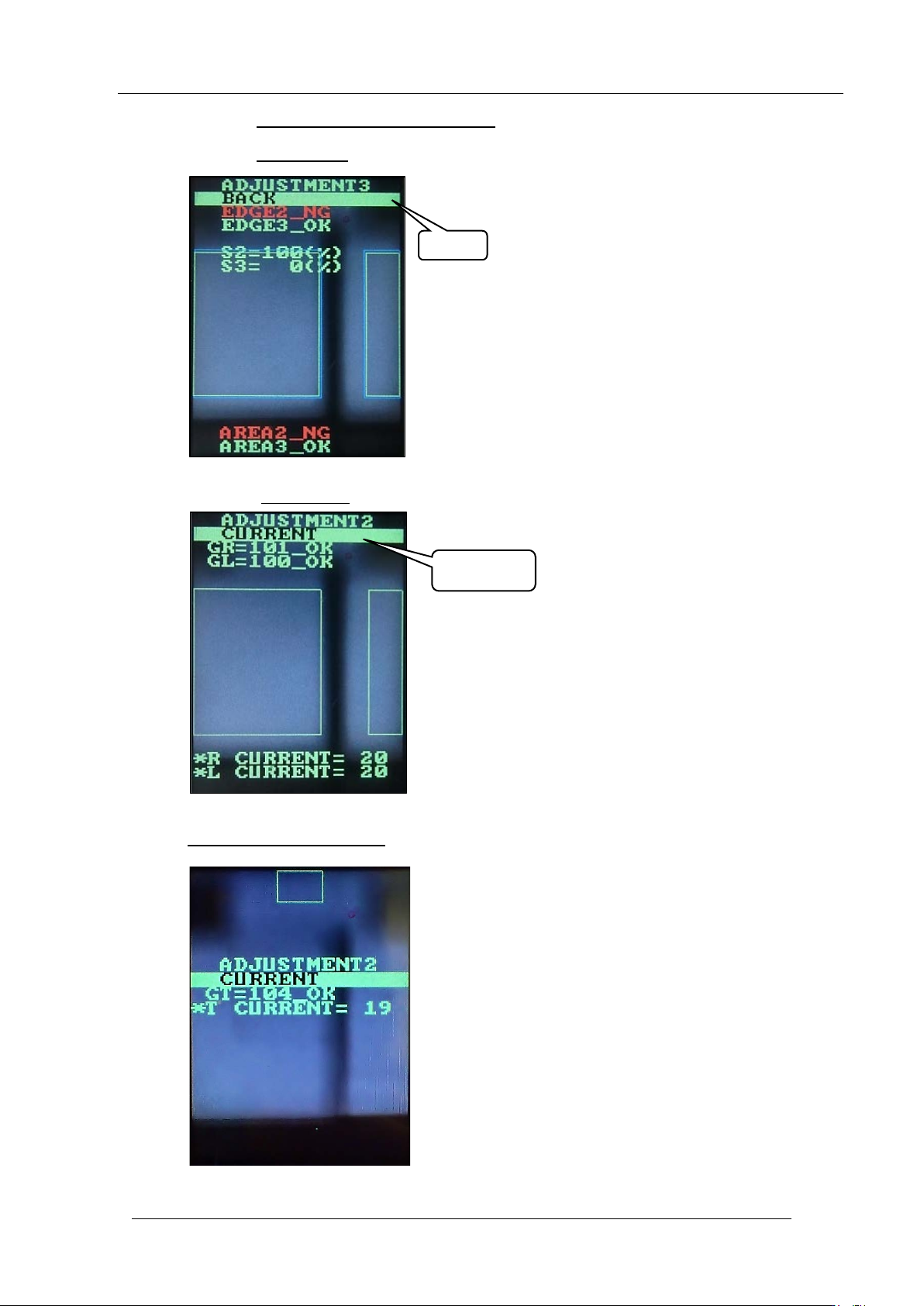
39. Push the upper and lower butt ons together to set the LCD contrast back to normal.
40. Push the upper butt on once to sele ct “BACK”.
41. Push the lower but ton
once to select “CURRENT”.
42. Hold down the lower button
to display the follow ing screen
BACK
CURRENT
CONFIDENTIAL
Edition
1.0 IPS Adjustment for Various Head Types on the Module
<DX head>
FK-9F50-74-0E 3-14 FUJI CORPORATION
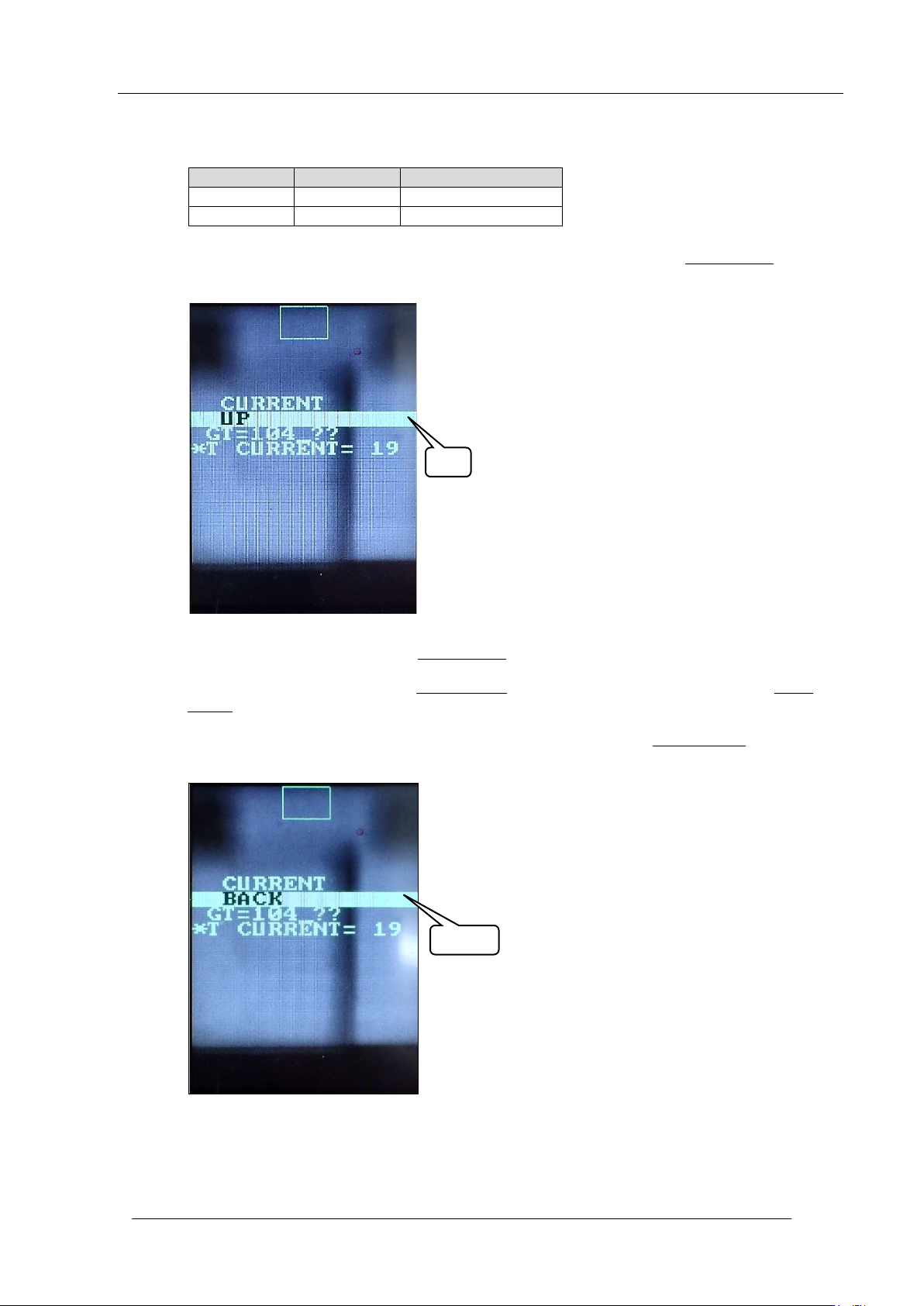
43. Check the current and gray scale values are within tolerance shown in the following
table.
44. If the gray sc ale value is not close to the t arget v alue of 100, push the lower but ton once
to select “UP” .
45. To increase the v alue, push the lower but t on
.
46. To decrease the value, push the upper button to select “DOWN”, and then push the lower
button to decrease the value.
47. Once the gray scale value is close to the target value, use the upper button to select
“BACK”.
Item
Tolerance
Target
CURRENT
26 or lower
Same as tolerance
GT
100 to 140
100
UP
BACK
CONFIDENTIAL
Edition
1.0 IPS Adjustment for Various Head Types on the Module
<DX head>
FK-9F50-74-0E 3-15 FUJI CORPORATION
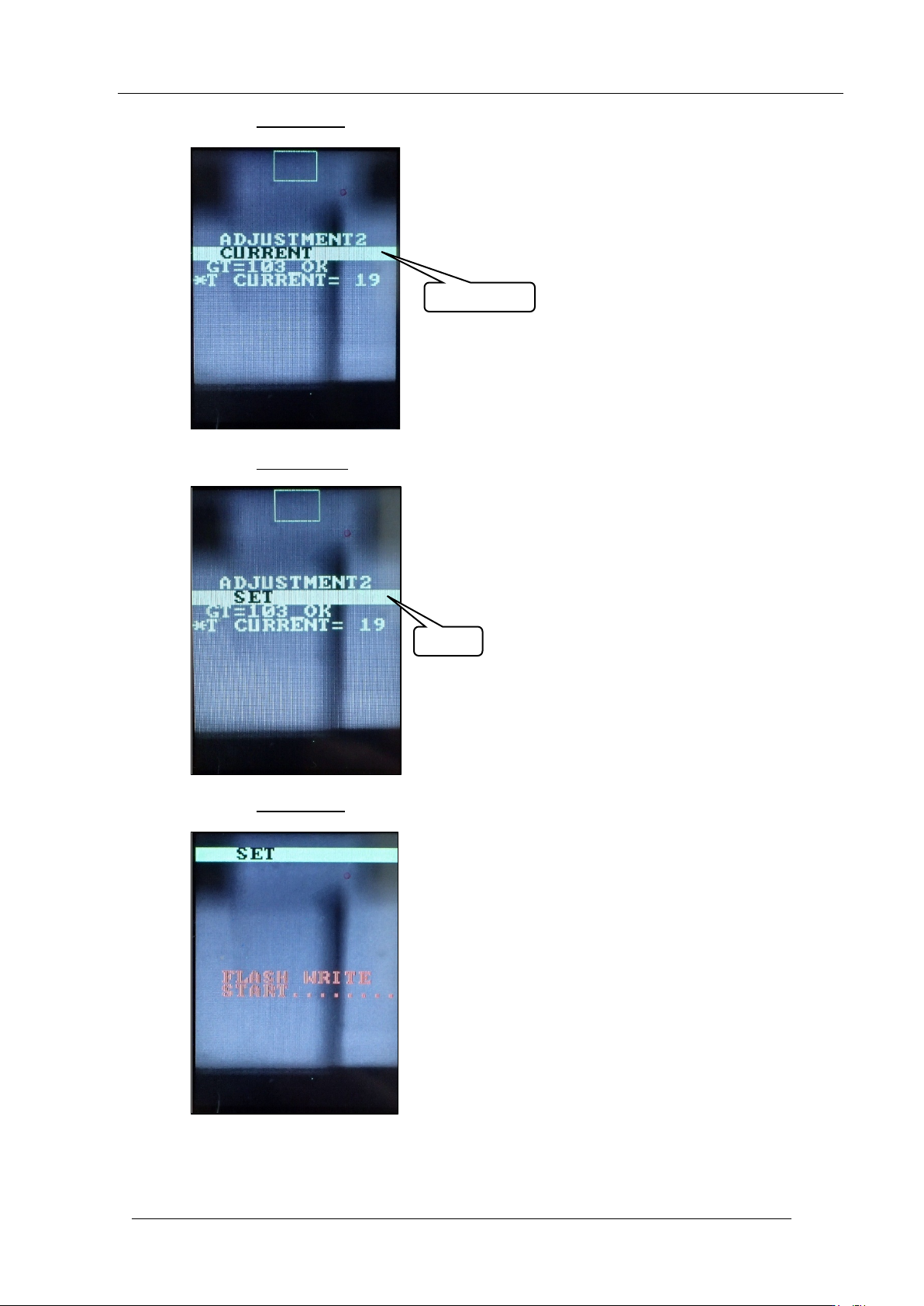
48. Push the lower button once t o display “CUR RENT”.
49. Push the upper butt on
once to display “ SET”.
50. Push the lower button
once to sav e t he settings.
CURRENT
SET
CONFIDENTIAL