IPS adjustment on the modules.pdf - 第70页
Edition 1.0 IPS Adjustment for Various Head Types on the Modul e <DX h ead> FK - 9F50 - 74 -0E 3- 16 FUJI CORPORAT ION 51. Pu sh the upper butt on once to sele c t “ AD JU S TMENT 3” . 52. Pu sh the lower butt on o…
Edition
1.0 IPS Adjustment for Various Head Types on the Module
<DX head>
FK-9F50-74-0E 3-15 FUJI CORPORATION
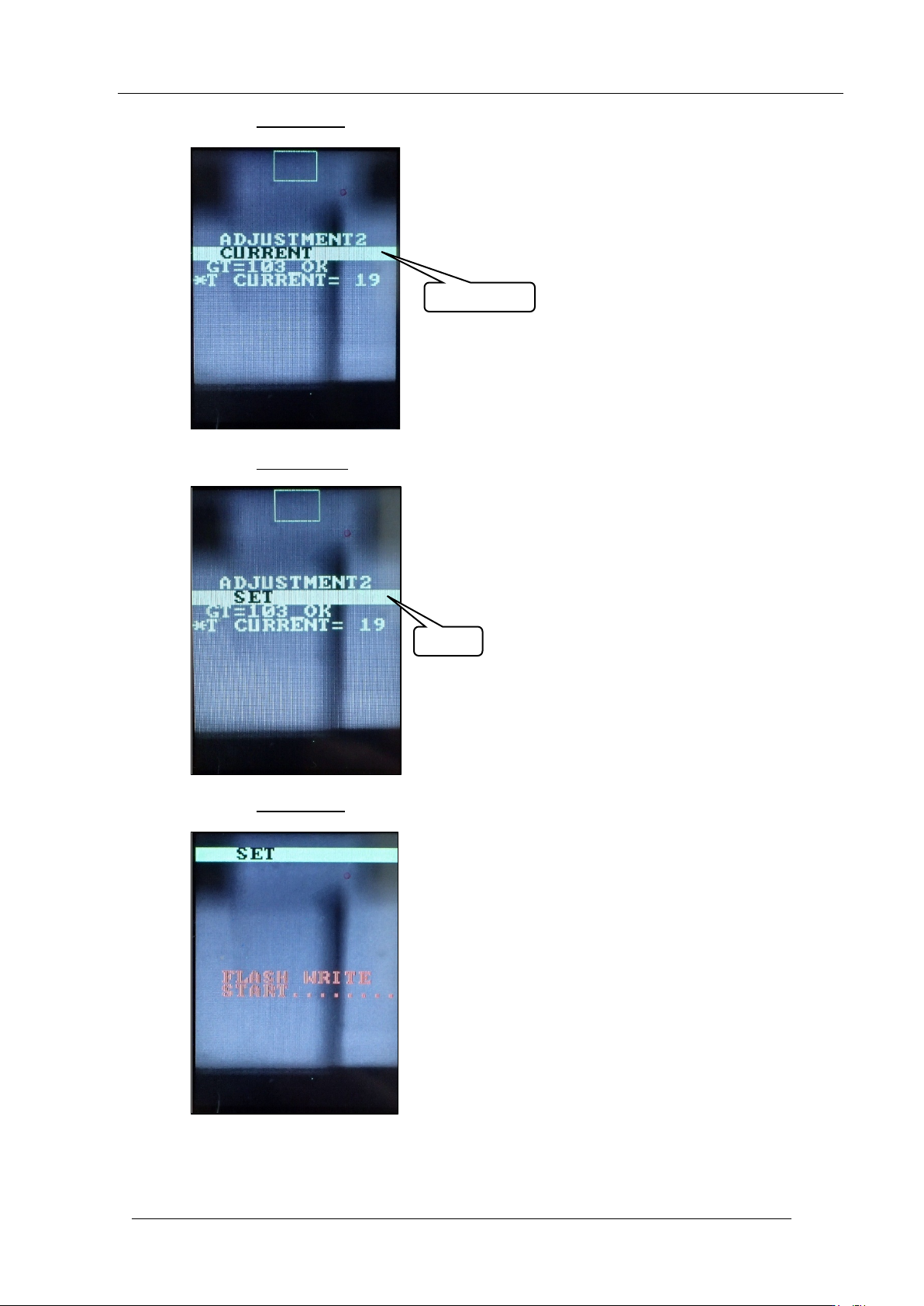
48. Push the lower button once t o display “CUR RENT”.
49. Push the upper butt on
once to display “ SET”.
50. Push the lower button
once to sav e t he settings.
CURRENT
SET
CONFIDENTIAL
Edition
1.0 IPS Adjustment for Various Head Types on the Module
<DX head>
FK-9F50-74-0E 3-16 FUJI CORPORATION
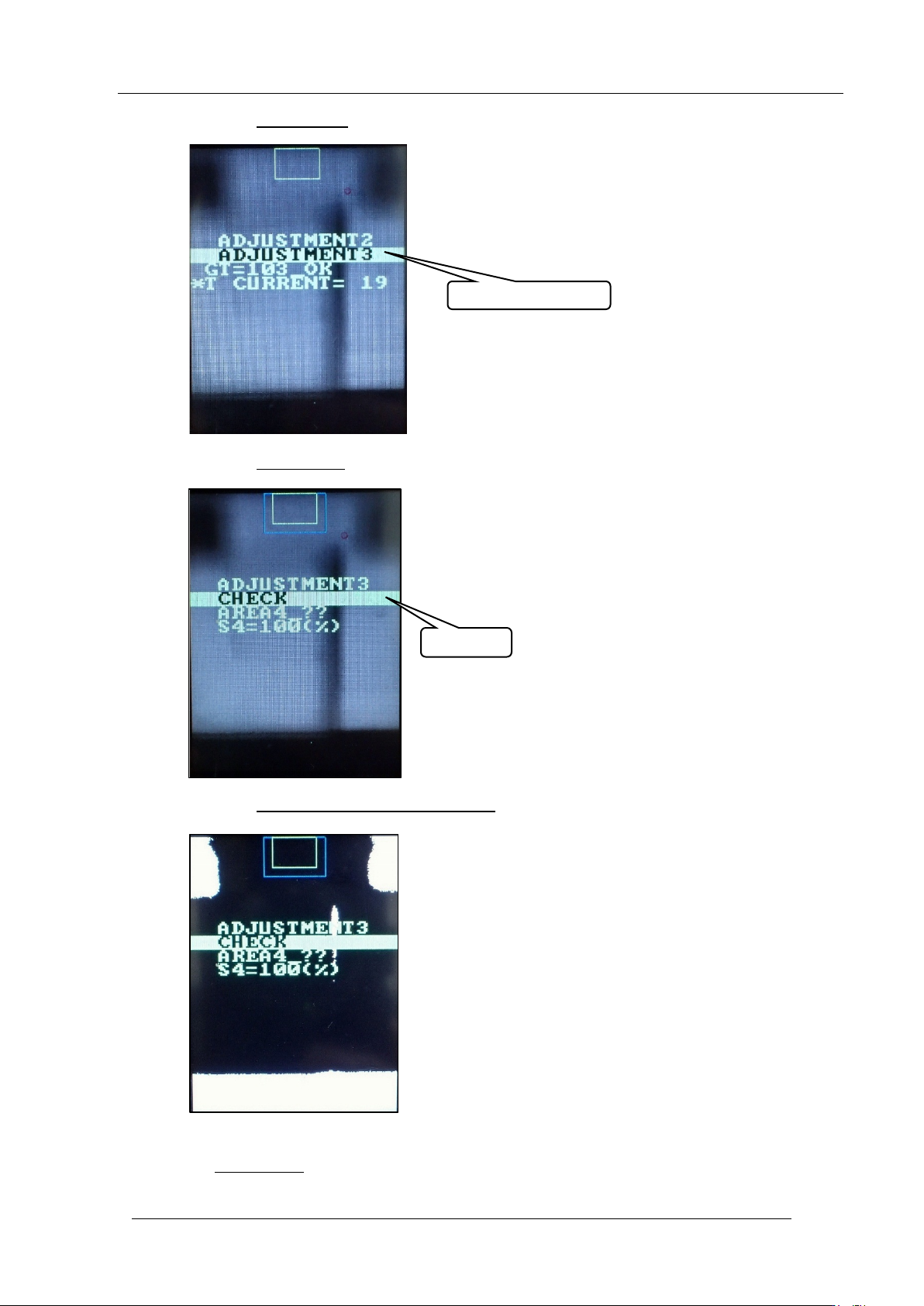
51. Push the upper butt on once to sele c t “ AD JU STMENT 3”.
52. Push the lower button
once to display “ CH ECK”.
53. Push the upper and low er buttons together
to reverse the contrast.
54. Make sure nothing is blocking the middle glass on the IPS prism, and then push
the lower but t on
once.
ADJUSTMENT 3
CHECK
CONFIDENTIAL
Edition
1.0 IPS Adjustment for Various Head Types on the Module
<DX head>
FK-9F50-74-0E 3-17 FUJI CORPORATION
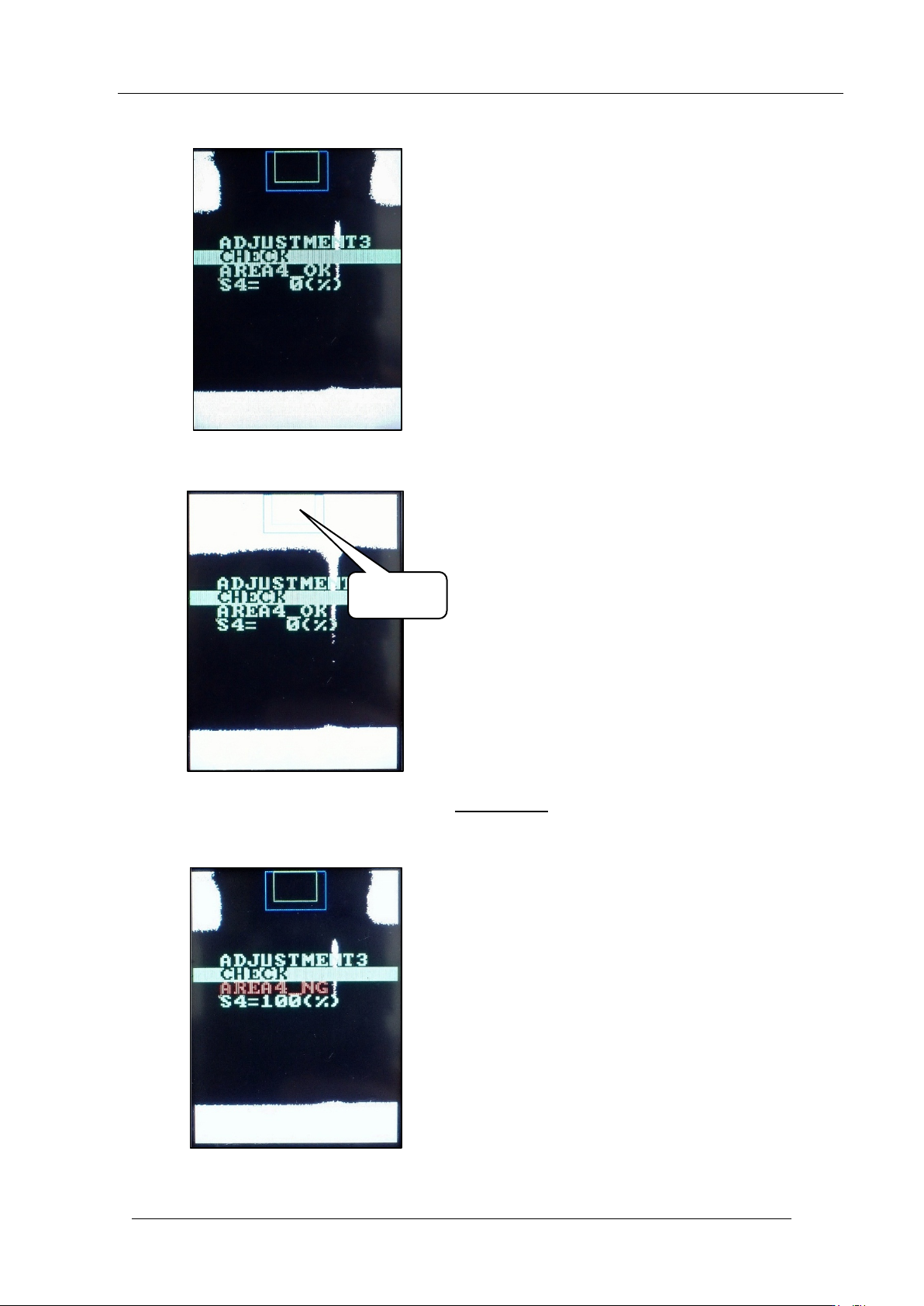
55. Check that “A RE A4_OK” and “ S4=0%” are displayed.
56. Block the middle glass as show n below.
57. With the glass still blocked, push the
lower button.
58. Check that “A RE A4_NG” and “S4=100% ” are displayed.
Block this
area
CONFIDENTIAL