IPS adjustment on the modules.pdf - 第72页
Edition 1.0 IPS Adjustment for Various Head Types on the Modul e <DX h ead> FK - 9F50 - 74 -0E 3- 18 FUJI CORPORAT ION 59. Pu sh the upper butt on once to sele c t “ BA C K”. 60. Pu sh the lower butt on once to dis…
Edition
1.0 IPS Adjustment for Various Head Types on the Module
<DX head>
FK-9F50-74-0E 3-17 FUJI CORPORATION
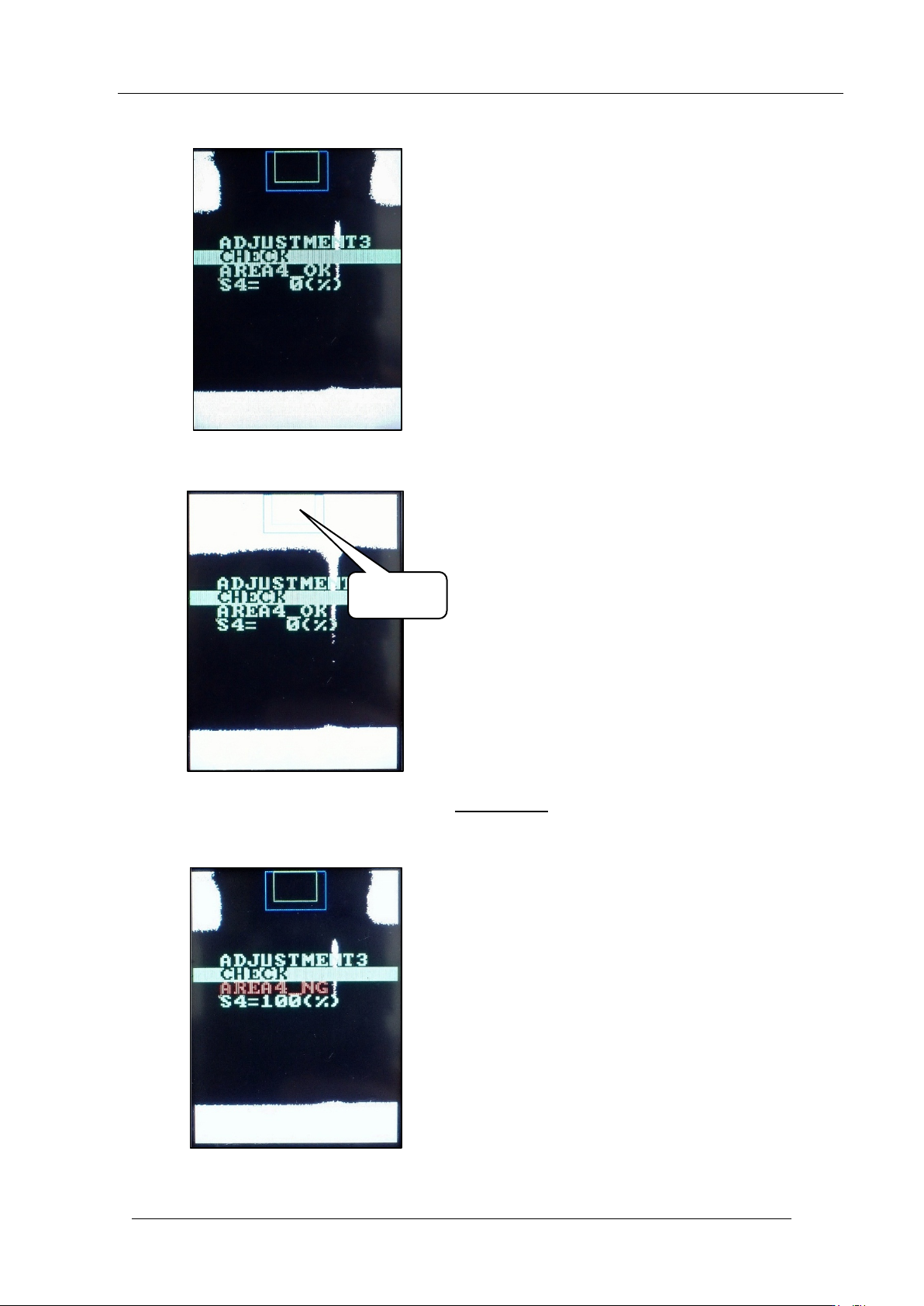
55. Check that “A RE A4_OK” and “ S4=0%” are displayed.
56. Block the middle glass as show n below.
57. With the glass still blocked, push the
lower button.
58. Check that “A RE A4_NG” and “S4=100% ” are displayed.
Block this
area
CONFIDENTIAL
Edition
1.0 IPS Adjustment for Various Head Types on the Module
<DX head>
FK-9F50-74-0E 3-18 FUJI CORPORATION
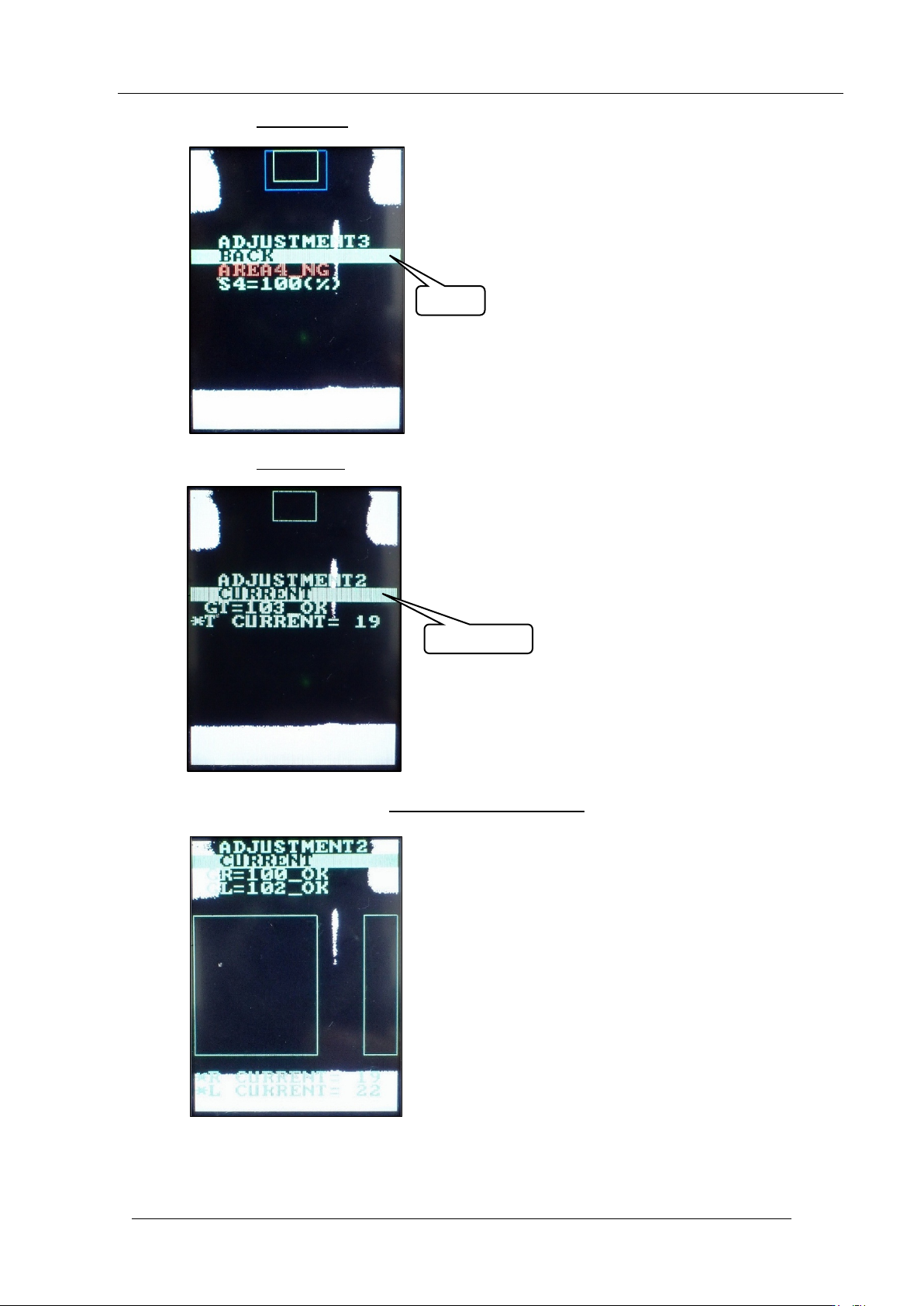
59. Push the upper butt on once to sele c t “ BA CK”.
60. Push the lower button
once to display “ CU R RENT”.
61. With “CURRENT” selected, hold down the lower button
to display the followin g scr een.
BACK
CURRENT
CONFIDENTIAL
Edition
1.0 IPS Adjustment for Various Head Types on the Module
<DX head>
FK-9F50-74-0E 3-19 FUJI CORPORATION
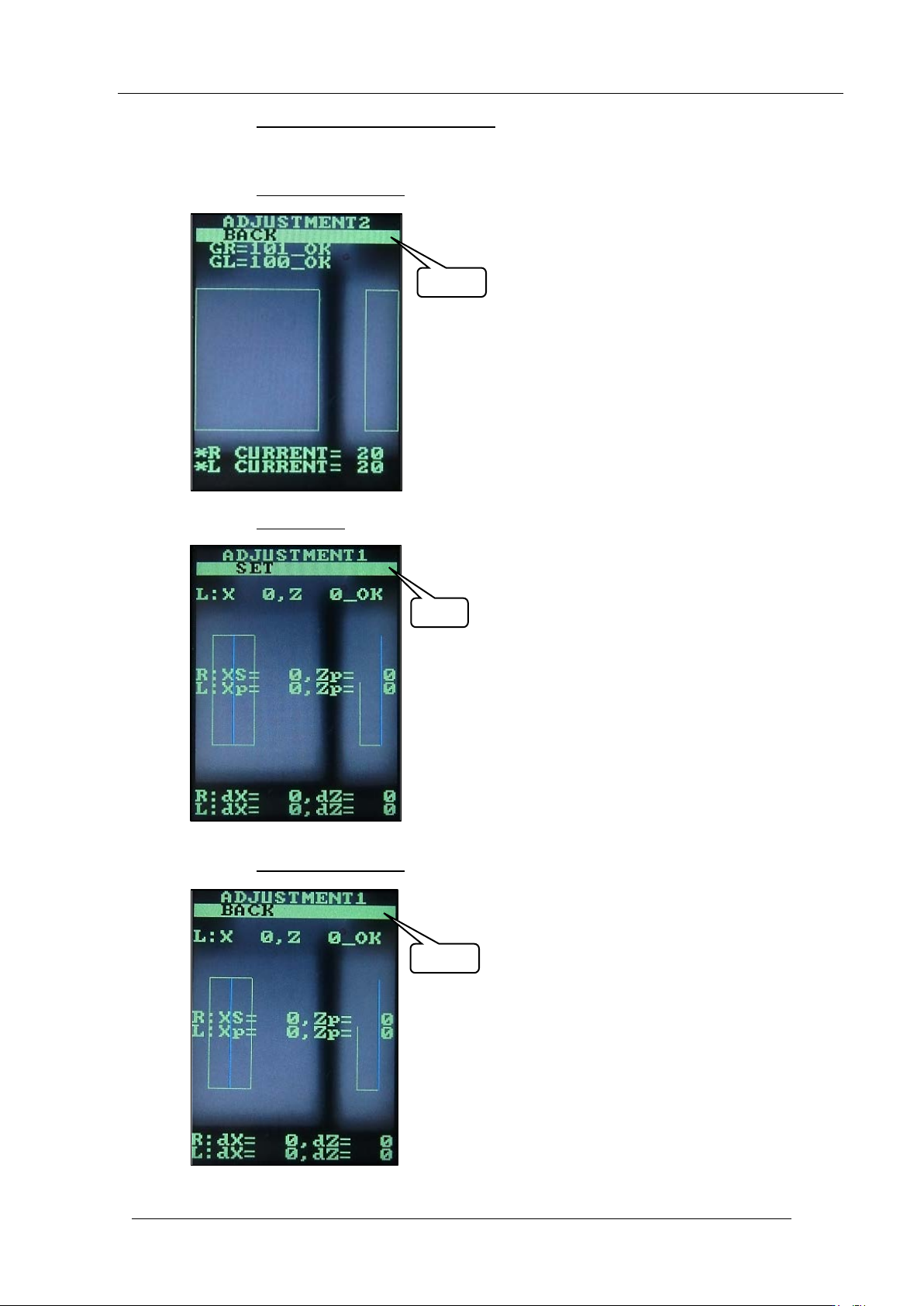
62. Push the upper and low er buttons together to return the cont r ast t o normal.
63. This completes the sett ing s. Follow the st eps below t o r et ur n t o the original scr een.
64. Push the upper butt on 3 t imes
to select bac k.
65. Push the lower button once t o display “SET” .
66. Push the upper butt on 2 t imes
to select “BA C K” .
SET
BACK
BACK
CONFIDENTIAL