IPS adjustment on the modules.pdf - 第74页
Edition 1.0 IPS Adjustment for Various Head Types on the Modul e <DX h ead> FK - 9F50 - 74 -0E 3- 20 FUJI CORPORAT ION 67. Pu sh the lower button once to r et urn to the or iginal s creen. 68. T ur n O F F [Y120 I …
Edition
1.0 IPS Adjustment for Various Head Types on the Module
<DX head>
FK-9F50-74-0E 3-19 FUJI CORPORATION
62. Push the upper and low er buttons together to return the cont r ast t o normal.
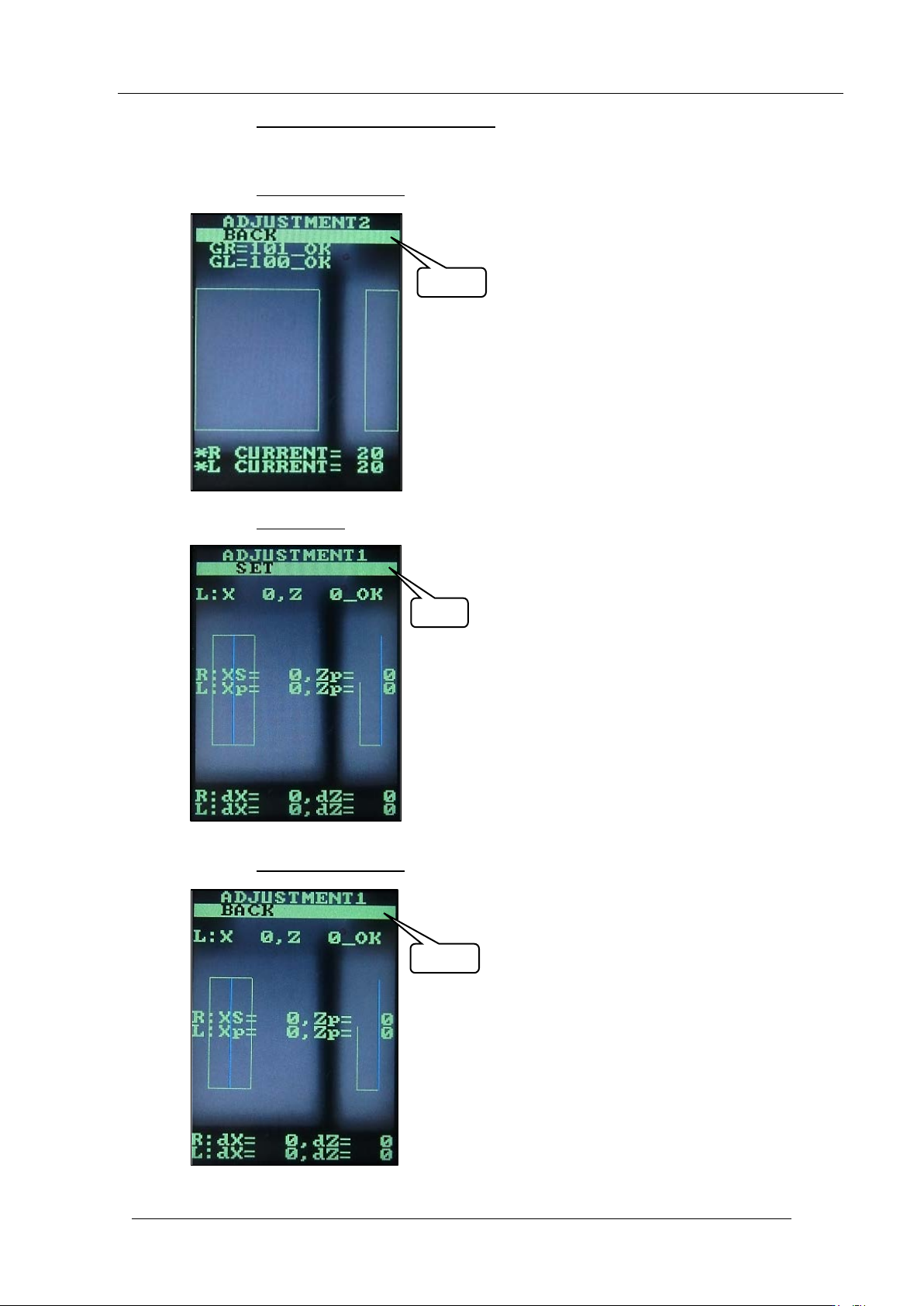
63. This completes the sett ing s. Follow the st eps below t o r et ur n t o the original scr een.
64. Push the upper butt on 3 t imes
to select bac k.
65. Push the lower button once t o display “SET” .
66. Push the upper butt on 2 t imes
to select “BA C K” .
SET
BACK
BACK
CONFIDENTIAL
Edition
1.0 IPS Adjustment for Various Head Types on the Module
<DX head>
FK-9F50-74-0E 3-20 FUJI CORPORATION
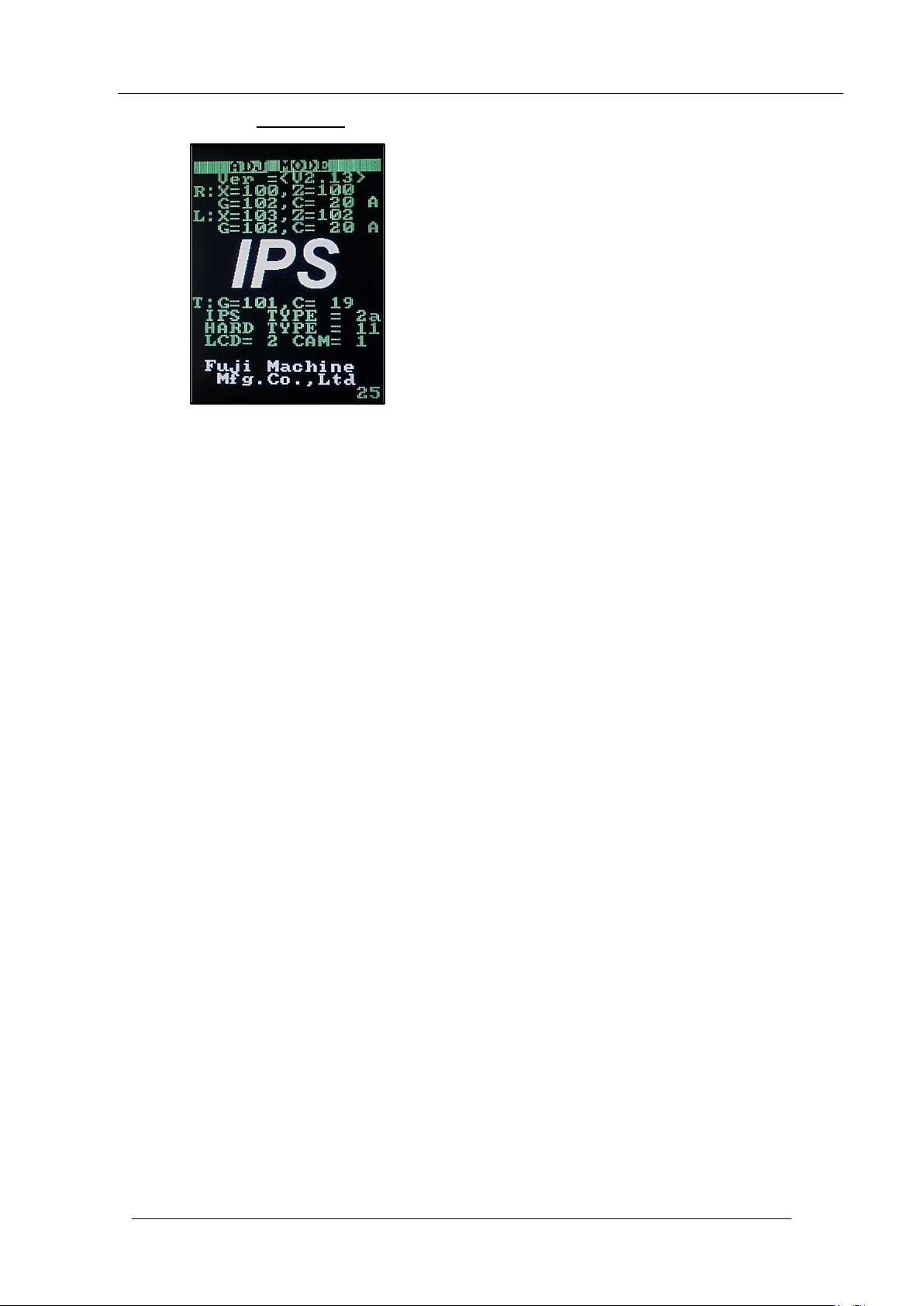
67. Push the lower button once to r eturn to the or iginal screen.
68. T ur n O FF [Y120 I P S ON] to raise the IPS unit.
69. Support t he I PS a djustme nt jig by hand.
70. Turn ON [Y110 AUTO TOOL UNCLAMP] to remove the IPS adjustment jig from the
head.
71. T ur n O FF [Y110 AUTO TOOL UNCLAMP].
72. T ur n ON [Y10A Z1AXIS BRAKE RELEASE].
73. Raise the Z-axis to the up per retract position.
74. Remove the head using the head exchange command.
75. Remove the IPS monitor j ig and then attach the hea d cover.
76. This completes the IPS unit adjustment procedure.
CONFIDENTIAL

C
C
h
h
a
a
p
p
t
t
e
e
r
r
4
4
V
V
1
1
2
2
H
H
e
e
a
a
d
d
I
I
P
P
S
S
A
A
d
d
j
j
u
u
s
s
t
t
m
m
e
e
n
n
t
t
I
I
P
P
S
S
c
c
a
a
m
m
e
e
r
r
a
a
p
p
o
o
s
s
i
i
t
t
i
i
o
o
n
n
a
a
d
d
j
j
u
u
s
s
t
t
m
m
e
e
n
n
t
t
,
,
c
c
u
u
r
r
r
r
e
e
n
n
t
t
v
v
a
a
l
l
u
u
e
e
(
(
g
g
r
r
a
a
y
y
s
s
c
c
a
a
l
l
e
e
v
v
a
a
l
l
u
u
e
e
)
)
a
a
d
d
j
j
u
u
s
s
t
t
m
m
e
e
n
n
t
t
a
a
n
n
d
d
a
a
r
r
e
e
a
a
c
c
h
h
e
e
c
c
k
k
o
o
n
n
t
t
h
h
e
e
m
m
o
o
d
d
u
u
l
l
e
e
CONFIDENTIAL