IPS adjustment on the modules.pdf - 第83页
Edition 1 .0 IPS Adjustment for V arious H ead T ypes on the Module <V12 h ead> FK - 9F50 -74-0E 4-7 FUJI CORPORA TION 4. Press the upper b utton t o set “ IPS TY PE ” and “ HARD TYPE ” to 2. 5. Press the low er bu…
Edition 1.0 IPS Adjustment for Various Head Types on the Module
<V12 head>
FK-9F50-74-0E
4-6
FUJI CORPORATION
Configur a t ion setti ngs
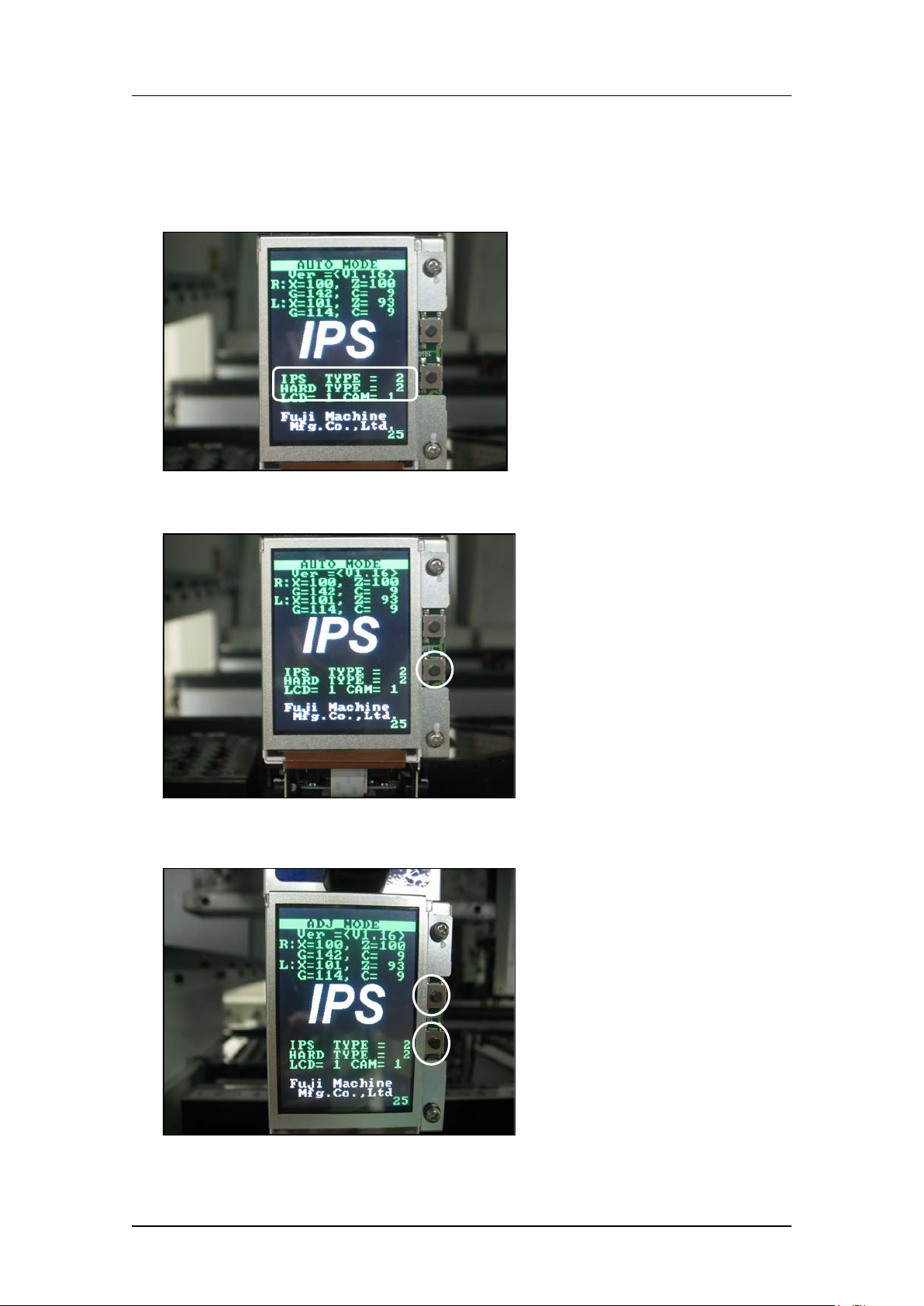
1. Firstly, check that the “IPS TYPE” and “HARD TYPE” ar e set t o 2 on the LCD screen. If
they are not set to 2, ma ke the settings s how n below.
2. Press and ho ld t he lower button to enter “ADJ MODE”.
3. Press the upper and lower buttons simultaneously to select the “CONFIGURATION”
screen.
CONFIDENTIAL
Edition 1.0 IPS Adjustment for Various Head Types on the Module
<V12 head>
FK-9F50-74-0E
4-7
FUJI CORPORATION
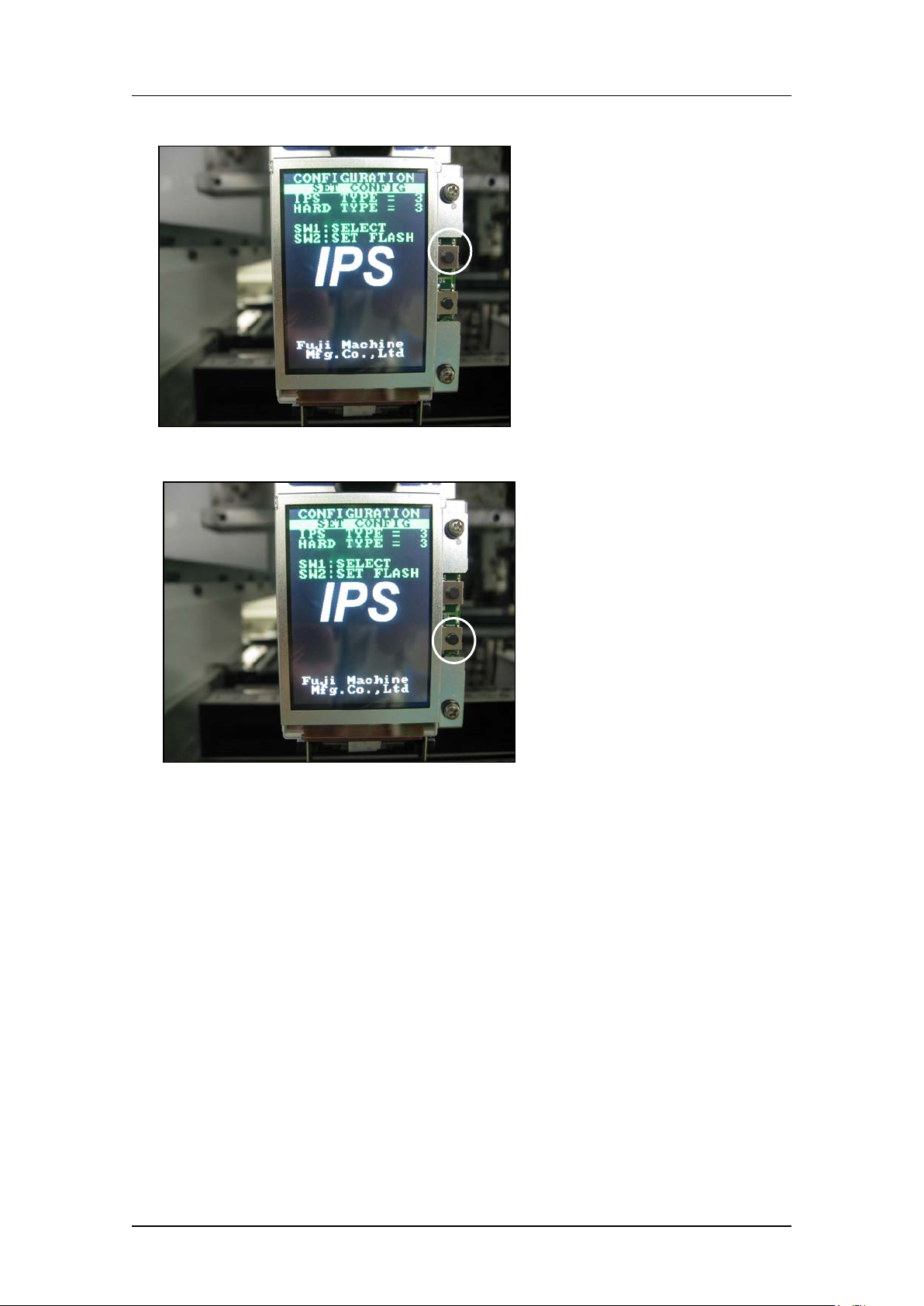
4. Press the upper button t o set “IPS TY PE” and “HARD TYPE” to 2.
5. Press the low er but t on t o comp lete the setti ng.
CONFIDENTIAL
Edition 1.0 IPS Adjustment for Various Head Types on the Module
<V12 head>
FK-9F50-74-0E
4-8
FUJI CORPORATION
Adjusting t he c a mer a ins t al lation posit ion (ADJUSTMENT1)
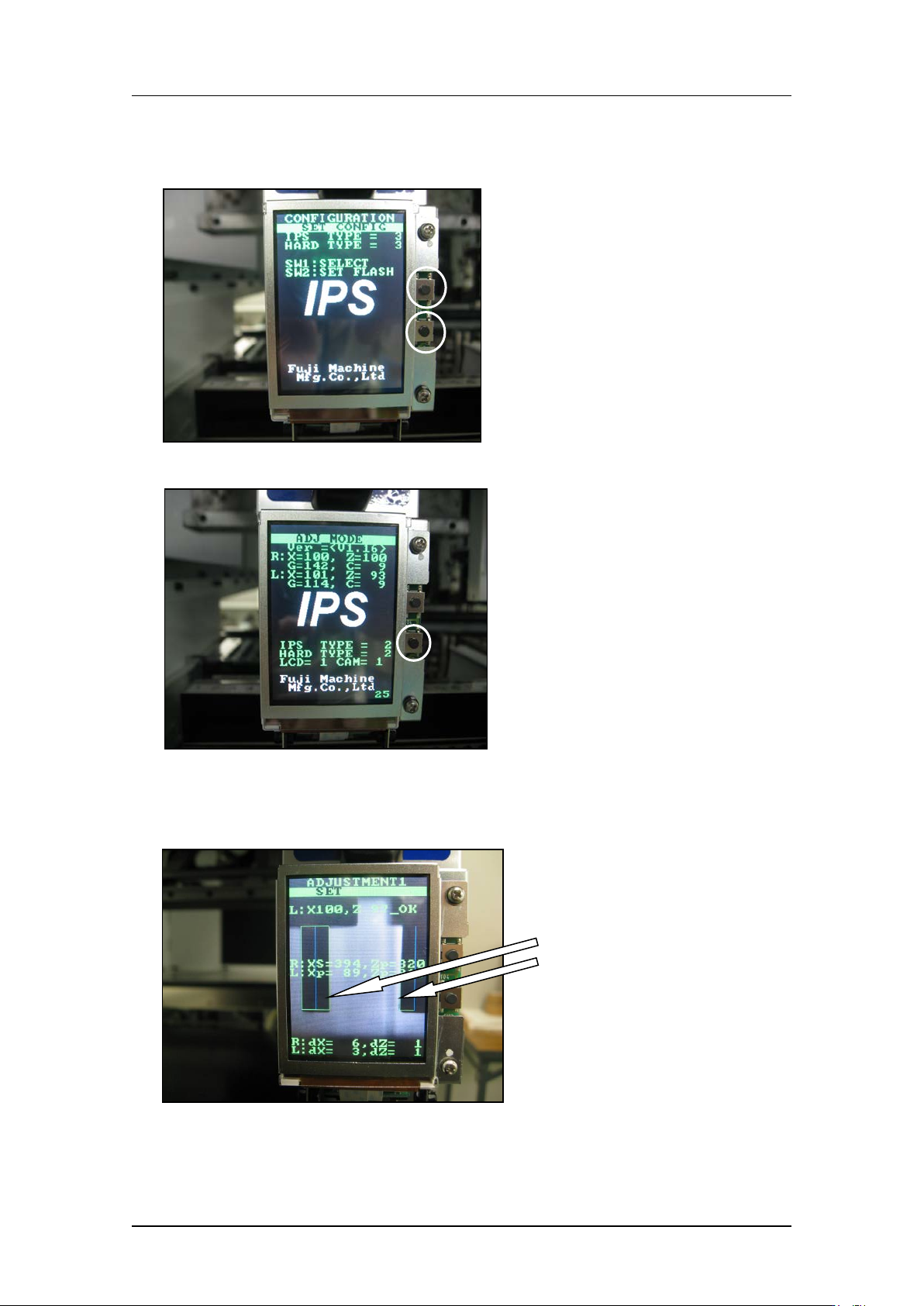
1. Press the upper and lower buttons s i m ultaneously t o retur n t o “ADJ MODE”.
2. Press the low er but t on t o enter “ ADJ USTM E NT 1” mode.
3. Use MotionTool.mini to check that the A holder is at the front of the head (the position
where the B and L holders are aligned).With holder A at this position, adjust the
position of the camera so that the jigs on the B and L holders match up with the green
frames on the scre en.
The jigs match the
green frames on the
screen.
CONFIDENTIAL