TX系列贴片机机台半年保养手册.pdf - 第49页
16 WF 3 TX-Series Maintenance Calibrate the maintained CPP Head 14 min 1 / 4 C A U T I O N ! R e f e r t o s a f e t y i n s t r u c t i o n s i n u s e r m a n u a l b e f o r e c o m m e n c i n g M a i n t e n a n c…

www.asm-smt.com
16 WF 3 TX-Series Maintenance Calibrate the maintained CPP Head 14 min 1 / 4
CAUTION! Refer to safety instructions in user manual before commencing Maintenance
Machine Status ON Conveyor Empty
NOTICE! ESD guidelines are to be followed Tool:
T2, T5
Wear Part:
W16
Consumables:
www.asm-smt.com
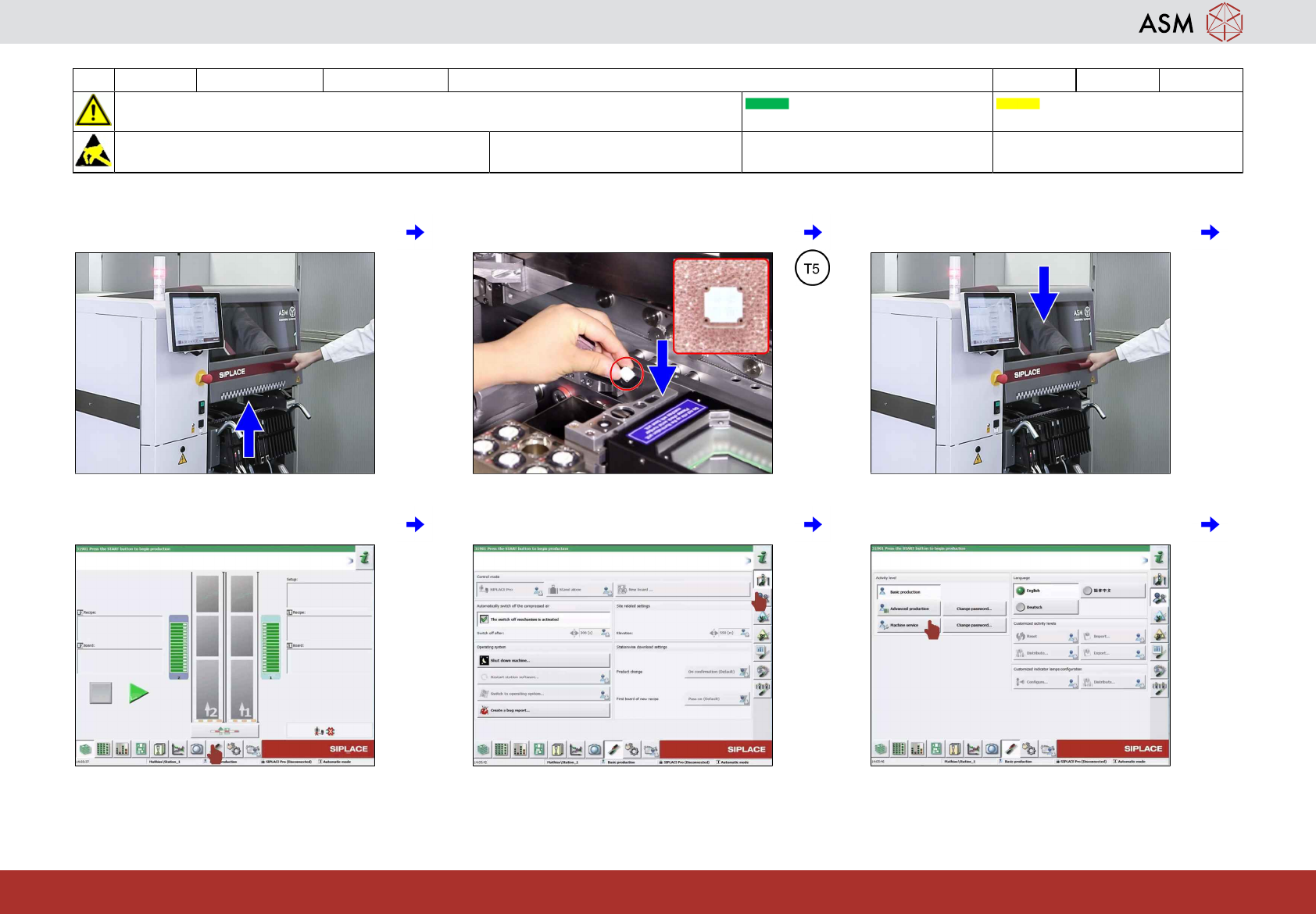
1 Open the cover. 2 Insert the calibration tool into the pocket. 3 Close the cover.
4 Click on "Settings and options". 5 Click on "User settings". 6 Click on "Machine service".
16 WF 3 TX-Series Maintenance Calibrate the maintained CPP Head 14 min 2 / 4
CAUTION! Refer to safety instructions in user manual before commencing Maintenance
Machine Status ON Conveyor Empty
NOTICE! ESD guidelines are to be followed Tool:
T2, T5
Wear Part:
W16
Consumables:
www.asm-smt.com
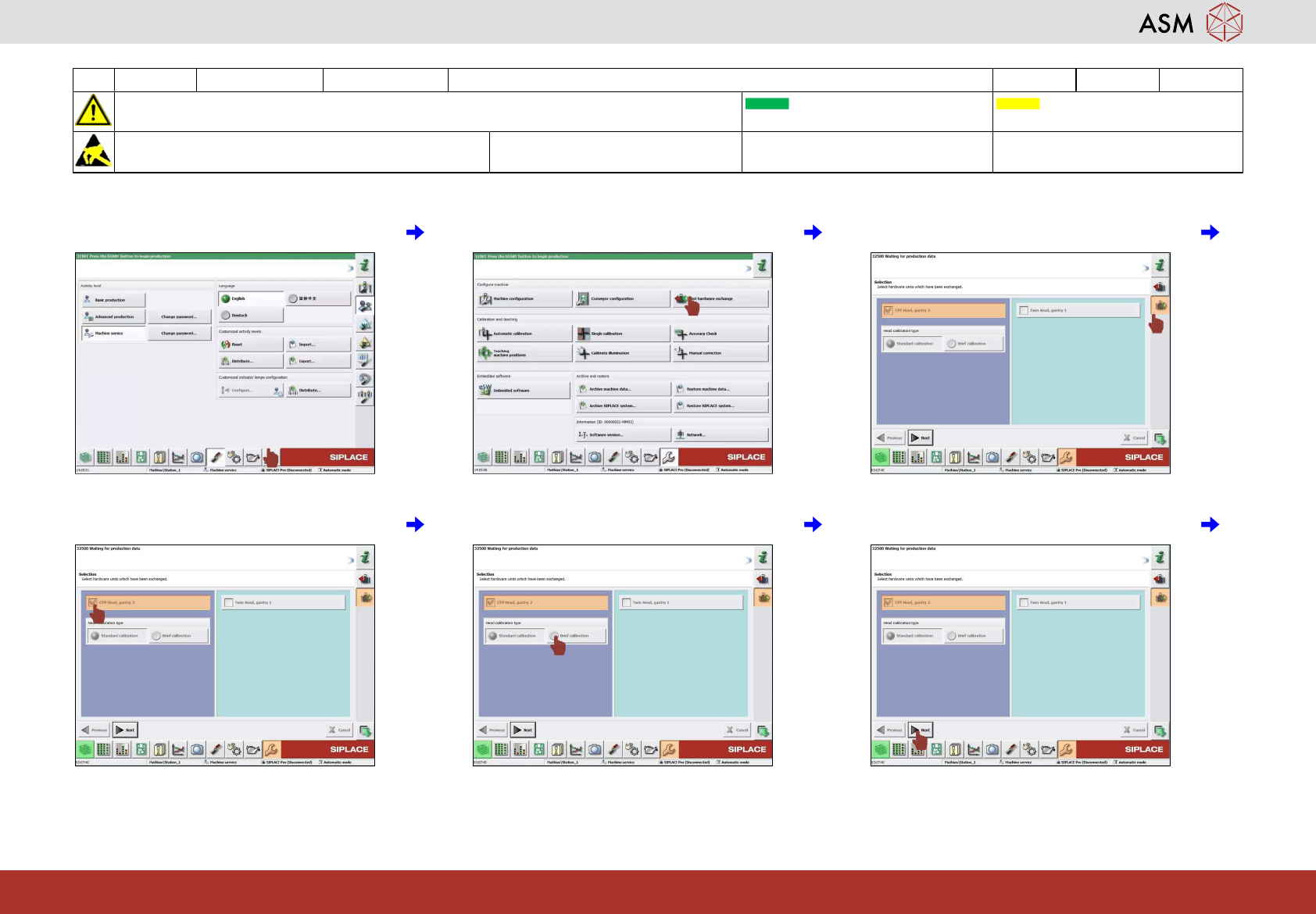
7 Click on "Machine calibration". 8 Click on "Fast hardware exchange". 9 Click on "Head exchange".
10 Select the head to be calibrated. 11 Select "Brief calibration". 12 Click on "Next".