YSM20_YSM20W_Mainte_E.pdf - 第172页
6-19 6 How to replace consumable parts e Mount the board clamp plate. 1. Fit the board clamp plate into its original position and tighten the board clamp plate mounting bolts with hex wrench (3). 2. Remove the square clo…
6-18
6
How to replace consumable parts
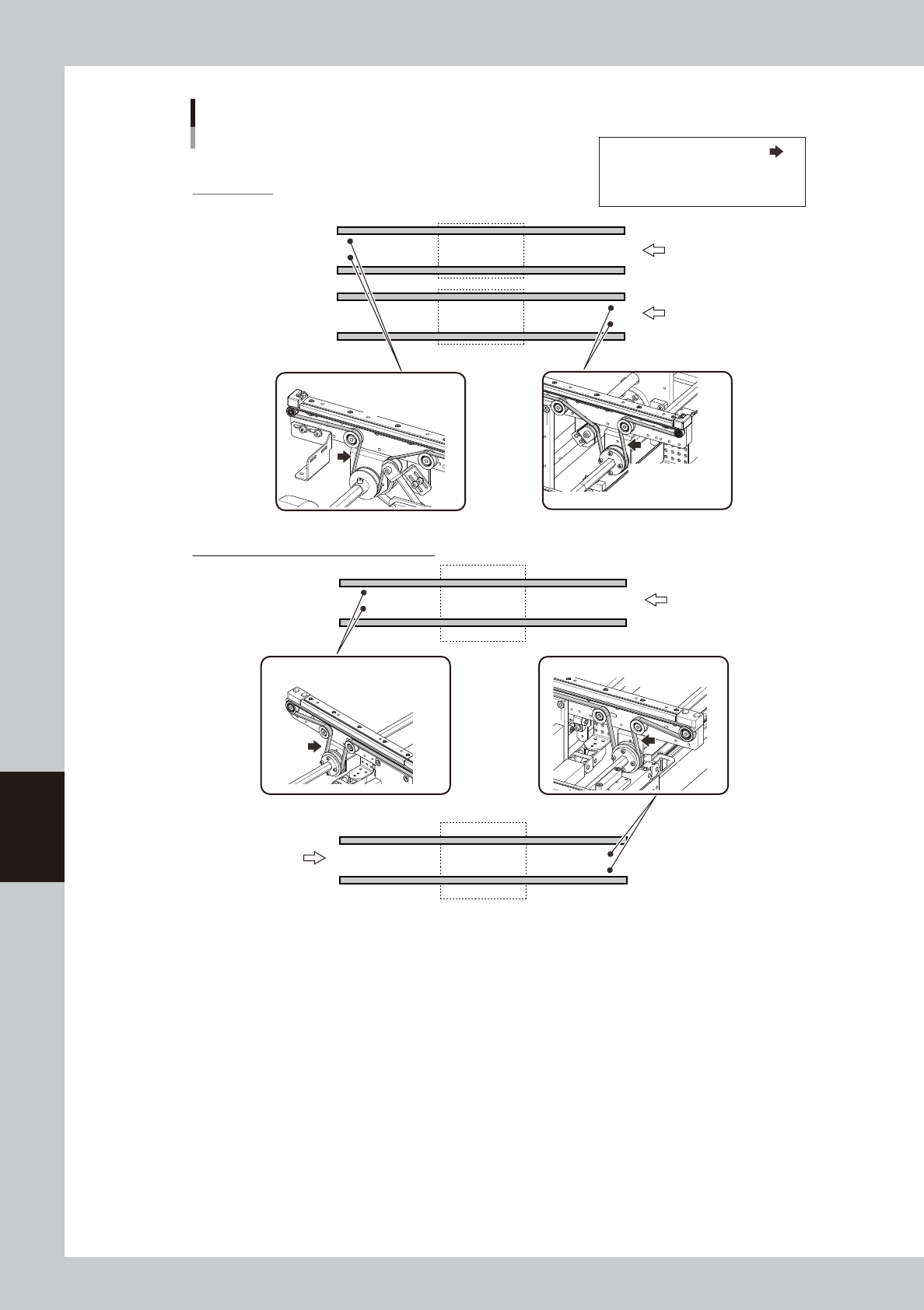
Transfer direction
Dual-lane type
Lane 1
Lane 2
STD: 420- 460 Hz
EXT: 420 - 460 Hz
Single-lane type (transferring heavy boards)
STD: 420- 460 Hz
EXT: 420 - 460 Hz
STD: 274-334 Hz STD: 274-334 Hz
Transfer direction
Transfer direction
Conveyor belt: Tension measurement locations and tension standards
YSM20W
Tension measurement location:
STD: Tension of standard conveyor
EXT: Tension of extended conveyor
53633-N2-00
6-19
6
How to replace consumable parts
e
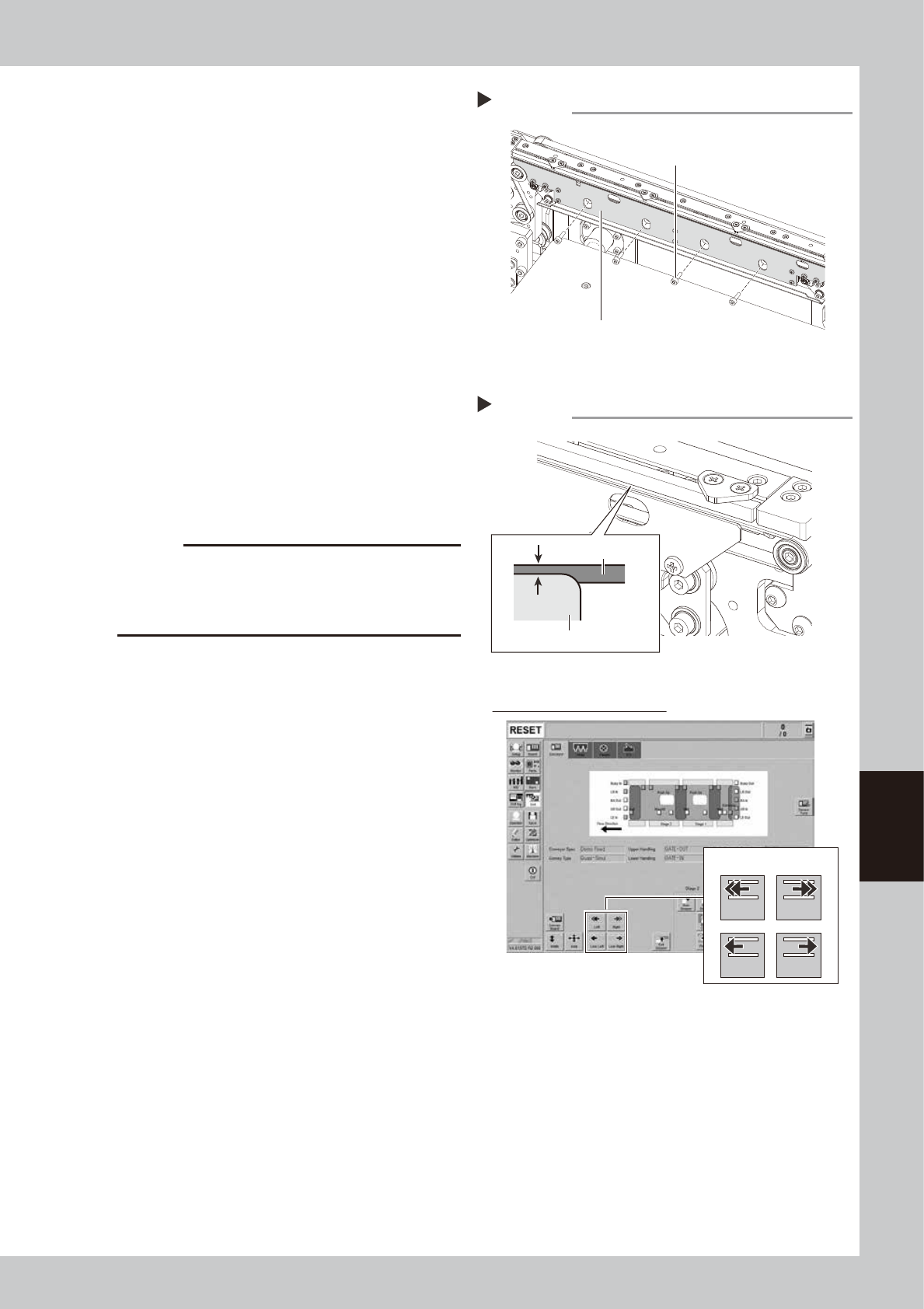
Mount the board clamp plate.
1. Fit the board clamp plate into its original
position and tighten the board clamp
plate mounting bolts with hex wrench (3).
2. Remove the square cloth.
r
Check the belt rotating condition.
1. Make sure that the board clamp top
surface is approx. 0.5 mm lower than the
belt upper surface.
2. Close the machine safety cover and
cancel the emergency stop. Attach the
carriage if the machine is the carriage
type.
3. On the [Unit]-[Conveyor] screen, press
the [Conveyor In] button or [Conveyor
Out] button to turn on the conveyor
motor and check the belt rotation.
4. If the rotation speed fluctuates or there is
slack in the belt, adjust the position of
the tensioner bolt and then check the
rotation again.
c
CAUTION
When the difference between the belt upper surface
and board clamp top surface is very little, the board
transfer error may occur easily. In this case, contact
your distributor.
Step 13
Mounting the board clamp plate
Board clamp plate
Board clamp plate mounting bolt
53622-N2-00
Checking the belt rotating condition
Step 14
Conveyor drive buttons
Checking conveyor belt rotation
Left Right
Low Left Low Right
0.5 mm
Board clamp plate
Belt
54602-N2-00