TR7500_Series_Software_v29_En - 第109页
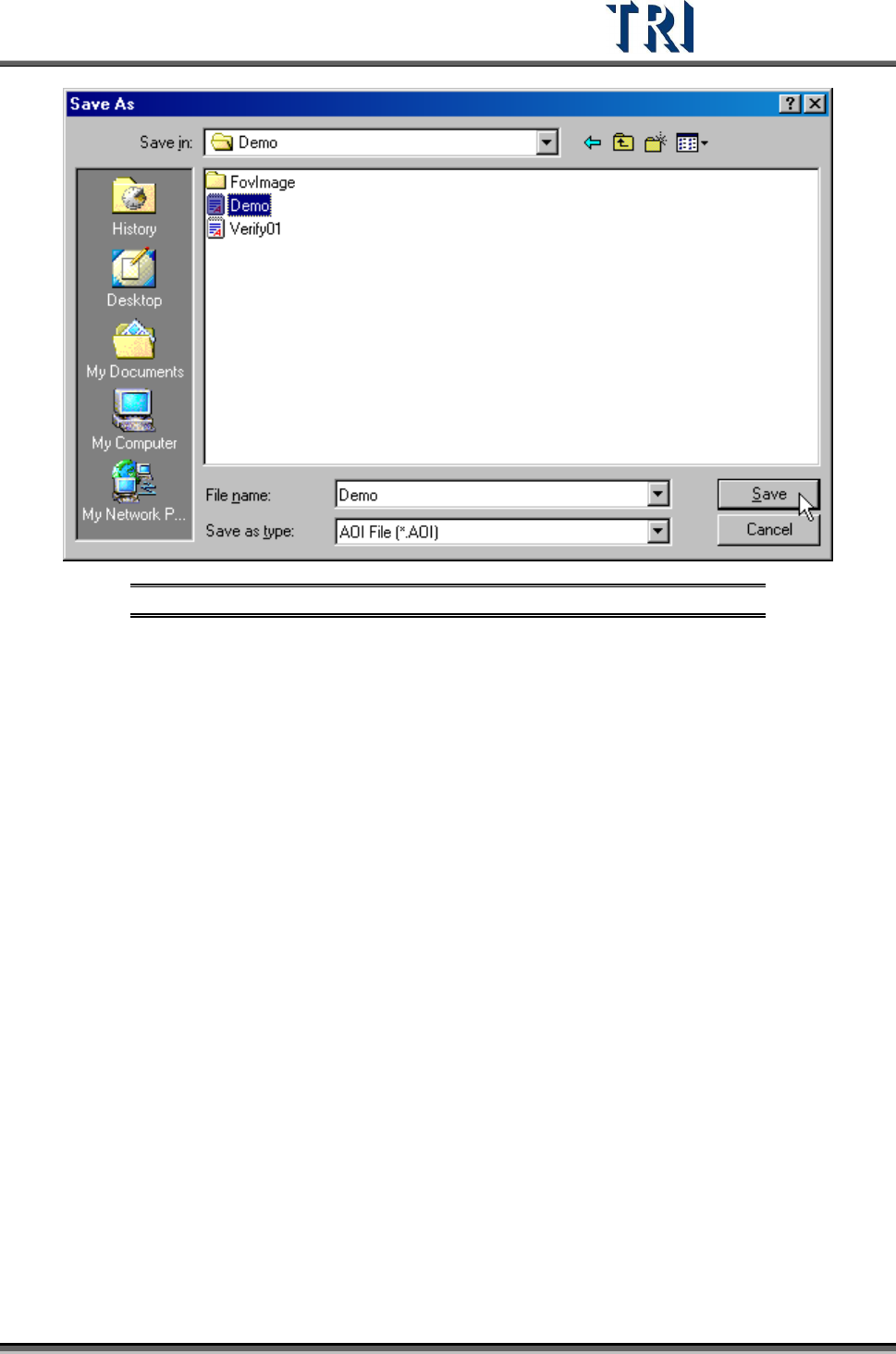
Test Research Inc. TR7500 Series User Guide – Software v.2.9.0 87 Figure 149 : Enter File Nam e & Save New CAD File Press [Close] to close the Non-Cad dial og.
Test Research Inc.
86 TR7500 Series User Guide –Software v.2.9.0
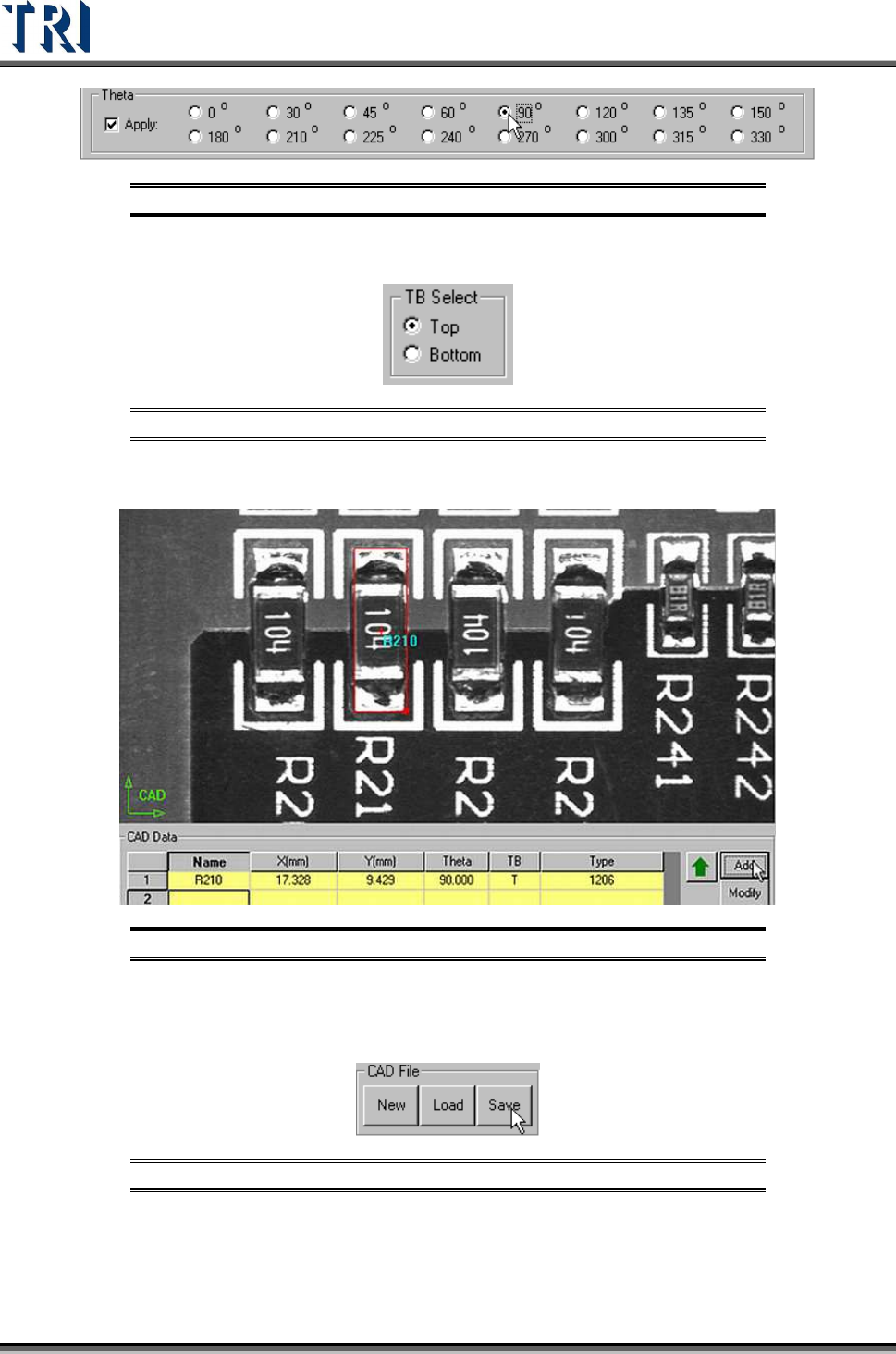
Figure 145: Select a Theta Angle
Select [T/B Side]
Figure 146: Select Top/Bottom
Press [CAD Data/Add] to create the component data.
Figure 147: Click “Add” to Add Component Data
Follow the above steps to add other components.
Press [CAD File/Save] to save AOI file.
Figure 148: Select Save CAD File
Test Research Inc.
TR7500 Series User Guide –Software v.2.9.0 87
Figure 149: Enter File Name & Save New CAD File
Press [Close] to close the Non-Cad dialog.
Test Research Inc.
88 TR7500 Series User Guide –Software v.2.9.0
3.6 Procedure: Edit an Existing AOI File
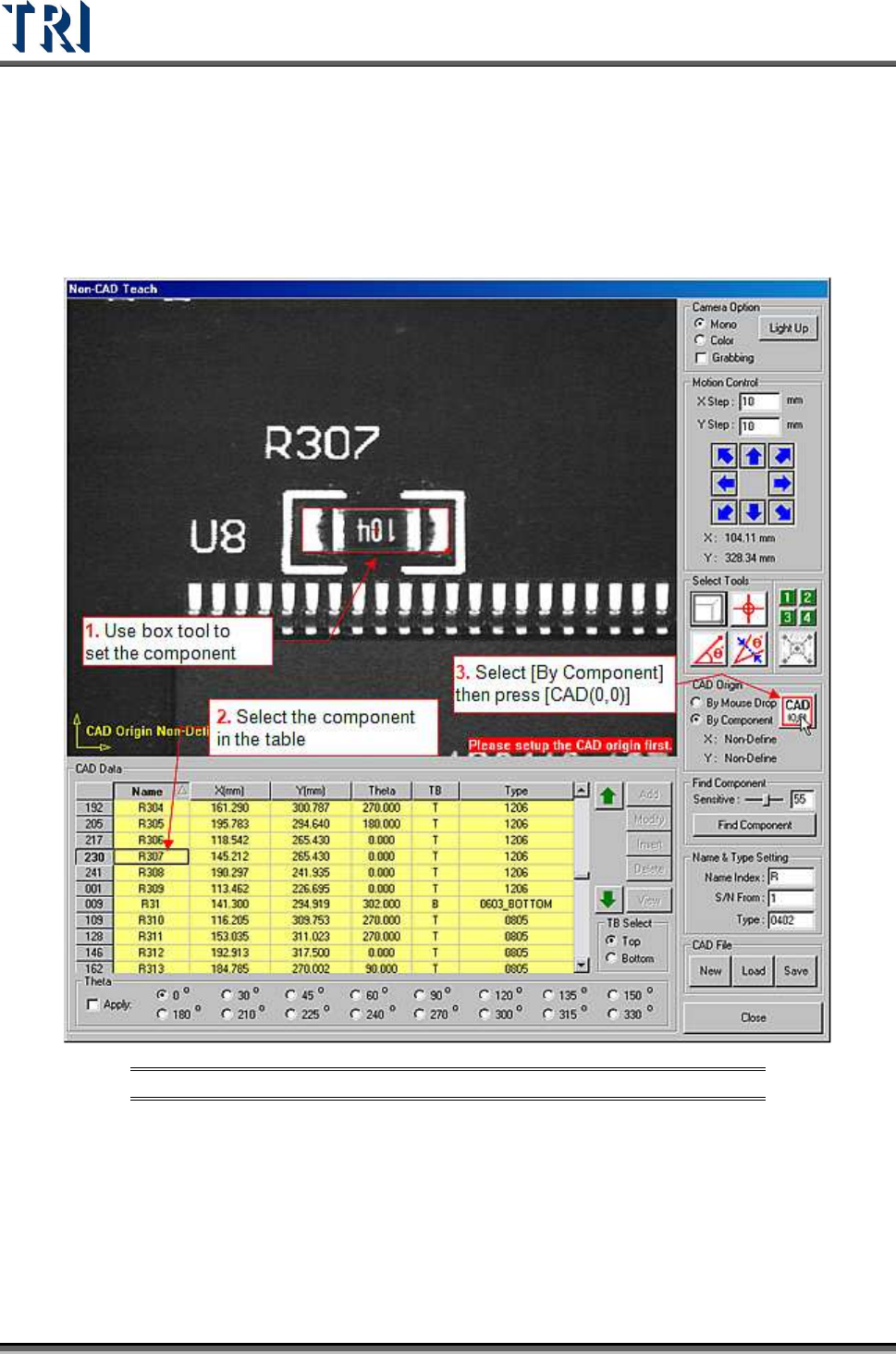
Press [CAD File/Load] to open a file.
Use [By Component] to set origin.
Figure 150: Edit Existing AOI File
Add the other component data and save the file.