TR7500_Series_Software_v29_En - 第116页
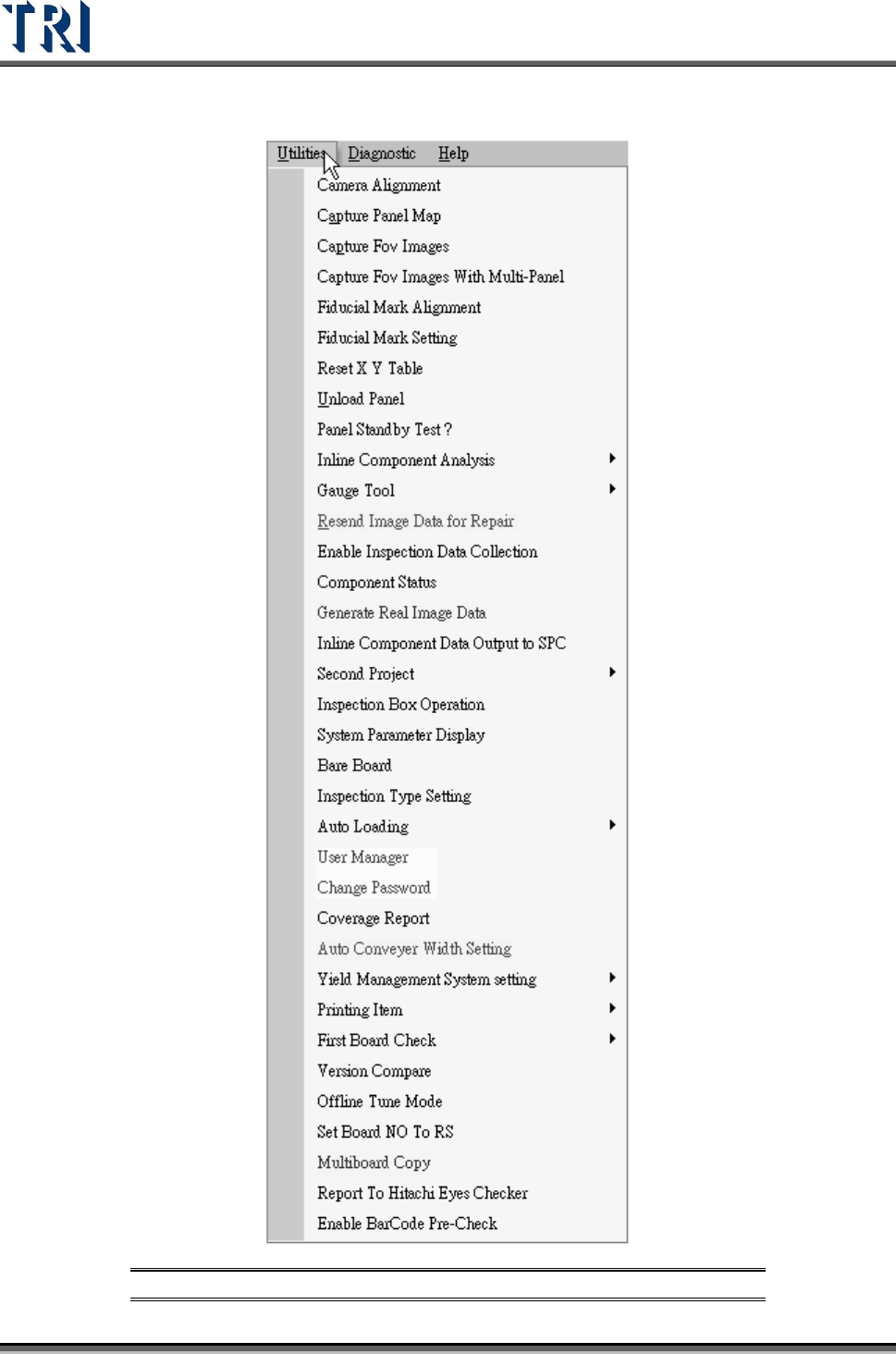
Test Research Inc. 94 TR7500 Series User Guide – Software v.2.9.0 3.10 Utilities Tab Figure 157 : Utilities Tab
Test Research Inc.
TR7500 Series User Guide –Software v.2.9.0 93
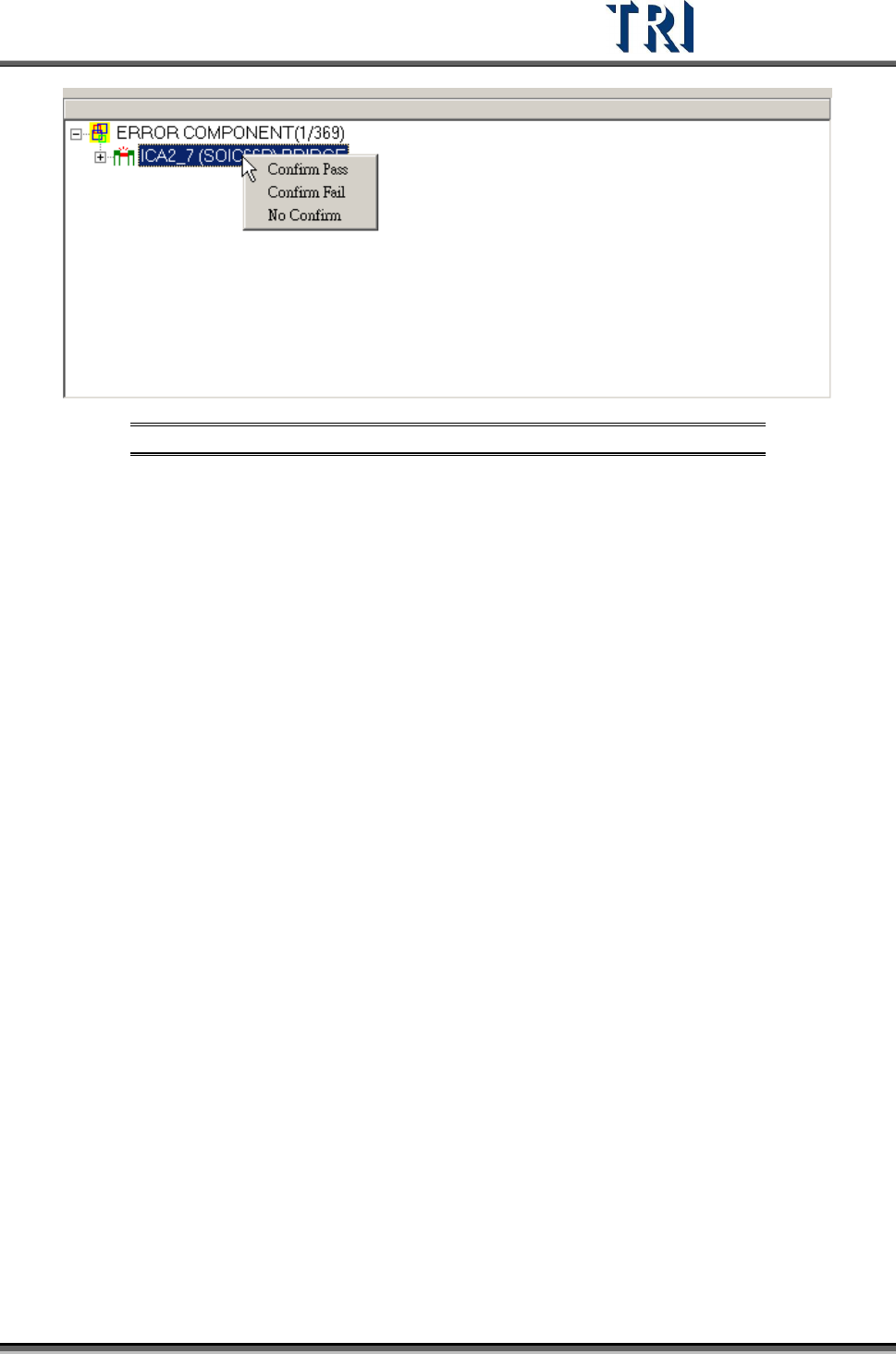
Figure 156: On Machine Confirm Window
Test Research Inc.
94 TR7500 Series User Guide –Software v.2.9.0
3.10 Utilities Tab
Figure 157: Utilities Tab
Test Research Inc.
TR7500 Series User Guide –Software v.2.9.0 95
3.10.1 Camera Alignment
This command is for camera or lighting alignment or to move X-Y table to grab real time
image.
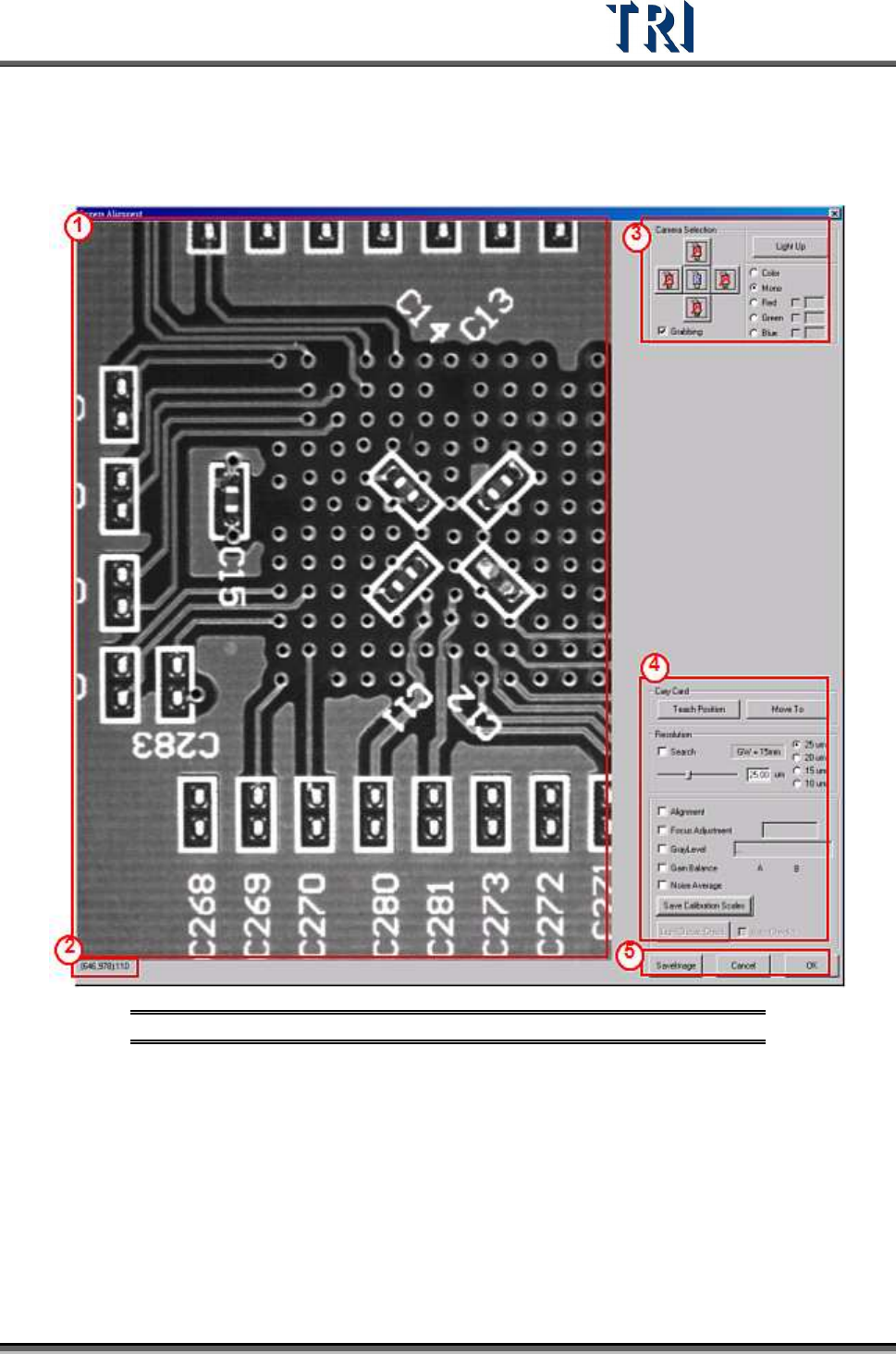
Figure 158: Camera Alignment Window
(1) Real time image – Displays the image that the camera currently has. Select [Grabbing]
first.
(2) Show the coordinates and gray level of the mouse point.
(3) [Camera Selection]
[Light Up] – Press to show [Lighting Control dialog]. Adjust the light here. If
Grabbing a color image, the lighting can’t be changed.
[Color/Mono]– Select grayscale or color image.
[Red/Green/Blue] – Select the RGB weighting to display.