TR7500_Series_Software_v29_En - 第122页
Test Research Inc. 100 TR7500 Series User Guid e –Softwa re v.2.9.0 3.10.10 Inline Compone n t Analysis Collects inspection results and display s results on the sy stem. Figure 166 : Inline Compon ent Analysis 3.10.10 .1…
Test Research Inc.
TR7500 Series User Guide –Software v.2.9.0 99
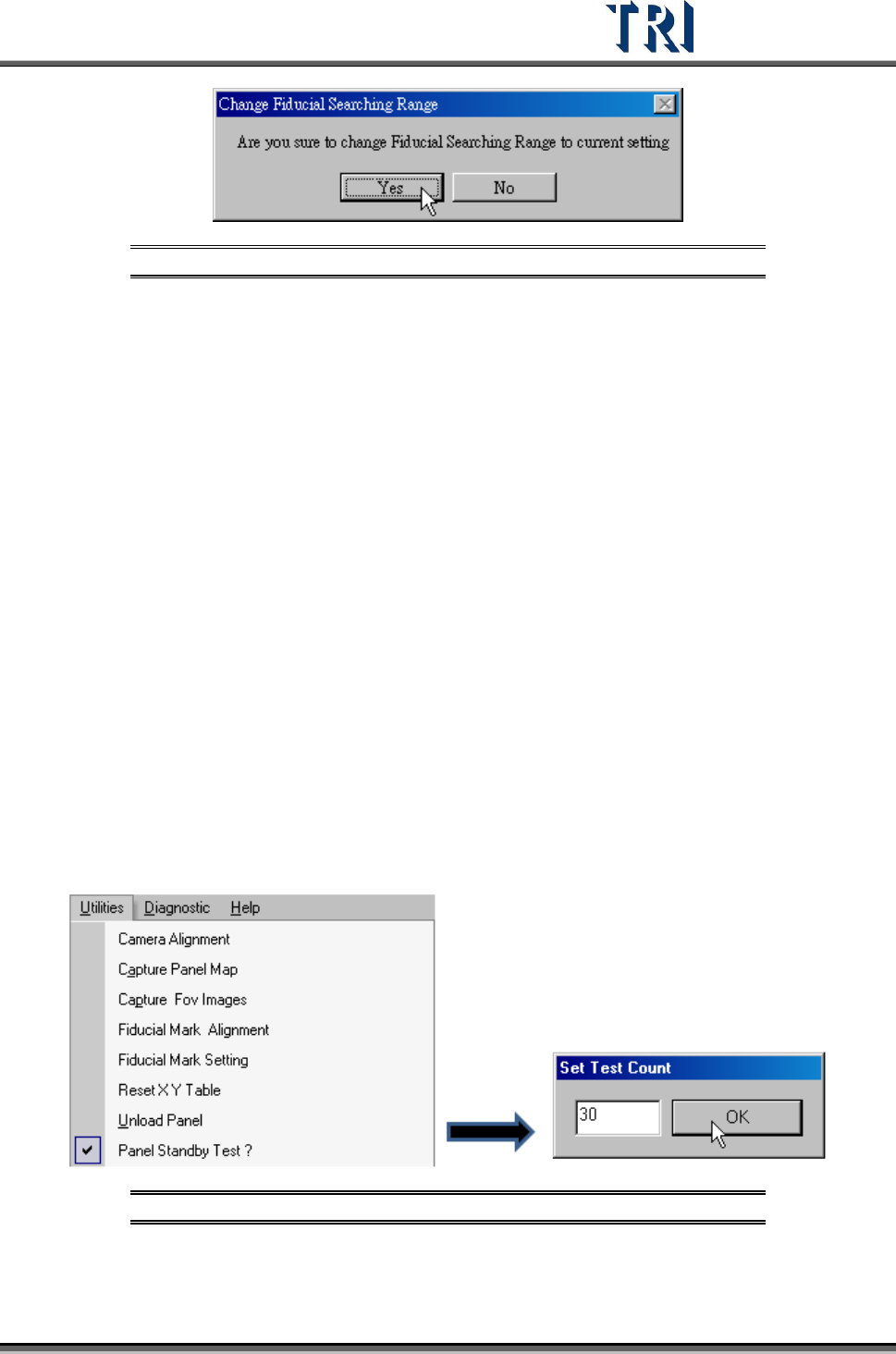
Figure 164: Confirm Fiducial Search Range
[Set Fiducial 1 Search Range] – Adjust the green box to meet the search range that
you want to set then press [OK].
In both [Set Fiducial 0] and [Set Fiducial 1], if the user types “fid” two options
will appear: [Search] and [Apply Weighting].
[Search] – clicking on [Search] will display the actual search scores. For
example, “91/61 means the search result is 91 and the sensitivity is 61.
[Apply Weighting]-applies the current weighting into the [Fid-Searching]
inspection box.
[Sensitive] – Set the sensitivity of the fiducial mark. For example, if the setting is 40;
when an object in search range and the similarity is higher than 40, that object will
be regarded as the fiducial mark.
3.10.7 Reset X Y Table
Press to move camera to original position.
3.10.8 Unload Panel
Press the item to send the board to the board-out side.
3.10.9 Panel Standby Test
Select to test the PCB multiple times without ejecting it. Select the number of test times.
Figure 165: Panel Standby Test & Set Test Count
Test Research Inc.
100 TR7500 Series User Guide –Software v.2.9.0
3.10.10 Inline Component Analysis
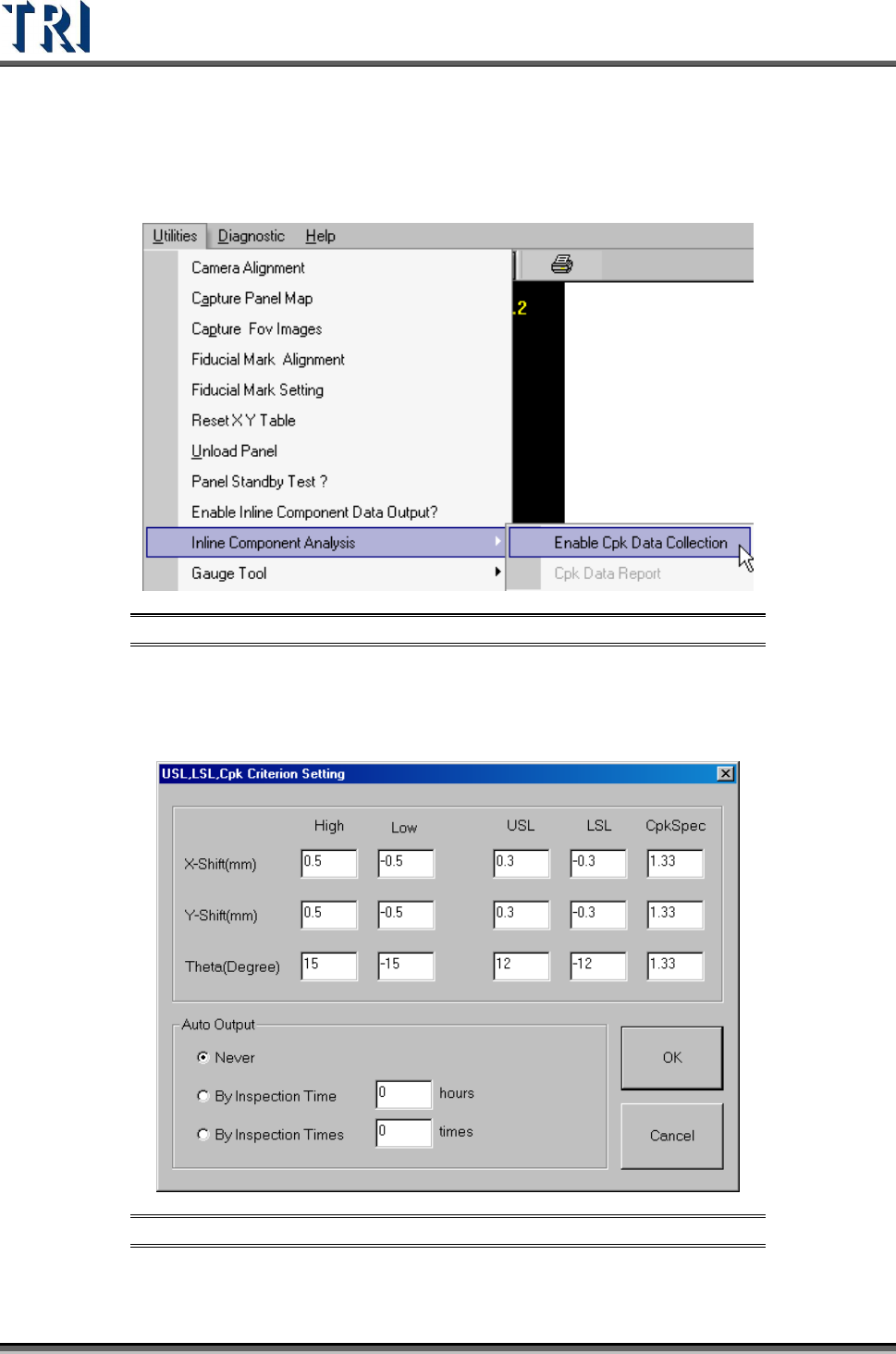
Collects inspection results and displays results on the system.
Figure 166: Inline Component Analysis
3.10.10.1 Enable Cpk Data Collection
Selecting this item presents the following window. Select the collection rules here.
Figure 167: Cpk Criterion Setting Dialog
Test Research Inc.
TR7500 Series User Guide –Software v.2.9.0 101
[X-Shift]、[Y-Shift], [Theta]– Presents the horizontal shift and vertical shift and
the rotated angle separately.
[High], [Low] – The upper and lower limit for the testing result. When the result is
within this range, it can be included in calculating.
[USL]–The upper spec limit for calculating Cpk index.
[LSL]–The lower spec limit for calculating Cpk index.
[CpkSpec]–The tolerance for Cpk. It is normal when Cpk is greater than this value;
it’s abnormal when Cpk is smaller than this value.
[AutoOutput]
[Never]–Do not output automatically.
[By Inspection Time]–Outputs data according to the assigned time interval.(unit:
hours)
[By Inspection Times]–Outputs data according to the assigned number of
inspected counts.
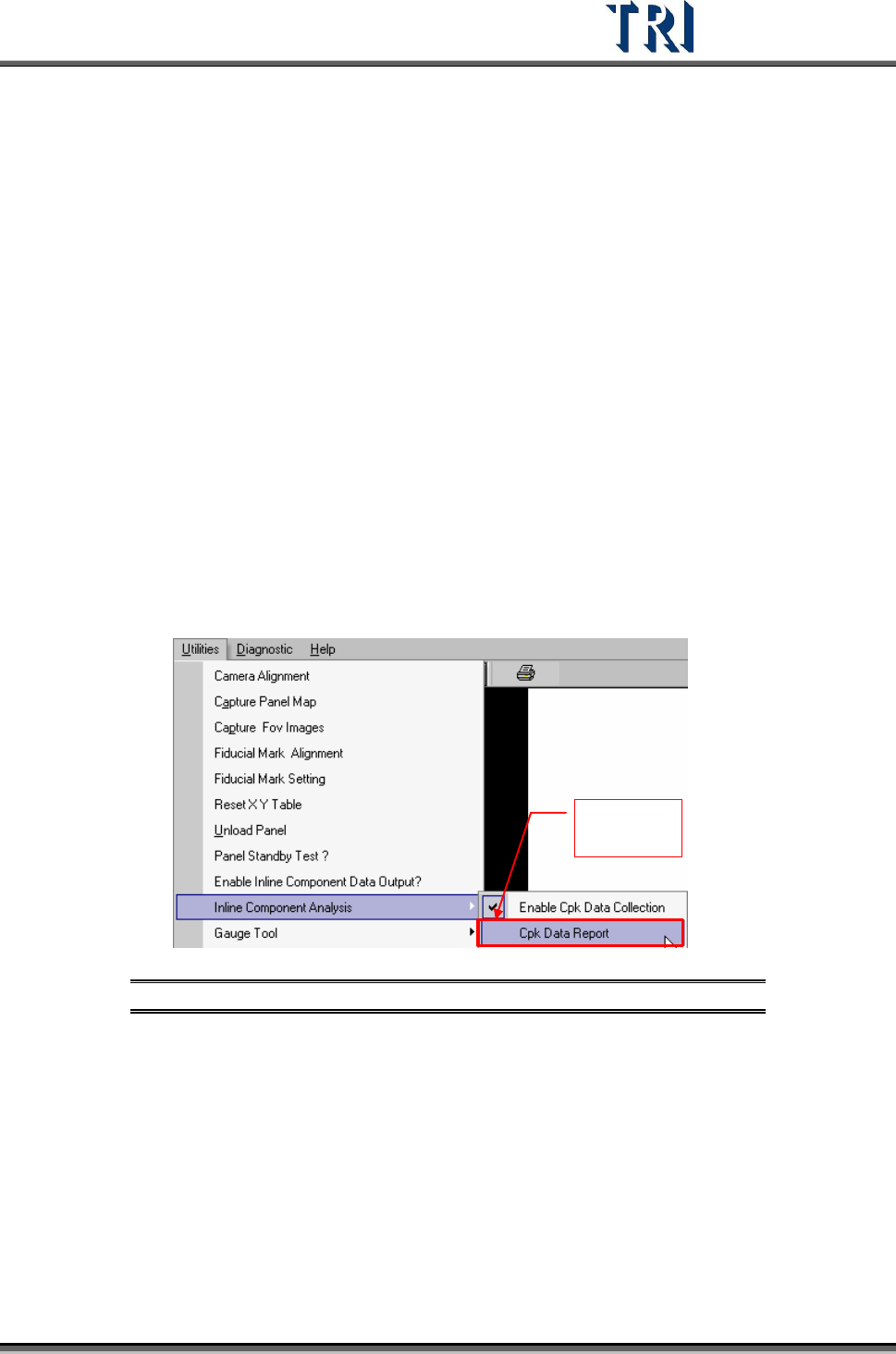
3.10.10.2 Cpk Data Report
Review the collected data.
Change to
enable
Figure 168: Cpk Data Report
Cpk format is shown below.