TR7500_Series_Software_v29_En - 第124页
Test Research Inc. 102 TR7500 Series User Guid e –Softwa re v.2.9.0 Figure 169 : Cpk Data Table Cli cking on a field title wi l l sequence the data acco rding to that value. The ye llow means that the componen t is ‘…
Test Research Inc.
TR7500 Series User Guide –Software v.2.9.0 101
[X-Shift]、[Y-Shift], [Theta]– Presents the horizontal shift and vertical shift and
the rotated angle separately.
[High], [Low] – The upper and lower limit for the testing result. When the result is
within this range, it can be included in calculating.
[USL]–The upper spec limit for calculating Cpk index.
[LSL]–The lower spec limit for calculating Cpk index.
[CpkSpec]–The tolerance for Cpk. It is normal when Cpk is greater than this value;
it’s abnormal when Cpk is smaller than this value.
[AutoOutput]
[Never]–Do not output automatically.
[By Inspection Time]–Outputs data according to the assigned time interval.(unit:
hours)
[By Inspection Times]–Outputs data according to the assigned number of
inspected counts.
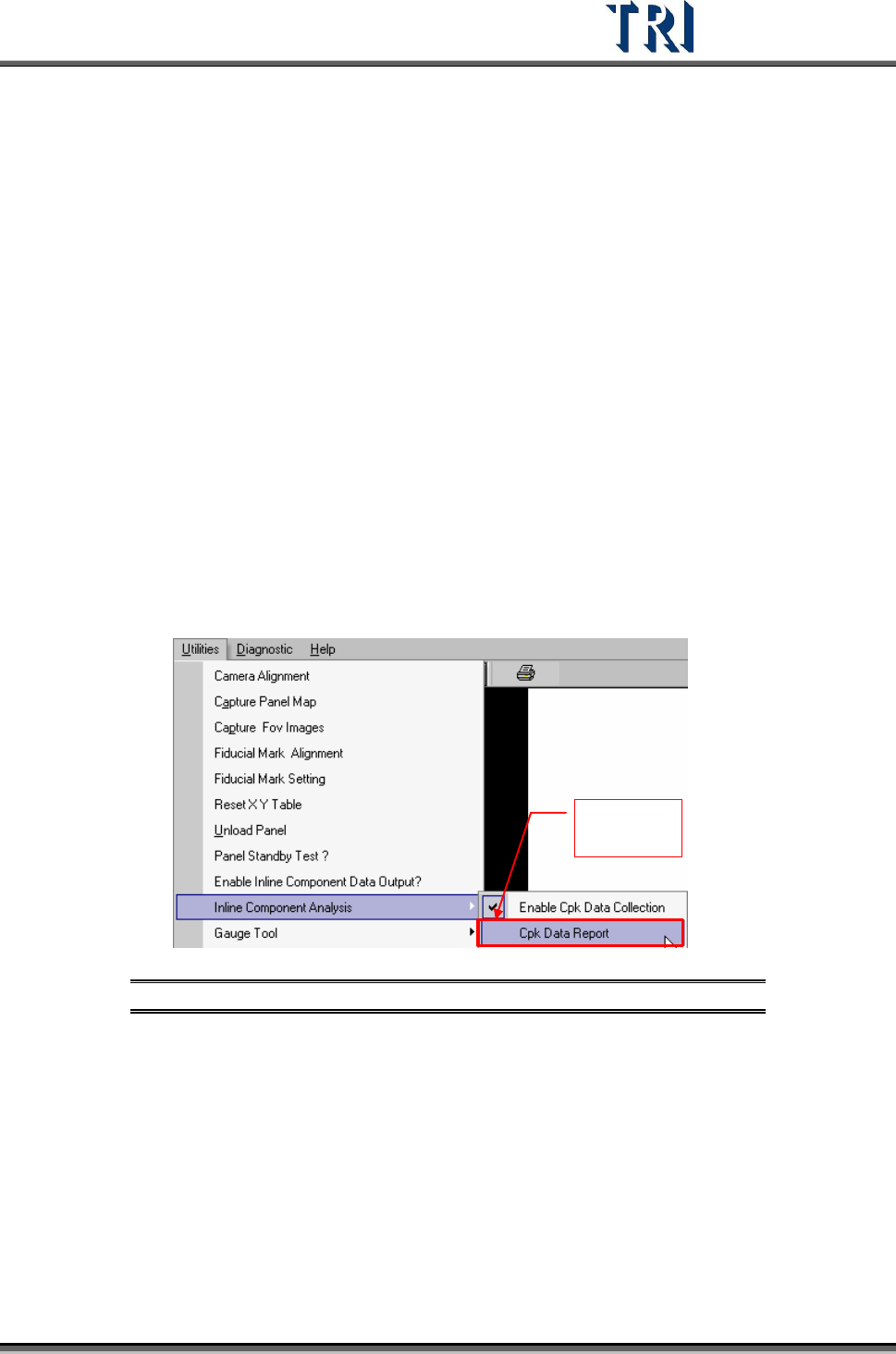
3.10.10.2 Cpk Data Report
Review the collected data.
Change to
enable
Figure 168: Cpk Data Report
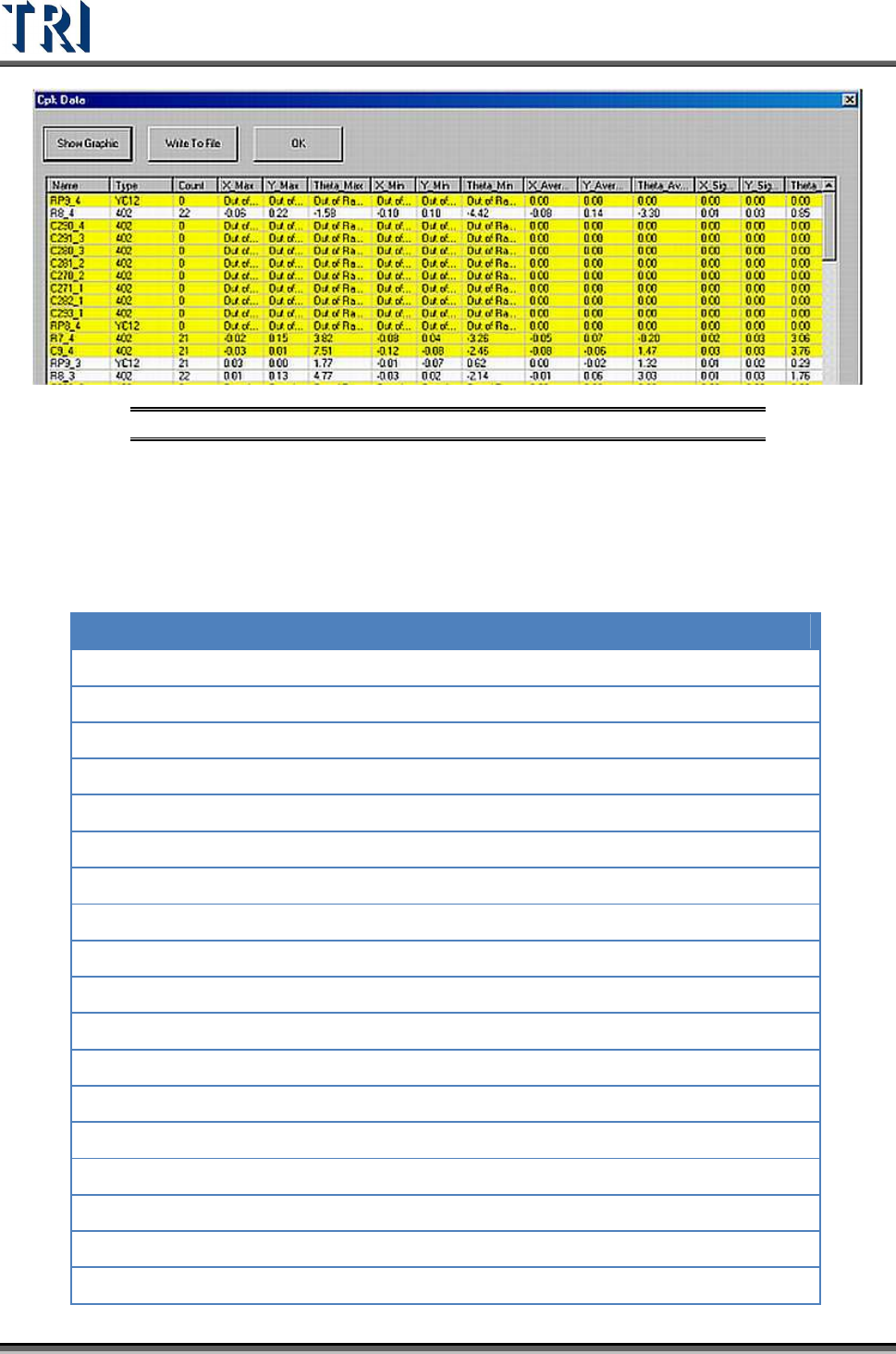
Cpk format is shown below.
Test Research Inc.
102 TR7500 Series User Guide –Software v.2.9.0
Figure 169: Cpk Data Table
Clicking on a field title will sequence the data according to that value.
The yellow means that the component is ‘abnormal’: The Cpk Value is lower than
CpkSpc.
Each field is explained in the table below:
Name Component Name
Type
Component type
Count
The number of data calculated.
X_Max
The maximum for X-shift (unit: mm)
Y_Max
The maximum for Y-shift (unit: mm)
Theta_Max
The maximum for Theta (unit: mm)
X_Min
The minimum for X-shift (unit: mm)
Y_Min
The minimum for Y-shift (unit: mm)
Theta_Min
The minimum for Theta (unit: mm)
X_Average
The average for X-shift (unit: mm)
Y_Average
The average for Y-shift (unit: mm)
Theta_Average
The average for Theta (unit: mm)
X_Sigma
The sigma for X-shift (unit: mm)
Y_Sigma
The sigma for Y-shift (unit: mm)
Theta_Sigma
The sigma for Theta (unit: mm)
X_CpkSpec
CpkSpec for X-shift
X_Cpk
Cpk for X-shift
Y_CpkSpec
CpkSpec for Y-shift
Y_Cpk
Cpk for Y-shift
Test Research Inc.
TR7500 Series User Guide –Software v.2.9.0 103
Name Component Name
Theta_CpkSpec
CpkSpec for Theta
Theta_Cpk
Cpk for Theta
Missing
The number of missing.
X_Position
The result of X coordinate on CAD adds the average of X-
shift
Y_Position
The result of Y coordinate on CAD adds the average of Y-
shift
Status
It shows [NG] and displays yellow symbol when there’s a
[Missing] or [Cpk<CpkSpec]. Otherwise it shows [OK].
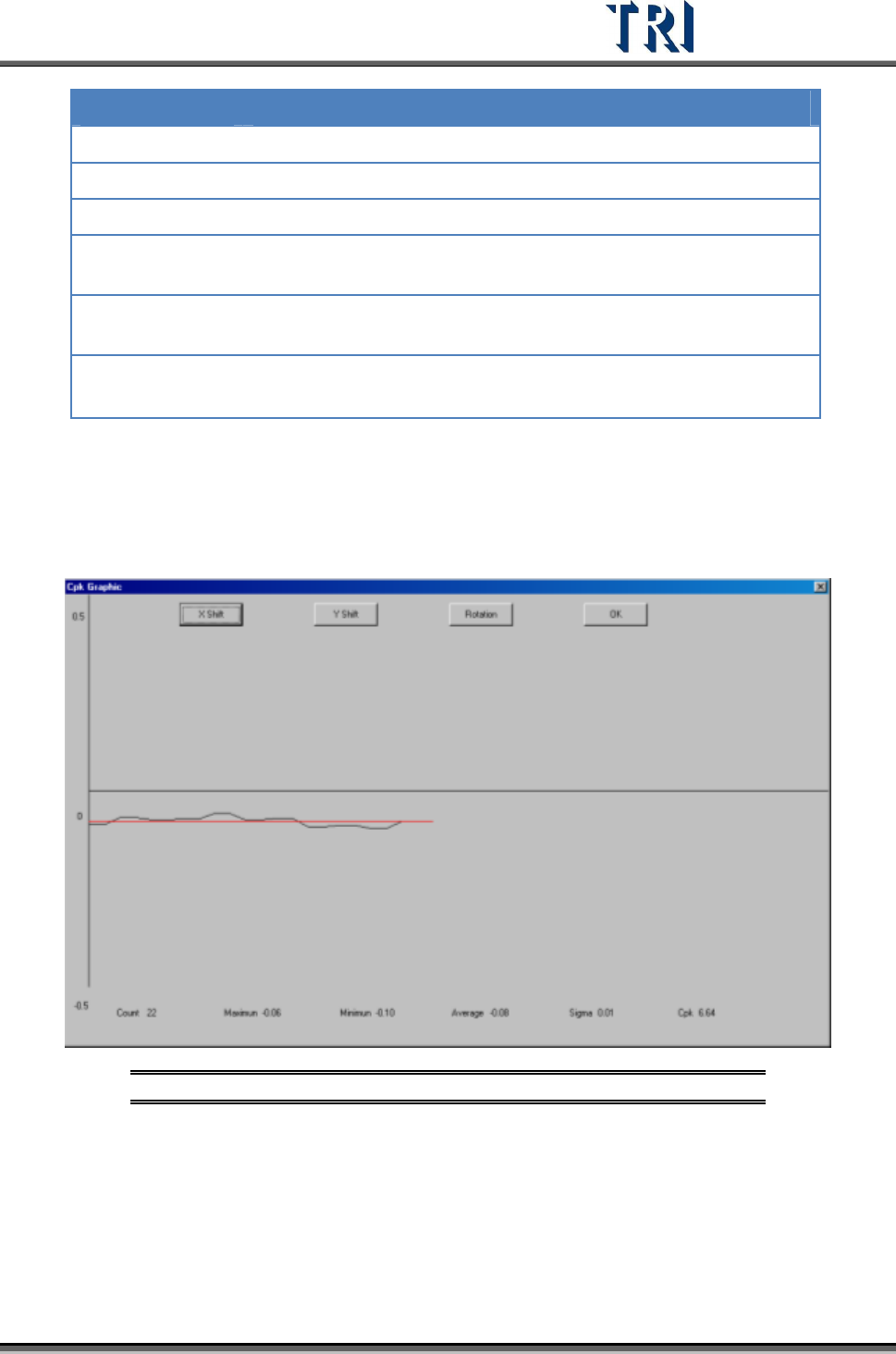
[Show Graphic] – Show the time sequence graph for selected component.
Select to display the graph of X-shift, Y-shift or Rotation.
The horizontal axis presents the count and the vertical means the result.
The red line means the average.
Figure 170: Time Sequence Graph
[Write To File] – Output the original data as text file.
[OK] – Close the window.